
1. Introduction
This manual provides essential information for the safe and effective operation of your TCQQ 150W RGBW Moving Head Stage Light, Model ZQ02340. Please read this manual thoroughly before installation and use to ensure proper function and to prevent damage to the unit or injury to personnel. Keep this manual for future reference.
2. Safety Information
- Electrical Safety: Always connect the unit to a grounded power outlet. Ensure the voltage matches the unit's requirements. Disconnect power before any service or maintenance.
- Installation: Install the fixture in a well-ventilated area, away from flammable materials. Ensure secure mounting using appropriate hardware.
- Temperature: Do not operate the unit in environments outside the specified temperature range (-20℃ to 40℃).
- Eye Safety: Avoid direct eye exposure to the light source.
- Moisture: This unit is not waterproof. Protect it from rain, moisture, and liquids.
- Repairs: All repairs should be performed by qualified service personnel.
3. Package Contents
Upon opening the package, verify that all listed items are present and undamaged. If any items are missing or damaged, contact your retailer immediately.
- Moving Head Light (1 unit)
- Power cable (1 unit)
- Signal line (1 unit)
- Ceiling pendant (1 unit)
- Small hook (1 unit)
- Instruction manual (1 unit)

Image 3.1: The image displays the TCQQ 150W RGBW Moving Head Stage Light along with its accessories: a power cable, a signal line, a ceiling pendant, a small hook, and the instruction manual.
4. Product Overview
The TCQQ 150W RGBW Moving Head Stage Light is a versatile lighting fixture designed for various event settings. It features 8 powerful 12W RGBW LEDs and 32 golden LEDs, providing a wide spectrum of colors and dynamic effects. The unit offers precise control over movement and lighting parameters.
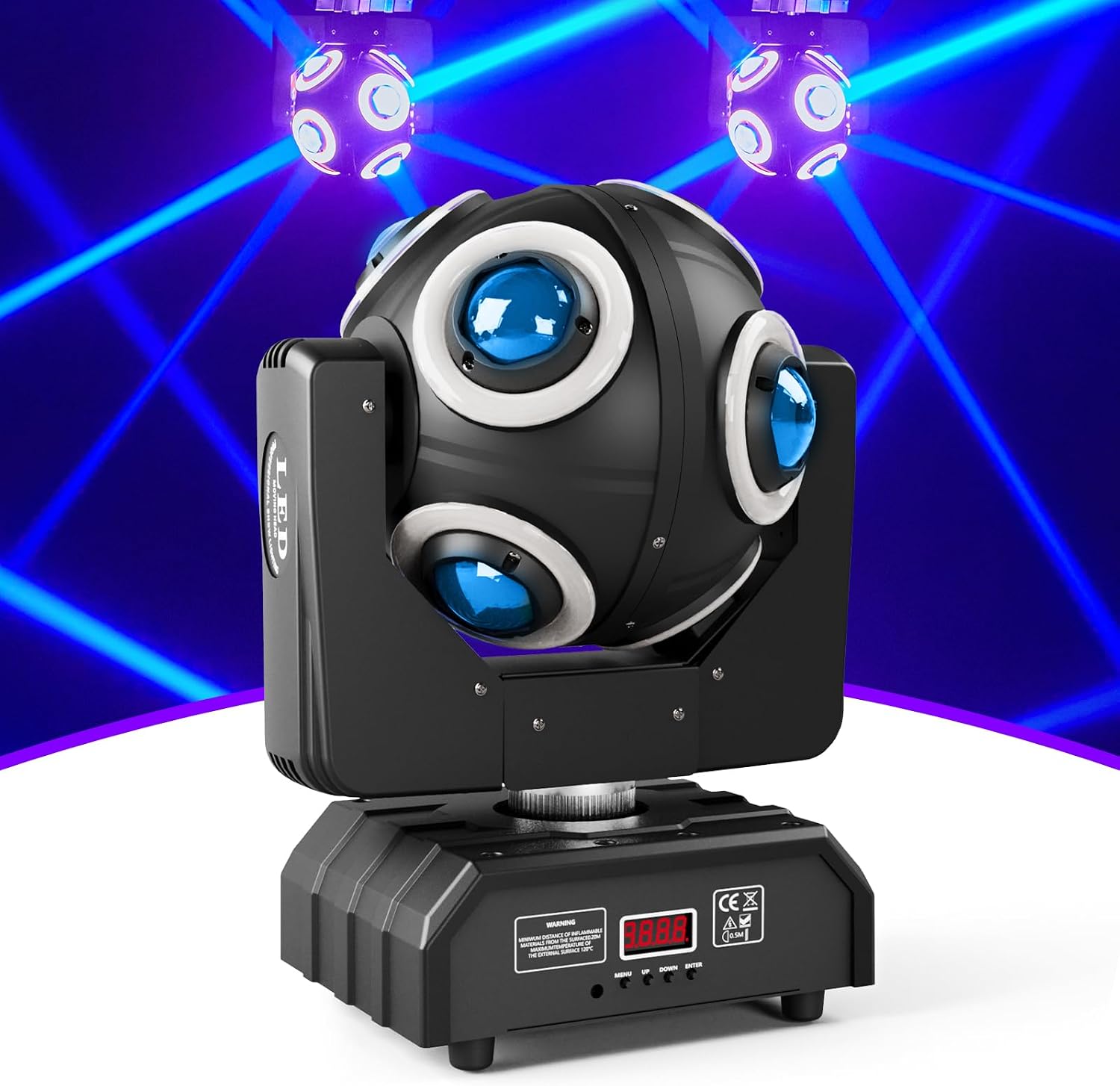
Image 4.1: A front-facing view of the TCQQ 150W RGBW Moving Head Stage Light, showcasing its spherical head with multiple LED lenses and the sturdy base.

Image 4.2: This diagram illustrates the extensive movement capabilities of the light, highlighting a 540° rotation on the X-axis (pan) and a 360° rotation on the Y-axis (tilt).

Image 4.3: A close-up of the light's base, showing the 4-digit digital display and control buttons (MENU, UP, DOWN, ENTER) on the front, and the DMX IN/OUT, Power IN, and cooling fan on the rear.
5. Setup
5.1 Mounting
The fixture can be mounted using a pole mount or bracket mount. Ensure the mounting surface or structure can safely support the weight of the fixture (approximately 11.82 pounds).
- Attach the ceiling pendant or small hook securely to the fixture and the desired mounting point.
- Always use a safety cable as a secondary attachment to prevent accidental drops.
5.2 Power Connection
Connect the provided power cable to the 'POWER IN' port on the rear of the fixture and then to a suitable grounded electrical outlet (AC 100-240V, 50/60Hz).
5.3 DMX Connection (Optional)
For DMX control, connect a DMX controller to the 'DMX IN' port using a 3-pin XLR cable. If linking multiple fixtures, connect the 'DMX OUT' of the first fixture to the 'DMX IN' of the next, and so on. Terminate the last fixture in the chain with a DMX terminator.
6. Operation
The TCQQ Moving Head Light offers multiple control modes for flexibility in various applications.
6.1 Control Panel
The 4-digit digital display and buttons (MENU, UP, DOWN, ENTER) on the front of the base allow for direct configuration of the fixture's settings and modes.
- MENU: Cycles through the main menu options.
- UP/DOWN: Navigates through options or adjusts parameter values.
- ENTER: Confirms selection or saves changes.
6.2 Control Modes
The fixture supports the following operational modes:
- DMX512 Mode: Allows external control via a DMX controller. Set the DMX address using the control panel. The fixture uses 14 DMX channels.
- Master-Slave Mode: Link multiple fixtures where one acts as the master and others as slaves, synchronizing their effects.
- Self-Propelled (Auto) Mode: The fixture runs through pre-programmed patterns and effects automatically. This mode often includes speed options (e.g., AT01 for fast, AT02 for slow).
- Sound Activated Mode: The light reacts to ambient sound or music, creating dynamic effects synchronized with the audio.
6.3 DMX Channel Chart (Example)
Refer to the detailed DMX channel chart in the included printed manual for specific functions assigned to each of the 14 DMX channels. This chart will guide you in programming your DMX controller.
7. Maintenance
Regular maintenance ensures optimal performance and extends the lifespan of your moving head light.
- Cleaning: Periodically clean the lenses and exterior with a soft, lint-free cloth. Do not use abrasive cleaners or solvents.
- Inspection: Regularly check power cables, DMX cables, and mounting hardware for any signs of wear or damage.
- Cooling Fan: Ensure the cooling fan is free from dust and obstructions to maintain proper airflow.
- Storage: When not in use for extended periods, store the fixture in a dry, dust-free environment.
8. Troubleshooting
If you encounter issues with your TCQQ Moving Head Light, refer to the following common problems and solutions:
| Problem | Possible Cause | Solution |
|---|---|---|
| No power | Power cable disconnected; no power from outlet; fuse blown | Check power cable connection; test outlet; replace fuse if necessary. |
| No light output | Dimmer channel at 0; fixture in blackout mode; LED failure | Check DMX dimmer channel; verify fixture mode; contact support if LEDs are faulty. |
| No DMX control | Incorrect DMX address; faulty DMX cable; DMX controller issue; no terminator | Verify DMX address; test DMX cable; check controller settings; ensure DMX terminator is used on the last fixture. |
| Erratic movement | Interference; motor issue; DMX signal problem | Check DMX signal quality; restart fixture; contact support if motor is faulty. |
| Sound mode not responding | Microphone sensitivity too low; no sound input | Increase microphone sensitivity (if adjustable); ensure sufficient sound level near the fixture. |
9. Specifications
| Feature | Specification |
|---|---|
| Model Number | ZQ02340 |
| Brand | TCQQ |
| Power Source | Corded Electric |
| Wattage | 150 Watts |
| Light Source Type | Light Emitting Diode (LED) |
| Number of Light Sources | 8 x 12W RGBW LEDs + 32 Golden LEDs (Total 40) |
| Brightness | 3400 lux (at 10 meters) |
| Beam Angle | 360 Degrees |
| X-axis Rotation | 540° |
| Y-axis Rotation | 360° |
| Control Modes | DMX512, Master-Slave, Self-Propelled (Auto), Sound Activated |
| DMX Channels | 14CH |
| Display | 4-digit digital display |
| Material | Aluminum Alloy, Plastic |
| Protection Grade | IP20 |
| Operating Temperature | -20℃ to 40℃ |
| Lifespan | 50,000 hours (average) |
| Flash Frequency | 1-20Hz/second |
| Product Dimensions | 10.6"L x 9.4"W x 10.6"H |
| Item Weight | 11.82 pounds |
10. Warranty and Support
For warranty information or technical support, please refer to the contact details provided with your purchase documentation or visit the official TCQQ website. Keep your proof of purchase for any warranty claims.