1. Introduction and Overview
The ALSO GO Podcast Equipment Bundle provides a comprehensive solution for high-quality audio recording and live streaming. This bundle includes a BM-800 Condenser Microphone, a DJ18 Live Sound Card, and essential accessories designed for various applications such as podcasting, gaming, karaoke, singing, and video conferencing. The system features plug-and-play functionality for simplified operation and offers a range of sound effects and noise reduction capabilities.
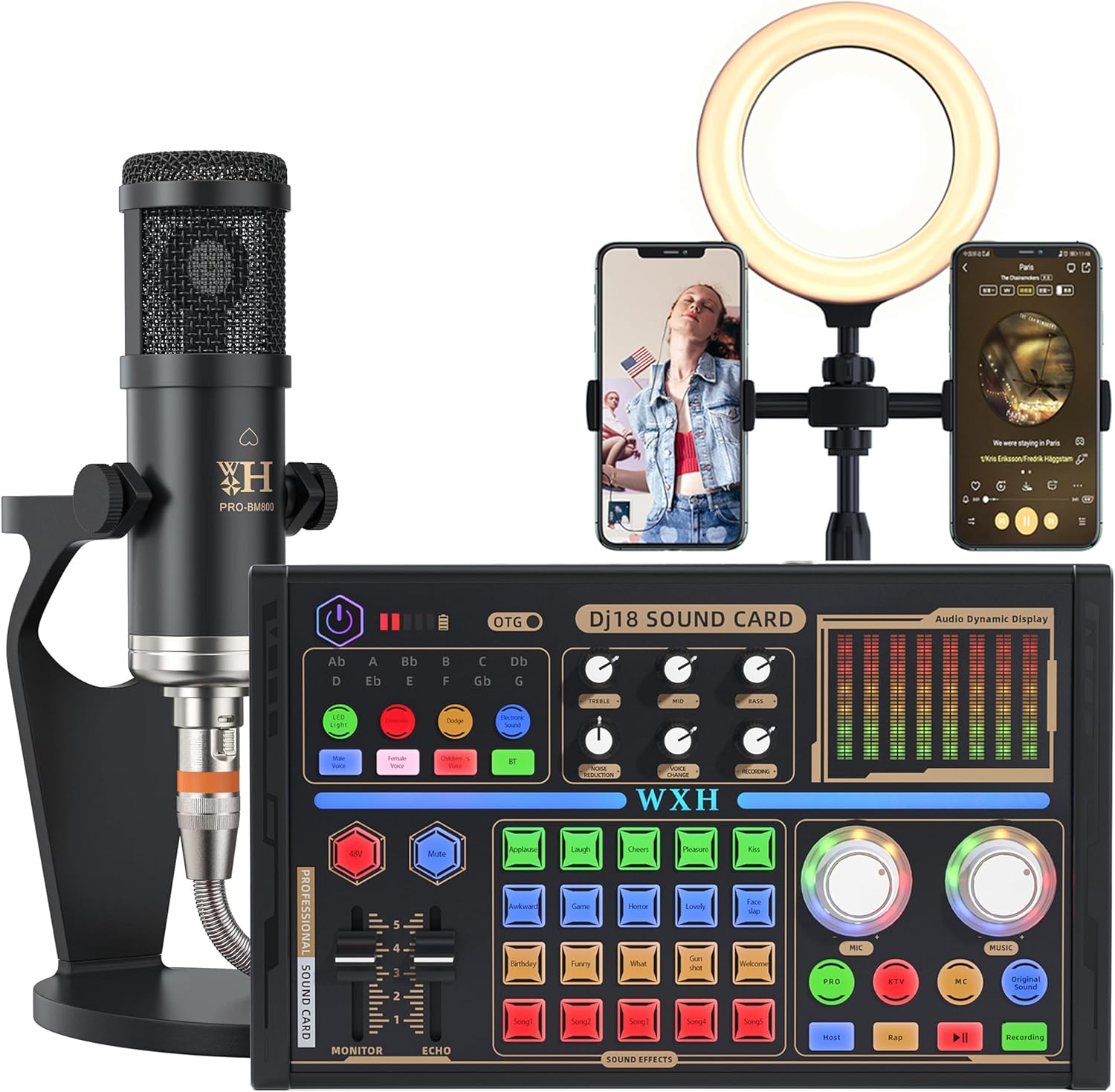
Image 1.1: The complete ALSO GO Podcast Equipment Bundle, showcasing the DJ18 Sound Card, BM-800 Condenser Microphone, and a ring light with phone holders.
2. Package Contents
Please verify that all items listed below are included in your package:
- 1 x BM-800 Condenser Microphone
- 1 x DJ18 Sound Card
- 1 x Adjustable Microphone Stand
- 1 x Headset
- 1 x Charging Cable
- 1 x Microphone Cable
- 2 x Audio Cables
- 1 x Foam Microphone Cover (Windscreen)
- 1 x Shock Mount
- 1 x Fill Light (Ring Light)
- 1 x User Manual
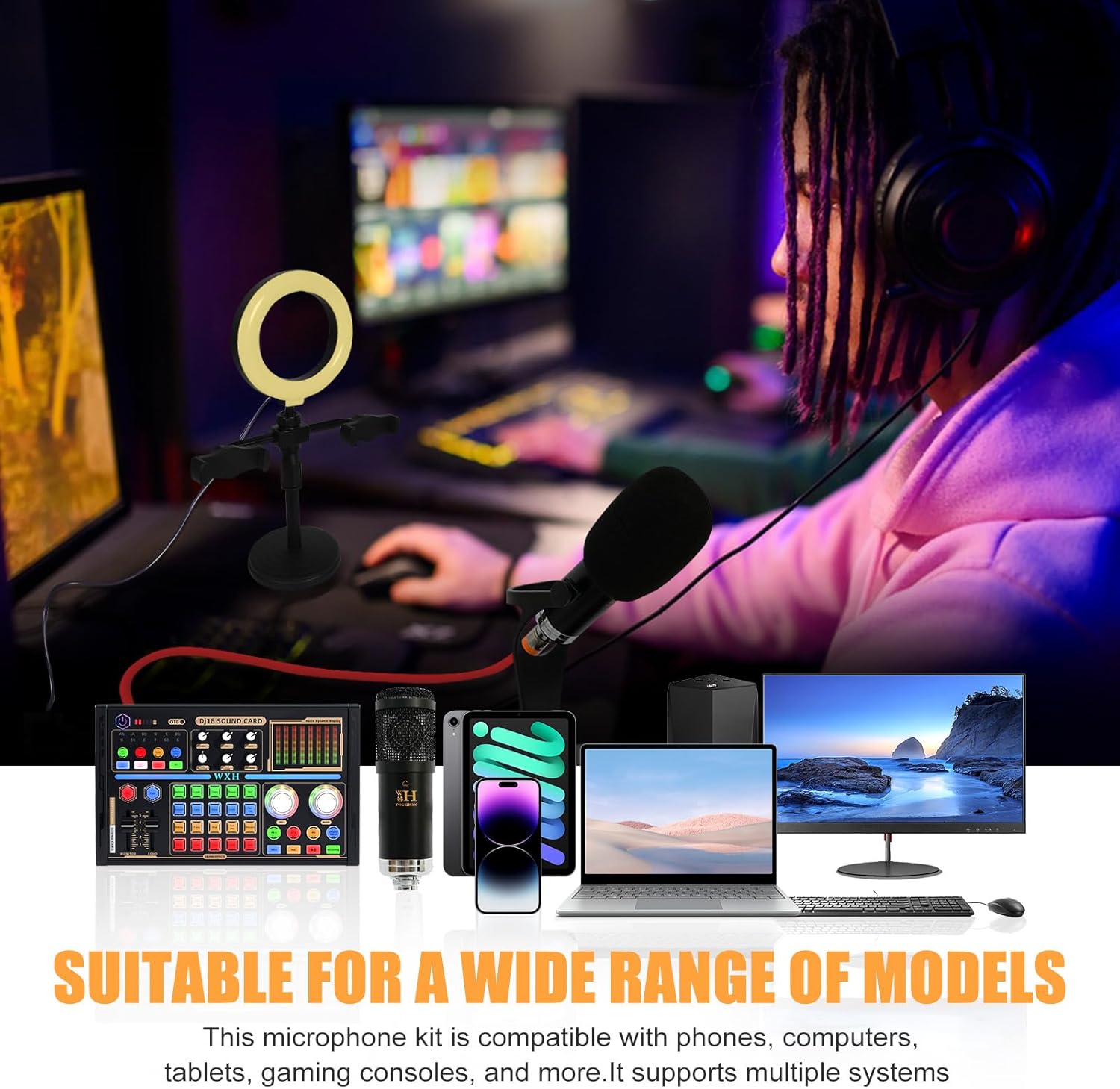
Image 2.1: Visual representation of all items included in the package, such as the microphone, sound card, cables, and accessories.
3. Product Specifications
| Brand | ALSO GO |
| Model Name | DJ18 Sound Card and BM-800 Condenser Microphone |
| Item Model Number | MG0015-WH-2 |
| Microphone Type | Condenser |
| Connectivity Technology | USB, Bluetooth |
| Connector Type | USB Type-C |
| Special Feature | Noise Reduction, Voice Changer |
| Compatible Devices | Laptop, Smartphone, Speaker, Voice Recorder |
| Power Source | Battery Powered |
| Material | Metal |
| Color | Black |

Image 3.1: Product dimensions for the sound card and microphone, indicating measurements in centimeters and inches.
4. Setup Guide
Follow these steps to set up your ALSO GO Podcast Equipment Bundle:
- Initial Charging: Before first use or after a long period of inactivity, fully charge the DJ18 Sound Card using the provided charging cable. Connect the charging cable to the USB Type-C port on the sound card and a suitable power source.
- Assemble Microphone: Attach the BM-800 Condenser Microphone to the shock mount, then secure the shock mount to the adjustable microphone stand. Place the foam microphone cover over the microphone.
- Connect Microphone to Sound Card: Use the microphone cable to connect the BM-800 microphone to the designated microphone input port on the DJ18 Sound Card. The sound card supports up to three microphone inputs.
- Connect Output Devices:
- Headset/Earphones: Connect your headset or earphones to the 'Headset' or 'Earphone' port on the sound card for monitoring audio.
- Speakers: If using external speakers, connect them to the appropriate output port on the sound card.
- Connect to Recording/Streaming Device:
- Computer/Laptop: Use the USB Type-C cable to connect the 'Computer' port on the sound card to your computer. No driver installation is required for most operating systems.
- Smartphone (Live Streaming): Use the audio cables to connect the 'Live' ports on the sound card to your smartphone(s) for live streaming applications.
- Power On: Press the power button on the DJ18 Sound Card to turn it on.
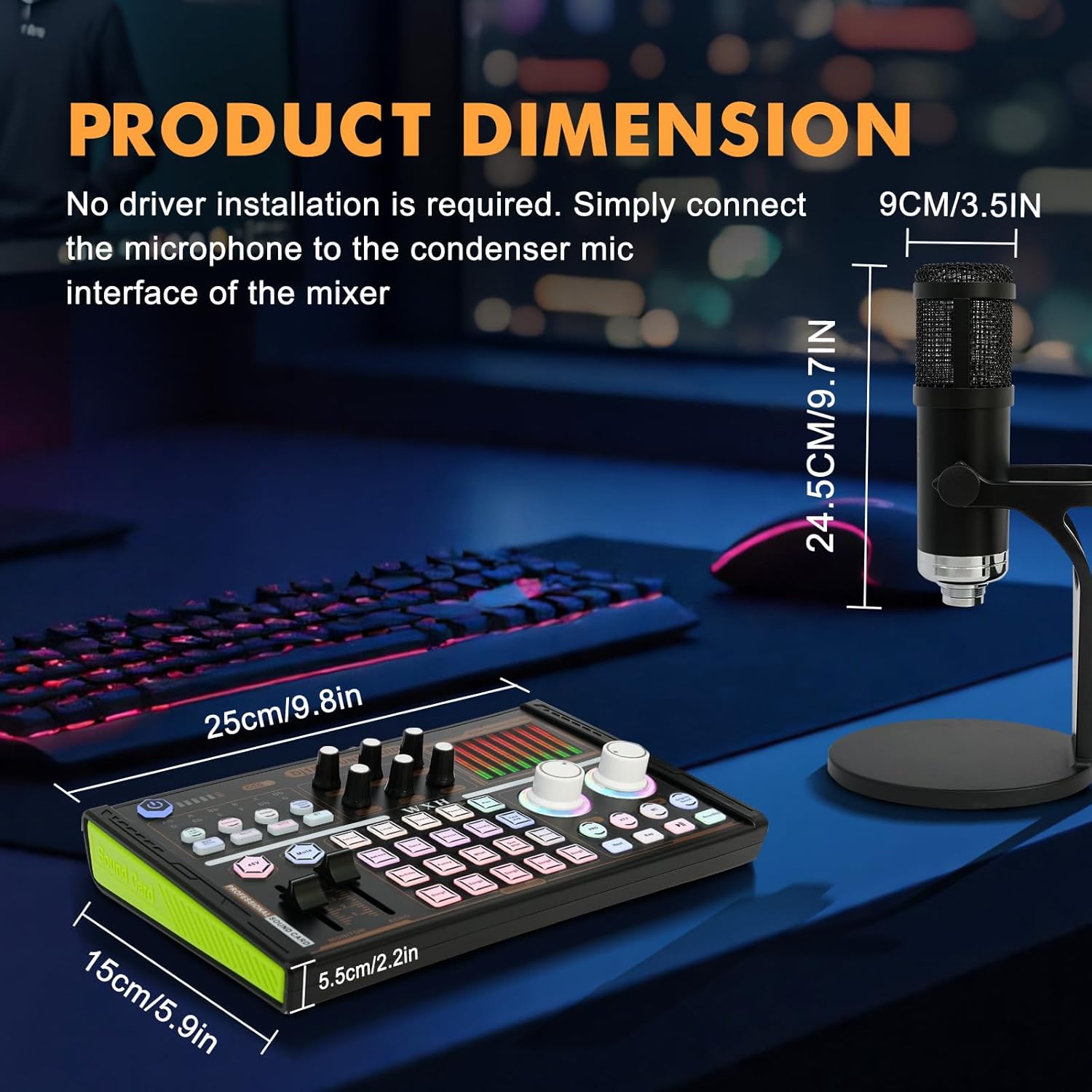
Image 4.1: Detailed connection diagram for the DJ18 Sound Card, showing inputs for microphones, headset, accompaniment, and outputs for live streaming and computer connection.
5. Operating Instructions
The DJ18 Sound Card offers various controls and features to enhance your audio experience:
- Volume Control: Adjust the main volume knobs for microphone input, music, and monitoring levels.
- Sound Effects: The DJ18 Sound Card includes 21 built-in sound effects. Press the corresponding buttons on the sound card to activate these effects during live broadcasts or recordings.
- Voice Changer: Utilize the voice changer functions to alter your vocal pitch and tone, offering options like female, male, child, or monster voices.
- Noise Reduction: Activate the one-click noise reduction feature to minimize background noise and ensure clear audio capture.
- Monitoring: Use the headset connected to the sound card to monitor your audio in real-time, allowing for immediate adjustments.
- Accompaniment Input: Connect an external device (e.g., a smartphone or tablet) to the 'Accompaniment' port to play background music or tracks.

Image 5.1: The DJ18 Sound Card's control panel, highlighting the sound effect buttons and voice modulation options.

Image 5.2: Detail of the BM-800 Condenser Microphone, emphasizing its design for clear sound capture and comfortable handling.
6. Maintenance
Proper maintenance ensures the longevity and optimal performance of your podcast equipment:
- Cleaning: Use a soft, dry cloth to gently wipe down the microphone, sound card, and accessories. Avoid using liquid cleaners or abrasive materials, as they can damage the components.
- Storage: When not in use, store the equipment in a clean, dry place away from direct sunlight, extreme temperatures, and excessive dust.
- Cable Care: Handle cables carefully. Avoid sharp bends or kinks that can damage the internal wiring. Disconnect cables by pulling the plug, not the cable itself.
- Microphone Protection: Keep the foam microphone cover on the BM-800 microphone when in use to protect against dust and moisture, and to reduce plosive sounds.
7. Troubleshooting
If you encounter issues with your ALSO GO Podcast Equipment Bundle, refer to the following common problems and solutions:
- No Sound Output:
- Ensure all cables are securely connected to the correct ports on the sound card and your devices.
- Check the volume levels on the sound card, your computer, and any connected output devices (headset, speakers).
- Verify that the sound card is powered on and fully charged.
- On your computer, check the audio input/output settings to ensure the DJ18 Sound Card is selected as the default device.
- Poor Sound Quality / Static:
- Ensure the microphone is positioned correctly and not too far from the sound source.
- Activate the noise reduction feature on the sound card.
- Check for any interference from other electronic devices nearby.
- Ensure the microphone cable is not damaged.
- Device Not Recognized by Computer:
- Try connecting the sound card to a different USB port on your computer.
- Restart your computer.
- Ensure the USB cable is not damaged.
- Sound Effects Not Working:
- Ensure the sound card is powered on and functioning correctly.
- Press the sound effect buttons firmly.

Image 7.1: An individual using the podcast equipment bundle with a laptop, illustrating a typical setup for recording or streaming.
8. Warranty and Support
For warranty information and customer support regarding your ALSO GO Podcast Equipment Bundle, please refer to the documentation provided at the time of purchase or contact the seller directly. Keep your purchase receipt or order number handy for faster service.