
1. Introduction
This manual provides essential information for the safe and efficient operation of your EARNMee ES5000B-60 Hybrid Pure Sine Wave Solar Power Inverter with 60A MPPT Charger. Please read this manual thoroughly before installation and use, and retain it for future reference.
The ES5000B-60 is a versatile power solution designed for home, office, and vehicle applications, integrating a 5000W pure sine wave inverter with a 60A MPPT solar charge controller. It supports various battery types and features an intelligent dual-screen display for real-time monitoring.
2. Safety Information
WARNING: Failure to follow these safety instructions may result in electric shock, fire, or serious injury.
- Ensure all wiring is performed by qualified personnel and complies with local electrical codes.
- Do not attempt to disassemble or repair the inverter yourself. Refer all servicing to authorized service personnel.
- Keep the inverter away from water, moisture, and flammable materials.
- Ensure adequate ventilation around the inverter to prevent overheating.
- Always disconnect power from both AC and DC sources before performing any maintenance or wiring.
- This inverter supports AC120V input and output only. Do not connect to AC220V input or attempt to output AC220V.
- The maximum AC input current should not exceed 120% of the normal input current (rated power divided by AC120V). Exceeding this limit can damage the switcher or inverter.
- This version does not support AC charging. When the battery is depleted, it supports switching to AC backup.
3. Product Overview
The EARNMee ES5000B-60 is an advanced hybrid solar inverter designed for optimal energy conversion and management. It combines a pure sine wave inverter, a 60A MPPT solar charge controller, and an intelligent monitoring system into one compact unit.
3.1 Key Features
- High-Efficiency MPPT Technology: Industry-leading MPPT tracking efficiency up to 99%, maximizing solar power input.
- Pure Sine Wave Output: Provides stable and clean power, suitable for sensitive electronics, with 90% inverter efficiency.
- Intelligent Dual-Screen Interactive System: Real-time display of inverter voltage, current, power, and temperature data. Monitors PV input voltage, MPPT tracking status, and power generation statistics.
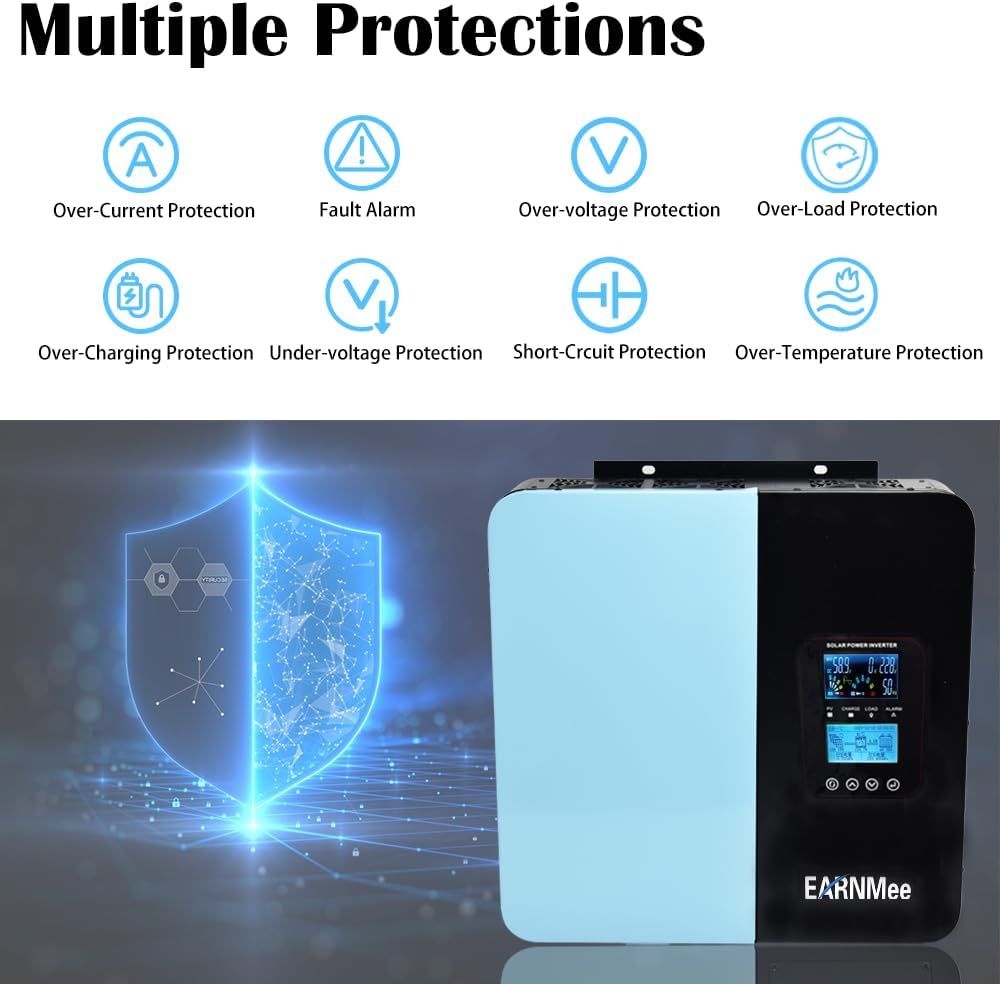
- Comprehensive Protection System: Features 6-in-1 protection against short circuit (E1), low voltage (E2), over-temperature (E3), overload (E4), over voltage (E5), and pre-power overload (E6).
- Universal Battery Compatibility: Supports lead-acid, colloid, lithium iron phosphate, and lithium ternary batteries with user-definable charging and discharging parameters.
- Automatic AC/PV Switching: Supports automatic switching between AC input and PV input during power outages.
3.2 Product Components



3.3 Unboxing and Initial Inspection
Upon receiving your EARNMee ES5000B-60 inverter, carefully unbox the unit and inspect it for any signs of damage during transit. Ensure all components listed in the packing list are present.
Video 1: Unboxing and initial overview of the EARNMee 5000W Solar Inverter Charger with MPPT Controller. This video demonstrates the packaging and the physical appearance of the inverter.
4. Setup and Installation
Proper installation is crucial for the safe and efficient operation of your inverter. It is highly recommended that installation be performed by a qualified electrician or solar professional.
4.1 Mounting the Inverter
- Choose a dry, well-ventilated location away from direct sunlight, heat sources, and flammable materials.
- Ensure the mounting surface is sturdy enough to support the inverter's weight (20.9 pounds).
- Allow sufficient clearance around the inverter for proper airflow and cooling.
4.2 Wiring Connections
CAUTION: Before making any connections, ensure all power sources (solar panels, batteries, AC grid) are disconnected.
- Battery Connection: Connect the battery bank to the DC input terminals (+ and -) on the inverter. Ensure correct polarity. The inverter supports 24V/48V/60V/72V/96V DC systems.
- Solar Panel Connection: Connect your solar panel array to the PV input terminals. Observe correct polarity and ensure the PV input voltage is within the inverter's specified range.
- AC Input Connection: Connect the AC grid (household) to the AC IN terminals. This inverter supports AC120V input only.
- AC Output Connection: Connect your AC loads (appliances) to the MAIN OUT terminals. This inverter provides AC120V output.
Refer to the wiring diagram below for a visual guide:

5. Operating Instructions
5.1 Initial Power-Up
- After all connections are securely made, switch on the DC breaker for the battery bank.
- Switch on the AC input breaker (if connected to grid).
- Switch on the solar panel array.
- Turn on the inverter's main power switch. The dual-screen display will illuminate, showing system status.
5.2 Monitoring and Settings
The intelligent dual-screen display provides real-time data and allows for parameter adjustments.
- Use the navigation buttons below the display to cycle through various parameters such as input voltage, output power, battery status, and charging current.
- The four-color indicator light provides quick status updates for solar panel, charging, DC load, and warnings.
- User-definable charging and discharging parameters can be set for different battery types (lead-acid, colloid, lithium iron phosphate, lithium ternary). Refer to the detailed settings menu in the full manual for specific instructions.
5.3 Automatic Switching and AC Backup
- The inverter automatically switches between AC input and PV input when a power cut occurs, ensuring continuous power supply.
- If the battery runs out, the inverter supports switching to AC backup (if AC input is available). Note that this version does not support AC charging.
Video 2: Demonstration of the EARNMee 5000W Solar Inverter Charger's features and functions, including its dual-screen display and operational modes.
6. Maintenance
Regular maintenance ensures the longevity and optimal performance of your EARNMee ES5000B-60 inverter.
- Cleaning: Periodically clean the exterior of the inverter with a dry cloth. Ensure ventilation openings are free from dust and debris.
- Connection Checks: Regularly inspect all electrical connections for tightness and signs of corrosion. Tighten any loose connections.
- Battery Inspection: Check battery terminals for corrosion and ensure proper ventilation if using lead-acid batteries. Monitor battery health through the inverter's display.
- Environmental Conditions: Ensure the inverter remains in a cool, dry, and well-ventilated environment.
7. Troubleshooting
This section provides solutions to common issues you might encounter. For problems not listed here, contact customer support.
| Problem | Possible Cause | Solution |
|---|---|---|
| Inverter not powering on | No DC input from battery; Loose battery connections; Inverter switch off | Check battery voltage; Secure battery connections; Turn on inverter switch |
| No AC output | Overload (E4); Short circuit (E1); Low battery voltage (E2); AC output breaker tripped | Reduce load; Check for short circuits; Charge battery; Reset AC output breaker |
| MPPT not charging | No solar input; PV connections incorrect; Solar panels shaded or damaged | Check solar panel connections; Ensure panels are receiving sunlight; Inspect panels for damage |
| Over-temperature alarm (E3) | Insufficient ventilation; Overload; High ambient temperature | Ensure clear airflow around inverter; Reduce load; Move inverter to cooler location |
| AC input current exceeds 120% | Excessive load on AC input | Reduce the load connected to the AC input. Ensure the total load does not exceed 120% of the normal input current (Rated Power / 120V). |
8. Specifications
| Feature | Detail |
|---|---|
| Model Number | ES5000B-60 |
| Rated Power | 5000 Watts |
| Inverter Type | Hybrid Pure Sine Wave |
| MPPT Solar Charger | 60A |
| DC Input Voltage Range | 24V/48V/60V/72V/96V (DC60V range 50V-76V for this model) |
| AC Output Voltage | 110V/120V AC, 60Hz |
| Inverter Efficiency | 90% |
| MPPT Tracking Efficiency | Up to 99% |
| Battery Compatibility | Lead-acid, Colloid, Lithium Iron Phosphate, Lithium Ternary |
| Protection Features | Short Circuit, Low Voltage, Over-Temperature, Overload, Over Voltage, Pre-Power Overload |
| Product Dimensions | 15.47 x 15.35 x 4.13 inches |
| Item Weight | 20.9 pounds |
| Recommended Uses | Home, Office, Vehicle |
| Manufacturer | EARNMee |
9. Warranty and Support
For warranty information and technical support, please refer to the official EARNMee website or contact your retailer. Keep your purchase receipt as proof of purchase for warranty claims.
You can visit the EARNMee Store on Amazon for more information and contact options.