1. Introduction
This manual provides detailed instructions for the Generic AK1016 Music Spectrum Audio Analyzer Display. This device is designed to visualize audio signals, offering a high-resolution display for music and sound levels. It features multiple input options and customizable display settings, making it suitable for various audio environments.
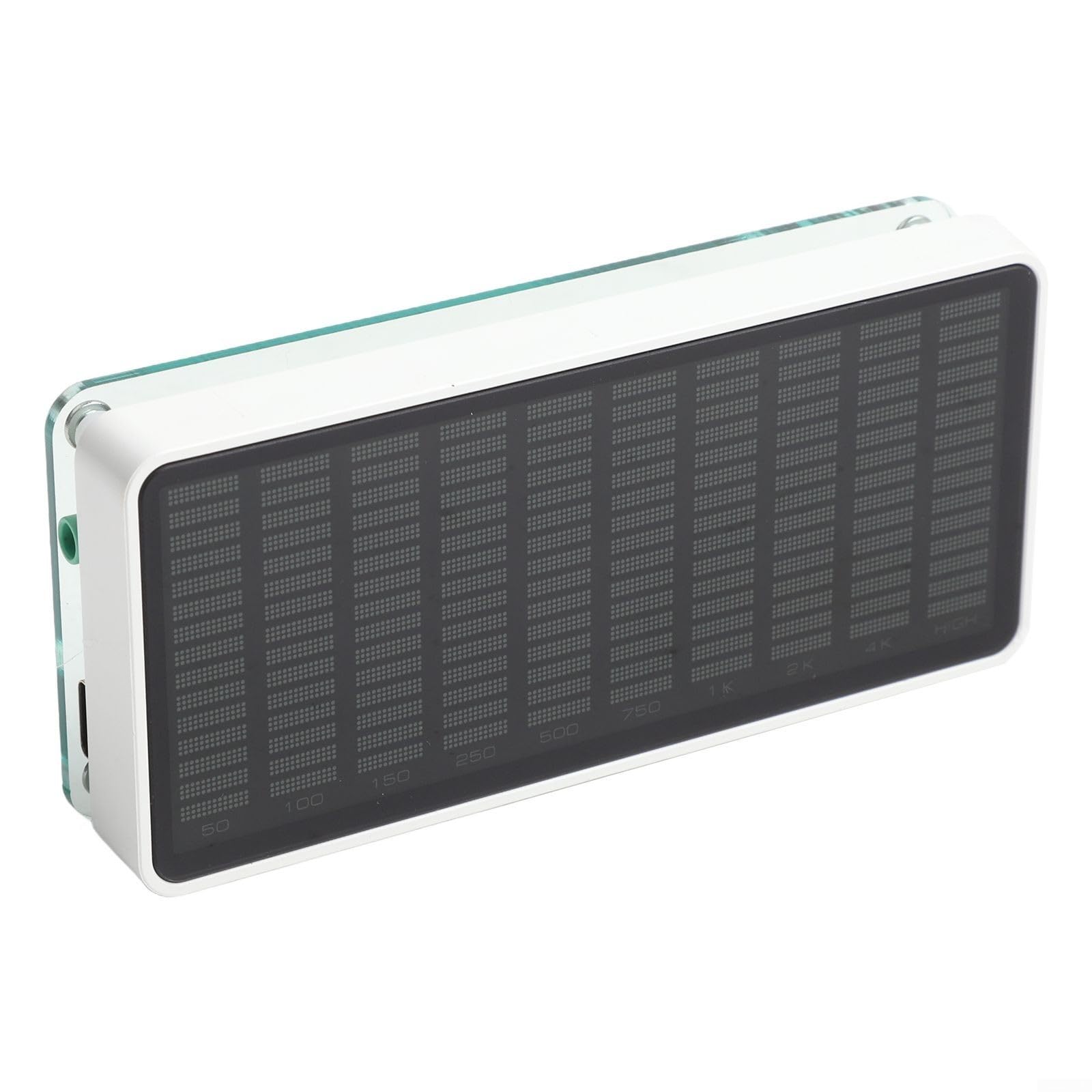
Figure 1: Front view of the AK1016 Music Spectrum Audio Analyzer Display.
2. Package Contents
Verify that all items listed below are included in your package. If any items are missing or damaged, please contact customer support.
- 1 × AK1016 Audio Spectrum Analyzer
- 1 × USB Cable (Type-C)
- 1 × 3.5mm Audio Cable
- 1 × 1:2 3.5mm Cable

Figure 2: Contents included in the AK1016 package.
3. Product Features
- Accurate Music Spectrum & Dual Signal Input: Features a 10×16 high-resolution display for precise visualization of each frequency band (50Hz to 20KHz). Equipped with 3.5mm AUX and microphone inputs for versatile connectivity with various audio devices.
- Wide-band Display and Gain Selection: Supports 50Hz to 20KHz frequency sweep with high-precision display. Offers gain selection options: -20dB, -15dB, -10dB, -5dB, and 0dB to optimize display sensitivity.
- Unique AGC Algorithm and Custom Output Curve: Automatic Gain Control (AGC) ensures optimal visual effects across varying input signal strengths. Includes two display modes: real output and smooth output, balancing accuracy and visual appeal.
- Adjustable Display Items: Brightness, high beam descent speed, hold time, and peak descent speed can be adjusted independently. All settings are saved with power-off memory.
- Dual Power Interfaces and Key Noise Filtering: Two Type-C interfaces (side and back) provide flexible power connection options. Features key noise filtering to adapt to different environments.
4. Device Layout
Familiarize yourself with the input ports and control buttons on the AK1016 device.

Figure 3: AK1016 device layout with labeled inputs and controls.
- 3.5mm AUX Input: For low-level audio signals from external devices.
- Microphone Pickup Hole: For ambient sound detection.
- DC 5V IN (Type-C): Two Type-C ports for power input.
- Up Button: Navigates menus or increases values.
- OK Button: Confirms selections or enters menus.
- Down Button: Navigates menus or decreases values.
5. Setup
- Power Connection: Connect the provided USB Type-C cable to one of the DC 5V IN ports on the AK1016 and to a 5V/1A power adapter (not included) or a USB port on a computer. The device will power on automatically.
- Audio Input (AUX): For direct audio input, connect your audio source (e.g., mobile phone, PC, game console) to the 3.5mm AUX input port using the provided 3.5mm audio cable.
- Audio Input (MIC): For ambient sound visualization, ensure no cable is connected to the 3.5mm AUX input. The device will automatically switch to microphone pickup mode.

Figure 4: Example setup of the AK1016 on a desktop.
6. Operation
The AK1016 offers various settings and modes for customizing your audio visualization experience.
6.1. Navigation and Adjustment
- Use the Up and Down buttons to navigate through menu options or adjust values.
- Press the OK button to enter a menu, confirm a selection, or switch between display modes.
6.2. Gain Selection
Adjust the input gain to match your audio source and achieve the desired display sensitivity. The available gain settings are:
- -20dB
- -15dB
- -10dB
- -5dB
- 0dB
6.3. Amplification Curve Settings
The device supports 5 amplification curve settings to modify how frequencies are displayed:
- Compress low frequency
- Compress low frequency and enhance high frequency
- Do not amplify (default setting)
- Slightly compress low frequency and enhance high frequency
- Enhance high frequency
6.4. Music Spectrum Modes
Choose from various display modes to suit your preference:
- Normal mode
- Inverted mode
- Reverse mode
- Amplification curve mode
- True output
- Smooth output
6.5. Adjustable Display Items
Fine-tune the visual behavior of the spectrum display:
- Brightness: 8 levels of adjustment.
- Main Light Column Descent Speed: Controls how quickly the main bars fall.
- Peak Hold Time: Sets how long peak indicators remain visible.
- Peak Descent Speed: Controls how quickly peak indicators fall.
All settings are automatically saved and retained even after the device is powered off.
7. Specifications
| Parameter | Value |
|---|---|
| Display Resolution | 10 × 16 |
| Support Frequency Range | 50Hz-20KHz |
| Audio Signal Input | 3.5mm AUX / MIC |
| Amplification Curve Settings | 5 modes |
| Music Spectrum Modes | Normal, Inverted, Reverse, Amplification Curve, True Output, Smooth Output |
| Brightness Adjustment | 8 levels |
| Working Voltage | DC 5V / 1A |
| Dimensions (W*D*H) | 110 × 20 × 50mm (4.33 × 0.79 × 1.97in) |
| Net Weight | 100g (0.22lb) |
| Item Model Number | Y401H60P6FQ64955KL89 |
8. Care and Maintenance
- Keep the device clean by wiping it with a soft, dry cloth. Avoid using harsh chemicals or abrasive cleaners.
- Do not expose the device to extreme temperatures, humidity, or direct sunlight.
- Avoid dropping the device or subjecting it to strong impacts.
- Ensure proper ventilation and do not block any openings.
9. Troubleshooting
- No Display: Ensure the device is properly connected to a 5V/1A power source. Check all cable connections.
- Display Not Responding to Audio: Verify that the audio source is playing and connected correctly to either the 3.5mm AUX input or that the microphone pickup is enabled (no AUX cable connected). Adjust the gain settings if the signal is too low.
- Incorrect Display Behavior: Reset settings to default if custom settings cause unexpected behavior. Refer to the 'Operation' section for adjusting display parameters.
- Device Not Powering On: Confirm the power adapter meets the 5V/1A requirement. Try a different USB cable or power source.
10. Warranty and Support
This product comes with a standard manufacturer's warranty. For specific warranty terms and conditions, please refer to the documentation provided at the time of purchase or contact your retailer.
For technical support, troubleshooting assistance, or inquiries regarding your AK1016 Music Spectrum Audio Analyzer Display, please contact the seller or manufacturer directly through the platform where the product was purchased.


