Introduction
This manual provides detailed instructions for the operation and maintenance of your Gueray Portable CD Player, Model Y-01. Please read this manual thoroughly before using the device to ensure proper functionality and to maximize your listening experience. This device combines a CD player, Bluetooth speaker, FM radio, USB player, and AUX audio player in a compact, versatile design.
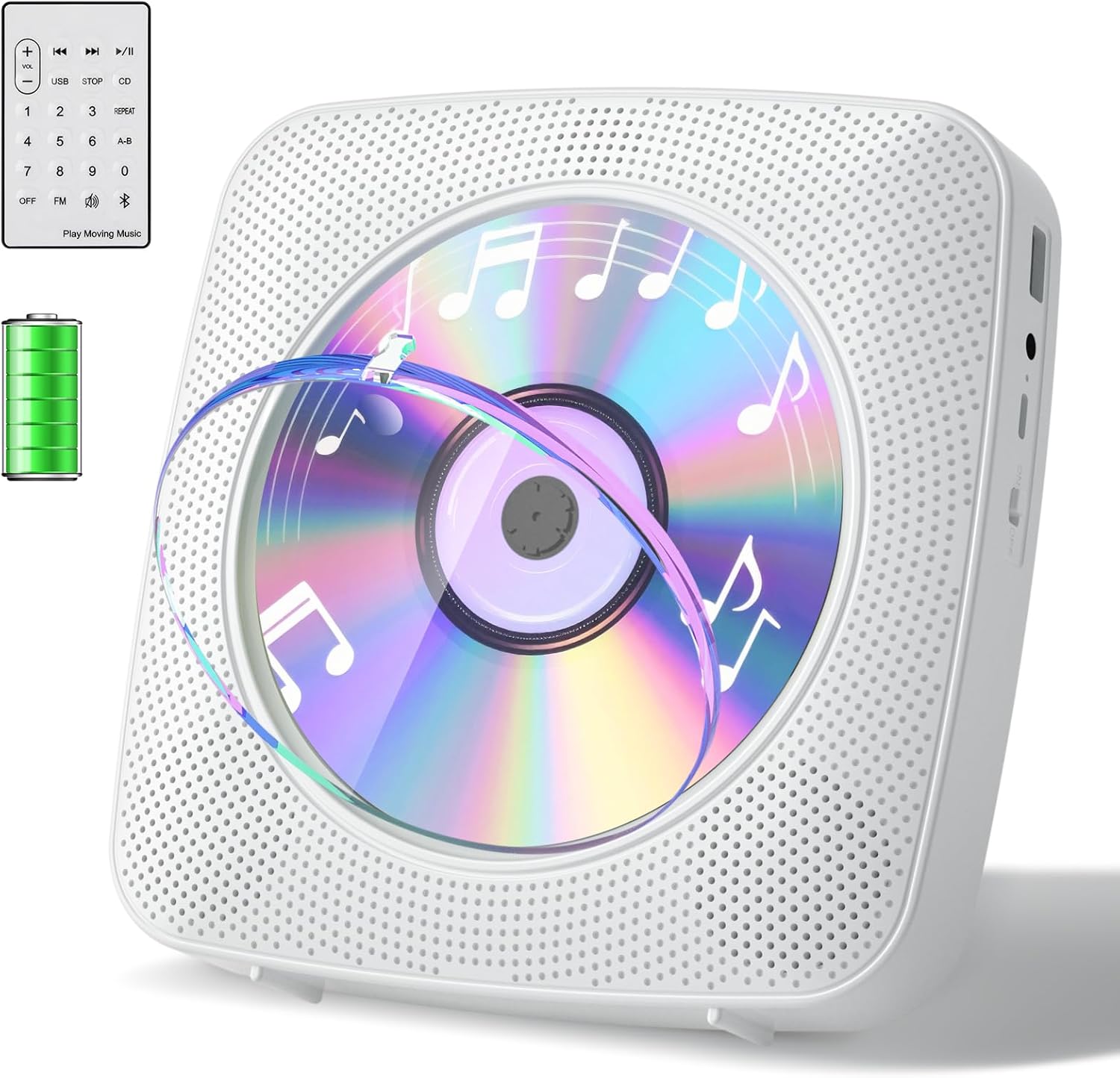
Image: Gueray Portable CD Player, showcasing the device with its remote control and a battery life indicator.
Product Overview
The Gueray Y-01 CD Player offers multiple functionalities for diverse audio playback needs:
- All-in-One Audio System: Functions as a CD player, Bluetooth Hi-Fi speaker, FM radio, USB flash drive player, and 3.5mm audio player.
- CD Compatibility: Supports CD, CD-R, CD-RW, CD-MP3, and CD-WMA formats.
- Bluetooth 5.0: Operates as both a Bluetooth transmitter (for headphones/speakers) and a Bluetooth receiver (for mobile devices/tablets).
- FM Radio: Covers a frequency range of 76MHz to 108.0MHz.
- Versatile Placement: Designed for both desktop use with an included stand and wall mounting to save space.
- Rechargeable Battery: Features an 1800mAh lithium battery, providing up to 10 hours of continuous playback. Charges via USB cable in approximately 3.5 hours.
- Remote Control: Includes a wireless remote for convenient operation.
- Dust Cover: A removable dust cover helps protect the CD mechanism.

Image: Overview of the Gueray CD Player's multifunctional capabilities, including Bluetooth, USB, AUX, FM Radio, and remote control.
Setup
Package Contents:
- Gueray CD Player (Model Y-01)
- USB Charging Cable
- Remote Control
- Desktop Stand
- Wall Mounting Kit
- User Manual (this document)
Powering On and Charging:
- Connect the provided USB charging cable to the Type-C charging port on the device.
- Connect the other end of the USB cable to a compatible USB power adapter (not included) or a computer USB port.
- The power indicator light will illuminate during charging. A full charge takes approximately 3.5 hours.
- To power on the device, press the Power Switch.
Placement Options:
The Gueray CD Player can be used in two configurations:
- Desktop Placement: Attach the included desktop stand to the back of the CD player for stable placement on any flat surface.
- Wall Mounting: Use the provided wall mounting kit to securely attach the CD player to a wall. Ensure the wall is suitable for mounting and follow the instructions in the wall mounting kit for safe installation.

Image: The Gueray CD Player demonstrated in different usage scenarios, highlighting its portability and wall-mountable design.
Operating Instructions
Familiarize yourself with the controls:

Image: Detailed diagram illustrating the location and function of each button and port on the Gueray CD Player.
1. CD Playback:
- Gently remove the dust cover.
- Insert a CD (CD, CD-R, CD-RW, CD-MP3, or CD-WMA) into the disc tray.
- Replace the dust cover.
- Press the Mode button until "CD Mode" is displayed.
- The CD will begin playing automatically. If not, press the Play/Pause button.
- Use the Previous/Next Song buttons to navigate tracks.
- Adjust volume using the Volume+ and Volume- buttons.
2. Bluetooth Functionality (Transmitter & Receiver):
The device supports Bluetooth 5.0 for both transmitting and receiving audio.
Bluetooth Receiver Mode (Connect to Phone/Tablet):
- Press the Mode button until "Bluetooth Mode" is displayed. The device will enter pairing mode.
- On your mobile phone, tablet, or other Bluetooth-enabled device, search for "Gueray Y-01" in the Bluetooth settings.
- Select "Gueray Y-01" to pair. Once connected, you can stream audio from your device to the CD player's speakers.
Bluetooth Transmitter Mode (Connect to Headphones/Speakers):
- Ensure the CD player is in CD, USB, or AUX mode (playing audio).
- Place your Bluetooth headphones or speaker into pairing mode.
- On the CD player, press and hold the Play/Pause button for 3 seconds. The device will search for nearby Bluetooth receivers.
- Once connected, audio will be transmitted to your Bluetooth headphones or speaker. The connection range is approximately 33 feet (10 meters).
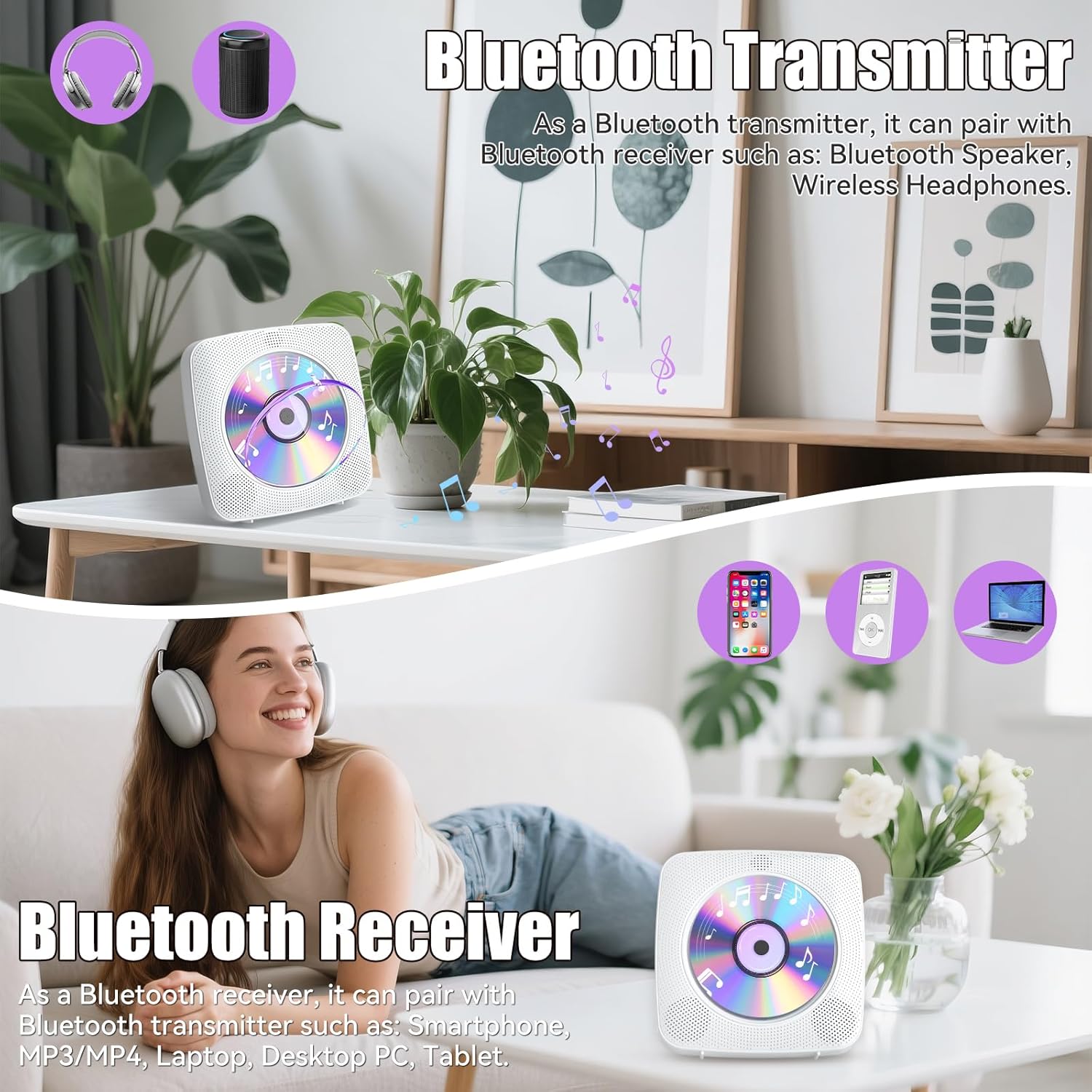
Image: Visual representation of the CD player's dual Bluetooth functionality, acting as both a transmitter and a receiver.
3. FM Radio:
- Press the Mode button until "Radio Mode" (or "FM") is displayed.
- The FM radio will automatically scan and store available stations.
- Use the Previous/Next Song buttons to switch between stored stations.
- Adjust volume using the Volume+ and Volume- buttons.

Image: The Gueray CD Player functioning as an FM radio, indicating its frequency range.
4. USB Playback:
- Insert a USB flash drive into the USB Port.
- Press the Mode button until "USB Mode" is displayed.
- The device will automatically detect and play audio files from the USB drive.
- Use the Previous/Next Song buttons to navigate tracks.
- Adjust volume using the Volume+ and Volume- buttons.
5. AUX Audio Playback:
- Connect an external audio device (e.g., MP3 player, smartphone) to the Earphones Port using a 3.5mm audio cable (not included).
- Press the Mode button until "AUX Mode" is displayed.
- Audio from the connected device will play through the CD player's speakers.
- Adjust volume using the Volume+ and Volume- buttons on the CD player, and also on the connected external device.
Note: When connecting to a car audio system, use a 3.5mm AUX cable. USB connection for audio is not supported in this scenario.
6. Remote Control:
The included remote control allows for convenient operation from a distance. Ensure the remote is pointed towards the front of the CD player for optimal response.
Maintenance
- Cleaning: Use a soft, dry cloth to clean the exterior of the device. Do not use liquid cleaners or abrasive materials.
- Dust Cover: Keep the removable dust cover in place when not inserting or removing a CD to prevent dust accumulation on the lens and disc mechanism.
- Disc Handling: Always handle CDs by their edges. Avoid touching the playing surface. Store CDs in their cases when not in use.
- Battery Care: To prolong battery life, avoid fully discharging the battery frequently. Charge the device regularly, especially if it will not be used for an extended period.
Troubleshooting
| Problem | Possible Solution |
|---|---|
| Device does not power on. | Ensure the device is charged. Connect the USB charging cable and allow it to charge for at least 30 minutes before attempting to power on again. |
| CD does not play or skips. | Check if the CD is clean and free of scratches. Ensure the CD is inserted correctly. Make sure the dust cover is properly closed. |
| Cannot connect via Bluetooth. | Ensure the device is in the correct Bluetooth mode (receiver or transmitter). Make sure the other Bluetooth device is in pairing mode and within range (approx. 33 feet). Try restarting both devices. |
| No sound from speakers. | Check the volume level on the CD player and any connected external devices. Ensure the correct mode (CD, Bluetooth, FM, USB, AUX) is selected. |
| Remote control not responding. | Ensure the remote control has working batteries. Point the remote directly towards the front of the CD player. Remove any obstacles between the remote and the player. |
| Poor FM radio reception. | Try repositioning the device to improve signal reception. |
Specifications
| Feature | Detail |
|---|---|
| Model Number | Y-01 |
| Brand | Gueray |
| Connectivity Technology | Bluetooth 5.0 |
| Supported CD Formats | CD, CD-R, CD-RW, CD-MP3, CD-WMA |
| FM Radio Frequency | 76MHz - 108.0MHz |
| Battery Capacity | 1800mAh Lithium Battery |
| Charging Time | Approx. 3.5 hours |
| Playback Time | Up to 10 hours (depending on usage) |
| Item Weight | 1.85 pounds |
| Package Dimensions | 9.37 x 7.83 x 2.32 inches |
| Power Source | Battery Powered |
| Compatible Devices | Speakers, Headphones (via Bluetooth or AUX) |
Warranty and Support
For warranty information or technical support, please refer to the contact details provided with your purchase or visit the official Gueray website. Keep your purchase receipt for warranty claims.
Online Support: Visit the Gueray Store on Amazon


