
1. Introduction
This manual provides essential instructions for the safe and efficient operation, installation, and maintenance of your Fierscial 80 Pint Dehumidifier. Please read this manual thoroughly before using the appliance and retain it for future reference.
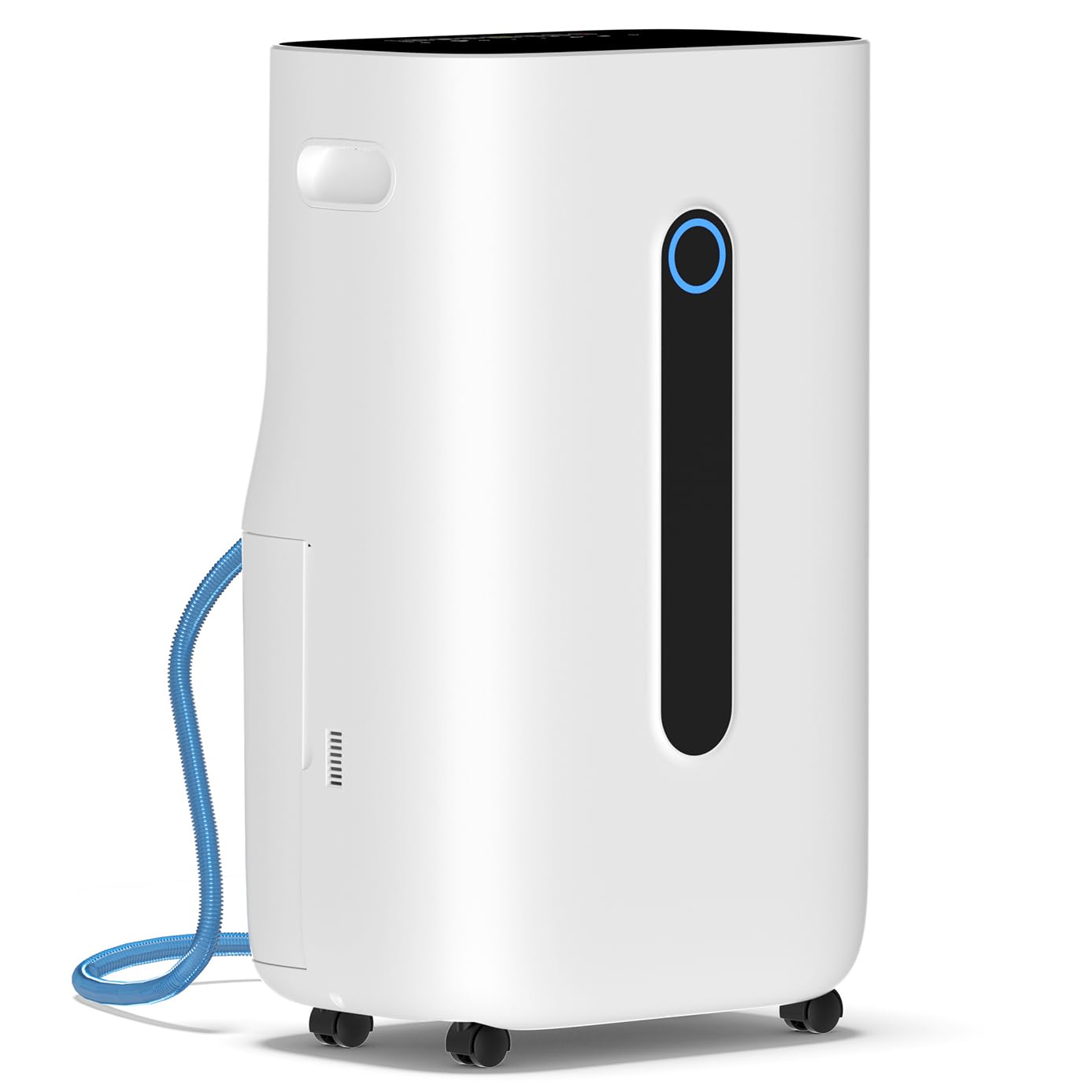
Figure 1: Fierscial 80 Pint Dehumidifier
2. Important Safety Information
To reduce the risk of fire, electric shock, or injury when using your dehumidifier, follow these basic precautions:
- Read all instructions before using the appliance.
- Do not operate any appliance with a damaged cord or plug.
- Do not use the dehumidifier near water or in excessively damp environments.
- Ensure the power supply matches the voltage specified on the rating label.
- Always unplug the dehumidifier before cleaning or servicing.
- Keep the appliance away from heat sources and direct sunlight.
- Do not block air inlets or outlets.
3. Product Overview
The Fierscial 80 Pint Dehumidifier is designed for efficient moisture removal in spaces up to 5,000 sq. ft. It features intelligent humidity control, multiple operating modes, and user-friendly design elements.
3.1 Key Components
- Control Panel: Located on the top of the unit for setting modes, fan speed, humidity levels, and timer.
- Air Inlet/Filter: Located at the rear, where air is drawn in and filtered.
- Water Tank: A 1.7-gallon (6.5L) visual water tank for collected moisture.
- Drainage Outlet: For continuous drainage using the included hose.
- 360° Rotating Wheels & Portable Handle: For easy mobility.
- Humidity Indicator Light: Changes color based on ambient humidity levels.

Figure 2: Control Panel

Figure 3: Portability Features (Wheels and Handle)
4. Setup
4.1 Unpacking
- Carefully remove the dehumidifier from its packaging.
- Remove all packing materials, including any tape or plastic covers from the unit.
- Inspect the unit for any damage. If damaged, do not operate and contact customer support.
4.2 Placement
Place the dehumidifier on a level surface in an area where the humidity is highest. Ensure there is at least 8 inches (20 cm) of space around the unit for proper air circulation. Keep doors and windows closed in the area where the dehumidifier is operating for optimal performance.
4.3 Power Connection
Plug the three-prong power cord into a standard 115V electrical outlet. Ensure the outlet is properly grounded.
4.4 Drainage Options
Your Fierscial dehumidifier offers two drainage methods:
- Manual Drainage: The unit collects water in its 1.7-gallon (6.5L) water tank. When the tank is full, the dehumidifier will automatically shut off and an indicator light will illuminate. Empty the tank by pulling it out from the side and pouring out the collected water.
- Continuous Drainage: For extended operation without manual emptying, attach the included 3.9 ft drain hose to the drainage outlet at the rear of the unit. Route the hose to a suitable drain (e.g., floor drain, sink) ensuring it is sloped downwards for gravity drainage.

Figure 4: Water Tank and Drain Hose Connection
5. Operating Instructions
5.1 Control Panel Functions
The control panel allows you to manage all dehumidifier settings:
- Power Button: Turns the unit ON or OFF.
- Mode Button: Cycles through available operating modes (DEHU, CONT, SDEHU, DRY).
- Fan Speed Button: Adjusts fan speed between Low and High.
- Timer Button: Sets the auto-on or auto-off timer (up to 24 hours).
- Humidity Adjustment Buttons (+/-): Sets the desired humidity level (30% to 80%).
5.2 Operating Modes
- DEHU Mode: The unit intelligently adjusts operation to maintain your target humidity level.
- CONT Mode: Continuous operation for persistently moist areas, regardless of humidity level.
- SDEHU Mode: Provides increased dehumidification power for faster moisture removal.
- DRY Mode: Designed for quickly drying delicate clothes and cotton household items.
5.3 Humidity Indicator Light
The front indicator light provides a visual cue of the ambient humidity:
- Blue Light: Relative Humidity (RH) ≤ 50% (Slightly Damp)
- Green Light: 50% ≤ RH ≤ 70% (Comfortable)
- Red Light: RH ≥ 70% (Damp)

Figure 5: Humidity Indicator Light Guide
6. Maintenance
6.1 Cleaning the Air Filter
Regular cleaning of the reusable air filter is crucial for maintaining efficiency and air quality. The filter is located at the rear of the unit. Gently pull it out, wash it with mild soap and water, rinse thoroughly, and allow it to air dry completely before reinserting.

Figure 6: Removable Air Filter
6.2 Emptying the Water Tank
When the water tank is full, the unit will stop operating and alert you. Carefully remove the tank from the side of the unit using the integrated handle, empty the water, and reinsert the tank securely. Ensure the tank is properly seated to resume operation.
6.3 Auto Defrost Function
The dehumidifier is equipped with an automatic defrost function. If frost builds up on the evaporator coils, the unit will temporarily stop dehumidifying and run the fan to melt the frost. This is normal operation and does not require user intervention.
7. Troubleshooting
If your dehumidifier is not operating as expected, please refer to the following common issues:
- Unit does not turn on: Check if the power cord is securely plugged in. Ensure the water tank is not full and is correctly seated. Verify the power outlet is functional.
- No water collected: Confirm the ambient humidity is above the set target level. Check if the air filter is clean and not blocked. Ensure the unit is not in defrost mode.
- Unit is noisy: Ensure the unit is on a stable, level surface. Check for any obstructions in the air inlets or outlets.
- Error codes: Refer to the detailed troubleshooting section in the full user manual for specific error code interpretations and solutions.
8. Specifications
| Feature | Specification |
|---|---|
| Brand | Fierscial |
| Model Number | NA7-5253-VINE2 |
| Dehumidification Capacity | 80 Pints per Day (under 95°F, 90%RH) / 45 Pints (DOE Standard) |
| Coverage Area | Up to 5000 Sq.Ft |
| Water Tank Capacity | 1.7 Gallons (6.5 Liters) |
| Product Dimensions | 13.39"D x 22.44"W x 9.45"H |
| Item Weight | 31.7 pounds |
| Special Feature | Adjustable Humidity Control, Auto Shut-off, Auto-restart, Defrost Function, 24-hour Timer |
| Included Components | Drain Hose |
9. Warranty and Support
Fierscial offers a 30-day exchange/refund policy and a 2-year warranty service for this dehumidifier. For any questions, concerns, missing parts, quality issues, or transportation damage, please contact Fierscial customer support.