
1. Introduction
This instruction manual provides essential information for the proper installation, operation, and maintenance of your ENCHSHANGM AV-F5025LS Cooling Fan. This fan is designed as a replacement or accessory part for Xiaomi Mijia Humidifier models MJJSQ02LX and MJJSQ06DY. Please read this manual thoroughly before attempting any installation or service to ensure safe and efficient use.
2. Product Overview
The ENCHSHANGM AV-F5025LS is a DC12V 0.06A 2-wire brushless cooling fan. It is specifically designed to provide cooling for the internal components of compatible Xiaomi Mijia humidifiers, ensuring their optimal performance and longevity. The fan features a compact design with a standard 2-wire connection for power.

Figure 2.1: Close-up of the fan's identification label. This image displays the top view of the fan, highlighting the central label with "DC BRUSHLESS FAN MODEL AV-F5020MS 12V === 0.06A" printed on it. Note: The model number on the image label appears as AV-F5020MS, while the product title specifies AV-F5025LS. Please refer to the product packaging and specifications for the exact model.
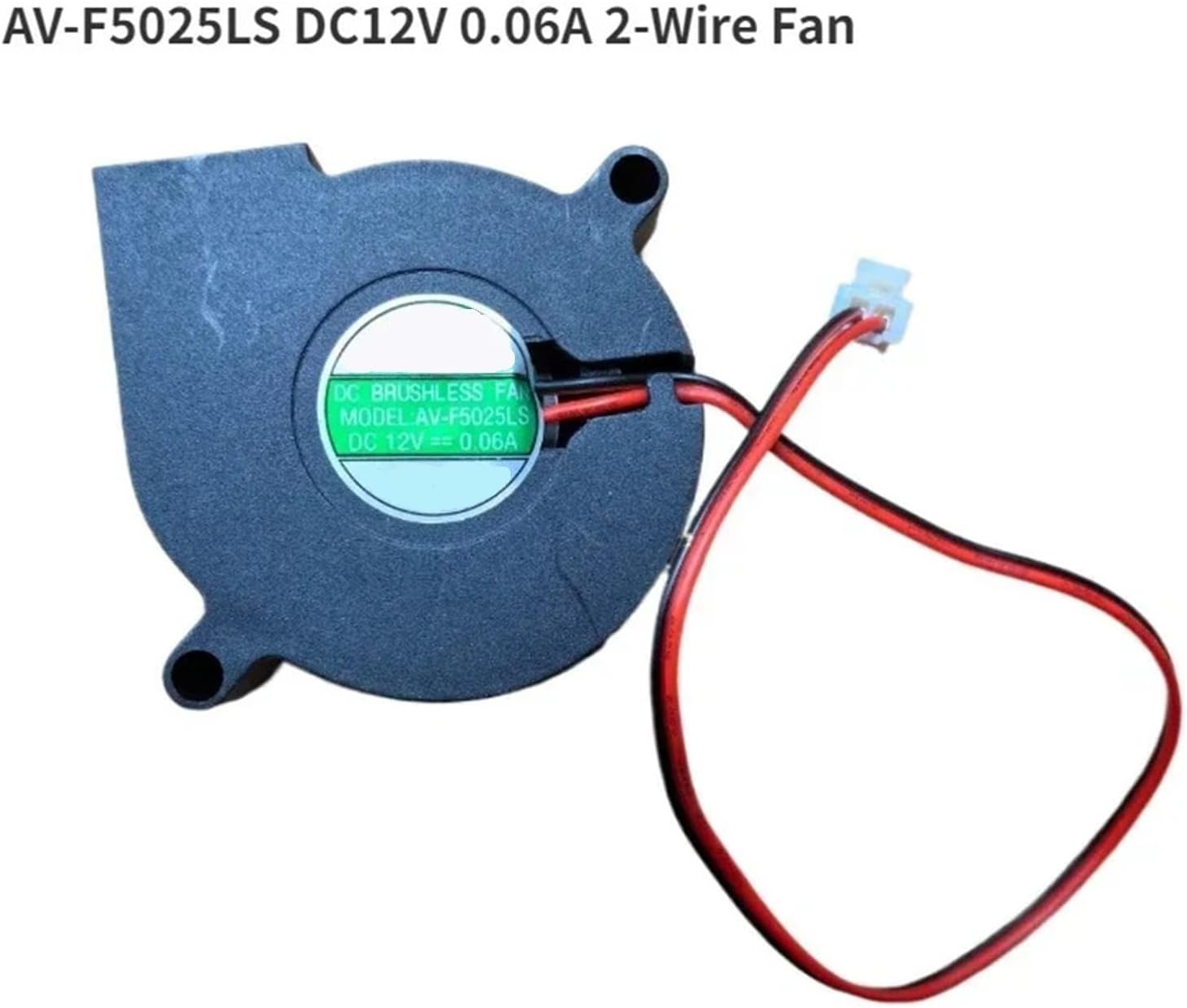
Figure 2.2: The AV-F5025LS DC12V 0.06A 2-Wire Fan. This image shows the complete fan unit, including the black plastic housing, the fan blades visible through the intake, and the red and black power wires terminating in a white connector.
3. Specifications
| Model Number | AV-F5025LS (ENCHSHANGM1) |
| Brand | ENCHSHANGM |
| Voltage | DC12V |
| Current | 0.06A |
| Wire Type | 2-Wire |
| Compatibility | Xiaomi Mijia Humidifier MJJSQ02LX/MJJSQ06DY |
| Package Dimensions | 1.18 x 0.79 x 0.39 inches |
| Item Weight | 1.76 ounces |
| Material | High-quality materials (Durable) |
4. Safety Information
- Disconnect Power: Always ensure the humidifier is unplugged from the power source before attempting any installation, removal, or maintenance of the fan.
- Handle with Care: Avoid touching the fan blades directly, especially when the unit is powered.
- Electrical Safety: Do not expose the fan or its wiring to water or excessive moisture. Ensure connections are secure and correct.
- Professional Installation Recommended: If you are unsure about the installation process, seek assistance from a qualified technician.
- Intended Use: This fan is designed specifically for the specified Xiaomi Mijia humidifier models. Do not use it for other purposes or with incompatible devices.
5. Setup and Installation
- Power Disconnection: Unplug your Xiaomi Mijia Humidifier from the electrical outlet.
- Access Fan Compartment: Carefully open the humidifier's casing to access the internal fan compartment. Refer to your humidifier's specific service manual or diagrams if needed.
- Remove Old Fan (if applicable): Disconnect the existing fan's 2-wire connector and carefully remove any mounting screws or clips holding it in place.
- Install New Fan: Position the ENCHSHANGM AV-F5025LS fan in the designated compartment. Ensure it is oriented correctly for proper airflow.
- Secure Fan: Secure the new fan using the original mounting screws or clips. Do not overtighten.
- Connect Wiring: Connect the 2-wire connector of the new fan to the corresponding port on the humidifier's circuit board. Ensure the polarity is correct (typically red to positive, black to negative, though the connector design usually prevents incorrect insertion).
- Reassemble Humidifier: Carefully close and secure the humidifier's casing.
- Test: Plug the humidifier back into the power outlet and power it on to verify the fan operates correctly.
6. Operation
The ENCHSHANGM AV-F5025LS cooling fan operates automatically as part of your Xiaomi Mijia Humidifier's internal system. Its primary function is to dissipate heat generated by the humidifier's components, maintaining optimal operating temperatures. No direct user interaction is required for the fan's operation once correctly installed.
7. Maintenance
- Regular Inspection: Periodically inspect the fan for any visible damage, obstructions, or excessive dust accumulation.
- Cleaning: If dust accumulates on the fan blades or housing, gently clean it using a soft, dry brush or a can of compressed air. Ensure the humidifier is unplugged before cleaning. Do not use water or liquid cleaners on the fan.
- Avoid Obstructions: Ensure that the humidifier's air vents are clear and not blocked, as this can impede airflow and affect the fan's performance.
8. Troubleshooting
- Fan Not Spinning:
- Ensure the humidifier is properly plugged in and powered on.
- Check the fan's 2-wire connection to the humidifier's circuit board for looseness or incorrect insertion.
- Verify there are no physical obstructions preventing the blades from spinning.
- If the issue persists, the fan may be faulty and require replacement.
- Unusual Noise from Fan:
- Disconnect power and inspect the fan for any foreign objects (e.g., dust clumps, debris) caught in the blades.
- Ensure the fan is securely mounted and not vibrating against the humidifier casing.
- If the noise is persistent and not due to obstructions or loose mounting, the fan bearings may be worn, indicating a need for replacement.
9. Warranty and Support
Specific warranty information for the ENCHSHANGM AV-F5025LS Cooling Fan is not provided in the product details. For any warranty claims, technical support, or further assistance, please contact the seller or manufacturer directly through your purchase platform.