Generic MM48628 4-in-1 Male Masturbator Instruction Manual
Model: MM48628
Important Safety Information
Please read all instructions carefully before using the device. Retain this manual for future reference.
- Cleaning: Always clean the device thoroughly before first use and after each subsequent use.
- Lubrication: Use only water-based lubricants with this product. Oil-based lubricants can damage the material.
- Storage: Store the device in a clean, dry place away from direct sunlight and extreme temperatures.
- Charging: Use only the provided charging cable. Do not overcharge the device.
- Discontinue Use: If you experience any discomfort, irritation, or pain during use, discontinue immediately.
Product Overview and Features
The Generic MM48628 is a versatile 4-in-1 device designed for male pleasure, combining vibrator, masturbator, trainer, and app-controlled features. It offers a personalized experience with realistic internal textures and multiple vibration modes.

Image: Internal view of the MM48628 device, illustrating the vibration mechanism and internal contours designed for stimulation.
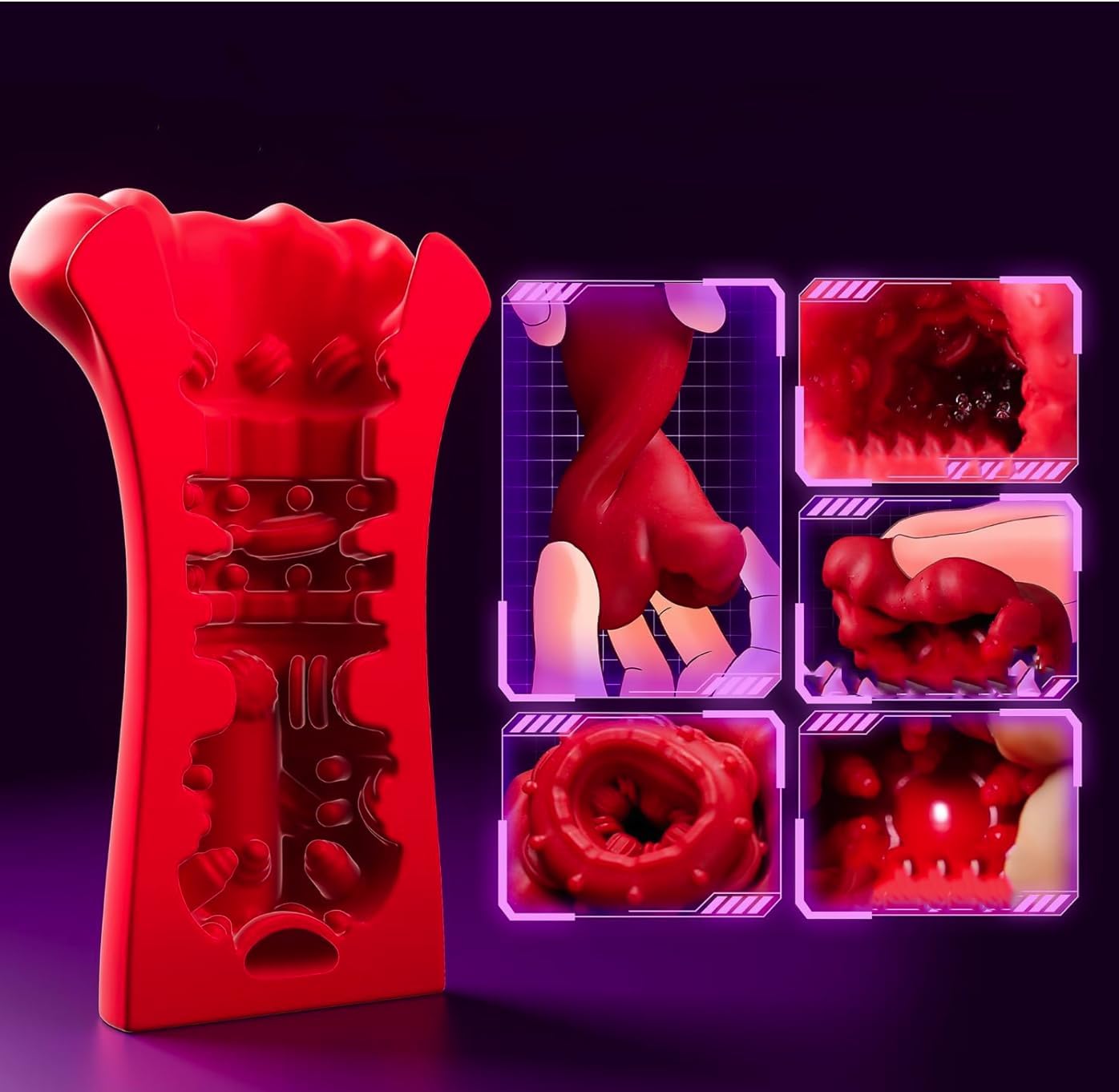
Image: Detailed view of the MM48628's internal sleeve, showcasing various textures and ridges for enhanced sensation.
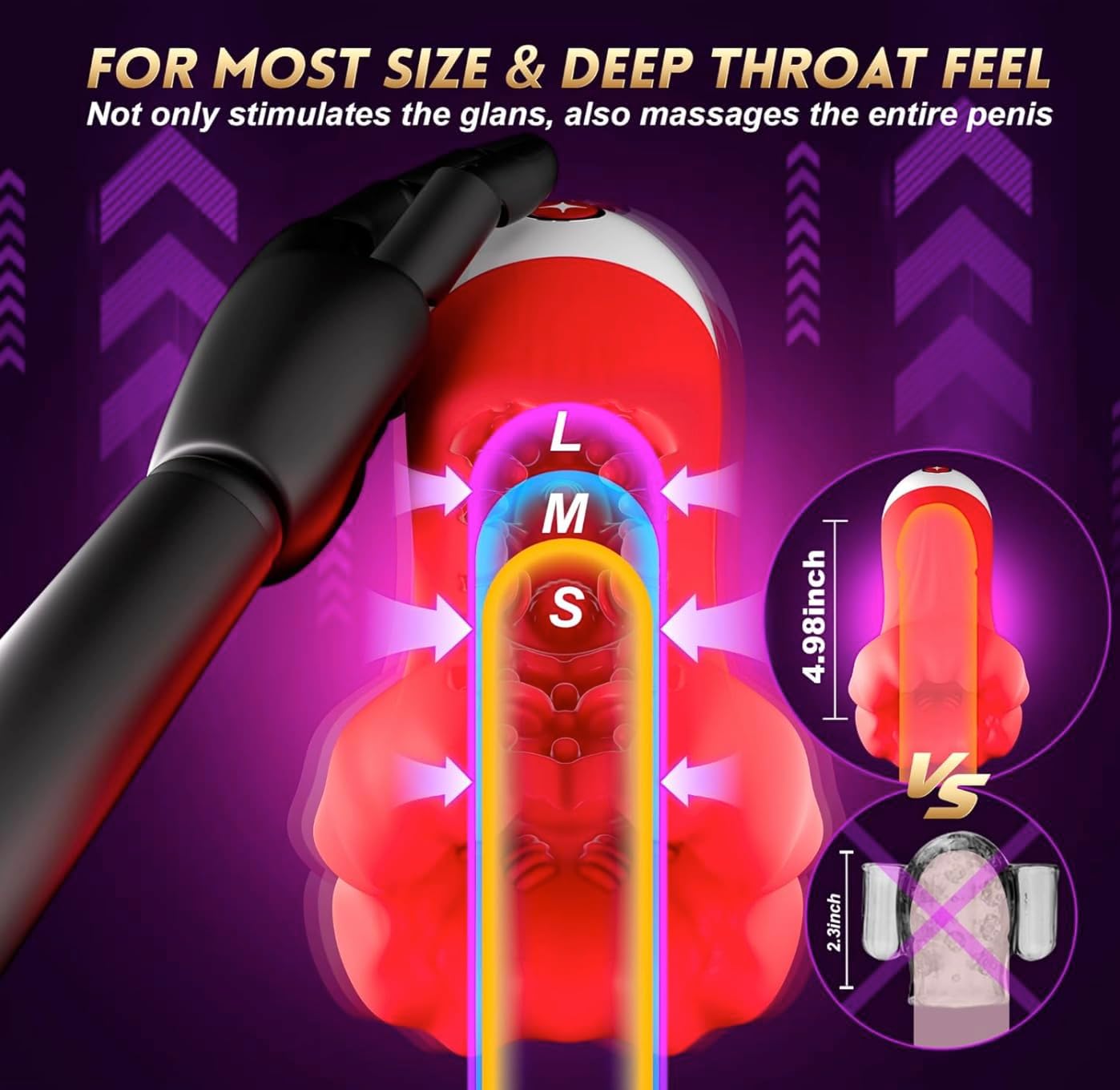
Image: Diagram illustrating the MM48628's dimensions and how its design provides a snug fit and stimulates the glans and entire length.
Key Features:
- 4-in-1 Design: Combines vibrator, male masturbator, trainer, and app control functionalities.
- Realistic Internal Textures: Designed with a snug fit and 3D grains for precise stimulation.
- 9 Vibration Modes: Offers a variety of patterns and intensities for diverse experiences.
- App Remote Control: Connects to a dedicated app for advanced control and customization.
- Waterproof Design: Allows for versatile use and easy cleaning.
Getting Started / Setup
1. Unpacking and Initial Cleaning
- Carefully remove the device and all accessories from the packaging.
- Before first use, wash the internal sleeve thoroughly with warm water and a mild, toy-safe soap. Rinse completely and allow to air dry.
2. Charging the Device
- Locate the charging port on the device (usually covered by a silicone plug).
- Insert the provided USB charging cable into the port and connect the other end to a USB power source (e.g., computer, wall adapter).
- The indicator light will illuminate during charging and typically turn solid or off when fully charged. Refer to the specific light behavior in the quick start guide if provided.
- A full charge typically takes 2-3 hours and provides several hours of use.
3. App Download and Pairing
- Scan the QR code on the packaging or search for the official app (e.g., 'MM48628 App' or similar) in your device's app store (iOS/Android).
- Download and install the app.
- Ensure your device's Bluetooth is enabled.
- Turn on the MM48628 device by pressing and holding the power button until the indicator light activates.
- Open the app and follow the on-screen instructions to search for and pair with your MM48628 device.
Operating Instructions
1. Basic Operation
- Power On/Off: Press and hold the power button for 2-3 seconds to turn the device on or off. The indicator light will confirm power status.
- Cycle Modes: While the device is on, short press the power/mode button to cycle through the 9 available vibration modes.
2. Using the App Remote Control
- Ensure the device is powered on and successfully paired with the app via Bluetooth.
- Open the app on your smartphone.
- The app interface will provide controls for selecting vibration modes, adjusting intensity, and potentially creating custom patterns.
- Explore the app's features for a more personalized experience.
3. Usage Recommendations
- Apply a generous amount of water-based lubricant to the entrance of the device and to yourself for comfortable insertion.
- Experiment with different vibration modes and intensities to find what is most pleasurable.
- The waterproof design allows for use in the shower or bath, but avoid full submersion for extended periods.
Cleaning and Maintenance
1. Cleaning After Use
- Immediately after each use, disconnect the device from any power source and turn it off.
- Rinse the internal sleeve thoroughly under warm running water.
- Apply a small amount of mild, toy-safe soap to your fingers or a soft cloth and gently clean the internal and external surfaces.
- Rinse the device completely to remove all soap residue. Ensure no water enters the charging port if it is not sealed.
2. Drying and Storage
- Gently pat the device dry with a lint-free cloth or allow it to air dry completely before storing.
- Store the MM48628 in a clean, dry, and dust-free environment, preferably in its original packaging or a dedicated storage bag.
- Keep it away from direct sunlight, extreme temperatures, and other toys made of different materials to prevent material degradation.
Troubleshooting
| Problem | Possible Cause | Solution |
|---|---|---|
| Device does not turn on. | Battery is depleted. | Charge the device fully using the provided USB cable. |
| Vibrations are weak or inconsistent. | Low battery. | Recharge the device. |
| App cannot connect to the device. | Bluetooth is off; device is off; app not updated. | Ensure Bluetooth is on, device is powered on, and the app is the latest version. Try restarting both the device and your phone. |
| Charging indicator light not working. | Cable or port issue; device fault. | Try a different USB port or charger. Ensure the cable is securely connected. If the issue persists, contact support. |
If you encounter any issues not listed here, or if the suggested solutions do not resolve the problem, please contact customer support for further assistance.
Specifications
- Model: MM48628
- Functionality: 4-in-1 (Vibrator, Masturbator, Trainer, App Control)
- Vibration Modes: 9
- Control: On-device button, App Remote Control
- Waterproof: Yes (Splash-proof, suitable for bath/shower)
- Power Source: Rechargeable (USB charging)
- Material: Body-safe silicone/TPE
- Manufacturer: Nedvihina
Warranty and Support
This product is covered by a manufacturer's warranty against defects in materials and workmanship. For specific warranty details, please refer to the product packaging or contact the retailer where the product was purchased.
For technical support, troubleshooting assistance, or warranty claims, please contact the manufacturer, Nedvihina, or the authorized seller. Contact information can typically be found on the product packaging or the seller's website.