1. Introduction
Thank you for choosing the Sakerplus Magnetic Digital Inclinometer. This high-precision digital angle ruler is designed for accurate angle measurements in various applications, including woodworking, construction, and auto repair. Its compact design, magnetic base, and user-friendly interface ensure efficient and reliable performance.
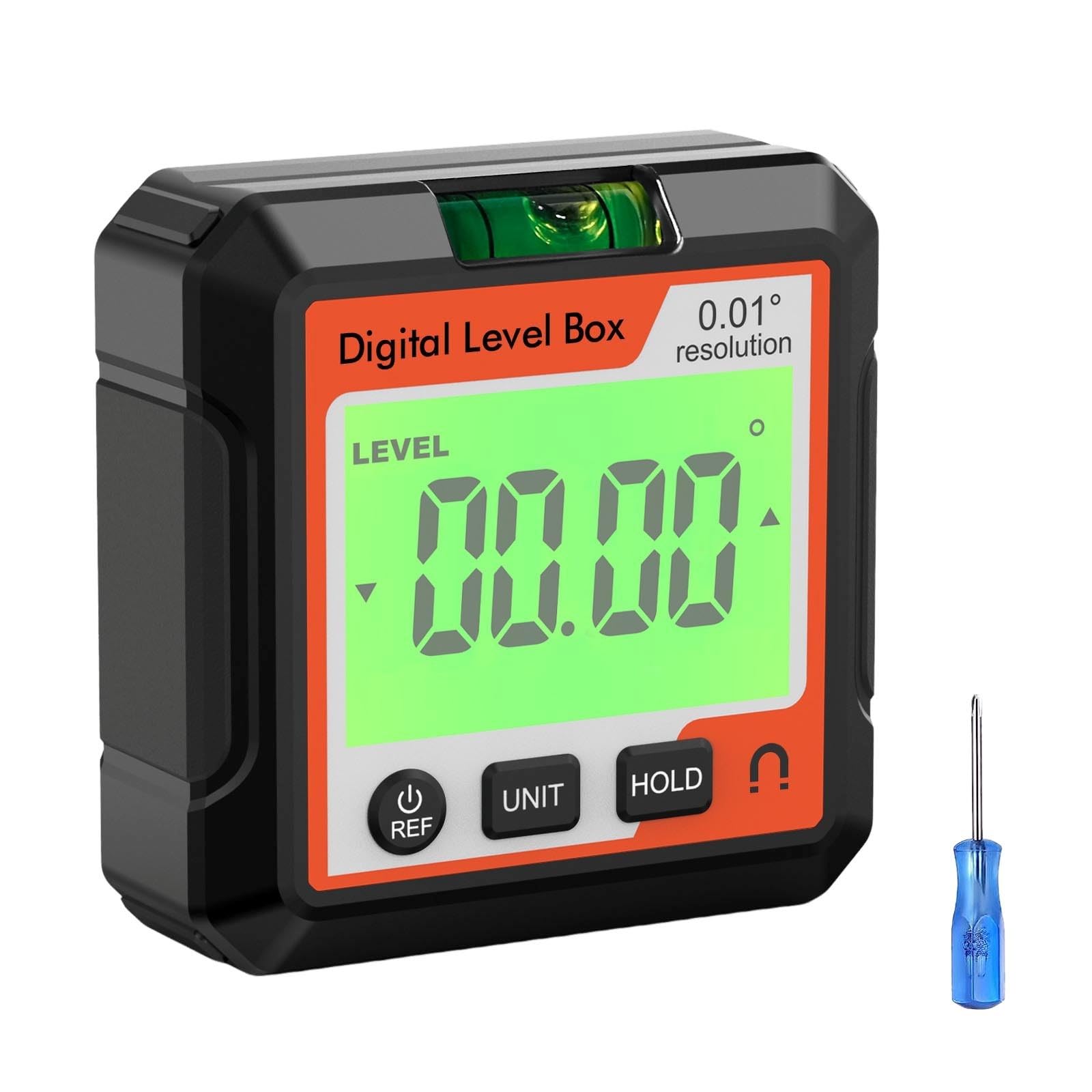
Figure 1: Sakerplus Magnetic Digital Inclinometer with key dimensions (5.7cm/2.24in x 5.7cm/2.24in x 2.5cm/0.98in).
2. Product Overview and Features
The Sakerplus Magnetic Digital Inclinometer combines multiple functionalities into one compact device, offering advanced precision and ease of use.
Key Features:
- Effortless Operation: User-friendly interface requires no complex setup.
- Precision Auto Calibration: Advanced system minimizes human error for exceptional accuracy.
- Energy-Efficient Design: Low power consumption extends battery life for prolonged use.
- Compact & Portable: Sleek, lightweight design for easy transport and use anywhere.
- Multi-purpose Functionality: Acts as a protractor, inclinometer, and level.
- Measurement Modes: Supports both absolute and relative angle measurements.
- Unit Conversion: Easily switch between angle and slope units.
- Data Locking: Hold function to retain measurements.
- Magnetic Base: Securely attaches to metal surfaces for hands-free operation.

Figure 2: Overview of the inclinometer's buttons and display indicators, including ON/OFF/REF, UNIT, HOLD, Low Battery, and Measuring Surface.
3. Setup
Battery Installation/Charging:
The device is battery-powered. Ensure the battery is charged before first use. If the device uses a rechargeable battery, connect the provided USB cable to the charging port (usually located on the side or back) and a suitable USB power source.
Power On/Off:
Press the ON/OFF/REF button to power on the device. To power off, press and hold the ON/OFF/REF button.
4. Operating Instructions
Absolute and Relative Measurement Modes:
The inclinometer supports two measurement modes:
- Absolute Mode (ABS): Measures the angle relative to a true horizontal plane.
- Relative Mode (REF): Allows you to set any surface as a 0-degree reference point for subsequent measurements. Press the ON/OFF/REF button briefly to switch between absolute and relative modes, or to set a new relative zero.
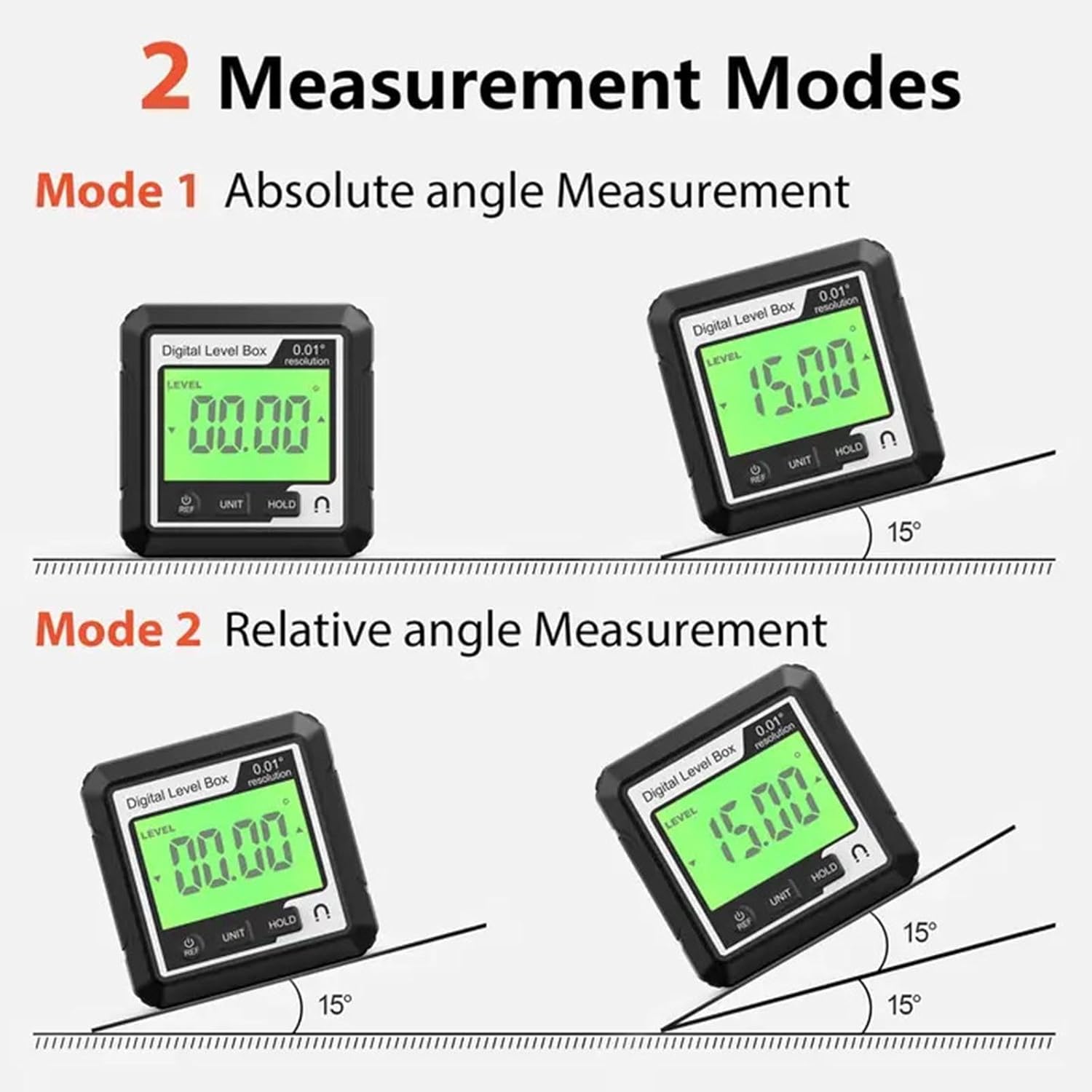
Figure 3: Illustration of Absolute Angle Measurement (Mode 1) and Relative Angle Measurement (Mode 2).
Unit Conversion:
Press the UNIT button to cycle through different measurement units, such as degrees (°), percentage (%), mm/m, and in/ft.
Data Hold Function:
Press the HOLD button to freeze the current measurement on the display. Press it again to release the hold function.
Using the Magnetic Base:
The strong magnetic base allows the inclinometer to be securely attached to metal surfaces, providing hands-free operation for precise measurements. This is particularly useful for setting angles on saw blades or metal frameworks.
Laser Function (if applicable):
Some models may include a laser line projection feature for extended alignment. If present, activate the laser by pressing the dedicated laser button. The laser projects a line to assist with alignment over longer distances.
Video 1: Demonstrates the XUNTOP Digital Angle Finder's features, including absolute/relative measurement, magnetic attachment, unit conversion, and data hold function.
Video 2: Shows the BINTA 4-Side Magnetic Digital Angle Gauge in action, highlighting relative/absolute measurement, magnetic suction, unit switching, data lock, and dual lateral line laser.
Video 3: Features the eSynic Magnetic Digital Angle Finder with Laser, demonstrating laser activation, magnetic attraction, zero function, unit switching, data hold, and auto-rotating display.
5. Maintenance
- Keep the device clean and dry. Wipe with a soft, damp cloth.
- Avoid exposing the device to extreme temperatures or direct sunlight.
- Store in a protective case when not in use to prevent damage.
- Do not attempt to disassemble the device, as this will void the warranty.
6. Troubleshooting
Device Not Powering On:
- Ensure the battery is charged.
- Check for any visible damage to the device or charging cable.
Inaccurate Readings:
- Perform auto-calibration as described in the operating instructions.
- Ensure the measuring surface is clean and free of debris.
- Verify the device is placed firmly and flat on the surface being measured.
Displaying 'ERR':
- This typically indicates that the device has been tilted beyond its operational range (e.g., >30 degrees forward or backward from its initial position in some modes). Return the device to a stable position within its measurement range.
7. Specifications
| Feature | Detail |
|---|---|
| Brand | Generic |
| Material | Plastic |
| Style | Magnetic |
| Power Source | Battery Powered |
| Operation Mode | Automatic |
| Manufacturer | Waycin |
8. Warranty and Support
For warranty information and customer support, please refer to the product packaging or contact your retailer. Keep your purchase receipt for any warranty claims.


