
1. Introduction
Thank you for choosing the vannect Folding Exercise Bike. This manual provides essential information for the safe assembly, operation, and maintenance of your exercise bike. Please read this manual thoroughly before use and retain it for future reference.
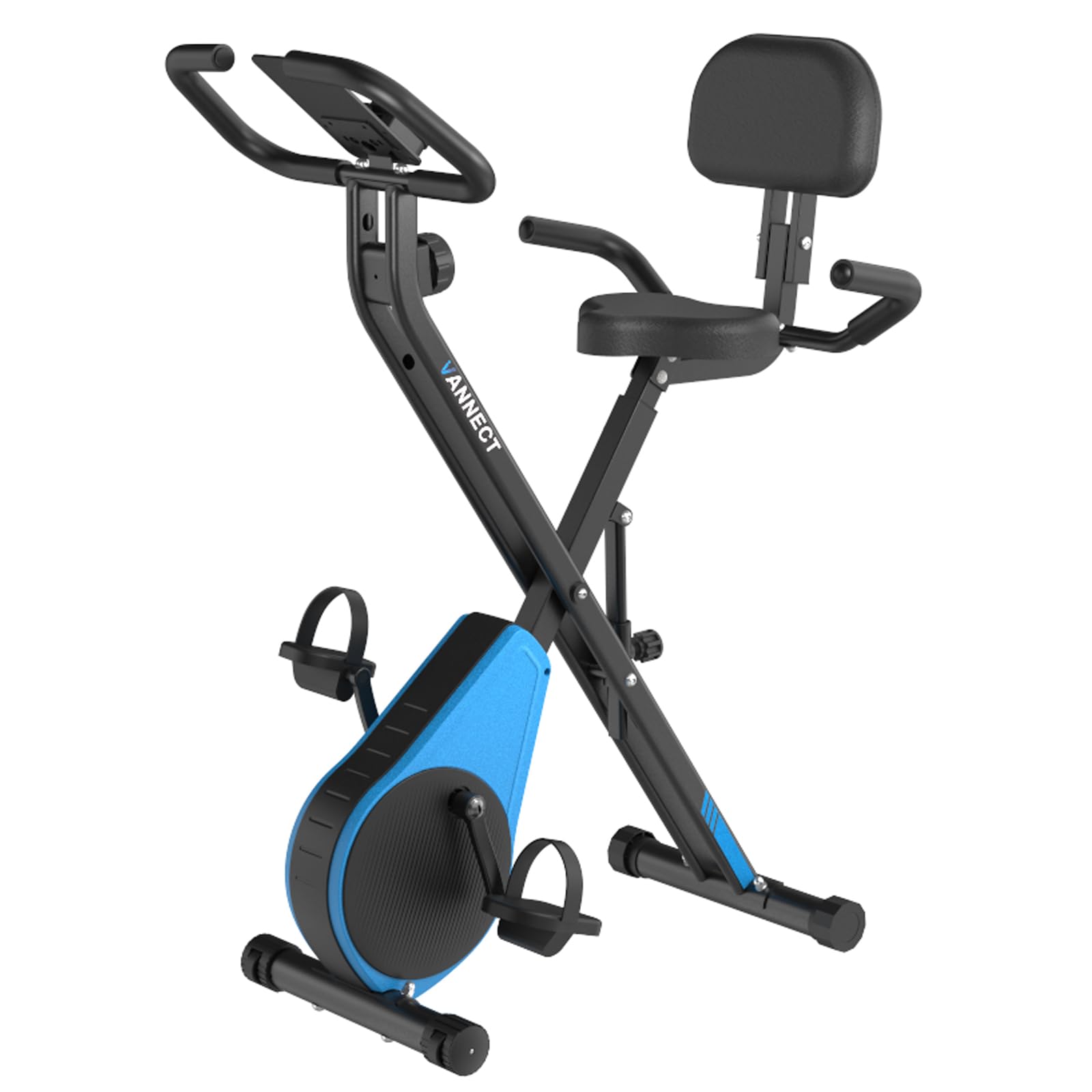
Image 1.1: The vannect Folding Exercise Bike, designed for home fitness.
2. Important Safety Information
Before starting any exercise program, consult your physician. Failure to follow these safety instructions may result in injury or damage to the equipment.
- Ensure all parts are securely assembled before each use.
- Place the exercise bike on a flat, stable surface.
- Keep children and pets away from the equipment during use.
- Wear appropriate exercise clothing and footwear.
- Do not exceed the maximum user weight of 160 kg (352 lbs).
- Stop exercising immediately if you feel faint, dizzy, or experience pain.
- Keep hands and feet clear of moving parts.
- Regularly inspect the bike for wear and tear. Do not use if damaged.
3. Package Contents
Carefully unpack the box and ensure all components are present. If any parts are missing or damaged, contact customer support.
- Main Frame (pre-assembled components)
- Stabilizer Bars (Front and Rear)
- Pedals (Left and Right)
- Seat and Backrest
- Handlebars with Pulse Sensors
- LCD Monitor
- Assembly Hardware (bolts, washers, nuts, tools)
- User Manual
4. Assembly Instructions
Assembly is required for this product. It is recommended to have two people for easier and safer assembly. Follow these steps carefully:
- Attach Stabilizer Bars: Secure the front and rear stabilizer bars to the main frame using the provided bolts and washers. Ensure they are tightened firmly.
- Install Pedals: Identify the Left (L) and Right (R) pedals. The left pedal screws counter-clockwise, and the right pedal screws clockwise. Tighten securely.
- Mount Seat and Backrest: Attach the seat to the seat post and the backrest to its support. Adjust the seat height to your preference.
- Attach Handlebars: Connect the handlebars to the main frame. Ensure the pulse sensor wires are connected to the LCD monitor.
- Install LCD Monitor: Secure the LCD monitor to the handlebar post. Connect the sensor wires from the handlebars and the main frame to the monitor.
- Final Check: Verify all bolts and nuts are tightened. Ensure the bike is stable and does not wobble.


Image 4.1: The vannect Folding Exercise Bike in use (left) and a different color variant (right).
5. Operating Instructions
5.1 Adjusting the Bike
- Seat Height: Loosen the adjustment knob below the seat, slide the seat to the desired height, and tighten the knob securely. Ensure your leg has a slight bend at the knee when the pedal is at its lowest point.
- Resistance Level: Use the tension knob located on the main frame to adjust the resistance. Turn clockwise to increase resistance for a more challenging workout, and counter-clockwise to decrease it. The bike offers 16 levels of resistance.
5.2 Using the LCD Monitor
The LCD monitor displays your workout data. It typically activates when you start pedaling or press a button.
- Display Functions: The monitor cycles through various metrics such as:
- TIME: Duration of your workout.
- SPEED: Current cycling speed.
- DISTANCE: Total distance covered during the current workout.
- CALORIES: Estimated calories burned.
- PULSE: Your heart rate, measured by gripping the pulse sensors on the handlebars.
- Buttons:
- MODE: Press to cycle through display functions or to select a specific function to view continuously.
- RESET: Press and hold to clear all workout data.
5.3 Heart Rate Measurement
To measure your heart rate, firmly grip both pulse sensors on the handlebars. Your heart rate will be displayed on the LCD monitor after a few seconds. Ensure your hands are clean and dry for accurate readings.
5.4 Folding and Storage
The vannect exercise bike is designed for convenient storage.
- Ensure the bike is on a stable surface.
- Loosen the folding knob/pin (refer to specific diagram in physical manual if available).
- Carefully fold the bike frame until it locks into its compact position.
- Use the transport wheels on the front stabilizer bar to move the folded bike.
- Store in a dry, cool place away from direct sunlight.
6. Maintenance
Regular maintenance ensures the longevity and safe operation of your exercise bike.
- Cleaning: Wipe down the bike with a damp cloth after each use to remove sweat and dust. Do not use abrasive cleaners.
- Lubrication: Periodically check for any squeaking noises. If detected, apply a small amount of silicone-based lubricant to moving joints.
- Bolt Tightness: Regularly check and tighten all bolts and nuts, especially on the stabilizer bars, pedals, and seat.
- Storage: When not in use for extended periods, store the bike in a clean, dry environment.
7. Troubleshooting
| Problem | Possible Cause | Solution |
|---|---|---|
| LCD Monitor not displaying | Batteries are dead or incorrectly installed; loose connection. | Replace batteries (usually AAA). Check all cable connections to the monitor. |
| Inaccurate Pulse Reading | Hands are not firmly gripping sensors; hands are wet or dirty. | Ensure firm, dry contact with both sensors. |
| Squeaking or Noise during use | Loose bolts; lack of lubrication. | Check and tighten all assembly bolts. Apply silicone lubricant to moving parts if necessary. |
| Bike feels unstable | Uneven surface; loose stabilizer bar bolts. | Move the bike to a flat surface. Tighten all bolts on the stabilizer bars. |
8. Product Specifications
| Feature | Detail |
|---|---|
| Brand | vannect |
| Model | B0F3CZWSYZ |
| Product Type | Folding Exercise Bike |
| Dimensions (Unfolded) | 90 x 51 x 115 cm (Length x Width x Height) |
| Item Weight | 18 kg (39.7 lbs) |
| Maximum Recommended User Weight | 160 kg (352 lbs) |
| Resistance Levels | 16 |
| Monitor Functions | Time, Speed, Distance, Calories, Pulse |
| Assembly Required | Yes |
9. Warranty and Customer Support
For warranty information or technical assistance, please refer to the warranty card included with your product or contact vannect customer support through the retailer where you purchased the product. Please have your model number (B0F3CZWSYZ) and purchase date available when contacting support.
