
Introduction
Thank you for choosing the VoltSurge D08 Jump Starter with Air Compressor. This device is designed to provide reliable emergency power for jump-starting vehicles, inflating tires, and charging electronic devices. Please read this manual thoroughly before use to ensure safe and optimal operation.
Product Overview
The VoltSurge D08 is a versatile, portable power solution for automotive emergencies and outdoor activities. It combines multiple essential functions into a compact and durable unit.
- Powerful Jump Starter: Delivers 7000A peak current to start all gas vehicles (up to 8.0L) and heavy-duty 12.0L diesel engines, even in extreme temperatures.
- Integrated Air Compressor: Features a 150PSI air compressor for quick tire inflation, suitable for cars, trucks, SUVs, motorcycles, and even sports equipment.
- Portable Power Bank: Equipped with USB-C/PD ports to charge phones, laptops, and other electronic devices.
- Multi-mode LED Flashlight: Includes a 3-mode LED flashlight with SOS strobe for visibility and emergencies.
- Advanced Safety Features: Engineered with protection against over-current, reverse polarity, short circuits, over-charging, and more, ensuring safe operation.

Image: The VoltSurge D08 unit highlighting its 7000A jump start capability for various engine types and 160PSI air inflation.
What's in the Box
Verify that all items are present upon unboxing:
- D08 Jump Starter (1)
- Smart Battery Clamps (1)
- USB Charging Cable (1)
- Air Hose (1)
- Inflatable Nozzles (4)
- User Manual (1)

Image: A visual representation of all components included in the VoltSurge D08 product package.
Initial Setup and Charging
- Charge the Device: Before first use, fully charge the VoltSurge D08 using the provided USB charging cable. Connect the USB-C end to the device and the USB-A end to a compatible power adapter (not included). The LCD display will indicate charging status.
- Familiarize Yourself: Review the device's buttons and ports. The main unit features an LCD display, control buttons for inflation, USB-A and USB-C output ports, and a dedicated port for the smart battery clamps and air hose.
Operating Instructions
1. Jump Starting Your Vehicle
- Ensure the VoltSurge D08 is sufficiently charged.
- Insert the smart battery clamps into the dedicated port on the jump starter.
- Connect the red (+) clamp to the positive terminal of your vehicle's battery.
- Connect the black (-) clamp to the negative terminal of your vehicle's battery.
- Once the indicator light on the smart clamp turns green, start your vehicle's engine.
- After the engine starts, immediately remove the smart clamps from the battery terminals, then disconnect them from the jump starter.

Image: Visual steps for connecting the smart clamps to the jump starter and car battery, then starting the engine.
2. Inflating Tires
- Connect the air hose to the dedicated inflation port on the VoltSurge D08 and tighten it securely.
- Attach the other end of the air hose to the tire valve.
- Press the 'M' button on the device to select the desired inflation mode (car, motorcycle, bicycle, or ball).
- Use the '+' and '-' buttons to set the target tire pressure.
- Long press the 'OK' button for 3 seconds to begin inflation. The device will automatically stop when the target pressure is reached.
- Disconnect the air hose from the tire valve and the device.

Image: Instructions for connecting the air hose, selecting inflation mode, setting pressure, and starting inflation.
3. Using as a Power Bank
The VoltSurge D08 can charge your electronic devices:
- Connect your device's USB charging cable to the USB-A or USB-C output port on the jump starter.
- The device will automatically begin charging your connected electronic device.

Image: The VoltSurge D08 charging various digital devices, demonstrating its portable power bank capability.
4. Using the LED Flashlight
To activate the LED flashlight, press the dedicated light button on the device. Cycle through different modes (steady light, strobe, SOS) by pressing the button repeatedly.
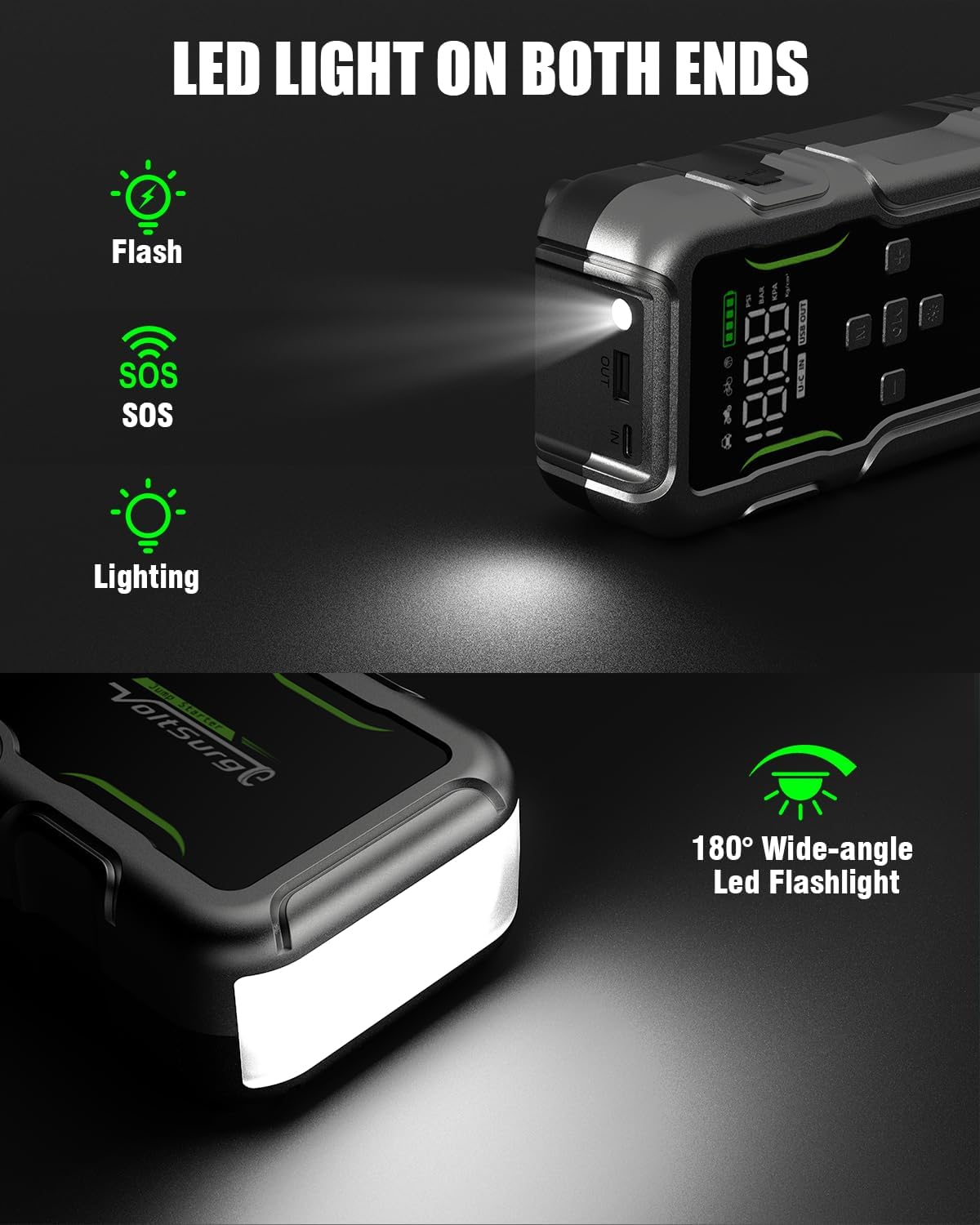
Image: The LED light on the VoltSurge D08, illustrating its functionality as a flashlight with various modes.
Safety Information
Always adhere to the following safety guidelines when using the VoltSurge D08:
- Read all instructions before use.
- Do not short-circuit the smart clamps.
- Do not expose the device to extreme temperatures or direct sunlight for prolonged periods.
- Keep out of reach of children.
- Ensure proper ventilation during use and charging.
- If the device becomes excessively hot, discontinue use immediately.
- The device features 10 ultra-safe protections including over-current, low voltage, overload, spark-proof, over-discharge, short circuit, low-temperature, over-charge, high-temperature, and reverse polarity protection.

Image: An overview of the ten safety features integrated into the VoltSurge D08 for user protection.
Specifications
| Brand | VoltSurge |
| Model | D08 |
| Peak Output Current | 7000 Amps |
| Air Compressor Pressure | Up to 150 PSI |
| Engine Compatibility | All Gas (up to 8.0L), Diesel (up to 12.0L) |
| Battery Type | Lithium Ion (1 included) |
| Item Weight | 1060 Grams (approx. 2.34 pounds) |
| Product Dimensions | 11.02 x 7.87 x 1.97 inches |
Troubleshooting
- Device not turning on: Ensure the device is fully charged.
- Vehicle not starting: Check that the smart clamps are securely connected to the correct battery terminals (+ to +, - to -). Ensure the vehicle battery is not severely damaged.
- Tire not inflating: Verify the air hose is tightly connected to both the device and the tire valve. Check that the correct inflation mode and target pressure are set.
- No power output from USB ports: Ensure the device is powered on and has sufficient charge.
For further assistance, please refer to the detailed user manual included in the package or contact VoltSurge customer support.
Warranty and Support
The VoltSurge D08 comes with a manufacturer's warranty. Please refer to the warranty card included in your package for specific terms and conditions. For technical support, product inquiries, or warranty claims, please contact VoltSurge customer service through their official channels.
Additional protection plans may be available for purchase separately. Please check with your retailer for details.