
1. Introduction
The PANERGYRIC 160A Multi-Process Welder is a versatile and portable welding machine designed for various applications. It supports three primary welding modes: Gasless Flux-Cored MIG, Lift TIG, and Stick (MMA) welding. Featuring dual 110V/220V voltage compatibility and a large LED digital display, this welder offers intelligent synergic control for optimized welding parameters. It is suitable for welding stainless steel, carbon steel, and thicker metals, making it ideal for machinery repair, home repair, and DIY metal crafts.
2. Safety Information
Always prioritize safety when operating welding equipment. This welder incorporates several safety features, including IGBT technology for stable performance, and protection against over-current, over-voltage, and over-heating. Despite these features, proper personal protective equipment (PPE) and adherence to safety guidelines are crucial.
- Wear appropriate welding helmet, gloves, and protective clothing.
- Ensure adequate ventilation in the work area.
- Keep flammable materials away from the welding zone.
- Do not operate in wet conditions.
- Always disconnect power before performing maintenance or changing accessories.

3. Package Contents
Verify that all items listed below are included in your package:
- 1 × MIG welder machine
- 1 × 14AK MIG torch
- 1 × Earth clamp
- 1 × Stick holder
- 1 × Flux Core wire
- 2 × Conductive Nozzle
- 1 × 110V to 220V Wire adapter
- 1 × Brush

4. Setup
4.1 Power Connection
The welder supports dual voltage input (110V/220V) and automatically identifies the input voltage. Connect the power cord to a suitable power outlet. Use the provided 110V to 220V wire adapter if necessary.
4.2 Wire Installation (Flux Core MIG)
To install the flux core wire:
- Open the wire feed compartment.
- Place the flux core wire spool onto the spindle.
- Thread the wire through the wire feed mechanism, ensuring it passes through the correct groove for the wire diameter.
- Adjust the tension of the wire feed roller.
- Close the compartment.

4.3 Torch and Clamp Connection
Connect the MIG torch, earth clamp, and stick holder to their respective terminals on the front panel of the welder. Ensure all connections are secure.
5. Operating Modes
The PANERGYRIC 160A Multi-Process Welder offers three welding modes:
5.1 Gasless Flux-Cored MIG Welding
This mode is suitable for welding without shielding gas. The flux core wire provides its own shielding. Use the synergic control feature to automatically match voltage and wire feeding speed based on wire diameter and welding current.
5.2 Lift TIG Welding
For precise welding, the Lift TIG mode can be used. A TIG torch is required (not included in the package). Adjust the current according to the material and desired weld.
5.3 Stick (MMA) Welding
This mode is used with coated electrodes. Connect the stick holder and earth clamp, then select the MMA mode and adjust the current. This mode is compatible with various electrode types.
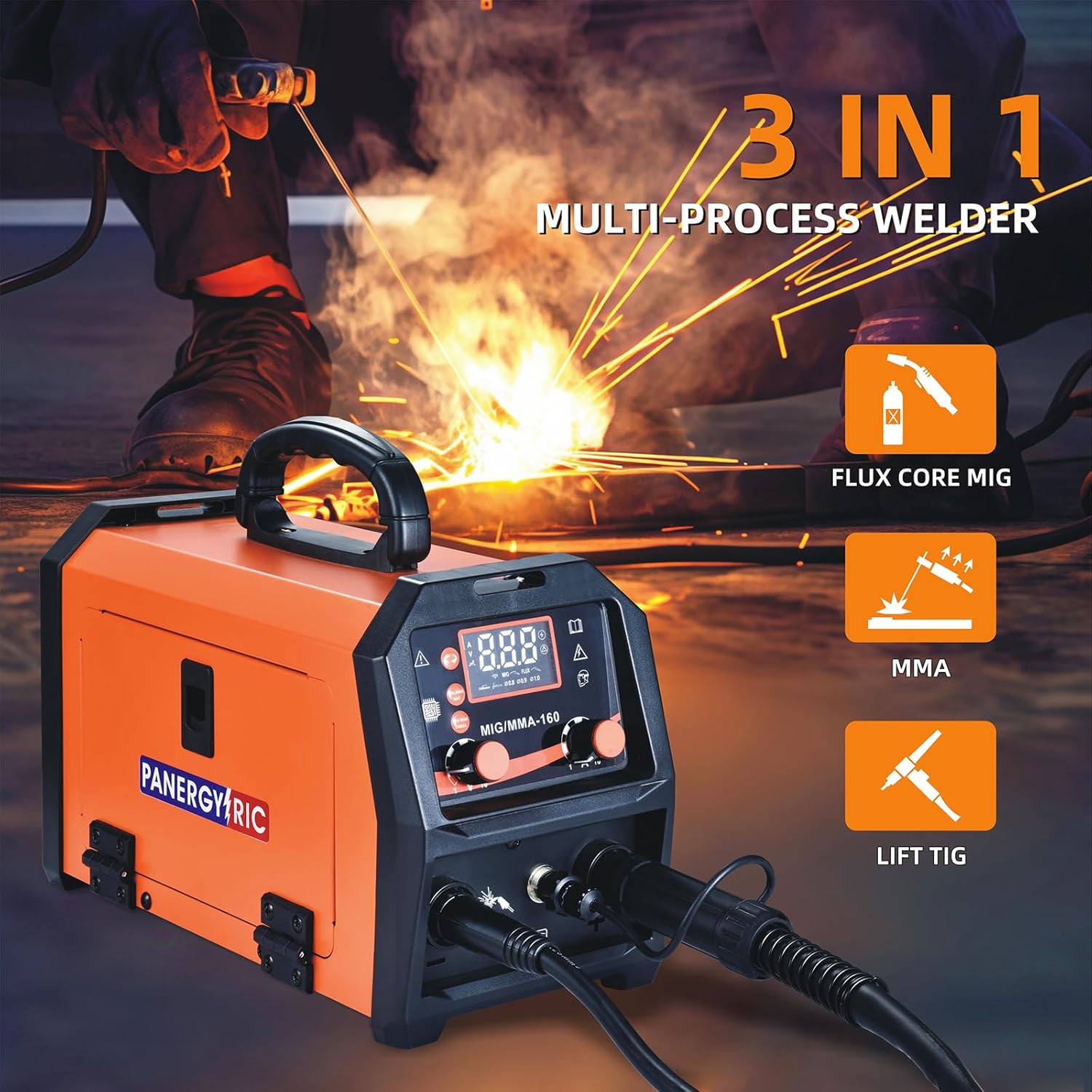
6. Digital Display and Controls
The welder features a large LED digital display for clear readability of settings. The display shows welding current, voltage, and selected wire diameter. Use the function keys and rotary knobs to select welding modes and adjust parameters.

7. Maintenance
Regular maintenance ensures the longevity and optimal performance of your welder.
- Keep the welder clean and free from dust and debris.
- Regularly check the cooling fan for obstructions.
- Inspect cables and connections for wear or damage.
- Replace worn contact tips and nozzles as needed.
8. Troubleshooting
If you encounter issues with your welder, consider the following basic troubleshooting steps:
- No Power: Check the power connection and ensure the power switch is ON. Verify the input voltage is correct.
- Poor Weld Quality: Adjust current/voltage settings. Ensure proper wire feed speed and correct wire diameter. Check for clean connections and proper grounding.
- Overheating: Allow the machine to cool down. Ensure the cooling fan is unobstructed and operating correctly.
For persistent issues, consult a qualified technician.
9. Specifications
| Specification | Value |
|---|---|
| Manufacturer | PANERGYRIC |
| Item Model Number | MIGMMA-160 |
| Power Source | AC (110V/220V Dual Voltage) |
| Maximum Output Current | 160 Amps |
| Welding Modes | Gasless Flux-Cored MIG, Lift TIG, Stick (MMA) |
| Item Weight | 4.15 kg |
| Parcel Dimensions | 42.54 x 28.57 x 23.37 cm |
10. Warranty and Support
Please refer to the product packaging or manufacturer's website for detailed warranty information and support contacts. Keep your purchase receipt for warranty claims.


