
Lwuckbarrt SZ-5003G
Multi-Platform Wireless Controller User Manual
Model: SZ-5003G
Product Overview
This multi-platform wireless controller is designed for a wide range of gaming systems, including PS5, PS4, PS3, Switch, Android, iOS, PC, MAC, and Steam Deck. It offers versatile connectivity options and advanced features for an enhanced gaming experience.
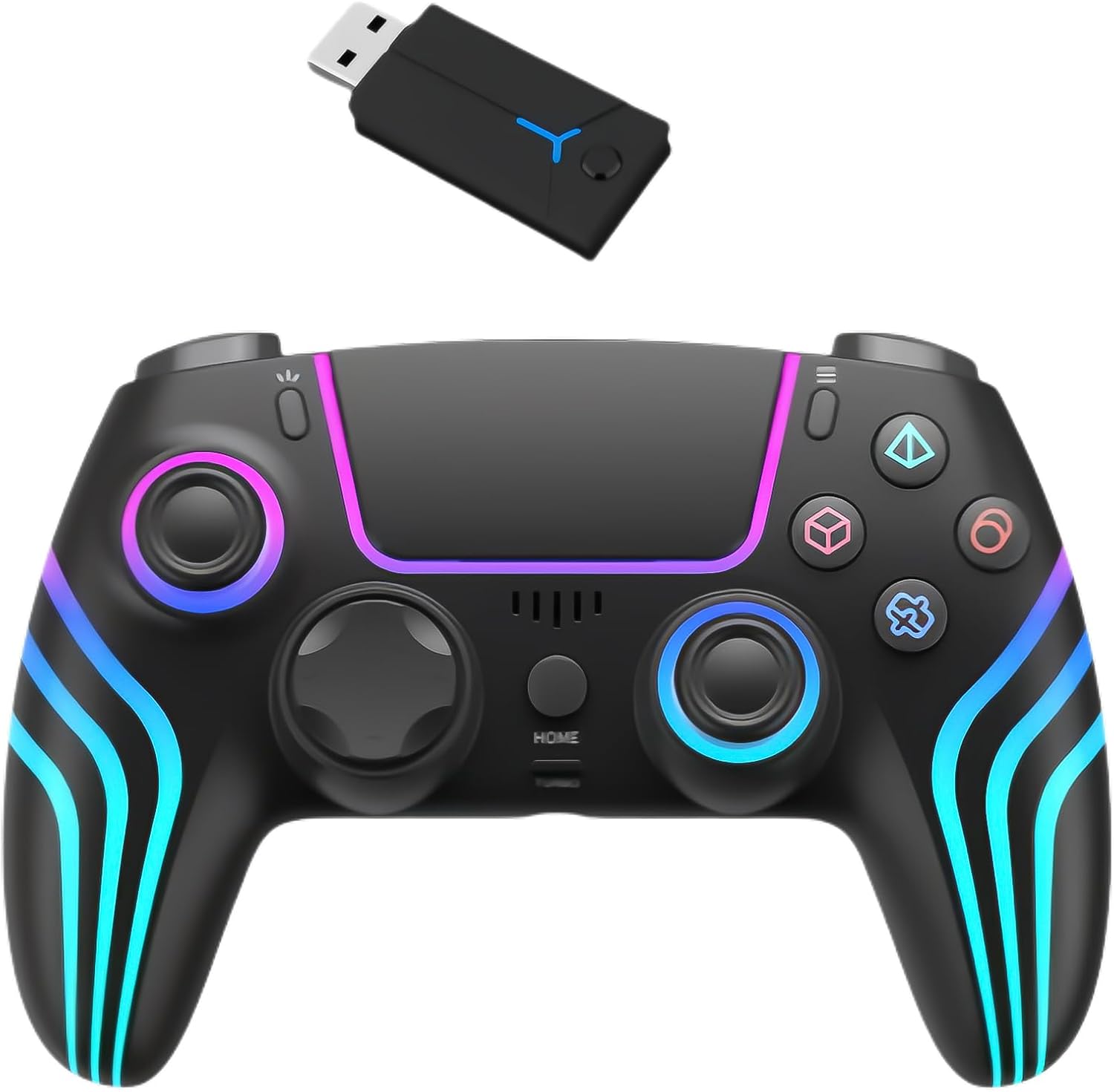
Image: The wireless controller in black, featuring colorful LED accents, shown alongside its USB wireless dongle.
Key Features
- Wide Compatibility: Supports PS5, PS4, PS3, Switch, Android, iOS, PC, MAC, STEAM DECK, and Steam.
- Multiple Connection Methods: 2.4G wireless, Bluetooth wireless, and USB wired connections.
- Advanced Gaming Functions: Includes continuous fire (Turbo), dual vibration, 6-axis gyro sensor, acceleration/gravity sensing, touchpad, and a 3.5mm headphone jack.
- Customizable RGB Lighting: Features 7 types of RGB lights and 3 light modes, with memory function for settings.
- Ergonomic Design: Crafted from durable materials with an ergonomic shape and anti-slip pads for comfortable, fatigue-resistant long-term play.
- Responsive Controls: High operability D-pads and Hall effect triggers for precise movements and no delay.

Image: A diagram highlighting the controller's features, including Bluetooth connectivity, dual vibration, gyro sensor, Turbo function, headphone jack, RGB lights, and touchpad.
Setup and Connection
PS5 Connection (2.4G Wireless)
- On your PS5 console, navigate to Settings > Accessories > Controller (General) > Use USB Cable. Ensure this option is enabled.
- Insert the 2.4G wireless receiver into an available USB port on your PS5 console. Wait for the receiver's LED light to flash slowly.
- Press and hold the pairing key on the receiver for approximately 3 seconds until its LED light flashes rapidly, indicating it has entered pairing mode.
- With the controller powered off, simultaneously press and hold the SHARE button and the HOME button for 3 seconds. The controller's channel light will flash, indicating it has entered pairing mode.
- The controller should connect to the receiver within 1-3 seconds. Upon successful connection, the receiver's light will remain steadily lit.
Other Connection Methods (Bluetooth, USB Wired)
This controller supports Bluetooth wireless and USB wired connections for various devices including PS4, PS3, Switch, Android, iOS, PC, MAC, and Steam Deck. Please refer to the detailed connection instructions provided in the full manual for specific device pairing procedures.

Image: A visual representation of the controller's compatibility with various platforms, including PS5, PS4, PS3, Switch, Android, iOS, PC, Mac, Steam, and Steam Deck.
Operating Instructions
Basic Operation
- Power On/Off: Press the HOME button to power on the controller. To power off, hold the HOME button or disconnect from the device.
- Charging: Connect the controller to a power source using the provided USB cable. The indicator light will show charging status.
Advanced Features
- Turbo Function (Continuous Fire): Activate continuous fire for specific buttons. Refer to the full manual for button-specific turbo setup.

Image: An illustration demonstrating the Turbo fire function, showing rapid button presses for enhanced gameplay.
- RGB Lighting Control:
- To turn RGB lights ON/OFF: Press and hold the L3 (left stick click) and R3 (right stick click) buttons simultaneously for 3 seconds.
- To Switch Light Modes: Press the LIGHT button (if present, or a designated button) and the R3 button (right stick click) simultaneously. Each press cycles through available modes: color light conversion, monochrome light stabilization, monochrome light cycle breathing, and monochrome breathing light. The controller will vibrate once to confirm the mode change.

Image: A visual guide to the controller's RGB lighting, showing 7 color options and 3 light modes (breathing, flashing, and color mode) with adjustable brightness.
- 6-Axis Gyro Sensor: The built-in gyro sensor allows for precise motion control in compatible games.
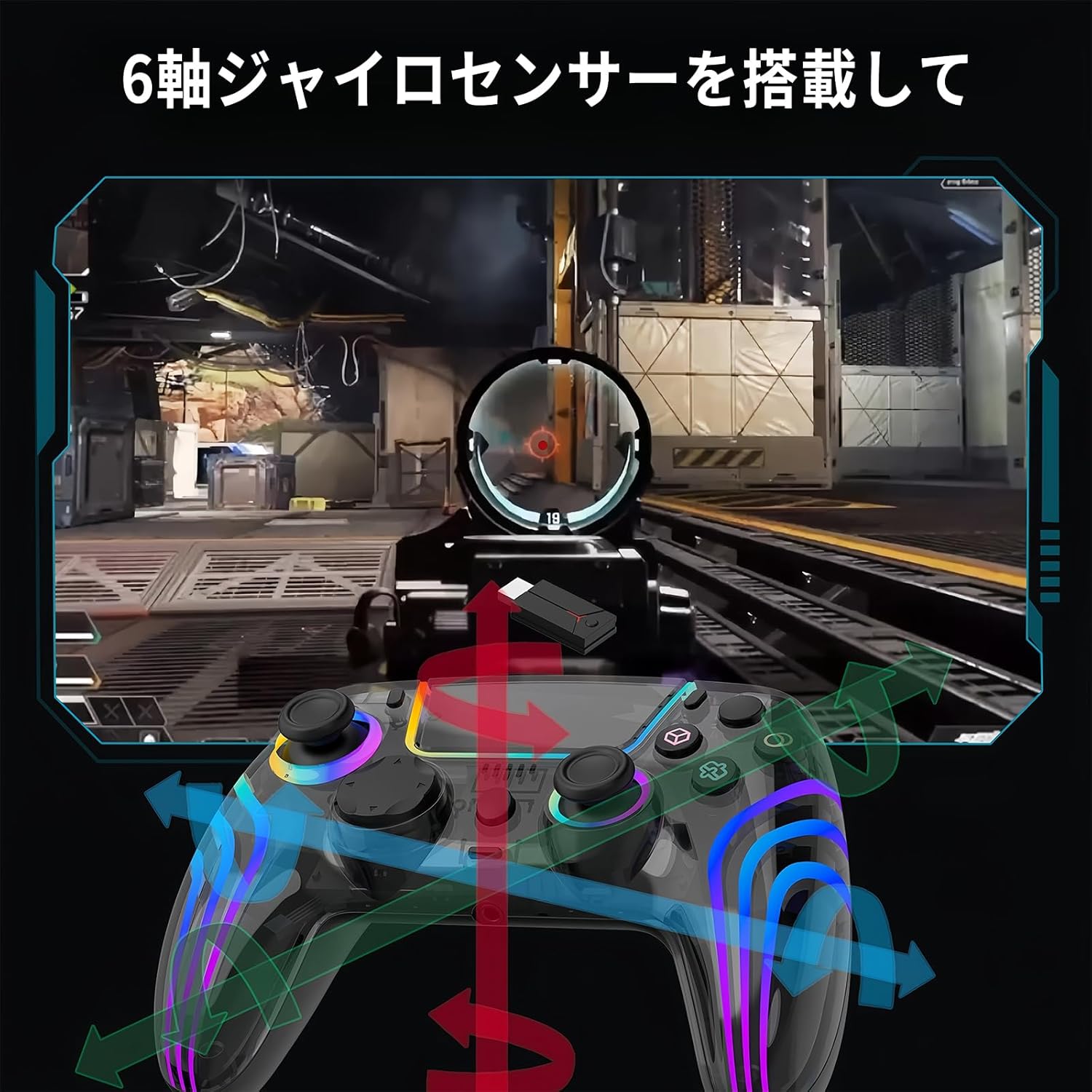
Image: An overlay demonstrating the 6-axis gyro sensor's functionality, showing how tilting the controller translates to in-game movement or aiming.
- Dual Vibration Motors: Provides immersive haptic feedback during gameplay, reacting to in-game events.
- 3.5mm Headphone Jack: Connect your headset for in-game audio and communication.
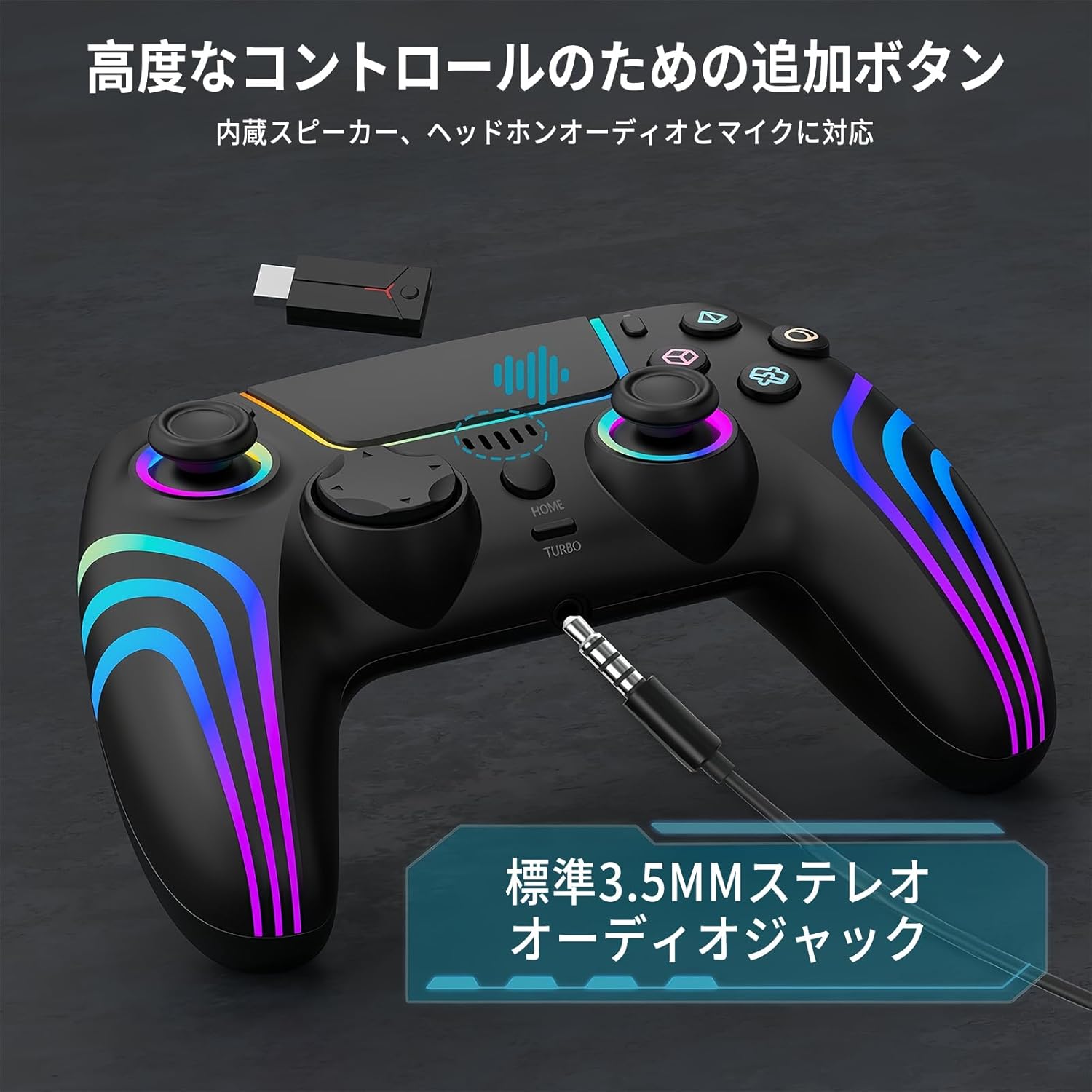
Image: A close-up of the controller showing the standard 3.5mm stereo audio jack, with a headphone plug inserted.
- Hall Effect Triggers: Designed for precision and durability, preventing drift and ensuring low latency.
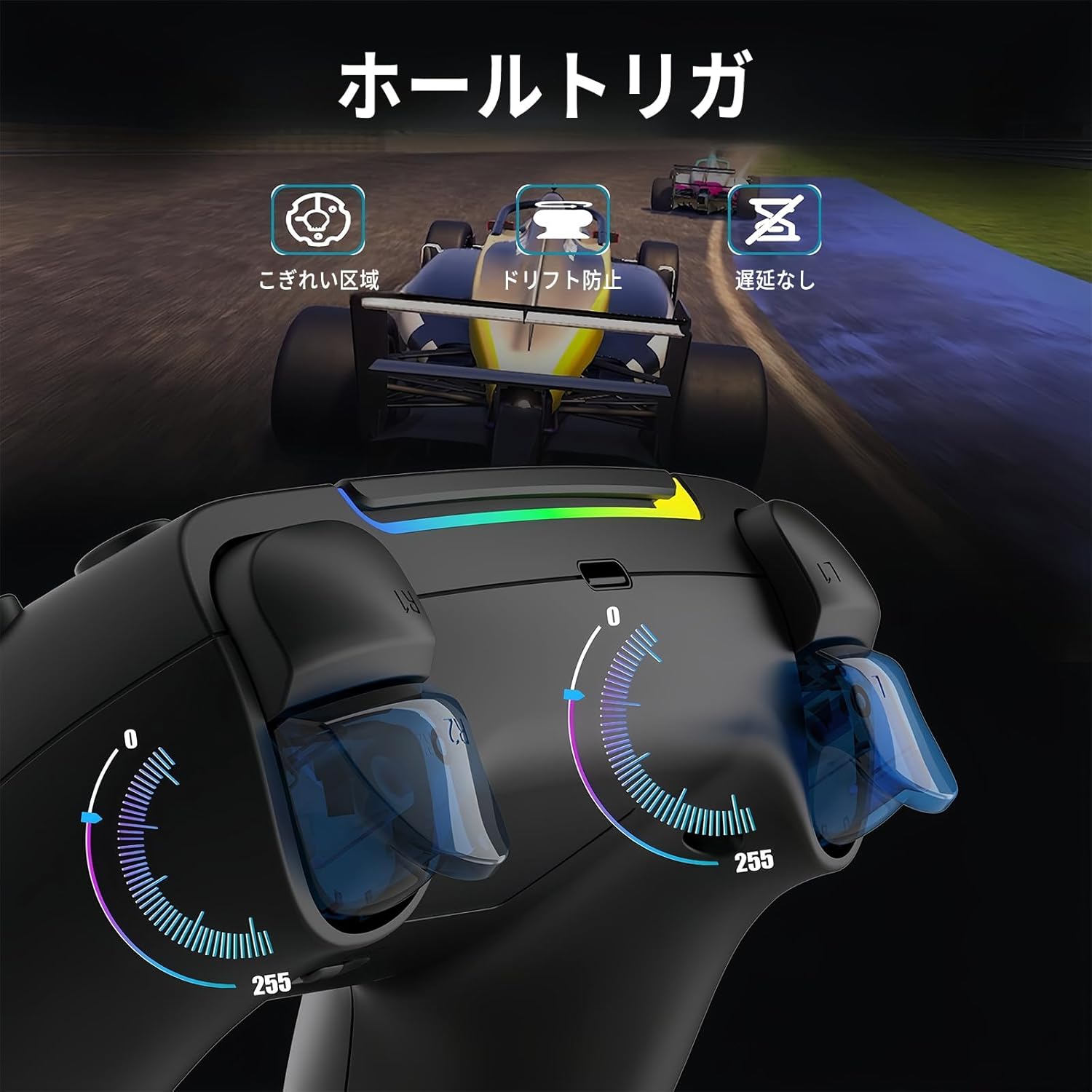
Image: A diagram illustrating the Hall effect triggers, emphasizing their precision, anti-drift capabilities, and low latency for racing games.
Maintenance
- Cleaning: Use a soft, dry cloth to clean the controller. Avoid using harsh chemicals or abrasive materials.
- Storage: Store the controller in a cool, dry place away from direct sunlight and extreme temperatures.
- Battery Care: To prolong battery life, avoid fully discharging the controller frequently. Charge it regularly, even if not in use for extended periods.
Troubleshooting
- Controller Not Connecting/Operating Abnormally:
If the controller operates abnormally or crashes, locate the small 2mm reset hole on the back of the controller. Use a needle or a small, pointed object to press the reset button inside this hole. This can resolve most connection issues.
- PS5 System Updates:
The PS5 system undergoes irregular updates. If your controller prompts that a software update is required, please contact Lwuckbarrt customer support for the necessary program updates. 24-hour service is available for this issue.
- General Connection Issues:
If you encounter any connection problems not covered here, please refer to the detailed connection methods in the full instruction manual or contact customer support for assistance.
Specifications
| Feature | Detail |
|---|---|
| Model Number | SZ-5003G |
| Compatibility | PS5, PS4, PS3, Switch, Android, iOS, PC, MAC, STEAM DECK, Steam |
| Connection Types | 2.4G Wireless, Bluetooth Wireless, USB Wired |
| Dimensions (Package) | 16.1 x 11.7 x 7.1 cm |
| Weight (Package) | 310 g |
| Special Features | Dual Vibration, 6-Axis Gyro Sensor, Turbo Function, Touchpad, 3.5mm Headphone Jack, RGB Lighting |
Warranty and Support
For any issues requiring software updates, particularly concerning PS5 system compatibility, please contact Lwuckbarrt customer support. We provide 24-hour service to assist with program updates and other inquiries.
Please retain your proof of purchase for warranty claims. Specific warranty terms and conditions may vary; refer to the product packaging or contact customer support for details.
For further assistance, visit the Lwuckbarrt Store on Amazon.
Related Documents - SZ-5003G
 |
PS5 Wireless Controller Manual - SZ-5003G Comprehensive user manual for the SZ-5003G PS5 wireless controller, detailing setup, connection, features, and troubleshooting for various consoles and devices. |
 |
SZ-4018B PS4 Wireless Controller User Manual Comprehensive user manual for the SZ-4018B PS4 Wireless Controller, covering setup, features, troubleshooting, and connectivity for PS4, PS3, PC, Mac, Android, iOS, and Steam Deck. |
 |
Ymir Universal Multi-Platform Controller User Manual Comprehensive user manual for the Ymir Universal Multi-Platform Controller, covering setup, connection, programming, turbo functions, troubleshooting, and warranty information. |
 |
Porodo Gaming PS4 Wireless Controller with 6-Axis Gyro Sensor & Ergonomic Design - User Manual Comprehensive user manual for the Porodo Gaming PS4 Wireless Controller (SKU: PDX628). Learn about its features, 6-axis gyro sensor, ergonomic design, and how to connect it to PS4, PS3, PC, Switch, iOS, Android, and Mac devices. Includes specifications and warranty information. |
 |
arVin Wireless Game Controller User Manual User manual for the arVin Wireless Game Controller (Model S03), detailing connection guidelines for iOS, Android, Nintendo Switch, Steam Deck, PC (Bluetooth and Wired), and PS3/PS4/PS5. Includes information on features like Turbo Function, Macro Programming, LED lighting, and vibration adjustment, along with a troubleshooting FAQ. |
 |
Fantech NOVA WGP14 Multi-Platform Gamepad Instruction Manual Instruction manual for the Fantech NOVA WGP14 Multi-Platform Gamepad, detailing its features, technical specifications, connectivity options, usage instructions, and troubleshooting tips. |
Ask a question about this manual
Ask about setup, troubleshooting, compatibility, parts, safety, or missing instructions. Manuals+ will review the question and use this page’s manual context to help answer it.