
1. Introduction
This manual provides essential instructions for setting up, operating, and maintaining your SAMSUNG Galaxy S25 Ultra cell phone. The Galaxy S25 Ultra is an advanced smartphone featuring intelligent AI capabilities designed to enhance user experience, a high-resolution camera system, and a powerful processor. Please read this manual thoroughly to ensure proper use and to maximize the device's potential.

Image Description: A SAMSUNG Galaxy S25 Ultra smartphone shown from both the front and back. The front displays a vibrant screen, and the back features a multi-lens camera system. An S Pen stylus is positioned next to the phone.

Image Description: Multiple SAMSUNG Galaxy S25 Ultra smartphones displayed in different color variants (Titanium Whitesilver, Titanium Black), highlighting the "Galaxy AI" feature.
2. What's in the Box
Upon opening your SAMSUNG Galaxy S25 Ultra package, verify that all the following items are present:
- SAMSUNG Galaxy S25 Ultra Smartphone
- USB-C Cable (for charging and data transfer)
- SIM Ejection Tool
- Quick Start Guide (this document serves as the detailed manual)
- Other accessories may vary based on the renewed product supplier.
3. Initial Setup
3.1. Inserting the SIM Card
- Locate the SIM card tray on the side of your device.
- Insert the SIM ejection tool into the small hole next to the tray and press firmly until the tray ejects.
- Place your Nano-SIM card(s) into the tray with the gold contacts facing down. The Galaxy S25 Ultra supports Nano-SIM and eSIM (up to 2 at a time).
- Carefully reinsert the tray into the phone.
3.2. Powering On and Initial Configuration
- Press and hold the Power/Side key until the SAMSUNG logo appears.
- Follow the on-screen prompts to select your language, connect to a Wi-Fi network, and agree to the terms and conditions.
- Sign in with your Google account or create a new one.
- Set up your screen lock (PIN, pattern, password, fingerprint, or face recognition).
- You may be prompted to transfer data from an old device using Samsung Smart Switch.

Image Description: A close-up front view of the SAMSUNG Galaxy S25 Ultra smartphone, showcasing its edge-to-edge display and front camera cutout.
4. Operating Your Device
4.1. Key AI Features
The Galaxy S25 Ultra integrates advanced AI to provide a more intuitive and efficient user experience.
- Virtual Assistant: Utilize AI to perform multiple tasks with voice commands or text input. For example, search for nearby restaurants or add events to your calendar.
- Now Bar & Now Brief: Receive quick updates directly on your lock screen via the Now Bar. Customize the information displayed. The Now Brief provides helpful tips and insights throughout your day.
- AI Select: Access powerful AI tools by taking a screenshot of text or an image on your screen. The AI analyzes your selection and offers relevant actions or information.
- Audio Eraser: Enhance video quality by reducing unwanted background noise. This feature helps to isolate desired audio, making your videos clearer.
- Night Video: Capture detailed videos in low-light conditions.
- Portrait Selfie: Utilize AI to enhance your selfies, focusing on facial details and background blur for professional-looking portraits.

Image Description: A visual representation of the "Now Brief" feature on the Galaxy S25 Ultra, displaying various daily insights such as weather, commute information, and activity summaries.

Image Description: A screenshot illustrating the "Audio Eraser" feature, showing a video scene with sound waves being analyzed and a slider to adjust noise reduction.

Image Description: A portrait selfie taken with the Galaxy S25 Ultra, demonstrating the AI-enhanced quality and focus on the subject's face.
4.2. Camera System
The Galaxy S25 Ultra features a versatile camera system for high-quality photography and videography.
- Rear Camera: Includes a 200MP wide-angle lens, 10MP telephoto, 50MP periscope telephoto, and 50MP ultrawide lens.
- Front Camera: A 12MP wide-angle lens for selfies and video calls.

Image Description: An infographic detailing the camera specifications (12MP Selfie, 50MP Ultra Wide, 200MP Wide-angle, 50MP Telephoto, 10MP Telephoto), the powerful processor, and the 5000mAh battery capacity of the Galaxy S25 Ultra.
4.3. Display and Performance
- Display: Enjoy a 6.9-inch Dynamic LTPO AMOLED 2X QHD+ display with a 120Hz adaptive refresh rate for smooth visuals. The ProScaler feature enhances image clarity.
- Processor: Powered by the Qualcomm Snapdragon 8 Elite (3nm) Octa-Core processor and Adreno 830 GPU for efficient multitasking and gaming.
- Battery: A 5000mAh battery provides extended usage time.

Image Description: A split-screen image demonstrating the "Brilliant display with ProScaler" feature, showing a side-by-side comparison of an image with and without the ProScaler enhancement, highlighting improved clarity.
5. Maintenance
5.1. Battery Care
- To prolong battery life, avoid extreme temperatures.
- Use the provided USB-C cable for charging.
- Optimize battery usage through the device settings (Settings > Battery and device care).
5.2. Software Updates
Regularly check for and install software updates to ensure optimal performance, security, and access to new features. Navigate to Settings > Software update > Download and install.
5.3. Cleaning Your Device
Use a soft, lint-free cloth to clean the screen and body of your phone. Avoid harsh chemicals or abrasive materials.
6. Troubleshooting
6.1. Common Issues and Solutions
- Device Not Powering On: Ensure the battery is charged. Connect the phone to a charger for at least 10 minutes before attempting to power on again.
- Screen Unresponsive: Force restart the device by pressing and holding the Power/Side key and Volume Down key simultaneously for about 7 seconds.
- Network Connectivity Issues: Check if the SIM card is properly inserted. Toggle Airplane Mode on and off. Restart the device. Verify your carrier settings.
- Battery Draining Quickly: Review app usage in battery settings. Reduce screen brightness, disable unnecessary features like GPS or Bluetooth when not in use.
- "Not Unlocked" Issue (for renewed devices): If your renewed device is advertised as unlocked but is not, contact the seller immediately for resolution.
6.2. Factory Reset
If persistent issues occur, a factory reset may be necessary. Warning: This will erase all data on your device. Back up important data before proceeding. Go to Settings > General management > Reset > Factory data reset.
7. Technical Specifications
| Feature | Detail |
|---|---|
| Brand | SAMSUNG |
| Model Name | Galaxy S25 Ultra |
| Operating System | Android 15, One UI 7 (up to 7 major Android upgrades) |
| Processor | Qualcomm Snapdragon 8 Elite (3nm), Octa-Core, 4.47 GHz |
| Display | 6.9" Dynamic LTPO AMOLED 2X QHD+, 120Hz Adaptive Refresh Rate, HDR10+, 1440x3120px |
| RAM | 12GB |
| Storage | 256GB (No SD Card Slot) |
| Rear Camera | 200MP (wide), 10MP (telephoto), 50MP (periscope telephoto), 50MP (ultrawide) |
| Front Camera | 12MP (wide) |
| Battery Capacity | 5000mAh |
| Phone Talk Time | 37 Hours |
| Connectivity | Global 4G LTE, 5G (SA/NSA/Sub6/mmWave), Bluetooth, NFC, USB, Wi-Fi |
| SIM Type | Nano-SIM + eSIM (max 2 at a time) |
| Dimensions | 6 x 4 x 2 inches |
| Weight | 7.7 ounces |
| Color | Titanium Black (as per current product) |
8. Warranty and Support
8.1. Amazon Renewed Guarantee
This SAMSUNG Galaxy S25 Ultra is an Amazon Renewed product. Amazon Renewed products are inspected, tested, and refurbished to be fully functional. Your purchase is eligible for the Amazon Renewed Guarantee, which provides a refund or replacement within 90 days of receipt if the product does not work as expected.
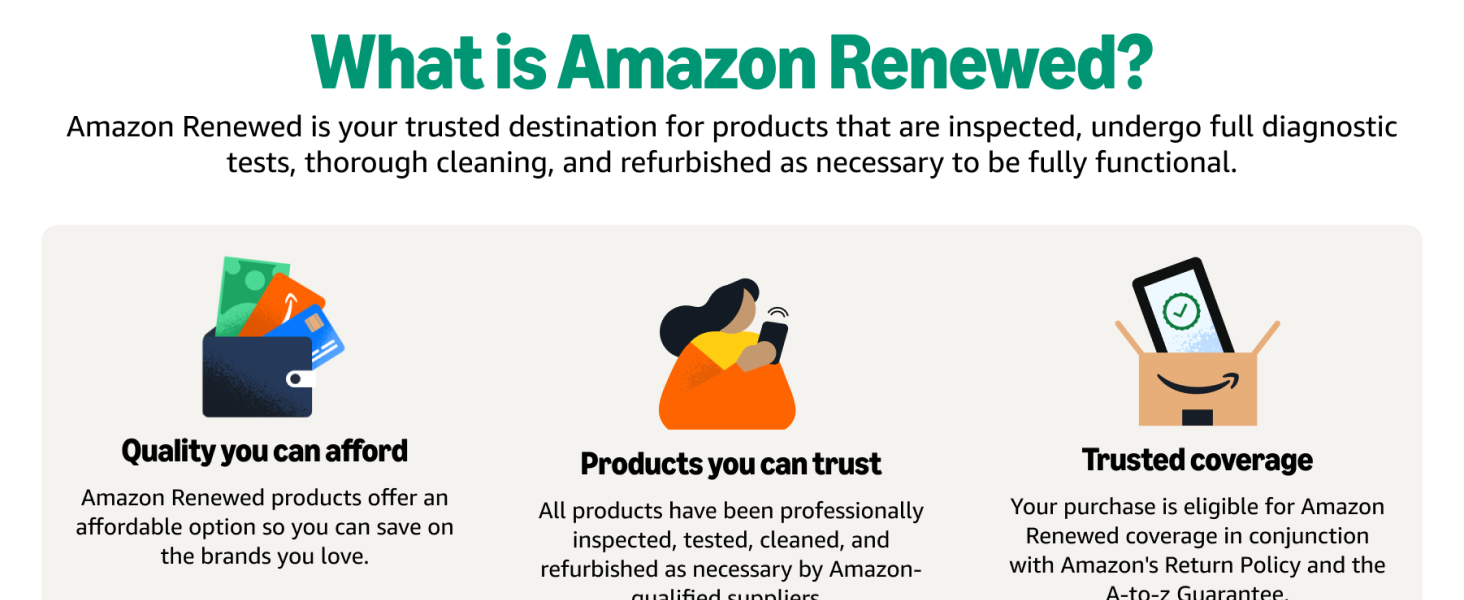
Image Description: An image explaining "What is Amazon Renewed?", detailing that products are inspected, tested, cleaned, and refurbished to be fully functional. It highlights quality, trust, and trusted coverage.
8.2. Contacting Support
For technical assistance, warranty claims, or any issues not resolved by troubleshooting, please contact the seller directly through your Amazon order history. For general information about your device, you can visit the official SAMSUNG support website.