
Introduction
Thank you for choosing the AsiaHorse Dawn Pro 120mm Case Fan. This manual provides detailed instructions for the installation, operation, and maintenance of your new PC cooling fans. Please read this manual thoroughly before installation to ensure proper function and longevity of the product.

Image: AsiaHorse Dawn Pro 120mm Case Fans showcasing key features like Daisy Chain connectivity, Infinity Mirror design, and Integrated ARGB lighting.
Product Features
- Modular Daisy Chain Design: Simplifies cable management by allowing multiple fans to connect with a single cable, reducing clutter.
- Infinity Mirror ARGB Lighting: Features a unique ARGB layout for smooth, uniform lighting effects, compatible with ASUS Aura, GIGABYTE RGB Fusion, and MSI Mystic Light.
- Hydro-Dynamic Bearing (HDB) Technology: Ensures quiet operation with minimal friction, extending fan lifespan and reducing noise levels to a maximum of 29 dBA.
- High Performance Cooling: PWM-controlled blades operate between 900-1850 RPM, delivering up to 71 CFM airflow and 2.6 mmH₂O static pressure for efficient heat dissipation.
- Forward & Reverse Blade Options: Offers versatility to optimize airflow direction or achieve specific aesthetic layouts within your PC case.

Image: A close-up view of the seamless infinity mirror effect, demonstrating the high-density multi-layer light effect of the fan.

Image: An illustration detailing the ultra-high performance HDB bearings and key specifications such as 2.6 mmH₂O static pressure, 71 CFM airflow, 30 dBA noise level, and 1850 RPM fan speed.
Package Contents
Verify that all components are present in your package:
- AsiaHorse Dawn Pro 120mm Reverse Fan x 3
- PWM & ARGB Cable x 2
- Mounting Screws x 24
- Instruction Manual x 1

Image: An exploded view showing the package contents for the 3-pack of AsiaHorse Dawn Pro fans, including three fans, two PWM & ARGB cables, mounting screws, and the instruction manual.
Setup and Installation
1. Fan Assembly and Daisy Chain Connection
The Dawn Pro fans feature a modular daisy chain design for simplified installation. Align the connection slots between fans and slide them together until they click into place. This allows multiple fans to be powered and controlled via a single cable connection to your motherboard or controller.

Image: Visual guide for fan assembly by aligning slots and sliding, and cable assembly for serial connection, simplifying wiring harness management.
2. Mounting the Fans
Secure the fans to your PC case or radiator using the provided mounting screws. Ensure the fans are oriented correctly for desired airflow (intake or exhaust).
3. Forward and Reverse Blade Considerations
The AsiaHorse Dawn Pro series offers both forward and reverse blade fans. It is crucial to understand the airflow direction of each fan type to optimize your PC's cooling performance. Forward blade fans typically pull air into the case, while reverse blade fans push air out, or vice-versa depending on mounting orientation. Ensure you arrange them properly to create an efficient airflow duct.
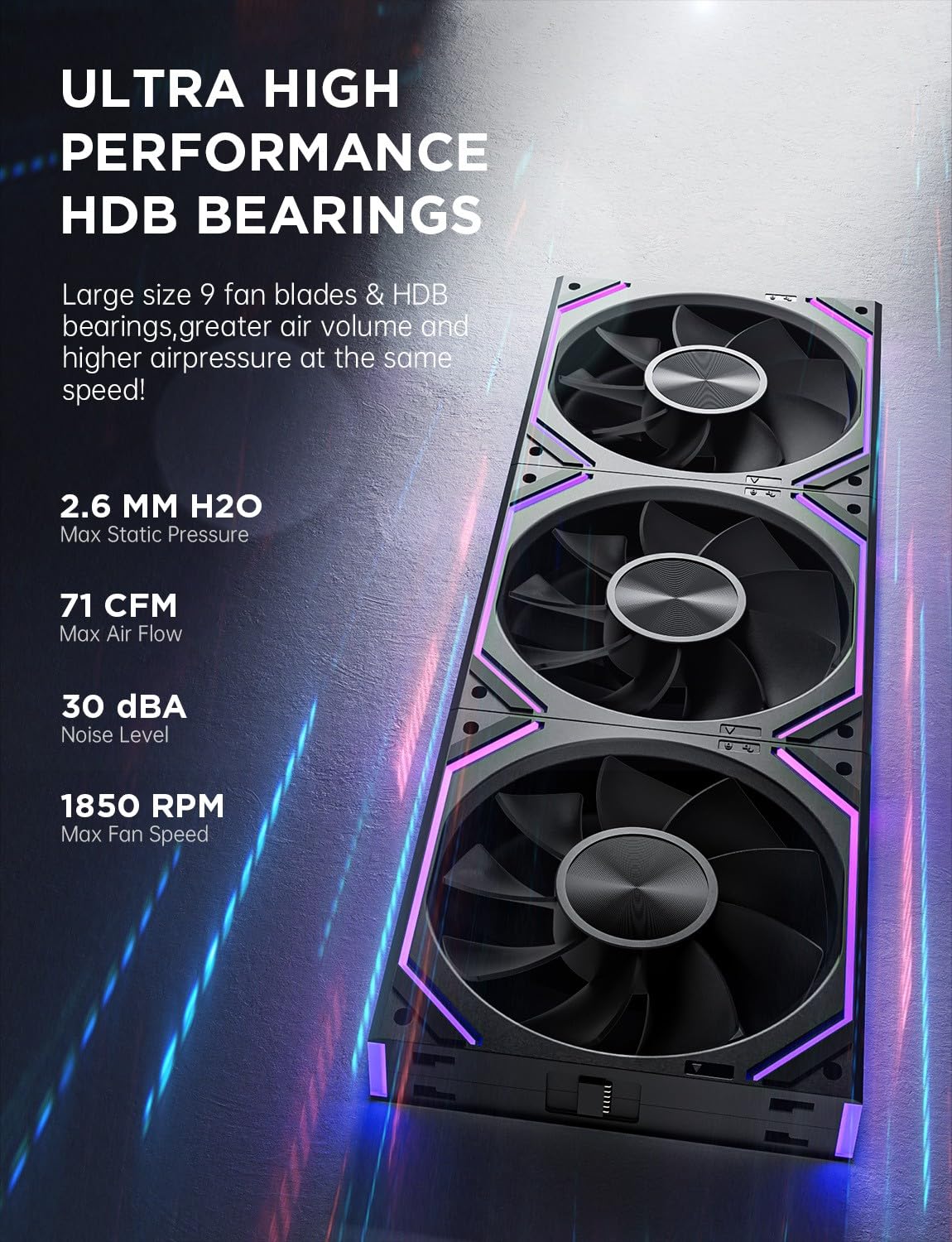
Image: Illustration of a reverse blade fan's airflow, typically used for exhaust, pushing air out of the PC case.
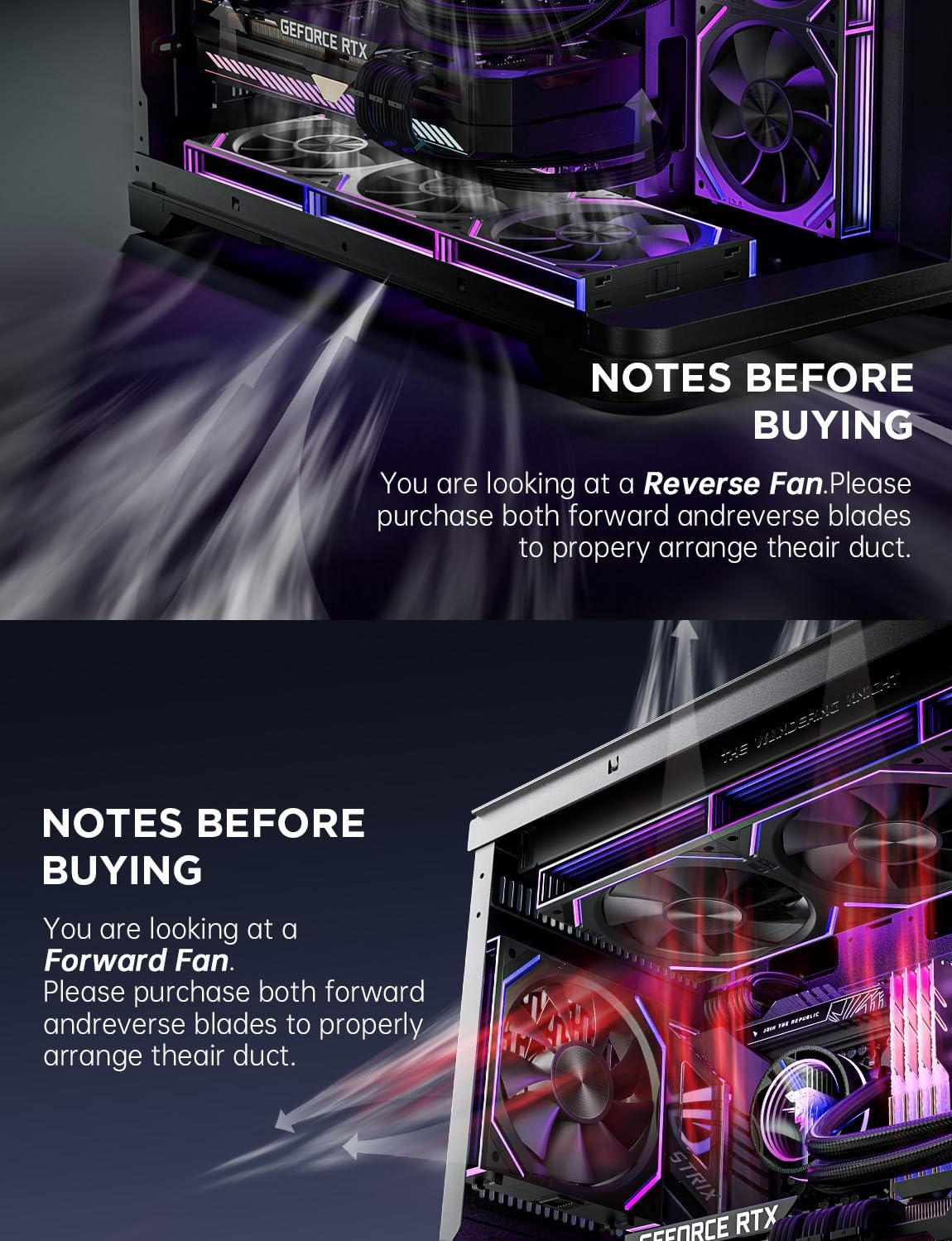
Image: Illustration of a forward blade fan's airflow, typically used for intake, pulling air into the PC case.
Operating Instructions
1. PWM Fan Speed Control
Connect the 4-pin PWM cable from the fan daisy chain to a compatible 4-pin fan header on your motherboard. Fan speed can be controlled via your motherboard's BIOS settings or dedicated fan control software, allowing for dynamic adjustment based on system temperature.
2. ARGB Lighting Control
Connect the 3-pin ARGB cable from the fan daisy chain to a compatible 5V ARGB header on your motherboard. The lighting effects can be synchronized and customized using motherboard software such as ASUS Aura Sync, GIGABYTE RGB Fusion, or MSI Mystic Light. Ensure your motherboard supports 5V ARGB (Addressable RGB) and not 12V RGB.

Image: The seamless infinity mirror effect, highlighting compatibility with major motherboard ARGB synchronization software like ASRock Polychrome Sync, GIGABYTE RGB Fusion, ASUS Aura Sync, and MSI Mystic Light.

Image: A PC case interior showcasing multiple AsiaHorse Dawn Pro fans with vibrant ARGB lighting, demonstrating the overall lighting effect within a system.
Maintenance
To ensure optimal performance and longevity of your fans, periodic maintenance is recommended:
- Cleaning: Regularly clean dust from the fan blades and housing using compressed air or a soft brush. Ensure the PC is powered off before cleaning.
- Inspection: Periodically check fan cables for secure connections and signs of wear.
- Bearing Care: The Hydro-Dynamic Bearings are designed for long-term, maintenance-free operation. No lubrication is required.
Troubleshooting
| Issue | Possible Cause | Solution |
|---|---|---|
| Fan not spinning | Loose power cable connection; Incorrect fan header; Faulty fan. | Check 4-pin PWM cable connection. Ensure it's connected to a functional fan header. Test with another fan header or replace the fan if faulty. |
| ARGB lighting not working | Loose ARGB cable connection; Incorrect ARGB header (e.g., 12V instead of 5V); Software issue; Faulty LED. | Check 3-pin ARGB cable connection. Ensure it's connected to a 5V ARGB header. Verify motherboard software settings. If only one fan is affected, it might be a faulty LED. |
| Fan making unusual noise | Obstruction; Loose mounting screws; Bearing issue. | Check for cables or debris obstructing fan blades. Tighten mounting screws. If noise persists, the bearing may be damaged; consider replacement. |
| Poor cooling performance | Incorrect airflow direction; Dust buildup; Insufficient fan speed. | Verify fan orientation for optimal intake/exhaust. Clean dust from fans and case filters. Adjust fan speed in BIOS or software. |
Specifications
| Feature | Specification |
|---|---|
| Fan Dimensions | 120 x 120 x 25 mm |
| Fan Speed | 900-1850 RPM (Max) |
| Air Flow | 71 CFM (Max) |
| Static Pressure | 2.6 mmH₂O (Max) |
| Noise Level | 6-29 dBA (Max) |
| Bearing Type | Hydro-Dynamic Bearing (HDB) |
| Power Connector | 4-Pin PWM |
| ARGB Connector | 3-Pin 5V ARGB (Supports serial connection) |
| Material | Plastic |
| Compatible Devices | Desktop PCs |
Warranty and Support
AsiaHorse products are manufactured to high-quality standards. For warranty information, technical support, or any inquiries regarding your Dawn Pro 120mm Case Fans, please refer to the official AsiaHorse website or contact their customer service directly. Keep your proof of purchase for warranty claims.