
1. Product Overview
The AsiaHorse Aurora Pro ARGB Cable Cover is designed to enhance the visual appeal of your PC build with vibrant, customizable lighting. Featuring 108 addressable LEDs, this cable cover provides dynamic lighting effects and seamless synchronization with major motherboard brands. Its flexible silicone design ensures compatibility with various power cables, offering both aesthetic improvement and cable management.
2. Key Features
- 108 ARGB LEDs: Experience precise and vibrant lighting with individually addressable LEDs.
- Motherboard Synchronization: Compatible with ASUS Aura Sync, MSI Mystic Light Sync, Gigabyte RGB Fusion, and ASRock Polychrome Sync via a 5V 3-pin interface for unified lighting control.
- Extensive Lighting Effects: Choose from over 124 preset lighting effects, capable of smooth transitions at up to 60 frames per second.
- Durable Design: Patented LEDs offer a vibrant and consistent color reproduction with a lifespan of up to 20,000 hours.
- Flexible Silicone Material: The soft silicone design allows for easy bending and shaping, adapting to most power supply cables for a clean and organized look.

This image illustrates the 108 LED beads integrated into the cable cover, emphasizing adjustable brightness, enhanced color quality, and smooth lighting effects.

This image displays the variety of 124 lighting effects available, categorized into Ambience, Rhythm, and Heartbeat patterns, offering extensive customization.

The image highlights the flexible silicone material of the cable cover, demonstrating its adaptability to various PC case sizes such as MATX, ATX, and IATX.
3. Installation Guide
Follow these simple steps to install your AsiaHorse Aurora Pro ARGB Cable Cover:
- Step 1: Fix the Cable: Secure your existing power supply cable to the ARGB light strip.
- Step 2: Secure the Strip: Use the provided transparent plastic clips to firmly hold the ARGB strip in its desired position within your PC case.
- Step 3: Connect ARGB Interface: Connect the 5V 3-pin ARGB interface to your motherboard's ARGB header or a compatible RGB controller.

This image illustrates the three different sizes of wire combs included, designed to accommodate various cable diameters for a secure fit.
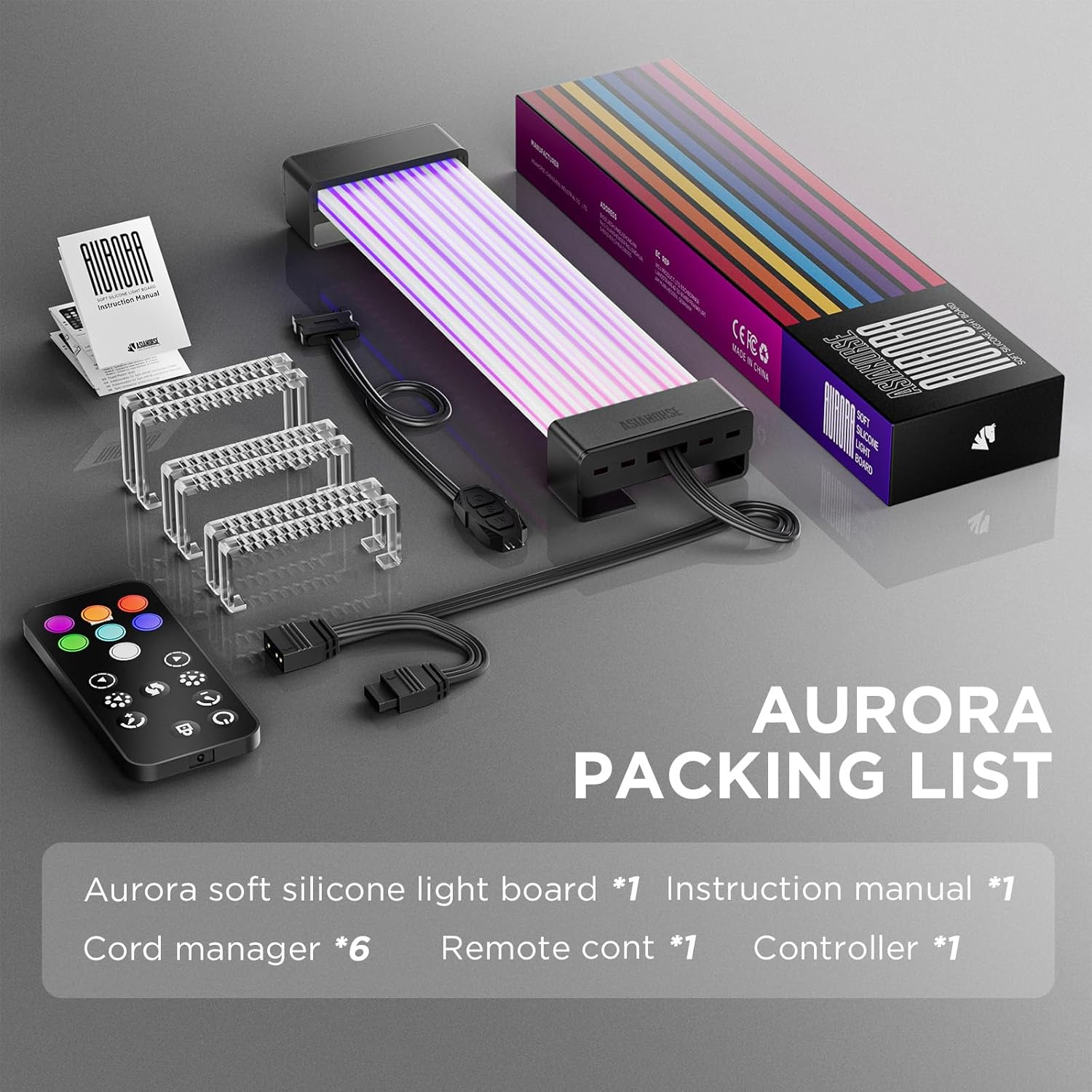
The diagram demonstrates how to connect the ARGB light board to your PC's power supply and motherboard, also showing the included remote control for easy lighting program selection.
This video demonstrates the installation and lighting effects of the AsiaHorse ARGB light strip for motherboards, providing a visual guide for setup and customization.
4. Operation and Customization
Once installed, you can customize the lighting effects of your Aurora Pro ARGB Cable Cover through your motherboard's dedicated RGB software (e.g., ASUS Aura Sync, MSI Mystic Light Sync, Gigabyte RGB Fusion, ASRock Polychrome Sync). This allows for detailed software adjustments and synchronization with other ARGB components in your system.
Alternatively, if your system uses a standalone RGB controller, you can use its interface or the included remote control (if applicable) to cycle through the 124+ preset effects and adjust brightness.

This image illustrates the motherboard synchronization capabilities of the ARGB cable cover, compatible with leading RGB software from ASRock, MSI, ASUS, and Gigabyte.
5. Maintenance
To ensure the longevity and optimal performance of your ARGB cable cover, follow these simple maintenance guidelines:
- Cleaning: Gently wipe the surface of the cable cover with a soft, dry cloth to remove dust. Avoid using harsh chemicals or abrasive materials.
- Handling: While the silicone material is flexible, avoid excessive bending or sharp folds that could damage the internal LED components.
- Connections: Periodically check that all connections are secure to prevent intermittent lighting issues.
6. Troubleshooting
If you encounter any issues with your ARGB cable cover, refer to the following common solutions:
- No Lighting/Incorrect Colors:
- Ensure the 5V 3-pin ARGB connector is correctly and securely plugged into the motherboard header or controller.
- Verify that your motherboard's RGB software is installed and configured correctly.
- Check for any loose cable connections.
- Inconsistent Lighting:
- Confirm that your motherboard's ARGB header supports the number of LEDs on the cable cover.
- Update your motherboard's BIOS and RGB software to the latest versions.
- Remote Control Not Working:
- Ensure the remote control's battery is functional.
- Check that the remote receiver is not obstructed.
If problems persist, consult the AsiaHorse official support channels or your motherboard manufacturer's documentation.
7. Specifications
| Feature | Detail |
|---|---|
| Model Number | AURORA-108-24PIN-Black-SA-1 |
| LED Count | 108 Addressable LEDs |
| Dimensions | 260 x 56 x 21 mm |
| Color | Black |
| Connectivity Protocol | ARGB (5V 3-Pin) |
| Power Source | DC Power Supply |
| Special Features | Adjustable, Color Changing |
| LED Lifespan | Up to 20,000 hours |
8. Warranty and Support
For warranty information, technical support, or further assistance, please refer to the official AsiaHorse website or contact their customer service. Keep your purchase receipt for warranty claims.


