
1. Introduction
Thank you for choosing the Bolanle Passive Dual Channel Direct Box and Line Isolator (Model LI22). This device is designed to provide high-quality signal conversion and isolation for a wide range of audio applications, from studio recording to live stage performances. It effectively converts unbalanced signals to balanced XLR outputs, reduces hum, and offers flexible routing options for instruments like guitars, basses, keyboards, and DJ mixers.
Please read this manual thoroughly to understand the features and proper operation of your new device.

Image: Overview of the Bolanle Passive Dual Channel Direct Box and Line Isolator, highlighting its multifunctionality.
2. Key Features
- Dual-Mode Operation: Switch between DI (Direct Injection) mode for high-impedance instruments with -20dB/-35dB attenuation & balancing, or LI (Line Isolator) mode for low-impedance sources maintaining full level & balancing.
- Passive Stereo Isolation & Balancing: Features dual-channel passive transformers providing ground loop isolation, hum reduction (via GND Lift), and conversion of unbalanced signals to balanced XLR outputs. Ensures clean, noise-free signal transfer between gear.
- Signal Integrity Protection: Integrated PAD switch (-15dB) in DI mode prevents input overload and distortion, especially crucial for active instruments. Protects your tone and downstream equipment.
- Flexible Routing & Summing: Utilizes INPUT, THRU, and SUM/MONO functions. Easily create parallel connections to amps or combine stereo signals to mono for a single amplifier output using the SUM switch.
- Universal Connectivity: Ideal for Guitar, Bass, Keyboard, DJ Mixers, and connecting Speakers/Amps. Transforms outputs from software, sound cards, or pedals (1/4" or XLR) to balanced XLR for mixers or unbalanced inputs for amps/effects.
3. Setup and Connections
Proper connection of the Bolanle DI/LI box is essential for optimal performance. Refer to the diagrams and descriptions below for guidance.
3.1 Component Identification

Image: Front and rear panel views of the Bolanle DI/LI box with numbered labels indicating XLR audio outputs, 1/4" output jack, ground switch, mono switch, unbalanced straight-through input, and PAD/DI/LI switches.
- XLR Audio Right Output: Balanced output for the right channel.
- XLR Audio Left Output: Balanced output for the left channel.
- Ground Switch (GRND/LIFT): Isolates the ground pins on the XLR to reduce hum.
- Unbalanced 1/4" Output Jack (THRU): Pass-through connection for sending the input signal to an amplifier or other device.
- Press for Mono (SUM/MONO): Combines left and right input signals into a mono output.
- Unbalanced Straight-Through Input (INPUT): 1/4" input for instruments.
- PAD in DI Mode (-15dB): Attenuates the input signal by -15dB to prevent distortion.
- DI/LI Switch: Toggles between Direct Injection and Line Isolator modes.
3.2 Connection Scenarios

Image: Connection schematic display showing how to connect the DI/LI box in Line Isolator (LI) mode for a bass to a laptop and speakers, and in Direct Injection (DI) mode for guitars/bass/keyboard to an amp and mixer.
The diagram above illustrates common connection methods. Always ensure all connections are secure before powering on any equipment.
3.3 Video Guide: Direct Box Connection Example
Video: A seller-provided video demonstrating the connection of a direct box with dual high-impedance stereo inputs. While not the exact Bolanle model, it provides a useful visual guide for general direct box setup.
4. Operating Modes and Controls
The Bolanle DI/LI box offers versatile controls to adapt to various audio sources and environments.
4.1 DI (Direct Injection) Mode
Use DI mode when connecting an unbalanced high-impedance power supply (e.g., electrical guitar, bass guitar). The signal will be reduced by -20dB or -35dB (when the PADs are activated) and converted to a balanced signal through a transformer connected to the XLR output. Use the gain or preamp on the mixer to bring the signal up to line level.
4.2 LI (Line Isolator) Mode
LI mode is used when connecting an unbalanced, low-impedance power supply (e.g., Amp Cab, simulating ACSI, buttons). The signal will be maintained at full volume and converted to a balanced signal through a transformer connected to the XLR output. Less preamp gain is required in LI mode.

Image: Multifunction DI/LI Line Isolator showing the DI and LI mode switches and their descriptions.
4.3 PAD Switch (-15dB)
The integrated PAD switch (-15dB) in DI mode prevents input overload and distortion, especially crucial for active instruments with high output levels. This protects your tone and downstream equipment.
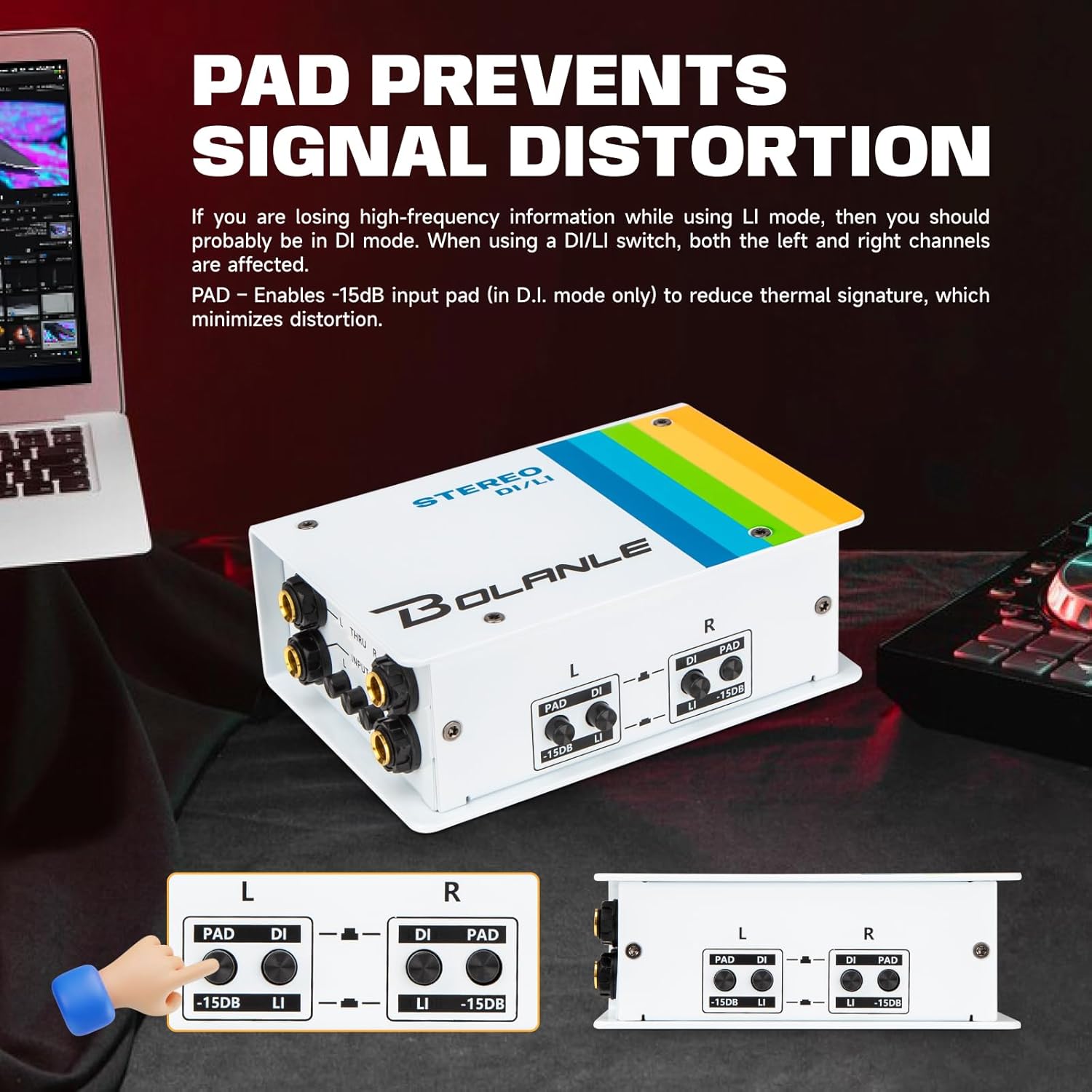
Image: PAD prevents signal distortion, illustrating the -15dB PAD switch for each channel.
4.4 Ground Switch (GND Lift)
The GND LIFT switch isolates the ground pins on the XLR outputs to help reduce hum and noise, if any. Set aside for normal operation. Engage the lift if you experience ground loop hum.

Image: Ground Switch showing the GRND/LIFT toggle for hum reduction.
4.5 SUM/MONO Function
When the SUM switch is engaged (pushed in), the left and right input jacks are connected to combine signals, creating a mono output. This is useful for feeding a stereo source into a single amplifier or mixer channel. When SUM is disengaged (popped out), the left input is connected to the left pass-through, and the right input is connected to allow the use of a stereo amplifier.
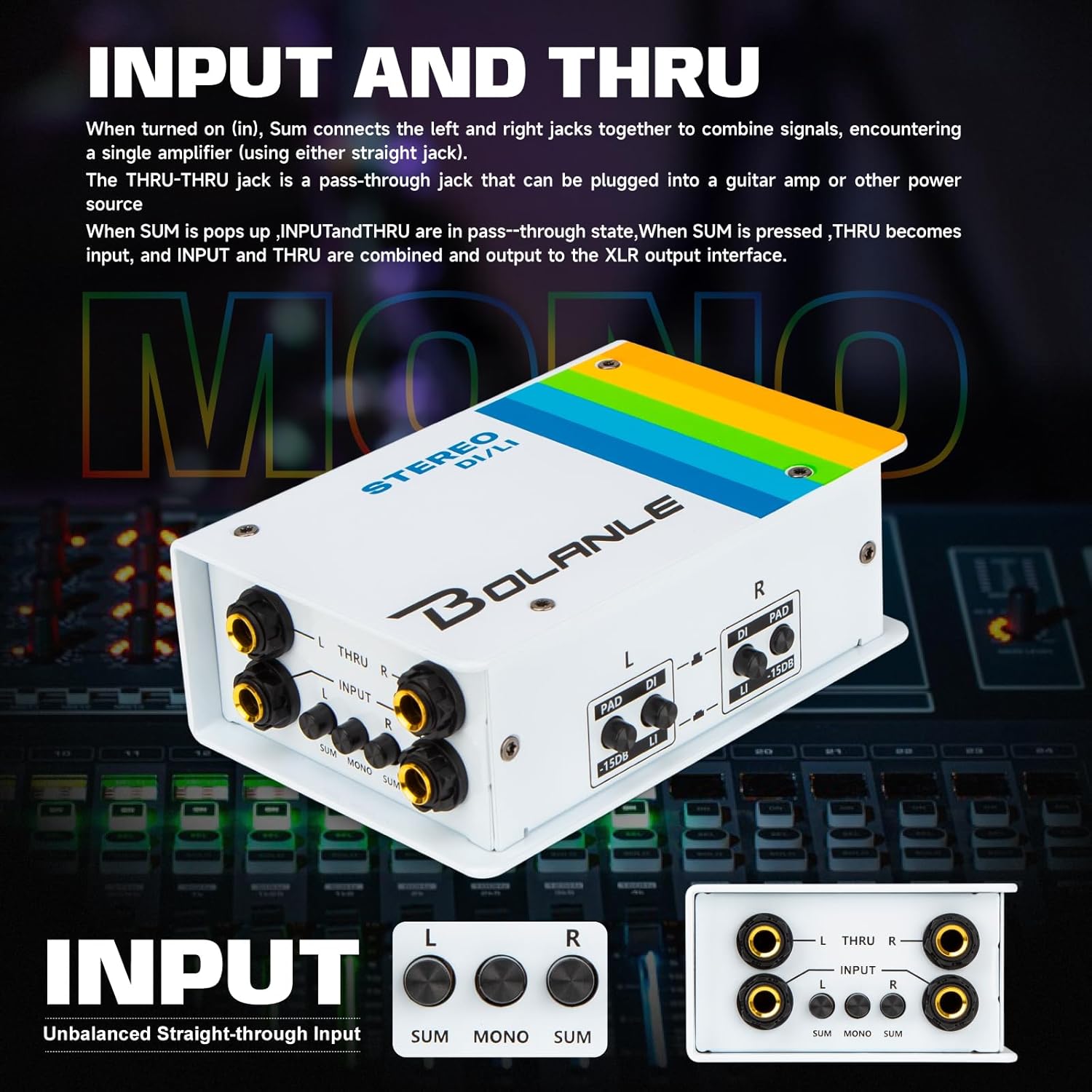
Image: Input and Thru connections with the SUM/MONO switch for flexible routing.
5. Specifications
Below are the technical specifications for the Bolanle Passive Dual Channel Direct Box and Line Isolator (Model LI22).
- Item Weight: 2.2 pounds
- Package Dimensions: 8.62 x 5.75 x 3.25 inches
- Item Model Number: LI22
- Dynamic Frequency Response: 20Hz to 20kHz (Custom transformers change signal impedance to work with guitar effects and amps)
- Connectors: 1/4" (TS/TRS) for inputs/thru, XLR for balanced outputs.
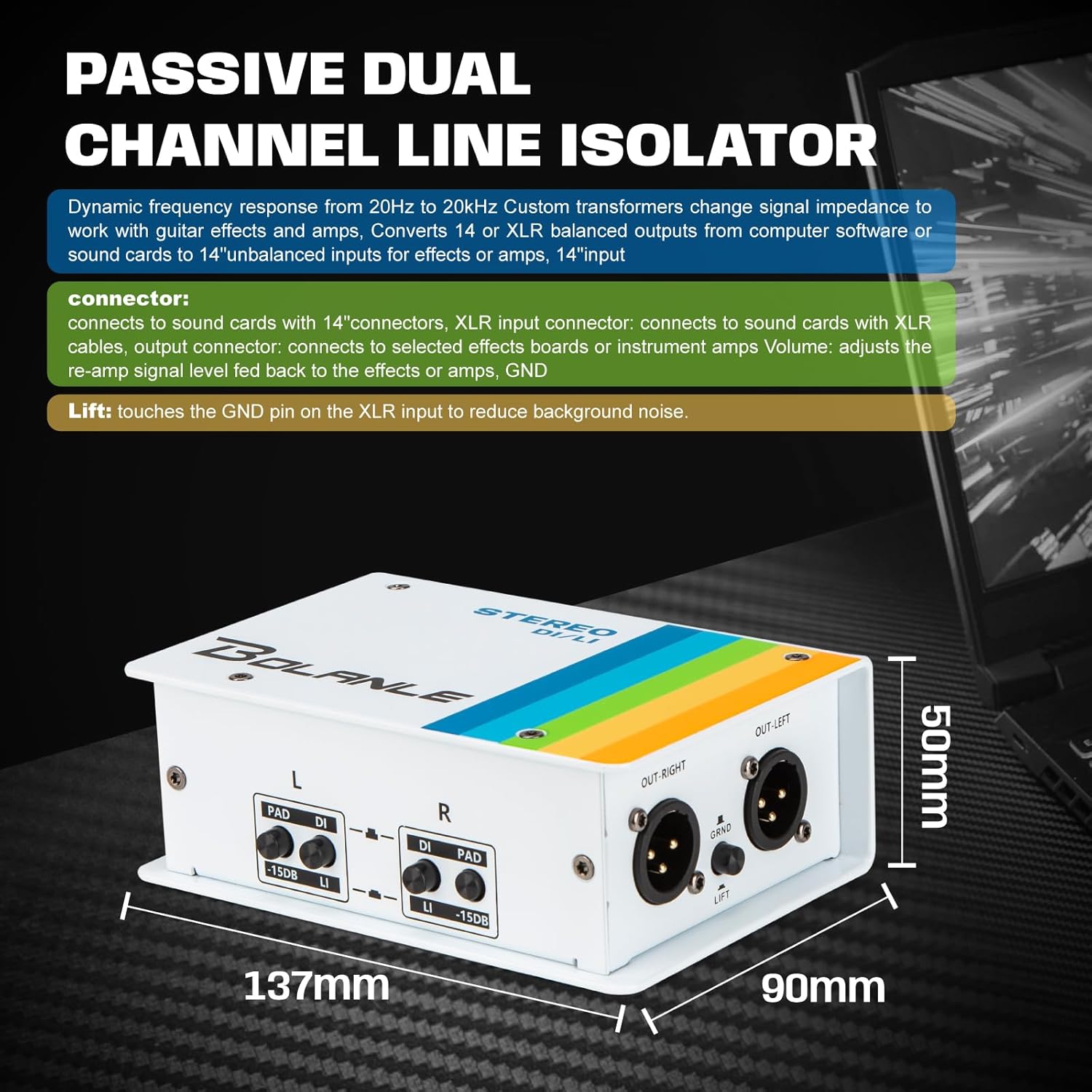
Image: Dimensions of the Passive Dual Channel Line Isolator, showing height (50mm), width (137mm), and depth (90mm).
6. Troubleshooting
If you encounter issues with your Bolanle DI/LI box, consider the following troubleshooting steps:
- No Sound:
- Ensure all cables are securely connected.
- Check the input source (instrument) and output destination (mixer/amp) for proper functionality.
- Verify that the PAD switch is not engaged if your instrument has a low output level.
- Confirm the correct DI/LI mode is selected for your instrument type.
- Hum or Buzzing Noise:
- Engage the GND LIFT switch to break potential ground loops.
- Ensure all audio cables are of good quality and properly shielded.
- Try connecting the equipment to different power outlets to rule out electrical interference.
- Distorted Sound:
- Engage the PAD switch (-15dB) if your instrument has a very high output level (e.g., active pickups).
- Reduce the output volume of your instrument or the input gain on your mixer/amp.
6.1 Video Guide: General DI Box Troubleshooting
Video: A seller-provided video offering general instruction and troubleshooting tips for a DI box. While not specific to the Bolanle brand, the principles of operation and common issues are often similar across DI boxes.
7. Warranty and Support
Bolanle products are designed for reliability and performance. For warranty information, technical support, or service inquiries, please refer to the contact information provided with your product packaging or visit the official Bolanle website. Keep your proof of purchase for warranty claims.