
Santebee B0F3815FYB
Santebee White Noise Sound Machine User Manual
Model: B0F3815FYB
Introduction
This manual provides comprehensive instructions for the Santebee White Noise Sound Machine. It covers setup, operation, maintenance, and troubleshooting to ensure optimal use of your device. The Santebee Sound Machine is designed to enhance sleep, relaxation, and focus with a wide array of soothing sounds and customizable features.

Image: The Santebee White Noise Sound Machine in grey, shown next to a smartphone displaying its control application. The device features a digital clock display and illuminated control buttons on its top surface.
Important Safety Information
Please read and understand all safety instructions before using this product. Failure to follow these instructions may result in electric shock, fire, or serious injury.
- Always unplug the device when not in use.
- Do not operate the device if the power cord or plug is damaged.
- Keep the device away from water or any liquids.
- Do not use the device while sleeping to avoid potential hearing damage.
- This device is not a toy and should not be used as such. Keep out of reach of children.
- Follow the instructions provided with the device for safe operation.
Package Contents
Verify that all items are present in the package:
- Santebee White Noise Sound Machine (Grey)
- USB Power Cable (3.28 ft)
- 5V1A Power Adapter
- User Manual (this document)
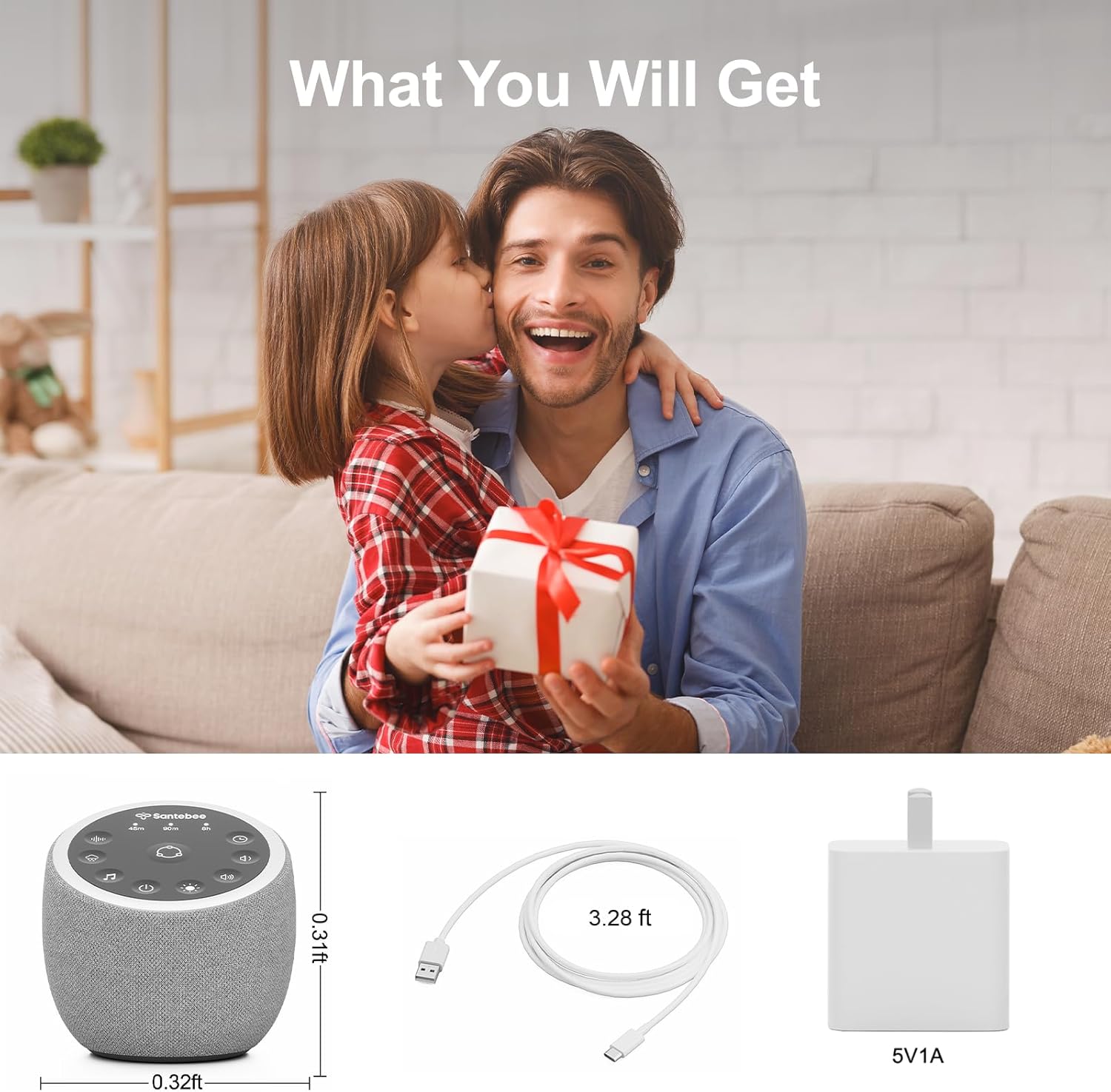
Image: A visual representation of the Santebee Sound Machine, its USB power cable, and the 5V1A power adapter, indicating what is included in the product package.
Product Overview
The Santebee White Noise Sound Machine features a compact design with intuitive controls and a digital clock display. It offers a wide range of sounds and light options, controllable via the device itself or a dedicated smartphone application.
Device Components
- Top Panel Buttons: Includes On/Off, Routine, Timer, Light, Volume Up/Down, and three customizable shortcut buttons.
- Digital Clock Display: Shows current time, dimmable.
- Speaker Grille: Fabric-covered speaker for sound output.
- Power Port: USB-C port for power input.
Image: A detailed view of the Santebee Sound Machine, highlighting the top control buttons and the digital time display on the front.
Setup
- Power Connection:
Connect the provided USB power cable to the power port on the back of the Santebee Sound Machine. Plug the other end into the 5V1A power adapter, then plug the adapter into a standard wall outlet.
- Initial Power On:
Press the On/Off button on the top panel to power on the device. The digital clock display will illuminate.
- App Download and Pairing:
Download the "Hotmoon" app from your smartphone's app store (iOS App Store or Google Play Store). Open the app and follow the on-screen instructions to pair your Santebee Sound Machine via Bluetooth. This step is crucial for accessing the full range of 361 sounds, customizing settings, and creating routines.

Image: A smartphone displaying the "Hotmoon" application, showing categories for sound selection such as Weather, Nature, Melody, and Noise, with options like Heavy Rain, Light Rain, and Thunder visible.
Operating Instructions
Device Controls
- On/Off Button: Press to turn the device on or off.
- Volume Buttons (Vol+ / Vol-): Adjust the sound volume.
- Light Button: Cycle through light colors and brightness levels.
- Timer Button: Set a sleep timer for automatic shutdown (e.g., 45 minutes, 90 minutes, 8 hours).
- Routine Button: Activate pre-configured routines (set via the app).
- Custom Buttons (3): Press to activate your personalized sound and light combinations, configured in the app.
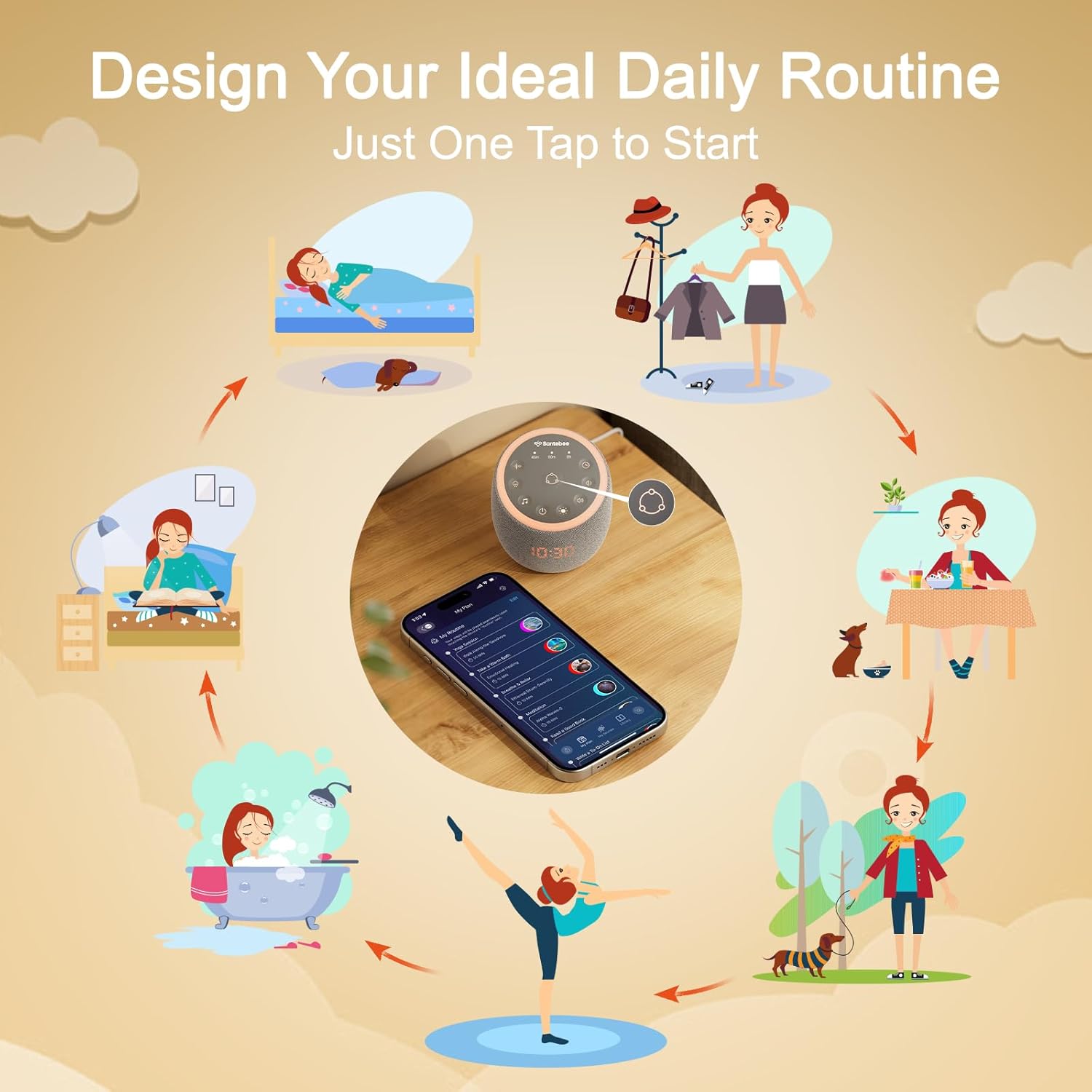
Image: The Santebee Sound Machine with visual indicators highlighting the functions of its top panel buttons, including power, routine, timer, light, volume controls, and custom sound buttons.
App Control Features
The "Hotmoon" app unlocks the full potential of your Santebee Sound Machine:
- Sound Library: Access 361 soothing sounds, including white noise, pink noise, brown noise, nature sounds, lullabies, brainwave music, and more.
- Custom Button Configuration: Assign up to 9 favorite sounds per custom button on the device for quick access without the app.
- Dimmable Clock & Backlight Control: Adjust the brightness of the clock display and button backlights, or schedule them to turn off completely.
- Light Library: Choose from a wide range of soothing light colors and effects to enhance your environment.
- Personalized Routines: Create custom routines for sleep, wake-up, relaxation, or focus, combining sounds, lights, and timers.
- Gentle Wake-Up Alarm: Set smart alarms that gradually increase volume for a peaceful awakening.
- Bluetooth Speaker Mode: Use the device as a Bluetooth speaker for playing audio from your phone.

Image: A smartphone screen displaying the Santebee app, illustrating how users can customize the three shortcut buttons on the device by selecting from a variety of sounds like Thunderstorm, Ocean Waves, and Fireplace.
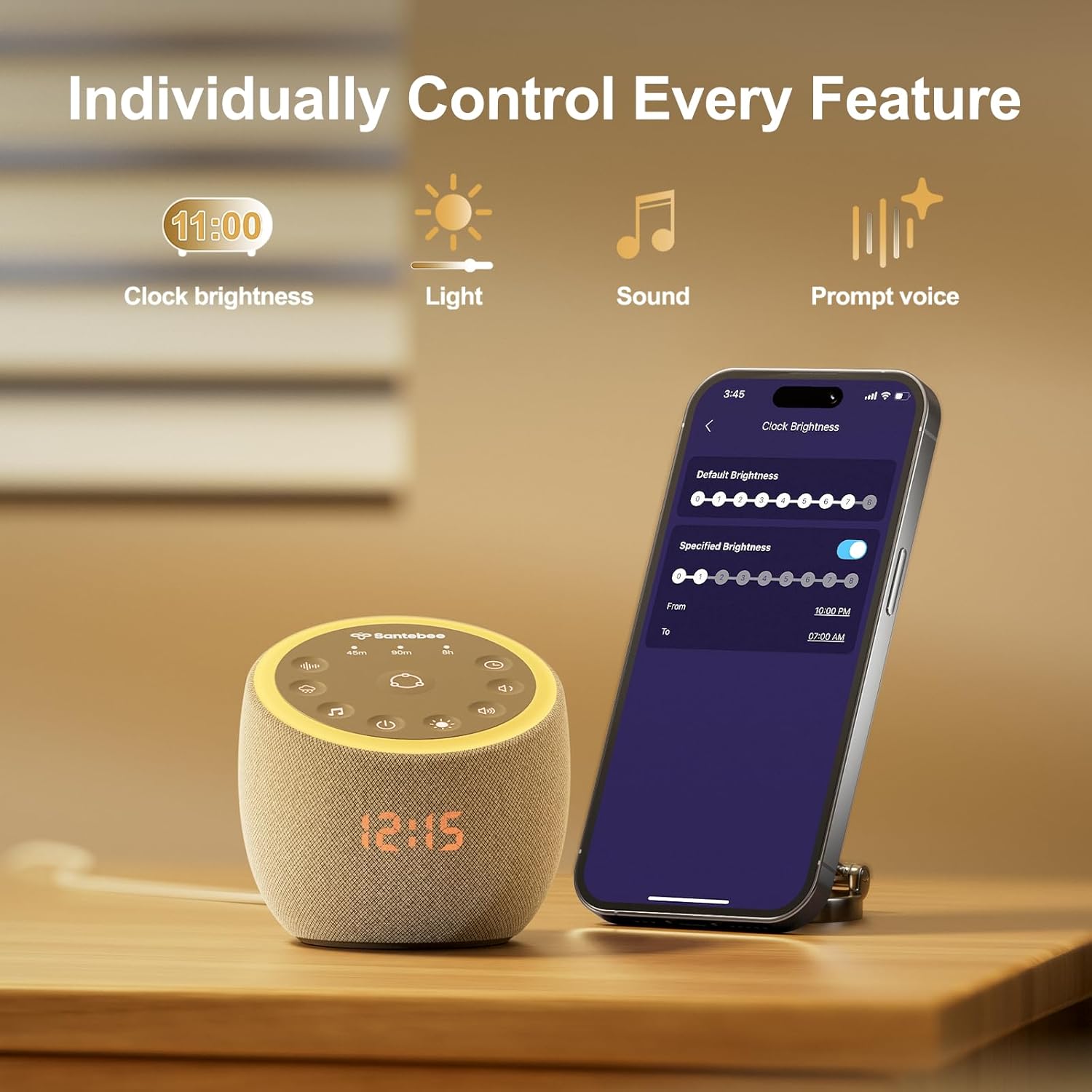
Image: The Santebee Sound Machine next to a smartphone showing the app's detailed control screen, allowing individual adjustments for clock brightness, light settings, sound selection, and prompt voice options.
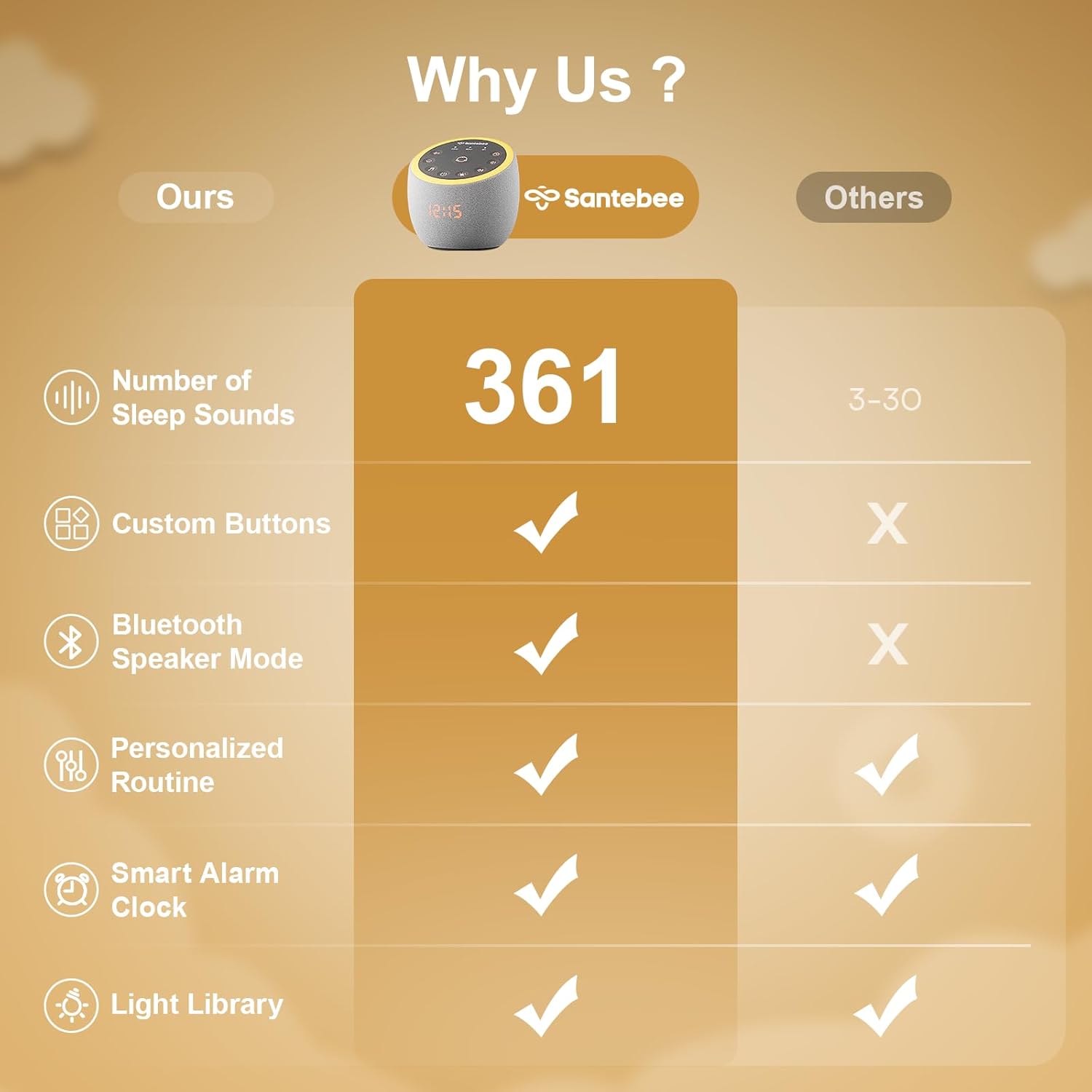
Image: A visual comparison of three Santebee Sound Machines, illustrating the 9-level dimmable clock feature, showing the display completely off, dimly lit, and brightly lit.
Image: A woman and a child are shown in a bedroom setting, with the Santebee Sound Machine on a bedside table emitting a soft glow. A smartphone displays the app's light library, showing a color wheel for selecting ambient lighting effects.
Maintenance
Proper care ensures the longevity and optimal performance of your Santebee Sound Machine.
- Cleaning:
Unplug the device before cleaning. Use a soft, dry cloth to wipe the exterior. Do not use liquid cleaners, aerosols, or abrasive materials.
- Storage:
When not in use for extended periods, store the device in a cool, dry place, away from direct sunlight and extreme temperatures.
- Avoid Moisture:
Keep the device away from water and high humidity to prevent damage to internal components.
Troubleshooting
| Problem | Possible Cause | Solution |
|---|---|---|
| Device does not power on. | Not properly connected to power; power adapter or cable damaged. | Ensure the power cable is securely connected to both the device and the power adapter, and the adapter is plugged into a working outlet. Try a different outlet or cable if available. |
| No sound output. | Volume is too low; sound is paused; device is off. | Increase volume using the Vol+ button or the app. Ensure a sound is selected and playing. Verify the device is powered on. |
| Cannot connect to the app via Bluetooth. | Bluetooth is off on phone; device is out of range; pairing issue. | Ensure Bluetooth is enabled on your smartphone. Bring the phone closer to the sound machine. Restart both the app and the sound machine. In some cases, you may need to "forget" the device in your phone's Bluetooth settings and re-pair. |
| Clock display is too bright/dim or off. | Brightness settings adjusted; scheduled dimming active. | Adjust clock brightness via the app or the device's light button. Check app settings for any scheduled dimming or turn-off times. |
Specifications
| Feature | Detail |
|---|---|
| Brand | Santebee |
| Model Number (ASIN) | B0F3815FYB |
| Color | Grey |
| Material | Acrylonitrile Butadiene Styrene (ABS) |
| Power Source | Corded Electric |
| Item Weight | 0.44 Kilograms (15.52 ounces) |
| Package Dimensions | 5 x 4.96 x 4.72 inches |
| Sound Library | 361 Soothing Sounds (via APP) |
| Control | Smart APP Control, On-device Buttons |
| Display | Bedside Dimmable Clock |
| Additional Features | Night Light, Custom Buttons, Non-Looping Sounds, Gentle Wake-Up Alarm, Bluetooth Speaker Mode |
Warranty and Support
For warranty information and customer support, please refer to the official Santebee website or contact their customer service directly. Protection plans may be available for purchase separately to extend coverage beyond the standard manufacturer's warranty.
Visit the Santebee Store on Amazon for more product information and support resources.
Ask a question about this manual
Ask about setup, troubleshooting, compatibility, parts, safety, or missing instructions. Manuals+ will review the question and use this page’s manual context to help answer it.