
Introduction
Thank you for choosing the ENYLAY Big and Tall Office Chair, Model C-9011-BK. This manual provides essential information for the safe assembly, operation, and maintenance of your new office chair. Please read these instructions carefully before use and retain them for future reference.
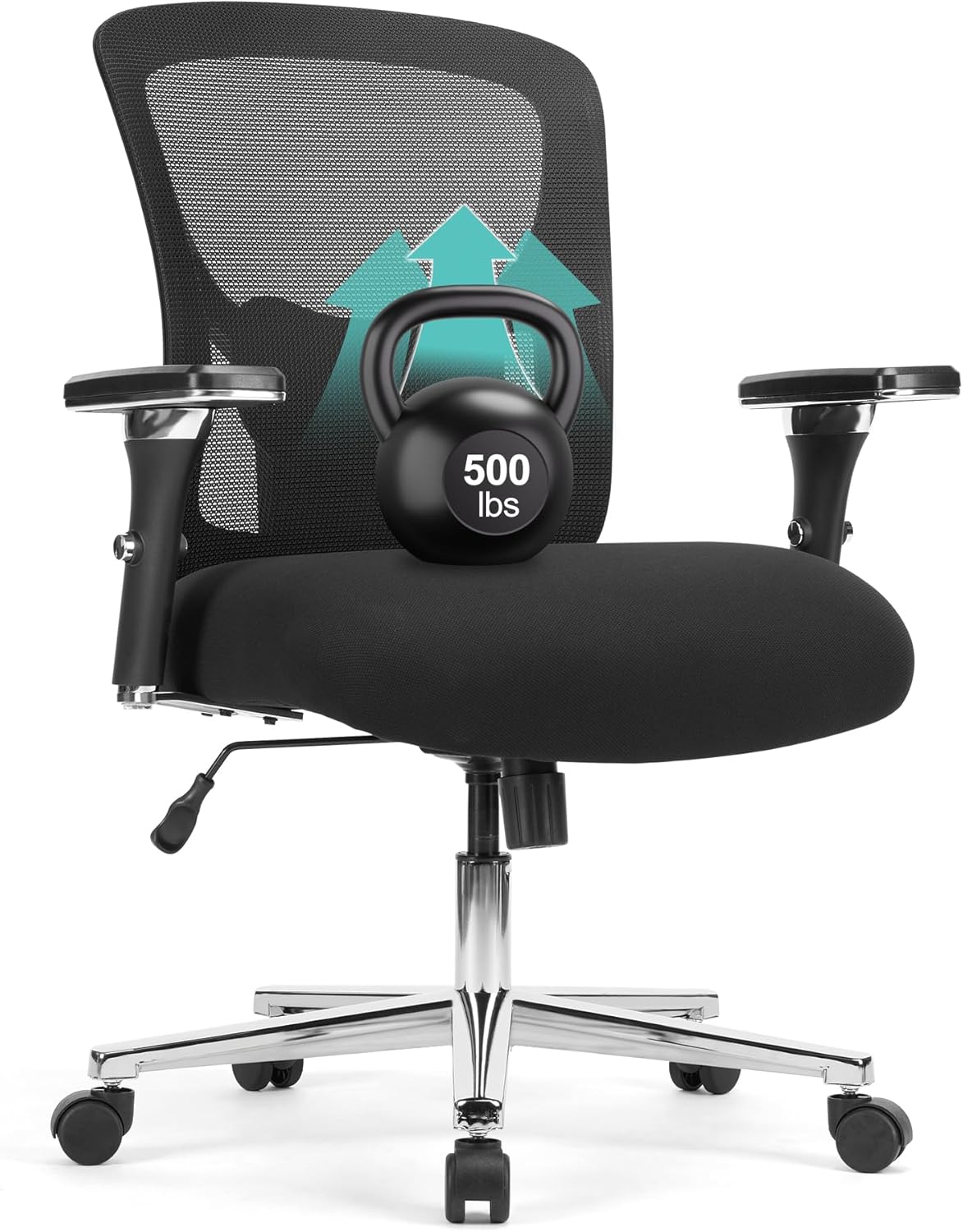
Figure 1: The ENYLAY Big and Tall Office Chair, designed for heavy-duty use, shown with a 500lbs weight capacity indication.
Safety Information
- Weight Capacity: This chair is designed to support a maximum weight of 500 pounds (226 kg). Do not exceed this limit.
- Proper Use: Use the chair only for its intended purpose as an office or desk chair. Avoid standing on the chair or using it as a step stool.
- Assembly: Ensure all components are securely fastened before use. Periodically check all screws and bolts to ensure they remain tight.
- Children: Keep children away from the chair during assembly. Small parts may pose a choking hazard.
- Floor Protection: Use a chair mat on sensitive flooring to prevent damage from casters.
Parts List
Before assembly, verify that all components are present and undamaged. If any parts are missing or damaged, please contact customer support.
- Backrest (1)
- Seat Cushion (1)
- Armrests (2)
- Gas Lift Cylinder (1)
- Star Base (1)
- Casters (5)
- Mechanism Plate (1)
- Lumbar Support Component (1)
- Hardware Pack (Screws, Washers, Allen Wrench)
Setup (Assembly Instructions)
Assembly typically takes 10-15 minutes. Follow these steps carefully:
- Attach Casters to Base: Insert each of the five casters into the holes at the end of the star base until they click securely into place.
- Insert Gas Lift: Place the gas lift cylinder into the center hole of the star base.
- Attach Mechanism Plate to Seat: Align the mechanism plate with the pre-drilled holes on the underside of the seat cushion. Secure it with the provided screws and tighten using the Allen wrench. Ensure the front of the mechanism faces the front of the seat.
- Attach Armrests to Seat: Secure the armrests to the sides of the seat cushion using the designated screws. Do not overtighten initially.
- Attach Backrest to Seat/Armrests: Align the backrest with the armrests and the mechanism plate. Secure it with screws. Once all backrest and armrest screws are in place, tighten all screws firmly.
- Connect Seat to Gas Lift: Carefully place the assembled seat and backrest onto the gas lift cylinder, ensuring the tapered end of the gas lift fits into the mechanism plate.
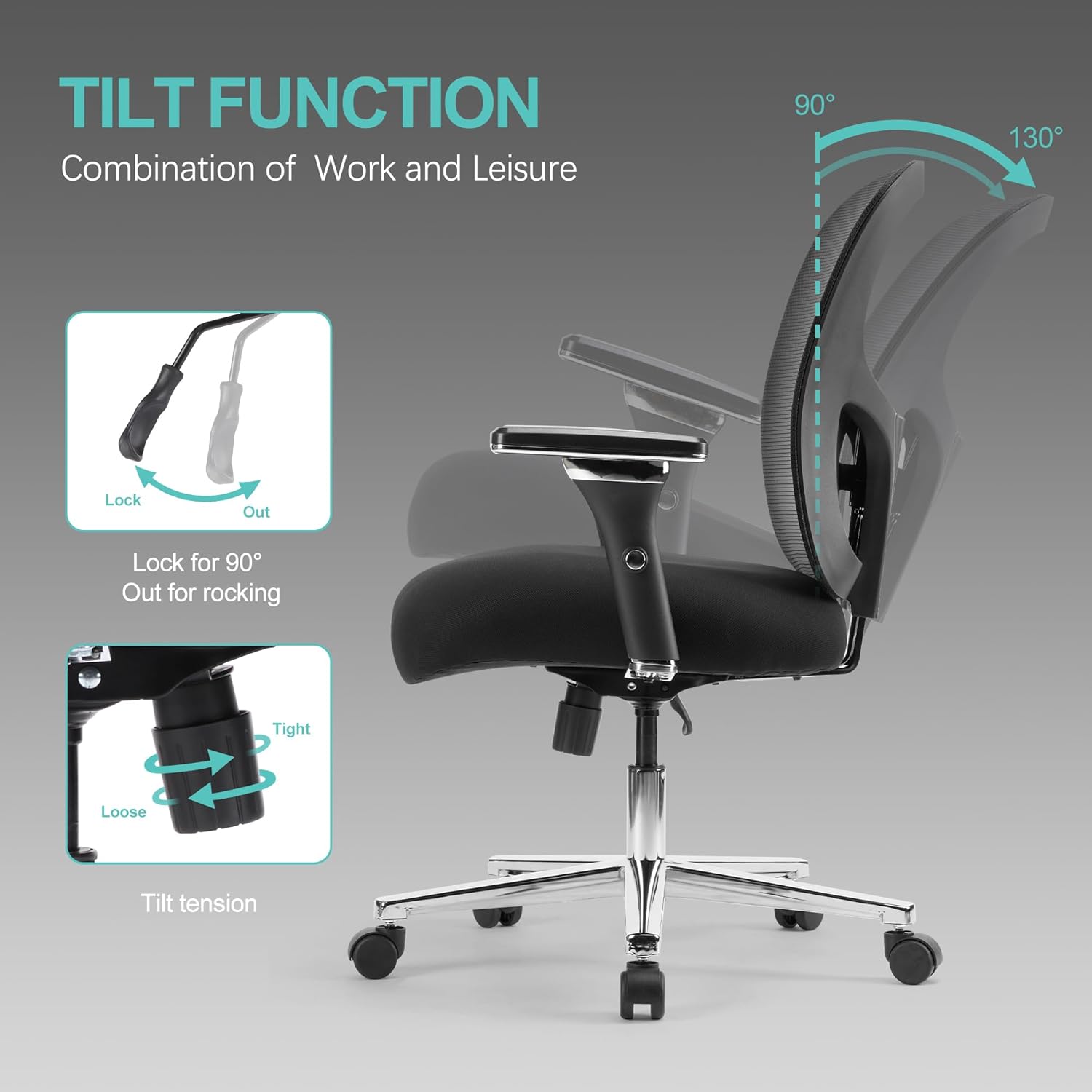
Figure 2: Illustration of chair components and their connections during the assembly process.
Operating Instructions
1. Chair Height Adjustment
To adjust the chair height:
- To Raise: While seated, lift the lever located under the right side of the seat. The chair will rise. Release the lever at the desired height.
- To Lower: While seated, lift the lever located under the right side of the seat. The chair will lower. Release the lever at the desired height.
2. Tilt Function and Tension Adjustment
The chair features a recline function from 90° to 130° and adjustable tilt tension.
- To Recline/Lock Upright: Pull the lever (often the same as the height adjustment lever, or a separate one on the left) outwards to allow the chair to recline. Push it inwards to lock the chair in the upright (90°) position.
- Tilt Tension Adjustment: Rotate the round knob located under the front of the seat. Turn clockwise to increase tilt tension (making it harder to recline) and counter-clockwise to decrease tension (making it easier to recline).

Figure 3: Visual representation of the chair's recline range and the tilt adjustment mechanism.
3. Lumbar Support Adjustment
The S-shaped backrest includes adjustable lumbar support to meet individual needs.
- To Adjust Lumbar Support: Locate the lumbar support pad on the backrest. Gently push it up or down to find the most comfortable position for your lower back.
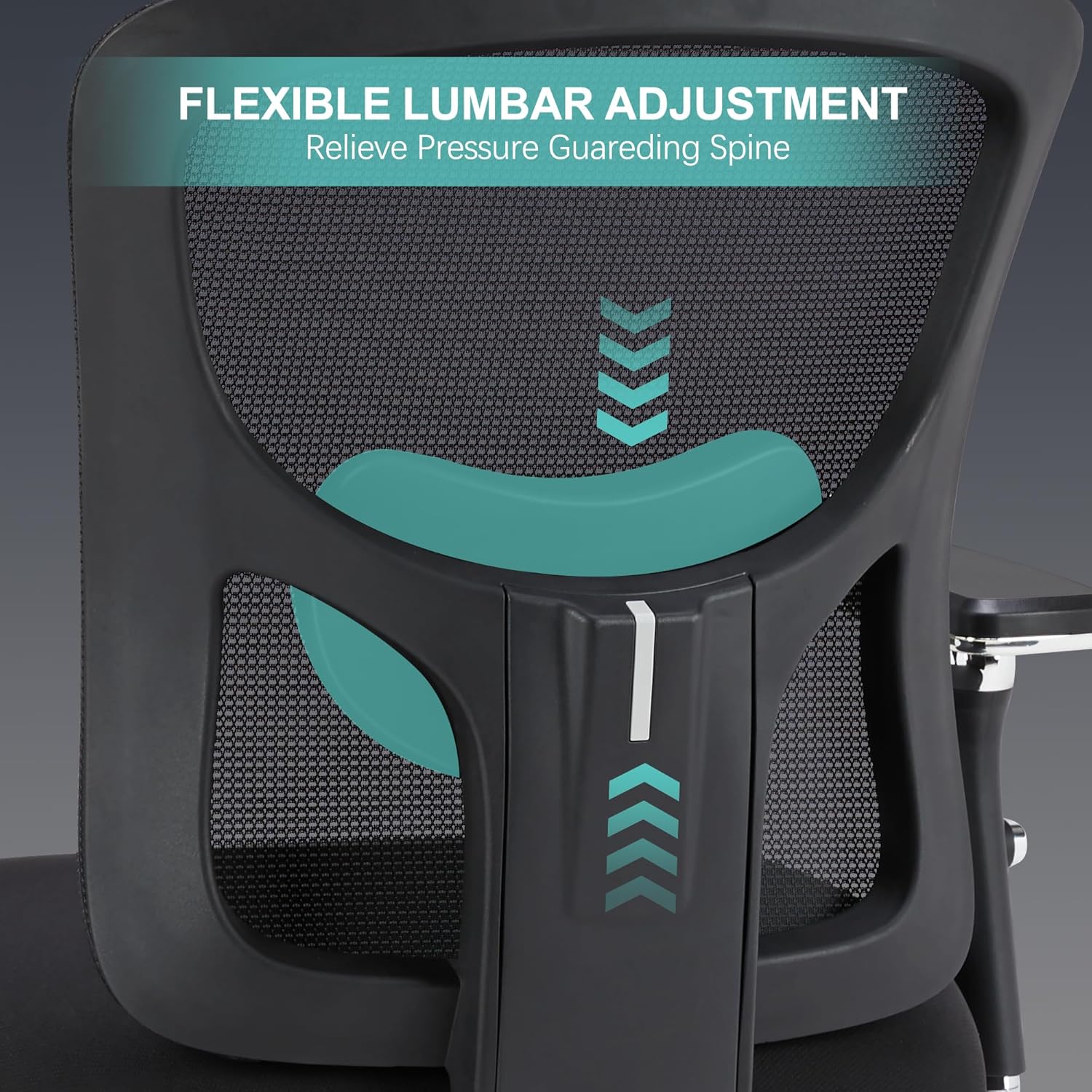
Figure 4: Detailed view of the adjustable lumbar support mechanism.
4. 4D Armrest Adjustment
The armrests offer four-dimensional adjustability for optimal comfort.
- Height Adjustment: Press the button on the side of the armrest and move it up or down. Release the button to lock.
- Forward/Backward Adjustment: Slide the armrest pad forward or backward.
- Left/Right Adjustment: Slide the armrest pad left or right.
- Rotation: Rotate the armrest pad up to 15° inwards or outwards.
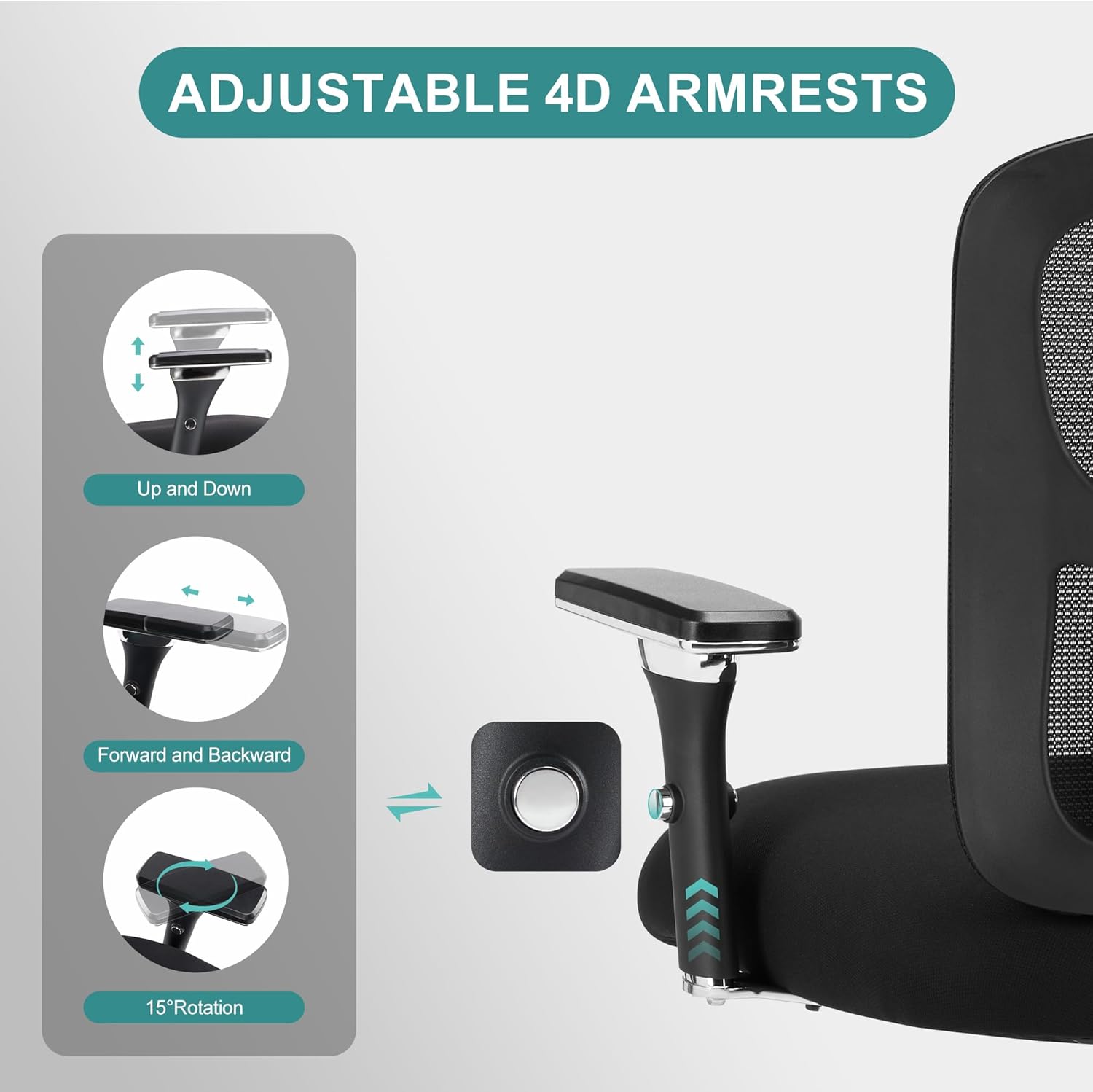
Figure 5: Explanation of the 4D armrest adjustments.
Maintenance
- Cleaning: Wipe the mesh backrest and fabric seat with a damp cloth and mild soap. Avoid harsh chemicals. For the metal base, use a soft, dry cloth.
- Hardware Check: Periodically (every 3-6 months) check all screws and bolts to ensure they are tight. Retighten as necessary to maintain stability and safety.
- Caster Care: Keep casters free of hair and debris to ensure smooth rolling.
Troubleshooting
| Problem | Possible Cause | Solution |
|---|---|---|
| Chair does not rise/lower | Gas lift malfunction or lever not engaged. | Ensure the lever is fully engaged. If the issue persists, the gas lift may need replacement. Contact support. |
| Chair is wobbly | Loose screws or bolts. | Check and tighten all assembly screws and bolts, especially those connecting the seat, backrest, and armrests. |
| Casters not rolling smoothly | Debris in casters or damaged casters. | Remove any hair or debris from the caster wheels. If damaged, casters may need replacement. |
| Chair squeaks | Loose connections or friction between parts. | Tighten all screws. Apply a small amount of silicone lubricant to moving parts or connection points if necessary. |
Specifications

Figure 6: Detailed product dimensions and weight capacity.
| Feature | Detail |
|---|---|
| Brand | ENYLAY |
| Model Number | C-9011-BK |
| Color | Black |
| Product Dimensions | 27"D x 27"W x 42.3"H |
| Maximum Weight Recommendation | 500 Pounds |
| Seat Depth | 22 inches |
| Fill Material | Sponge |
| Special Features | Adjustable Height, Adjustable Lumbar, 4D Arm Rests, Ergonomic, Rolling |
| Reclining Position Count | 3 (90-130 degrees) |
| Gas Lift Class | Class 4 |

Figure 7: Components contributing to the chair's stability and durability, including the Class 4 gas lift and heavy-duty base.

Figure 8: Detail of the comfortable, wider, and thicker seat cushion with breathable fabric.
Warranty and Support
ENYLAY provides a standard warranty for this product. For specific warranty details, claims, or technical support, please contact ENYLAY customer service through the retailer's platform or the official ENYLAY website. Please have your model number (C-9011-BK) and purchase information ready when contacting support.