
shinic TP12-8P
shinic 8-inch Turbo Fan User Manual
Model: TP12-8P
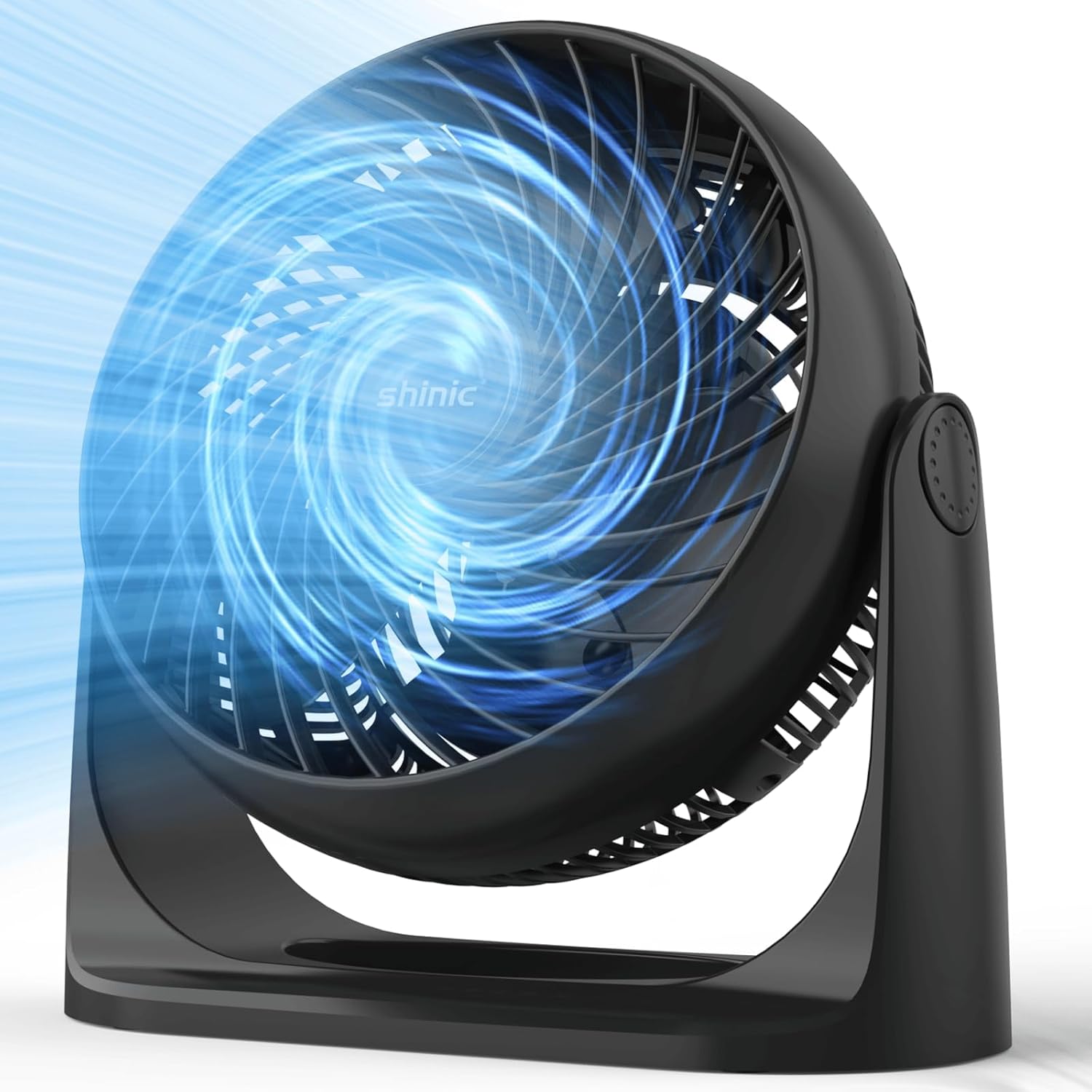
Image: Front view of the shinic 8-inch Turbo Fan, illustrating its powerful airflow.
1. Important Safety Instructions
Please read and understand all safety instructions before using this appliance. Failure to follow these instructions may result in electric shock, fire, or serious injury.
- Always unplug the fan before cleaning or performing any maintenance.
- Do not use the fan in wet or damp locations, such as bathrooms or laundry areas.
- Keep the fan away from water and other liquids.
- Do not insert fingers or foreign objects into the grille while the fan is operating.
- Ensure the fan is placed on a stable, level surface to prevent tipping.
- Do not operate any fan with a damaged cord or plug. If the cord or plug is damaged, contact customer service.
- Do not run cord under carpeting. Do not cover cord with throw rugs, runners, or similar coverings. Arrange cord away from traffic area and where it will not be tripped over.
- This appliance has a polarized plug (one blade is wider than the other). To reduce the risk of electric shock, this plug is intended to fit in a polarized outlet only one way. If the plug does not fit fully in the outlet, reverse the plug. If it still does not fit, contact a qualified electrician. Do not attempt to defeat this safety feature.
2. Product Overview
The shinic 8-inch Turbo Fan (Model TP12-8P) is designed to provide efficient air circulation and cooling for various indoor environments. Its compact design, powerful airflow, and adjustable features make it suitable for bedrooms, offices, living rooms, and more.

Image: An exploded view illustrating the internal components and airflow path of the shinic Turbo Fan, highlighting its 456 CFM air circulation, enhanced blade design, longer-lasting motor, and quiet operation.
Key Features:
- 8-inch Blade: Optimized for powerful air movement.
- 3 Speed Settings: Low, Medium, and High for customized airflow.
- 120° Adjustable Tilt: Direct airflow precisely where needed.
- Wall Mountable: Flexible placement options to save space.
- High Velocity Airflow: Delivers strong, consistent cooling.
- Quiet Operation: Designed for minimal noise, especially on lower settings.
- Portable Design: Lightweight with a carry handle for easy relocation.
- ETL Listed Safety Plug: Ensures electrical safety standards are met.
3. Package Contents
Verify that all items are included in your package:
- 1x shinic 8-inch Turbo Fan (Model TP12-8P)
- 1x User's Manual (this document)
4. Setup
The shinic Turbo Fan comes largely pre-assembled. Follow these steps to prepare it for use:
- Unpacking: Carefully remove the fan and all packaging materials from the box. Retain packaging for future storage or transport.
- Placement: Place the fan on a firm, level surface. Ensure there is adequate space around the fan for proper air circulation and to prevent obstruction of the air intake or exhaust. Keep it away from curtains or other objects that could be drawn into the fan.
- Power Connection: Plug the fan's power cord into a standard 120V AC electrical outlet. Ensure the outlet is easily accessible.
5. Operating Instructions
5.1 Power On/Off and Speed Control
The fan is controlled by a rotary knob located on the side of the unit.

Image: Detail of the fan's control knob, showing settings for Off, Low, Medium, and High speeds.
- To Turn On: Rotate the knob clockwise from the 'OFF' position to select your desired speed setting.
- Speed Settings:
- LOW: For a gentle breeze and quiet operation.
- MED: For normal airflow.
- HI: For maximum cooling and air circulation.
- To Turn Off: Rotate the knob counter-clockwise back to the 'OFF' position.
5.2 Adjusting Airflow Direction
The fan head can be tilted up or down to direct the airflow. The fan offers a 120-degree adjustable tilt range.

Image: A diagram illustrating the fan's ability to tilt 120 degrees, allowing for flexible airflow direction.
- Gently grasp the fan housing and tilt it to the desired angle. The fan will hold its position.
6. Wall Mounting
The shinic Turbo Fan can be mounted on a wall to save floor or desk space. Mounting hardware is not included and must be purchased separately.

Image: The shinic Turbo Fan shown mounted on a kitchen wall, providing overhead air circulation.

Image: A close-up view of the fan's base, highlighting the integrated keyholes designed for secure wall mounting.
Wall Mounting Steps (General Guidance):
- Select Location: Choose a suitable wall location, ensuring it is structurally sound and near a power outlet. Avoid mounting directly above heat sources or in areas with excessive moisture.
- Mark Holes: Use the keyholes on the fan's base as a template to mark the drilling points on the wall. Ensure the marks are level.
- Drill Holes: Drill pilot holes at the marked locations. Use appropriate drill bits and wall anchors for your wall type (e.g., drywall, wood, concrete).
- Install Screws: Insert screws (not included) into the wall anchors, leaving a small portion of the screw head exposed. The screw heads should fit snugly into the keyholes on the fan's base.
- Mount Fan: Align the keyholes on the fan's base with the exposed screw heads and slide the fan down to secure it in place. Ensure the fan is stable and securely attached before use.
7. Maintenance
Regular cleaning will help maintain the fan's performance and extend its lifespan.
7.1 Cleaning
- Unplug: Always unplug the fan from the power outlet before cleaning.
- Exterior Cleaning: Use a soft, damp cloth to wipe the exterior surfaces of the fan. Do not use abrasive cleaners or solvents, as these may damage the finish.
- Grille Cleaning: Use a vacuum cleaner with a brush attachment or a soft brush to remove dust and debris from the front and rear grilles. This helps maintain optimal airflow.
- Internal Cleaning: Do not attempt to open the fan housing for internal cleaning. If significant dust accumulates inside, contact customer service.
- Drying: Ensure the fan is completely dry before plugging it back in and operating it.
8. Troubleshooting
If you encounter issues with your shinic Turbo Fan, refer to the table below for common problems and solutions.
| Problem | Possible Cause | Solution |
|---|---|---|
| Fan does not turn on. | No power supply. Fan not plugged in. Power outlet not functioning. | Ensure the fan is securely plugged into a working electrical outlet. Check if the outlet is live by plugging in another appliance. Ensure the control knob is turned to a speed setting (LOW, MED, HI). |
| Weak airflow. | Fan set to low speed. Grilles are obstructed by dust. | Increase the speed setting using the control knob. Clean the front and rear grilles to remove any dust or debris. |
| Unusual noise during operation. | Fan not on a level surface. Foreign object in the grille. Loose components. | Place the fan on a stable, level surface. Unplug the fan and carefully check for any foreign objects in the grilles. Remove if safe to do so. If noise persists, discontinue use and contact customer service. |
| Fan vibrates excessively. | Unstable surface. Loose components. | Ensure the fan is on a flat, stable surface. If vibration continues, unplug the fan and contact customer service. |
If the problem persists after attempting these solutions, please contact shinic customer service for further assistance.
9. Specifications
Technical details for the shinic 8-inch Turbo Fan (Model TP12-8P):
| Feature | Detail |
|---|---|
| Model Name | TP12-8P |
| Brand | shinic |
| Electric Fan Design | Table Fan / Air Circulator |
| Power Source | Corded Electric |
| Product Dimensions (D x W x H) | 5.04"D x 10.51"W x 10.75"H (12.8cm D x 26.7cm W x 27.3cm H) |
| Item Weight | 2.66 Pounds (1.21 kg) |
| Noise Level | 30 dB (on lowest setting) |
| Air Flow Capacity | 456 Cubic Feet Per Minute (CFM) |
| Number of Blades | 3 |
| Blade Length | 8 Inches |
| Switch Type | Knob Control |
| Special Features | Adjustable Tilt, High Velocity, Lightweight, Portable, Wall Mountable |
| Indoor/Outdoor Usage | Indoor, Outdoor (under covered conditions) |
10. Warranty and Support
shinic provides a warranty for this product against defects in material and workmanship under normal use. The specific terms and duration of the warranty may vary. Please refer to the warranty card included with your purchase or contact shinic customer service for detailed information.
For technical support, troubleshooting assistance, or warranty claims, please contact shinic customer service through the following channels:
- Email: Refer to your product packaging or the shinic official website for contact email.
- Website: Visit the official shinic website for support resources and contact forms.
When contacting support, please have your product model number (TP12-8P) and purchase date available.
Ask a question about this manual
Ask about setup, troubleshooting, compatibility, parts, safety, or missing instructions. Manuals+ will review the question and use this page’s manual context to help answer it.