
Introduction
Thank you for choosing the Nsiucion Invisible Mini Sleep Earbuds. These ultra-light, comfortable earbuds are designed for extended wear, especially for side sleepers, offering superior sound and stable connectivity. This manual provides detailed instructions to help you get the most out of your device.
What's in the Box
- Wireless Earbuds x 2
- Wireless Charging Case x 1
- Soft Ear Tips x 1 (set)
- USB Cable x 1
- User Manual x 1

Image: Contents of the Nsiucion Invisible Mini Sleep Earbuds package, including earbuds, charging case, and accessories.
Product Features
- Ultra-Light Comfort Fit: Weighing just 0.08oz per earbud, designed for snug fit, ideal for side sleepers.
- Unique Tumbler Design: Portable charging case with a fun tumbler toy design.
- Superior Stereo Sound: 13mm drivers for quality sound with deep bass and clear mids.
- Long Playtime & Digital Display: Up to 4 hours playback on a single charge, 24 hours total with charging case. Built-in LED power display.
- Fast & Stable Bluetooth 5.3: Faster connections, lower latency, and stable performance. Auto one-step pairing.
- Smart Touch Controls: Seamless music playback and call management with a single touch.

Image: A woman sleeping on her side, demonstrating the low-profile and comfortable fit of the earbuds.
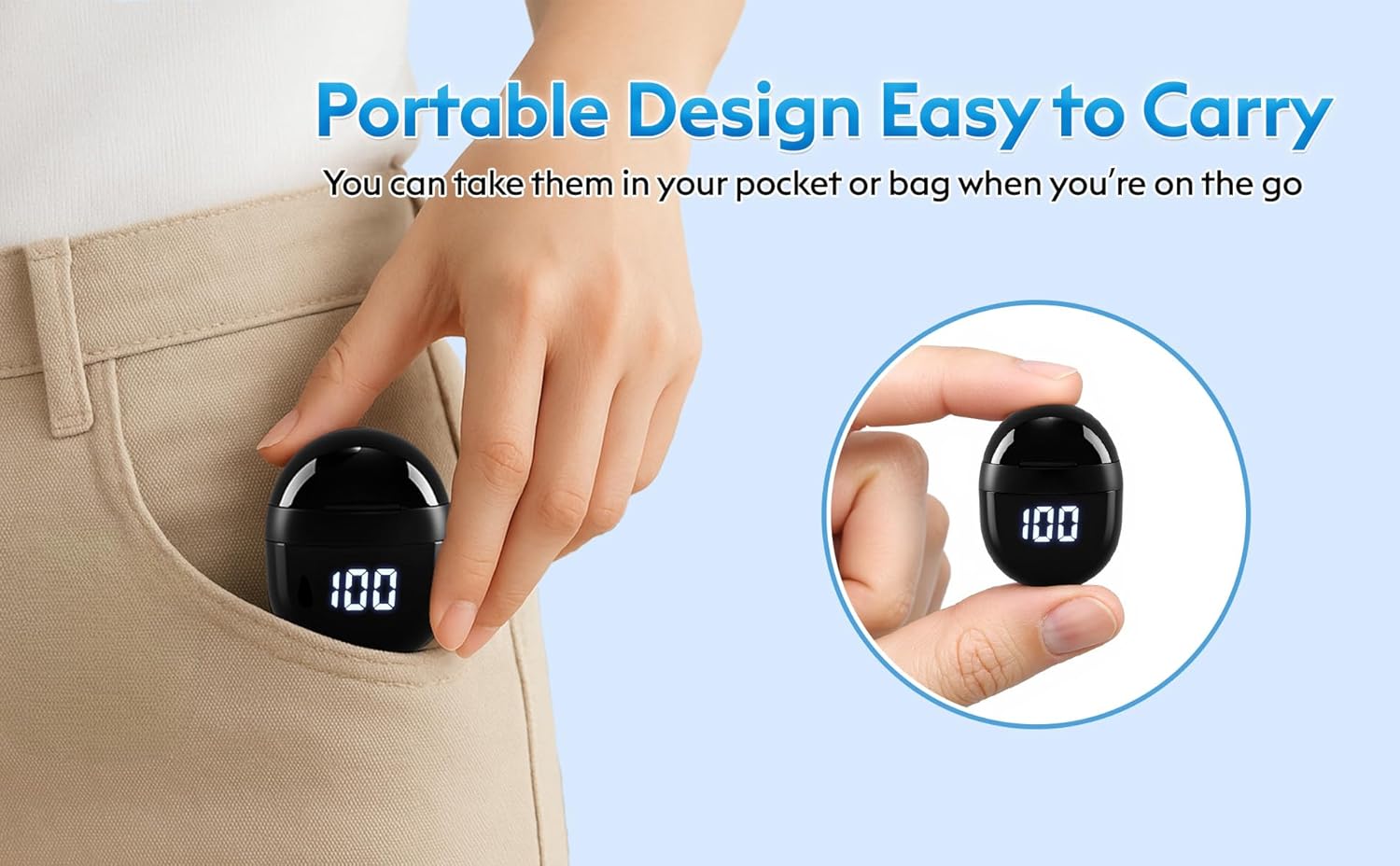
Image: The compact charging case easily fits into a pocket, highlighting its portability.
Setup
1. Charging the Earbuds and Case
- Place the earbuds into the charging case. Ensure they are correctly seated; the LED indicators on the earbuds will light up.
- Connect the USB Type-C cable to the charging port on the case and plug the other end into a compatible USB power source.
- The LED Power Display on the charging case will show the current battery level. A full charge for the case takes approximately 1 hour.
- The earbuds provide approximately 4 hours of playback on a single charge, and the charging case offers an additional 20 hours, totaling 24 hours of use.

Image: Illustration of the charging case's LED power display and USB Type-C charging port, indicating battery life and charging time.
2. Bluetooth Pairing
- Open the charging case. The earbuds will automatically enter pairing mode.
- On your device (smartphone, tablet, etc.), enable Bluetooth and search for available devices.
- Select "SK18" from the list of devices to connect.
- Once connected, you will hear an audio prompt confirming successful pairing.
- To pair with a new device, disconnect from the currently paired device first.

Image: A smartphone displaying the Bluetooth pairing menu, with "SK18" visible as a discoverable device.
Operating Instructions
Wearing the Earbuds
- Identify the left (L) and right (R) earbuds.
- Gently insert each earbud into your ear canal. Rotate slightly to ensure a snug and comfortable fit.
- Ensure the touch zone is not touching your ear to prevent accidental power on/off or control activation.

Image: Visual guide demonstrating the proper insertion of the earbuds to avoid accidental touch control activation.
Touch Controls
The earbuds feature smart touch controls for easy management of music and calls:
- Play/Pause: Single tap on either earbud.
- Next Track: Double tap on the right earbud.
- Previous Track: Double tap on the left earbud.
- Answer/End Call: Single tap on either earbud.
- Reject Call: Press and hold either earbud for 2 seconds.
- Activate Voice Assistant: Triple tap on either earbud.
Single Earbud Use
Each earbud can be used independently. Simply take one earbud out of the charging case, and it will automatically connect to your device if previously paired.
Maintenance
- Cleaning: Regularly clean the earbuds and charging case with a soft, dry, lint-free cloth. Do not use harsh chemicals or abrasive materials.
- Ear Tips: Remove and clean the silicone ear tips with mild soap and water. Ensure they are completely dry before reattaching.
- Storage: When not in use, store the earbuds in their charging case to protect them and ensure they remain charged.
- Water Resistance: The earbuds are water-resistant. Avoid submerging them in water or exposing them to excessive moisture.
Troubleshooting
| Problem | Solution |
|---|---|
| Earbuds not pairing | Ensure earbuds are charged. Turn off and on Bluetooth on your device. Forget "SK18" from your device's Bluetooth list and re-pair. |
| No sound | Check device volume and earbud volume. Ensure earbuds are connected. Try re-pairing. |
| Earbuds not charging | Ensure earbuds are properly seated in the case. Check charging cable and power source. Clean charging contacts on earbuds and case. |
| Intermittent connection | Ensure your device is within the 10-meter Bluetooth range. Avoid obstacles between the earbuds and your device. |
Specifications
- Model Name: BDW-SK18
- Brand: Nsiucion
- Connectivity Technology: Wireless, Bluetooth 5.3
- Ear Placement: In Ear
- Form Factor: In Ear
- Noise Control: Adaptive Noise Cancellation
- Audio Driver Type: Dynamic Driver
- Battery Life: 4 Hours (earbuds), 24 Hours (with charging case)
- Charging Time: Approximately 1 hour (case)
- Control Type: Touch Control
- Water Resistance Level: Water Resistant
- Item Weight: 0.08 Ounces (per earbud)
- Bluetooth Range: 10 Meters
- Material: Plastic, Silicone
Warranty and Support
Nsiucion provides a 12-month warranty for these Invisible Mini Sleep Earbuds. For any product inquiries, technical support, or warranty claims, please contact Nsiucion customer service through the retailer's platform or the official brand website.
Product Videos
Video: Overview of the M73 Sleep Earbuds in black, showcasing their compact design and charging case features.
Video: Overview of the M73 Sleep Earbuds in white, highlighting their design and functionality.
Video: Demonstration of the SK18 mini headphones, focusing on their small size and fit.
Video: Showcase of the Wireless Smallest Invisible Earbuds for Sleep, emphasizing their discreet design.
Video: Demonstration of the Mini Bluetooth headset, highlighting its compact form factor.