
1. Introduction
This manual provides detailed instructions for the installation, operation, and maintenance of your BXLIYER Android 14 Autoradio. Please read this manual thoroughly before using the product to ensure proper functionality and safety. This unit is designed to enhance your driving experience with advanced features like wireless CarPlay, Android Auto, GPS navigation, and multimedia capabilities.
2. Safety Information
- Always operate the device responsibly and in accordance with local traffic laws. Distracted driving can lead to accidents.
- Do not attempt to install or service the unit yourself if you are not qualified. Improper installation can cause damage to the unit or your vehicle.
- Ensure all wiring is correctly connected and secured to prevent short circuits or electrical hazards.
- Keep the unit away from water, moisture, and extreme temperatures.
- Use only accessories and parts specified by the manufacturer.
3. Package Contents
Verify that all items are present in the package:
- Autoradio unit
- Accessories (cables, antennas, etc.)
- User manual (this document)
- Frame kit
- Power cable
- 4LED Rearview Camera
- External Microphone
4. Setup & Installation
4.1 Vehicle Compatibility
This autoradio is designed for direct fitment in:
- Opel Vauxhall Astra J (2006-2016)
- Buick Excelle XT GT (2006-2016)
For confirmation, it is recommended to send dashboard images to the seller before installation.
4.2 Installation Overview
The unit comes with all necessary cables for a plug-and-play installation. The included frame kit ensures a seamless integration into your vehicle's dashboard.

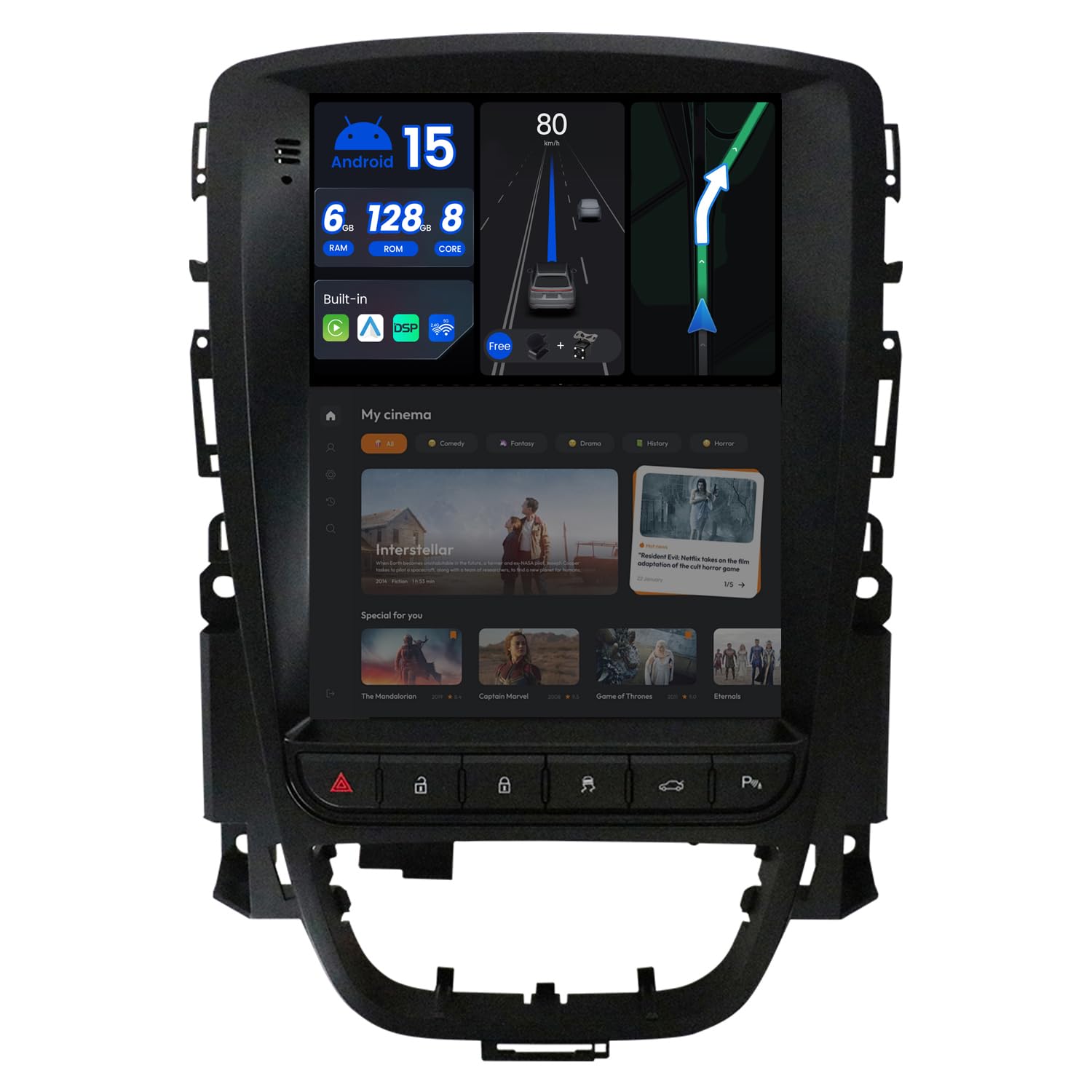
This image displays the main autoradio unit on the left and the custom frame kit on the right, designed for seamless integration into compatible vehicle dashboards.
The left side of this image shows a vehicle's original dashboard setup. The right side illustrates the same dashboard after the BXLIYER Autoradio and its frame kit have been installed, demonstrating the integrated appearance.
4.3 Wiring Connections
Connect the power cable, speaker wires, and other accessory cables (e.g., GPS antenna, Wi-Fi antenna, USB, external microphone, rearview camera) according to the provided wiring diagram (usually included with the accessories). Ensure all connections are secure before powering on the unit.
4.4 Initial Power-On
After installation, turn on your vehicle's ignition. The autoradio should power on automatically. Follow any on-screen prompts for initial setup, such as language selection and time zone.
5. Operating Instructions
5.1 System Overview
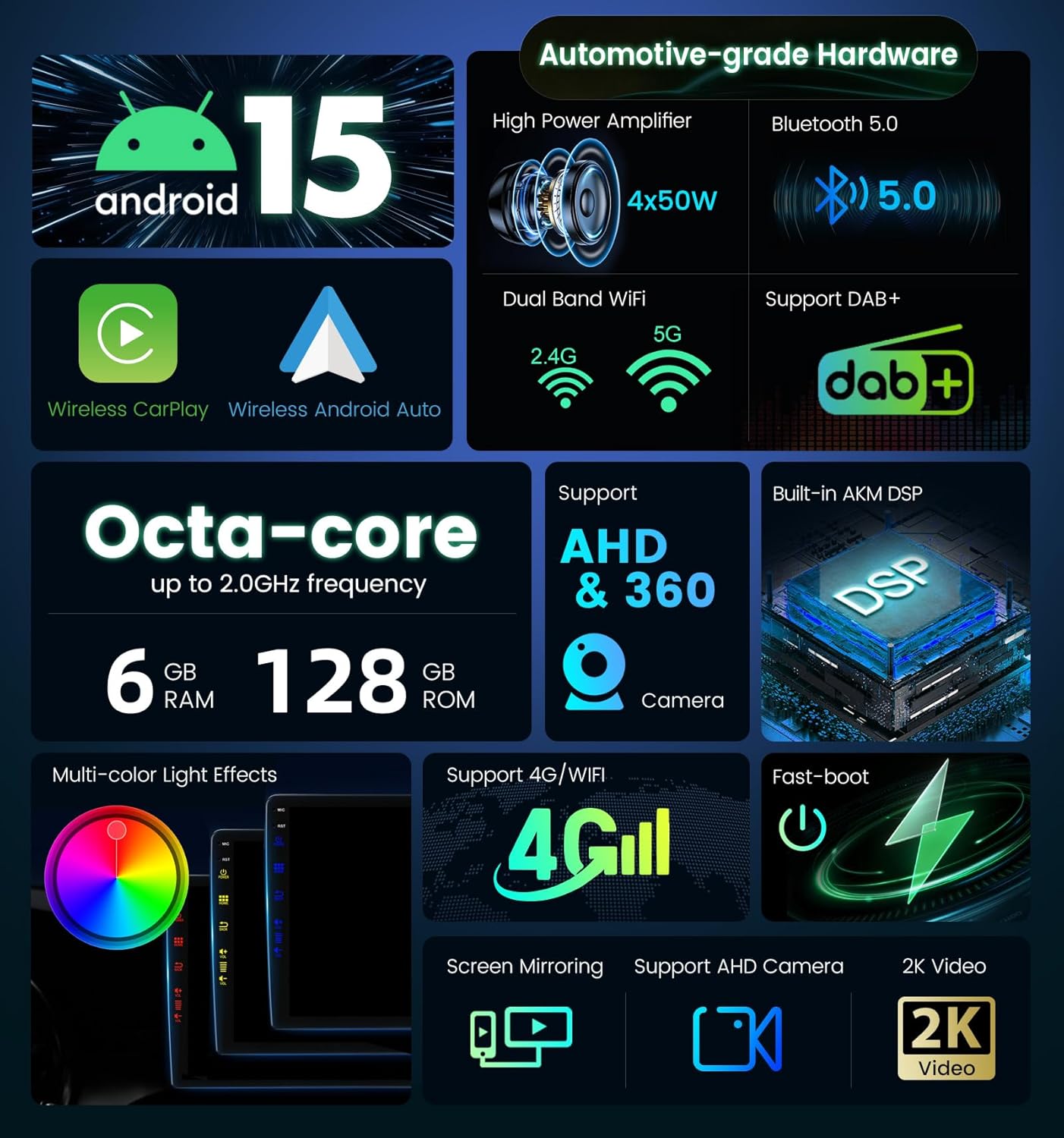
The unit runs on an Android 14 operating system with a Rockchip AC8257 Octa-Core CPU (64-bit, 2.0 GHz). It features 6GB RAM and 128GB ROM for efficient data processing and ample storage.
This graphic highlights the core specifications and functionalities of the autoradio, such as its Android 14 operating system, powerful Octa-core processor, memory configuration, and support for advanced features like wireless CarPlay, Android Auto, DAB+ radio, and 360-degree camera systems.
5.2 Basic Operations
- Power On/Off: The unit typically powers on with the vehicle ignition. A long press on the power button (if available) can turn the screen off or put the unit into standby.
- Volume Control: Adjust volume using the on-screen controls or your vehicle's steering wheel controls.
- Touchscreen: Navigate the interface using the responsive 9-inch QLED touchscreen.
5.3 Wireless CarPlay & Android Auto
The unit features built-in wireless CarPlay and Android Auto. Connect your compatible smartphone via Bluetooth and Wi-Fi to access navigation, music, messages, and calls directly on the autoradio screen. This provides a safer and more convenient way to use your phone's features while driving.
5.4 GPS Navigation
Utilize online and offline GPS navigation apps. The unit supports 3D maps and voice guidance for clear directions. Ensure the GPS antenna is properly installed for optimal signal reception.
5.5 Radio (AM/FM/DAB+)
The integrated AM/FM tuner supports RDS (Radio Data System) for enhanced radio information. For digital radio, a DAB+ adapter (sold separately, e.g., B083Q7YG4F) is required to enjoy high-quality, noise-free digital broadcasts.
5.6 Media Playback
Play various media formats including 4K (3840 × 2160 pixels) and 1080P HD videos. The unit supports USB and MicroSD memory cards up to 500GB. Access your media files through the respective app on the main interface.
5.7 Mirror-Link
Connect your iOS or Android phone to mirror its screen content onto the autoradio display. For Android, connect via USB/Wi-Fi. For iPhone, connect via Wi-Fi (Airplay).
5.8 Steering Wheel Control
The unit supports your vehicle's existing steering wheel controls, allowing you to easily change tracks, adjust volume, and access other functions without taking your hands off the wheel. Configuration may be required in the settings menu.
5.9 Fast Boot
The Fast Boot feature allows the system to access the operating system in less than 2 seconds, significantly reducing startup time from approximately 25 seconds.
5.10 360° Camera (Optional)
The unit supports a 360° panoramic parking function, providing a clear view of the area around your vehicle. This feature requires the separate purchase and installation of four AHD cameras.
5.11 DSP (Digital Sound Processor)
The built-in DSP with a 64-bit dual-precision mode allows for advanced audio customization. Adjust sound effects, equalizer settings, and sound field based on your preferences to enjoy a VIP audio experience.
5.12 Connectivity
- Wi-Fi: Built-in Wi-Fi modem for internet access, app downloads, and online navigation. Supports dual-band 2.4G and 5G Wi-Fi.
- Bluetooth 5.0: For hands-free calling, audio streaming, and connecting to other Bluetooth devices.
- USB: Multiple USB ports for media playback, phone charging, and connecting external devices.

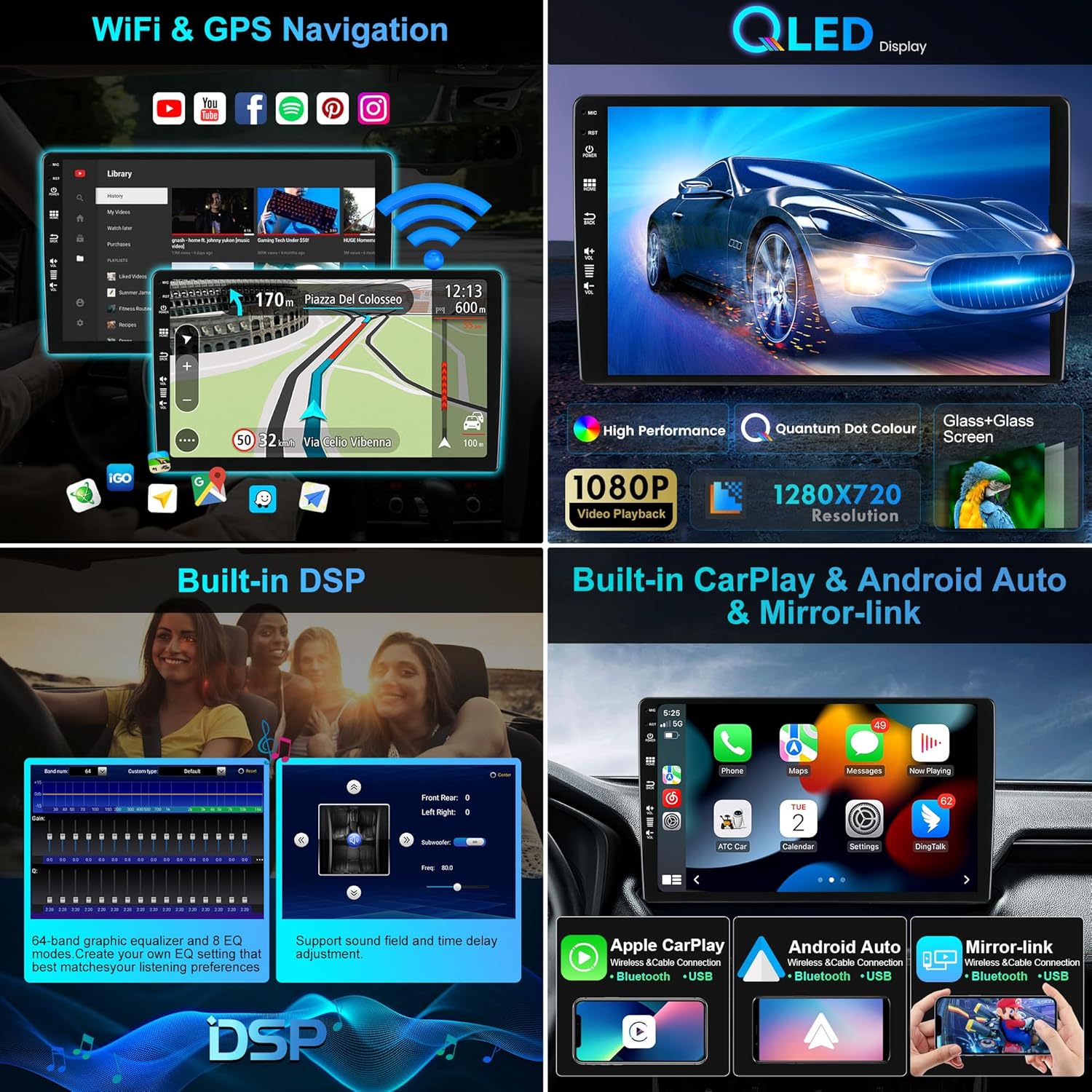
This image presents various user interface screens, demonstrating the WiFi and GPS navigation capabilities, the vibrant QLED display, the integrated Digital Sound Processor (DSP) controls, and the seamless integration of Apple CarPlay and Android Auto.
This composite image provides a closer look at additional features like the IPS screen technology, DSP sound customization, the 360-degree camera display, 4G/WiFi connectivity options, Mirror-Link functionality, split-screen multitasking, steering wheel control integration, fast boot-up sequence, and quick reversing mode.
6. Maintenance
6.1 Cleaning the Screen
Use a soft, lint-free cloth slightly dampened with water or a screen cleaning solution. Avoid harsh chemicals or abrasive materials that could damage the touchscreen.
6.2 Software Updates
Periodically check for available software updates through the unit's settings menu or the manufacturer's website. Updates can improve performance, add new features, and fix bugs. Follow the on-screen instructions carefully during the update process.
7. Troubleshooting
- No Power: Check all power connections and the vehicle's fuse box. Ensure the ignition is on.
- No Sound: Verify speaker connections, volume levels, and audio output settings. Check if the mute function is active.
- GPS Not Working: Ensure the GPS antenna is properly connected and has a clear view of the sky. Check GPS settings in the system.
- Bluetooth/Wi-Fi Connectivity Issues: Ensure Bluetooth/Wi-Fi is enabled on both the autoradio and your device. Try restarting both devices.
- Screen Freezes/Unresponsive: Try restarting the unit. If the issue persists, a factory reset might be necessary (refer to system settings).
- OBD2 Data Issues: Ensure your OBD2 scanner is compatible and correctly paired. Use a compatible app like 'Torque' for real-time data and fault codes.
If problems persist, contact customer support for assistance.
8. Specifications
- Model Number: BXLIYER-5449-D04-6128-BXF
- Operating System: Android 14
- CPU: Rockchip AC8257 A53 - Octa Core, 64-bit, 2.0 GHz
- RAM: 6GB DDR3
- ROM: 128GB
- Display: 9-inch QLED, 1280x720 resolution, IPS Screen
- Audio Output: 4*50W max (Amplifier IC: TDA7851)
- Audio Channels: 4.0 Stereo, Surround
- Radio Tuner: AM/FM (TDA7786), RDS, DAB+ support (adapter required)
- Connectivity: Bluetooth 5.0, Dual-band Wi-Fi (2.4G/5G), USB
- Video Support: 4K (3840 × 2160 pixels), 1080P HD, H.264, H.265/HEVC
- Special Features: Wireless CarPlay, Wireless Android Auto, Built-in DSP, GPS Navigation, Mirror-Link, Steering Wheel Control, Fast Boot, 360° Camera support (optional), Split-Screen
- Compatible Devices: Smartphone, PC, Television, Game Console
- HDMI Ports: 4 (Total)
- Package Dimensions: 26 x 20 x 17 cm
- Item Weight: 2.3 kg
- Country of Origin: China
9. Warranty & Support
9.1 Warranty Information
This product comes with a 2-year warranty from the date of purchase. The warranty covers manufacturing defects and malfunctions under normal use. Please retain your proof of purchase for warranty claims.
9.2 Customer Support
For technical assistance, troubleshooting, or warranty inquiries, please contact your retailer or the BXLIYER customer support team. Refer to the contact information provided with your purchase or on the official BXLIYER website.