
Introduction
This manual provides detailed instructions for the operation and maintenance of your ZAQE M4 64GB MP3 Player. Please read this manual thoroughly before using the device to ensure proper functionality and to maximize your user experience. Keep this manual for future reference.
Package Contents
Verify that all items listed below are included in your package:

Image: Package contents of the ZAQE M4 MP3 Player.
- 1 x ZAQE M4 Bluetooth MP3 Player
- 1 x Wired Headphones
- 1 x USB Cable (for charging and data transfer)
- 1 x Audio Recording Cable
- 1 x User Manual (this document)
- 1 x Protective Cover
Product Overview
The ZAQE M4 MP3 Player features a 2.4-inch full touch screen and a compact design. It includes various functions such as music playback, video playback, FM radio, voice recording, and an e-book reader.

Image: Front view of the ZAQE M4 MP3 Player with its touch screen interface.

Image: Overview of the ZAQE M4 MP3 Player's multifunctional features.
Setup
1. Charging the Device
Before first use, fully charge the MP3 player. Connect the provided USB cable to the player's charging port and to a USB power adapter (not included) or a computer's USB port. The battery indicator on the screen will show charging status.

Image: ZAQE M4 MP3 Player battery capacity (300mAh).
2. Transferring Music and Files
Connect the MP3 player to your computer using the USB cable. The device will appear as a removable disk. Drag and drop your music, video, or e-book files into the appropriate folders on the player. The player has 64GB of internal storage and supports expansion via a Micro SD card (up to 128GB, not included).

Image: ZAQE M4 MP3 Player showing 64GB internal storage and Micro SD card slot.

Image: ZAQE M4 MP3 Player highlighting its 64GB storage.
3. Inserting a Micro SD Card
Locate the Micro SD card slot on the side of the player. Gently insert a Micro SD card (up to 128GB) into the slot until it clicks into place. To remove, push the card in slightly until it springs out.
Operating Instructions
1. Power On/Off
- Power On: Press and hold the power button until the screen illuminates.
- Power Off: Press and hold the power button until the power-off option appears on the screen, then confirm.
2. Touch Screen Navigation
The ZAQE M4 features a 2.4-inch full touch screen for intuitive navigation. Swipe left/right to browse menus, tap icons to select applications, and swipe down from the top for quick settings.
3. Music Playback
Tap the 'Music' icon on the home screen to access your music library. The player supports MP3, WAV, WMA, AAC, FLAC, APE, and APE-LC formats, offering HiFi lossless sound quality.

Image: ZAQE M4 MP3 Player's DAC audio decoder chip for HiFi lossless sound.
Playback options include:
- AB Repeat: Repeat a specific section of a track.
- 8 Speed Playback: Adjust playback speed.
- 3 Playback Modes: Normal, Repeat All, Shuffle.
- Equalizer: Customize sound profiles.

Image: Music playback features including AB Repeat, speed adjustment, playback modes, and equalizer.
4. Bluetooth Pairing
The device features Bluetooth 5.3 for wireless audio. To pair with Bluetooth headphones or speakers:
- Go to 'Settings' and select 'Bluetooth'.
- Turn Bluetooth 'On'.
- The player will scan for available devices. Select your device from the list to pair.

Image: ZAQE M4 MP3 Player with Bluetooth 5.3 connectivity.

Image: Bi-directional Bluetooth 5.3 feature of the ZAQE M4 MP3 Player.
5. FM Radio
Tap the 'Radio' icon. Ensure wired headphones are connected as they act as the antenna. Scan for stations and save your favorites.
6. Recording
Tap the 'Record' icon to access the voice recorder. The player supports high-quality recording with various bitrate options.

Image: ZAQE M4 MP3 Player recording interface with bitrate options.
7. E-book Reader
Tap the 'EBook' icon to open the e-book reader. The player supports TXT format files.

Image: ZAQE M4 MP3 Player functioning as an e-book reader.
8. Video Playback
Tap the 'Movie' icon to play videos. The player supports AMV/AVI video formats.
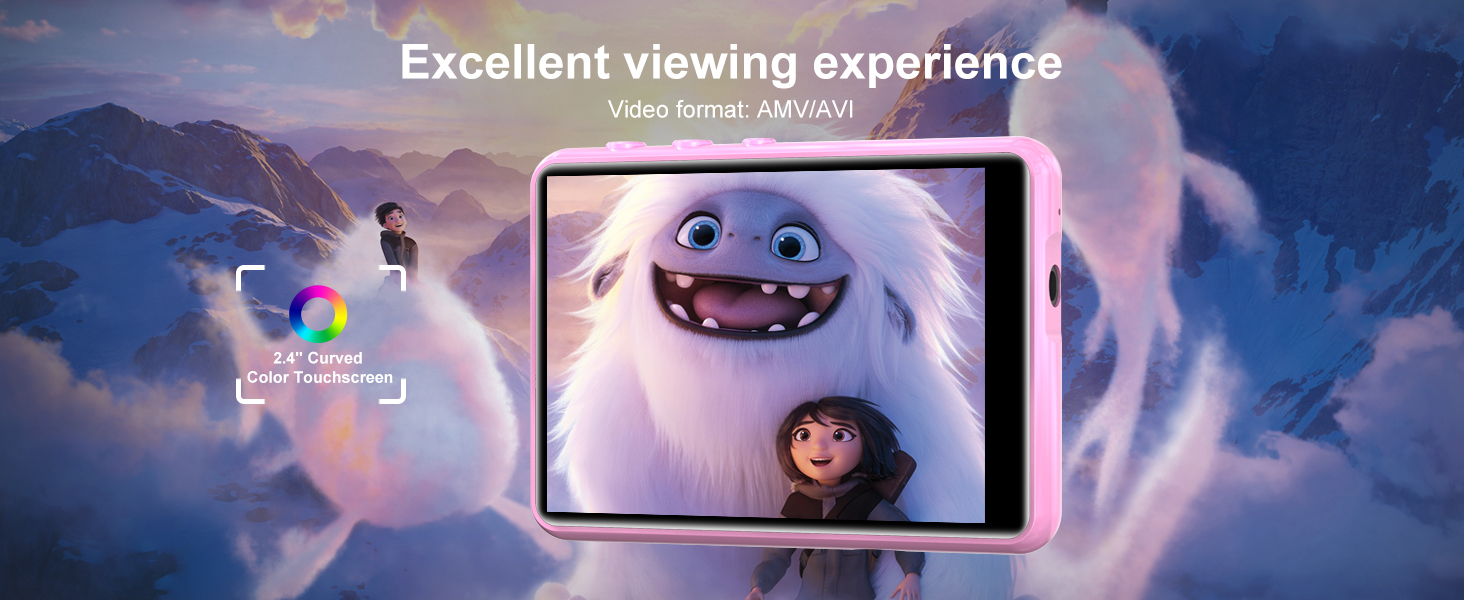
Image: ZAQE M4 MP3 Player displaying video content.
9. Settings
Access the 'Settings' menu to customize various device parameters, including display brightness, language, date and time, and system information.
Maintenance
1. Cleaning
Use a soft, dry cloth to clean the device. Avoid using liquid cleaners or abrasive materials, which can damage the screen or casing.
2. Battery Care
To prolong battery life, avoid fully discharging the battery frequently. Charge the device regularly, even if not in use for extended periods. Store the device in a cool, dry place.
3. Storage
When not in use, store the MP3 player in a protective case to prevent scratches and damage. Avoid exposing the device to extreme temperatures or direct sunlight.
Troubleshooting
| Problem | Possible Solution |
|---|---|
| Device does not power on. | Ensure the battery is charged. Connect to a power source and try again. If unresponsive, perform a hard reset (refer to device specifications for reset method, if available). |
| Cannot connect to Bluetooth device. | Ensure Bluetooth is enabled on both devices. Place devices close to each other. Check if the other device is in pairing mode. Try restarting both devices. |
| Music files are not recognized. | Verify that the music files are in a supported format (MP3, WAV, WMA, AAC, FLAC, APE, ACELP). Ensure files are transferred to the correct folder on the device. |
| Screen is unresponsive. | Restart the device. If the issue persists, contact customer support. |
| Short battery life. | Reduce screen brightness. Close unused applications. Avoid extreme temperatures. Ensure the device is fully charged before use. |
Specifications
| Feature | Detail |
|---|---|
| Model Number | M4 |
| Internal Storage | 64GB |
| Expandable Storage | Micro SD (up to 128GB, not included) |
| Bluetooth Version | 5.3 |
| Screen Size | 2.4 Inches |
| Display Technology | IPS LCD |
| Supported Audio Formats | MP3, WAV, WMA, AAC, FLAC, APE, ACELP |
| Supported Video Formats | AMV, AVI |
| Supported E-book Format | TXT |
| Battery Capacity | 300mAh (1 9V battery included) |
| Item Weight | 7.4 ounces |
| Package Dimensions | 5.79 x 5.79 x 0.75 inches |
| UPC | 738811580403 |
Warranty and Support
The ZAQE M4 MP3 Player comes with a standard manufacturer's warranty. For specific warranty details, please refer to the warranty card included in your package or contact ZAQE customer support. If you encounter any issues not covered in this manual, please reach out to our support team for assistance.
Customer Support: Please visit the official ZAQE website or refer to your purchase documentation for contact information.