
1. Product Overview
The ENYLAY Office Ergonomic Desk Chair is designed for comfort and support during long hours of use. It features a breathable mesh back, adjustable lumbar support, and flip-up armrests for versatility in various office and home settings. The chair is built with a high-density foam seat for durability and comfort.
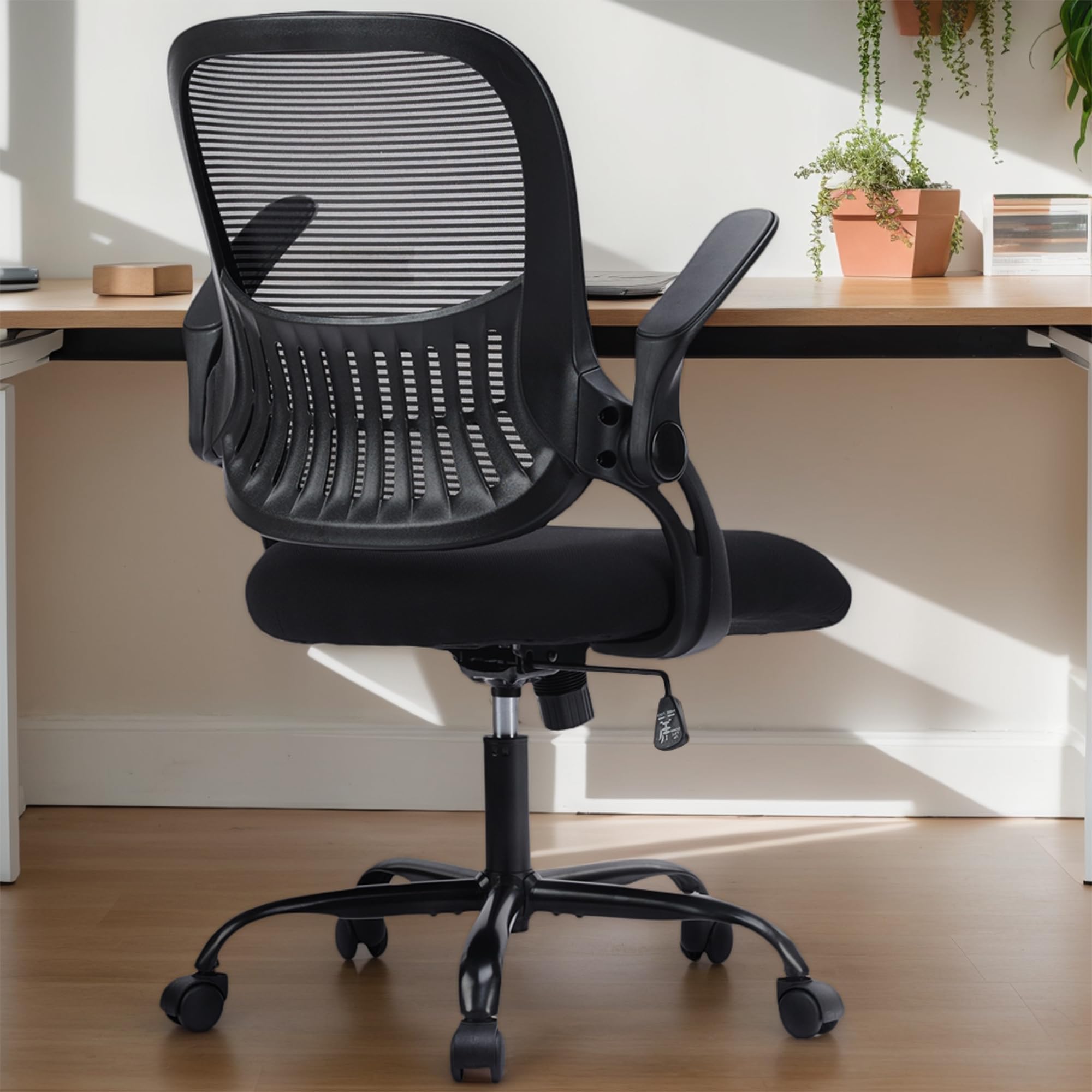
Figure 1: ENYLAY Office Ergonomic Desk Chair (Black, Flip-up Armrest style)
2. Assembly Instructions
Follow these steps to assemble your ENYLAY Office Ergonomic Desk Chair. All necessary tools are included.
2.1. Assembly Video Guide
Video 1: Easy to Assemble for ENYLAY Office Ergonomic Desk Chair. This video provides a visual guide for the complete assembly process.
2.2. Component Identification and Dimensions
Before starting assembly, identify all components and review the chair dimensions.

Figure 2: Detailed dimensions and component breakdown of the chair.
2.3. Step-by-Step Assembly
- Assemble the Base: Turn the chair base (F) upside down. Insert the five legs (G) into the base. Secure each leg with two bolts (K) using the provided wrench (M).
- Attach Casters: Press the five casters (H) into the holes at the end of each leg (G) until they click securely into place.
- Insert Gas Lift: Insert the gas lift (E) into the center hole of the assembled base (F).
- Install Armrests to Backrest: Using the wrench (M), install the left (L) and right (R) armrests (C) to both sides of the backrest (A) with four bolts (I). Tighten these bolts to 50% initially. Ensure armrests are correctly oriented (L for left, R for right).
- Attach Armrests to Seat: Turn the seat (B) upside down. Using the wrench (M), install the armrests (C) to the seat with six bolts (J). Ensure the seat is oriented correctly with the "FRONT" marking facing forward. Tighten these bolts to 100%.
- Attach Mechanism to Seat: Using the wrench (M), attach the mechanism (D) to the seat (B) with four bolts (L). Ensure the "FRONT" direction of the mechanism aligns with the "FRONT" of the seat.
- Final Tightening and Connection: Fully tighten the previously installed bolts (I) on the armrests (C). Align the hole on the mechanism (D) with the gas lift (E) and press the chair down until it is fully secured.

Figure 3: Attaching the chair legs to the central base.

Figure 4: Securing the armrests to the backrest. Note the 50% tightening recommendation.

Figure 5: Attaching the armrests to the underside of the seat. Ensure the seat's front is correctly aligned.
3. Operating Instructions
Your ENYLAY Office Ergonomic Desk Chair offers several adjustable features to enhance your comfort.
3.1. Height Adjustment
To adjust the chair's height, pull the lever located under the seat upwards. While holding the lever, stand up to raise the chair or sit down to lower it. Release the lever at your desired height.
3.2. Rocking Function and Tension Adjustment
The chair features a rocking function for relaxation. To activate the rocking function, pull the lever (same as height adjustment) outwards. To lock the chair in an upright position, push the lever inwards. The rocking tension can be adjusted by turning the round knob located under the seat. Turn clockwise to tighten the tension (less rocking) and counter-clockwise to loosen (more rocking).
Figure 6: Controls for rocking function and tension adjustment.
3.3. Flip-up Armrests
The armrests can be flipped up by 90 degrees, allowing you to push the chair further under your desk to save space or to accommodate different sitting preferences.

Figure 7: Demonstrating the 90-degree flip-up armrests.
3.4. Ergonomic Backrest and Lumbar Support
The chair features an ergonomic backrest designed to conform to the natural curve of your spine, providing optimal support and helping to maintain proper sitting posture. This design aims to relieve lower back tension.

Figure 8: Illustration of the ergonomic backrest providing lumbar support.
3.5. Breathable Mesh Back and Seat Cushion
The chair's mesh back promotes airflow to keep you cool, while the high-density foam seat cushion offers comfort and resilience, preventing deformation over time. The waterfall edge design of the seat reduces pressure on your legs.

Figure 9: Close-up of the breathable mesh back and high-density seat cushion.
3.6. Product in Use
Video 2: ENYLAY Office Ergonomic Desk Chair in use, demonstrating its features and comfort.
4. Maintenance
- Cleaning: Wipe the mesh and fabric surfaces with a damp cloth and mild soap. Avoid harsh chemicals that may damage the materials.
- Casters: Periodically check the casters for hair or debris and clean them to ensure smooth rolling.
- Fasteners: Regularly inspect all bolts and screws to ensure they are tight. Re-tighten if necessary to maintain stability and safety.
- Gas Lift: Do not attempt to disassemble or repair the gas lift. If it malfunctions, contact customer support.
5. Troubleshooting
- Chair Squeaks: Check all bolts and re-tighten them. Applying a small amount of silicone lubricant to moving parts (excluding the gas lift) may help.
- Chair Does Not Adjust Height: Ensure the gas lift lever is fully engaged. If the gas lift is faulty, it may need replacement.
- Casters Not Rolling Smoothly: Remove any hair or debris from the caster wheels. Ensure casters are fully inserted into the base.
- Chair Feels Unstable: Verify that all assembly bolts are securely tightened and that the gas lift is properly seated in the base and mechanism.
6. Specifications
| Feature | Specification |
|---|---|
| Brand | ENYLAY |
| Model Name | EL-3718 |
| Color | Black |
| Material | Mesh, Nylon, Memory Foam (Seat) |
| Product Dimensions (D x W x H) | 26.4"D x 26.39"W x 41.5"H |
| Item Weight | 21.4 Pounds |
| Maximum Weight Recommendation | 299.96 Pounds |
| Seat Height | Adjustable |
| Arm Style | Flip-up Armrest |
| Assembly Required | Yes |
7. Warranty and Support
For warranty information, product support, or to purchase replacement parts, please refer to the contact details provided with your purchase or visit the official ENYLAY website. Keep your purchase receipt for warranty claims.