
1. Introduction
This manual provides detailed instructions for the installation, operation, and maintenance of your Driauto 7-inch Android Car Radio. Please read this manual thoroughly before using the product to ensure proper function and safety. This device features an Android operating system, 8-core processor, 6GB RAM, 128GB storage, Wireless CarPlay, Android Auto, GPS navigation, Bluetooth 5.0, FM/RDS radio, and supports a backup camera.

Image: The Driauto 7-inch Android Car Radio head unit displayed with its included backup camera, external microphone, and examples of smartphone mirroring.
2. Package Contents
Verify that all items listed below are present in your package:
- Driauto 7-inch Android Car Radio Unit
- Power Cable
- RCA Cable
- Rear Camera Input Cable
- GPS Antenna
- USB Cable
- Mounting Bracket
- User Manual
- Backup Camera
- External Microphone (MIC)

Image: Contents of the Driauto car radio package, including the head unit, various cables, GPS antenna, microphone, backup camera, mounting brackets, and user manual. Also shows the unit's dimensions.
3. Installation Guide
3.1 Safety Precautions
- Disconnect the vehicle's battery before starting installation to prevent electrical shorts.
- Ensure proper insulation for all wire connections.
- Consult a professional if you are unsure about any installation steps.
3.2 Wiring Connections
Refer to the wiring diagram provided in the user manual included in the package. Key connections include:
- Power Cable: Connect to the vehicle's power supply (constant 12V, accessory 12V, and ground).
- RCA Cable: For audio output to external amplifiers or video input/output.
- Rear Camera Input Cable: Connect the backup camera.
- GPS Antenna: Mount in a location with a clear view of the sky for optimal signal reception.
- USB Cable: For wired CarPlay/Android Auto, data transfer, or charging.
- MIC: Connect the external microphone for hands-free calling and voice commands.
3.3 Backup Camera Installation
The included AHD rear camera assists with safe parking. Follow these steps for connection:
- Connect the camera's positive power wire to the positive pole of your car's reversing light.
- Connect the camera's negative power wire to the negative pole of your car's reversing light.
- Connect the video signal cable from the camera to the "CAM IN" port on the car radio.
- Ensure the reverse trigger wire (usually labeled "BACK" or "REVERSE") from the car radio's harness is connected to the positive wire of the reversing light.

Image: Diagram illustrating the connections for the reversing camera and the steering wheel control interface, showing GPS and Wi-Fi icons.
4. Operating Instructions
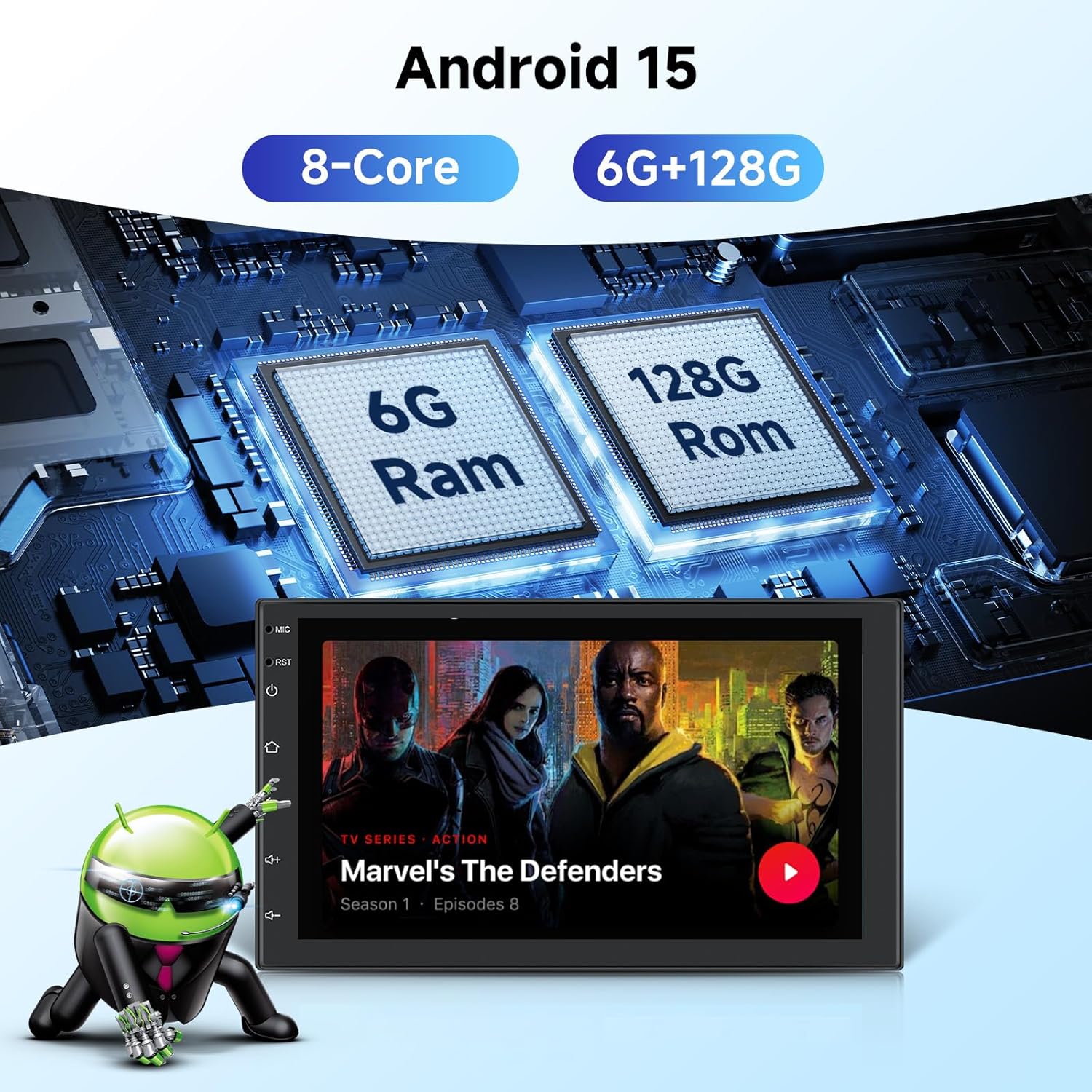
Image: Visual highlighting of the car radio's core specifications: Android 15 operating system, 8-Core processor, 6GB RAM, and 128GB ROM, with a media playback screen.
4.1 Power On/Off
The unit will power on automatically when the vehicle's ignition is turned on. To manually power off, press and hold the power button (if available) or turn off the vehicle's ignition.
4.2 User Interface and Display
The 7-inch HD touchscreen display offers a clear visual experience. You can customize the interface by choosing from 59 different UI themes and 19 wallpapers. The system supports multitasking, allowing up to 4 apps to be displayed simultaneously. Long-press an app icon to switch between running applications.

Image: Collage showing the IPS screen quality, various UI desktop themes, wallpaper options, and split-screen functionality of the car radio.
4.3 Wireless CarPlay & Android Auto
Connect your smartphone wirelessly via Bluetooth or wired via USB to access CarPlay or Android Auto. This allows you to use navigation, make calls, send messages, and play music directly from your phone through the car radio's interface. Voice control is supported for convenient operation.
4.4 Mirror Link Function
The dual-system mirroring link function enables you to project your smartphone screen content onto the car radio's display. This feature is compatible with both Android and iOS devices.

Image: Visual representation of wireless/wired CarPlay, Android Auto, and Mirror Link connectivity options for the car radio, showing a smartphone screen mirrored to the head unit.
4.5 GPS Navigation
The built-in GPS module supports both online and offline maps. For first-time use of offline maps, the device will automatically download necessary data via a network connection. The system provides voice navigation and real-time traffic information (with internet connection).
4.6 Bluetooth 5.0
Connect your smartphone via Bluetooth 5.0 for stable and efficient wireless data transmission. This enables hands-free calling and wireless music streaming.
4.7 FM/RDS Radio
The integrated FM/RDS radio covers the 87.5-108MHz band and supports up to 30 preset stations. RDS (Radio Data System) provides additional information like station name and song title where available.
4.8 DSP Audio Processing
The built-in 32-band Equalizer (EQ) with DSP (Digital Signal Processor) technology enhances sound quality by reducing noise, distortion, and electromagnetic interference, providing a clearer audio experience.

Image: Display of Bluetooth 5.0 connectivity for hands-free calls and music, FM/RDS radio interface, and the DSP sound equalizer settings.
4.9 Steering Wheel Control
The unit supports steering wheel control functions, allowing you to manage radio features without taking your hands off the steering wheel. This enhances driving safety and convenience. Refer to your vehicle's specific wiring for connection and the unit's settings for programming.
5. Maintenance
- Cleaning: Use a soft, dry cloth to clean the screen and unit. Avoid abrasive cleaners or solvents.
- Software Updates: Periodically check for software updates to ensure optimal performance and access to new features. Updates can usually be found on the manufacturer's website or through the device's settings.
- Environmental Conditions: Avoid exposing the unit to extreme temperatures, direct sunlight for prolonged periods, or excessive moisture.
6. Troubleshooting
| Problem | Possible Cause | Solution |
|---|---|---|
| No power | Incorrect wiring; Blown fuse; Vehicle battery issue. | Check power cable connections; Inspect vehicle fuses; Verify vehicle battery charge. |
| No sound or intermittent sound | Speaker wiring issue; Volume too low; Audio source problem; Bluetooth connection instability. | Check speaker connections; Adjust volume; Select correct audio source; Reconnect Bluetooth device. |
| Radio not receiving stations | Antenna not connected; Poor signal area; Antenna fault. | Ensure antenna is securely connected; Try in a different location; Check antenna for damage. |
| CarPlay/Android Auto not connecting | Incorrect USB cable; Bluetooth not paired; Software glitch; Phone compatibility. | Use a high-quality USB cable; Ensure Bluetooth is on and paired; Restart phone and head unit; Check phone compatibility. |
| Backup camera not displaying | Camera wiring issue; Reverse trigger not connected; Camera fault. | Verify camera power and video connections; Ensure reverse trigger wire is correctly connected to the reverse light. |
| Screen orientation incorrect after update | Software update issue. | Perform a factory reset (if accessible) or contact customer support for specific firmware recovery instructions. |
7. Specifications
| Feature | Detail |
|---|---|
| Operating System | Android 15 (Upgraded) |
| Processor | 8-Core |
| RAM | 6GB |
| Internal Storage | 128GB |
| Display Size | 7-inch (18 cm) |
| Display Resolution | 1024*600 HD |
| Connectivity | Bluetooth 5.0, Wi-Fi, USB, HDMI |
| Navigation | Built-in GPS (Online/Offline Maps) |
| Radio | FM/RDS (87.5-108MHz) |
| Audio Processing | 32-band EQ DSP |
| Car Integration | Wireless CarPlay, Wireless Android Auto, Mirror Link, Steering Wheel Control |
| Backup Camera Support | AHD Rear Camera included |
| Dimensions (Unit) | Approx. 178mm (7.0in) width, 102mm (4.0in) height, 25mm (0.9in) depth (mounting depth) |
| Item Weight | 2.2 pounds |
8. Warranty and Support
Driauto is committed to product quality and customer satisfaction.
- Returns: 60-day return policy.
- Replacement: 2-year replacement warranty.
- Support: Lifetime technical support is available.
For technical assistance, troubleshooting, or warranty claims, please contact Driauto customer service. Contact information can typically be found on the official Driauto website or through your purchase platform.