
Introduction
Thank you for choosing the Mudder LED Clip-on Cap Light. This versatile, USB rechargeable headlamp is designed for hands-free illumination, making it ideal for various outdoor activities and tasks requiring focused light. Its compact and waterproof design ensures reliable performance in diverse conditions.
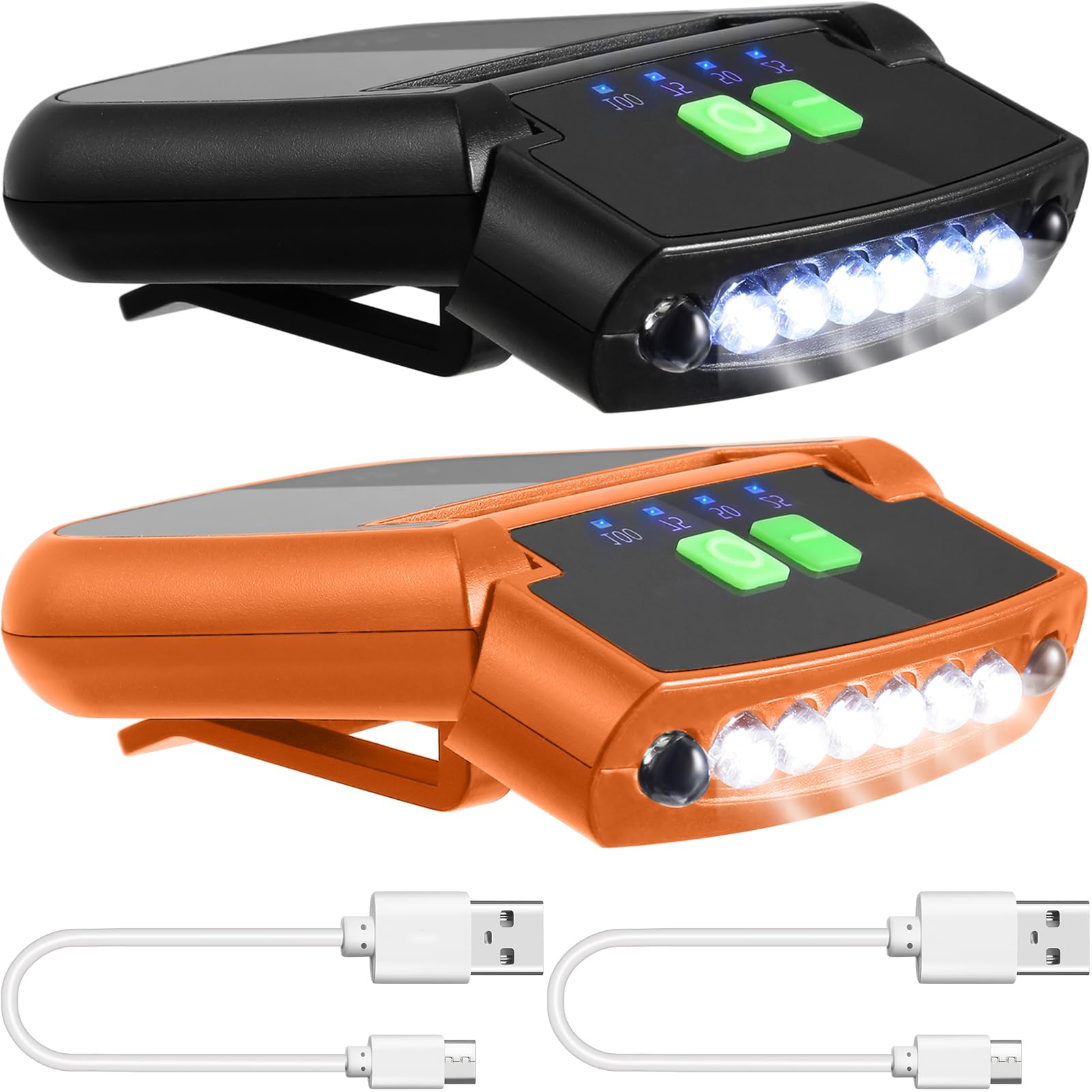
Image: The Mudder LED Clip-on Cap Light, highlighting its compact form factor and integrated clip for easy attachment.
What's in the Box
Your package should contain the following items:
- 2 x Mini hands-free LED clip-on cap lights
- 2 x USB charging cables
Setup
The Mudder LED Clip-on Cap Light is designed for easy attachment to various items, such as caps, pockets, or hats. Simply open the clip and secure it firmly to your desired location.

Image: A person demonstrating how to easily clip the LED light onto a cap for hands-free use.
Charging
The cap light features a built-in rechargeable battery and a USB charging port. To charge, connect the provided USB cable to the light and a compatible USB power source (e.g., adapter, power bank, computer USB port).
An LED screen on the light indicates the battery power level (25%, 50%, 75%, 100%), allowing you to monitor the charge status.
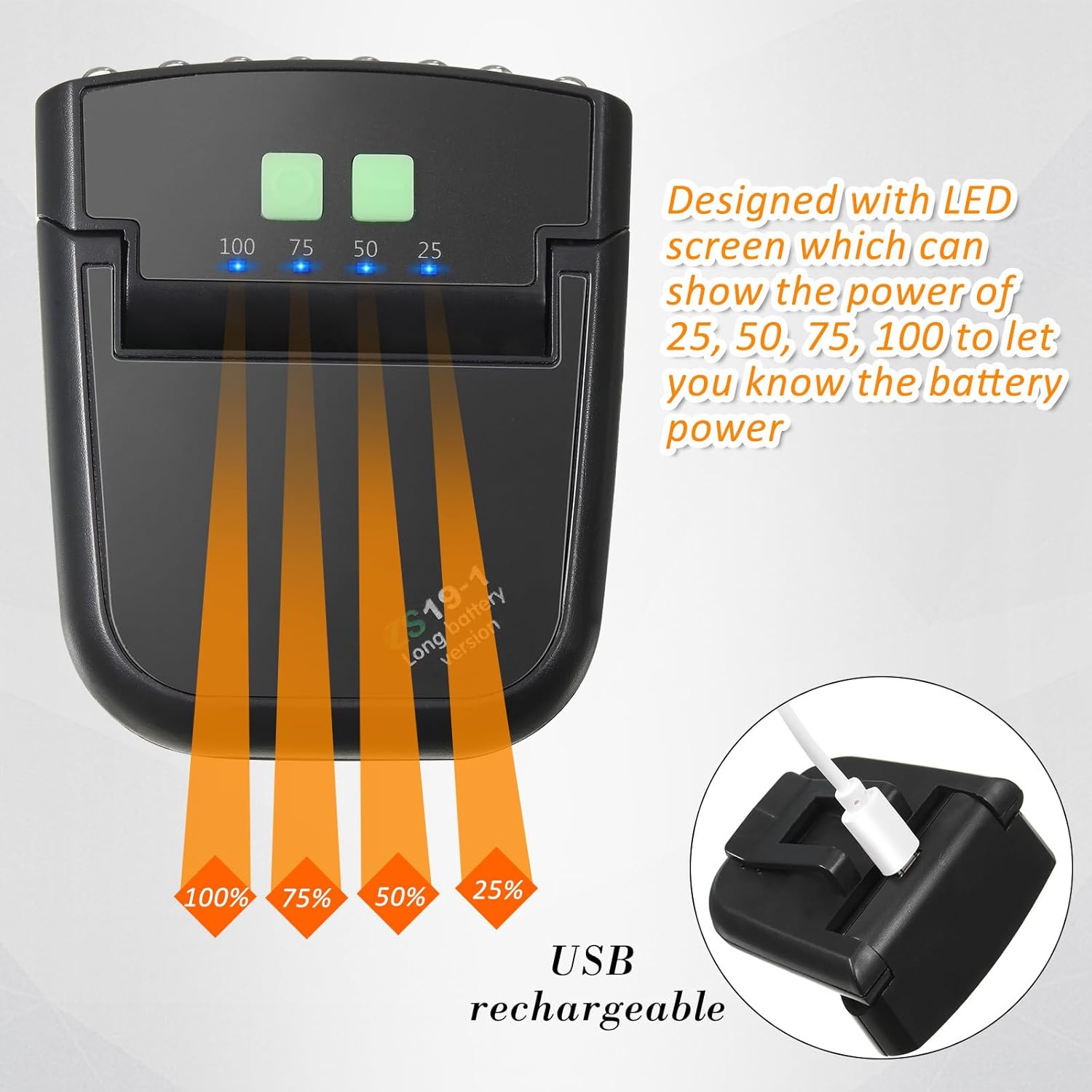
Image: The LED screen displaying battery charge levels (25%, 50%, 75%, 100%) and the USB charging port.
Operation
To operate your Mudder LED Clip-on Cap Light:
- Power On/Off: Press the power button once to turn the light on. Press again to cycle through light modes or turn off.
- Light Modes: The light offers two modes: strong light and weak light. Press the power button to switch between these modes.
- Adjusting Angle: The light can be rotated 180 degrees, allowing you to direct the beam precisely where needed for optimal viewing.

Image: The cap light rotating 180 degrees to illustrate its adjustable angle feature for directing light.
Maintenance
To ensure the longevity and optimal performance of your cap light:
- Cleaning: Wipe the light with a soft, damp cloth. Do not use abrasive cleaners or solvents.
- Storage: Store the light in a cool, dry place when not in use.
- Water Resistance: The light features a waterproof design, allowing safe use in rainy or snowy conditions. However, avoid prolonged submersion in water.

Image: The cap light enduring water splashes, illustrating its waterproof capability for use in various weather conditions.
Troubleshooting
| Problem | Solution |
|---|---|
| Light does not turn on. | Ensure the battery is charged. Connect to a USB power source and check the LED power indicator. |
| Light does not charge. | Check the USB cable and power source. Try a different cable or power adapter. Ensure the charging port is clean and free of debris. |
Specifications
| Feature | Detail |
|---|---|
| Model Number | Mudder-ujn8946 |
| Power Source | Battery Powered (Lithium Ion) |
| Light Source Type | LED |
| Material | ABS plastic |
| White Brightness | 1000 Lumens |
| Water Resistance Level | Waterproof |
| Mounting Type | Clip-on Mount |
| Number of Light Sources | 12 |
| Dimensions (L x W x H) | 2.44" x 1.97" x 0.83" |
| UPC | 860013337711 |
Safety Information
- Do not look directly into the LED light, as it can cause temporary vision impairment.
- Keep out of reach of children.
- Do not attempt to disassemble or modify the device.
- Dispose of batteries according to local regulations.
- Avoid extreme temperatures and direct sunlight.
Warranty and Support
This product comes with a manufacturer's warranty. For detailed warranty information or technical support, please contact Mudder customer service through your retailer or the official Mudder website.