
Product Overview
The Beast GO Cordless Portable Blender is designed for convenient blending on the go. It features a powerful 3-cell 11.1V battery, a 22oz blending vessel, and is capable of blending ice and frozen fruit. The system includes a drinking lid and straw for easy consumption directly from the vessel.
This premium portable blender offers untethered blending performance, allowing users to prepare smoothies, dressings, frozen cocktails, dips, salsas, and baby food wherever and whenever needed.
What's Included
The Beast GO Cordless Portable Blender package contains the following components:
- Beast GO Cordless Motor Base + Blade Cover
- Easy-Fill 670mL (22oz) Blending Vessel
- Storage Lid
- Drinking Lid
- Carry Cap
- Straw Cap
- 2x Straws
- Cleaning Brushes
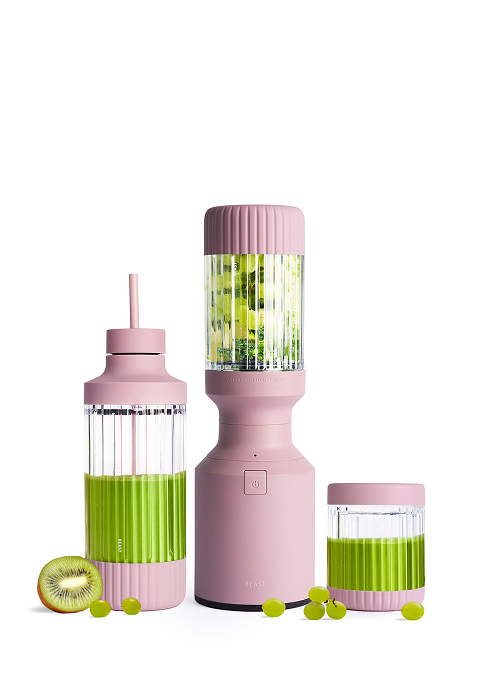
Figure 1: All components of the Beast GO Cordless Portable Blender.
Setup and Initial Use
Charging the Battery
Before first use, fully charge the Beast GO Cordless Blender. Connect the provided USB-C charging cable to the motor base and a suitable power adapter. The indicator lights on the base will show charging status. A full charge provides approximately 13 blending cycles.

Figure 2: Charging the Beast GO Cordless Blender.
Assembly
- Ensure the motor base is fully charged.
- Attach the Easy-Fill Blending Vessel to the Motor Base + Blade. Twist securely until it clicks into place.
- Fill the blending vessel with your desired ingredients. Do not overfill past the MAX line.
- Securely close the top of the Easy-Fill Blending Vessel with either the Storage Lid or the Drinking Lid/Straw Cap system.

Figure 3: Step-by-step assembly and blending process.
Operating Instructions
Ingredient Order for Smooth Blending
For optimal blending results, add ingredients to your Easy-Fill Blending Vessel in the following order:
- Liquids: Approximately 1/3 of your ingredients should be liquid for a smooth blend.
- Powders/Nut Butters: Add fine or sticky ingredients to prevent them from sticking to the bottom.
- Leafy Greens: If using leafy greens, add them after the lighter ingredients in your blend.
- Produce: Fresh or frozen. Ensure larger pieces are cut into smaller portions to ensure a smooth blend.
- Ice Cubes: Add ice as necessary. Use sparingly if using frozen produce to avoid overfilling.
Blending Functions
The Beast GO features a one-button operation with two speeds: blend and pulse.
- To Power On: After securing the Motor Base to the Blending Vessel, press and hold the Power Switch for 2 seconds. The indicator light will turn white when ready. If the light is orange, the Motor Base and Blending Vessel are not properly connected.
- To Pulse: Press the Power Switch for less than 1 second to activate the pulse function.
- To Blend: Press and hold the Power Switch for more than 1 second and release to activate a perfectly-timed 30-second blending cycle. The machine will turn OFF after 90 seconds of inactivity. To turn OFF manually, disassemble the blender so the light is orange, and press the Power Switch once.
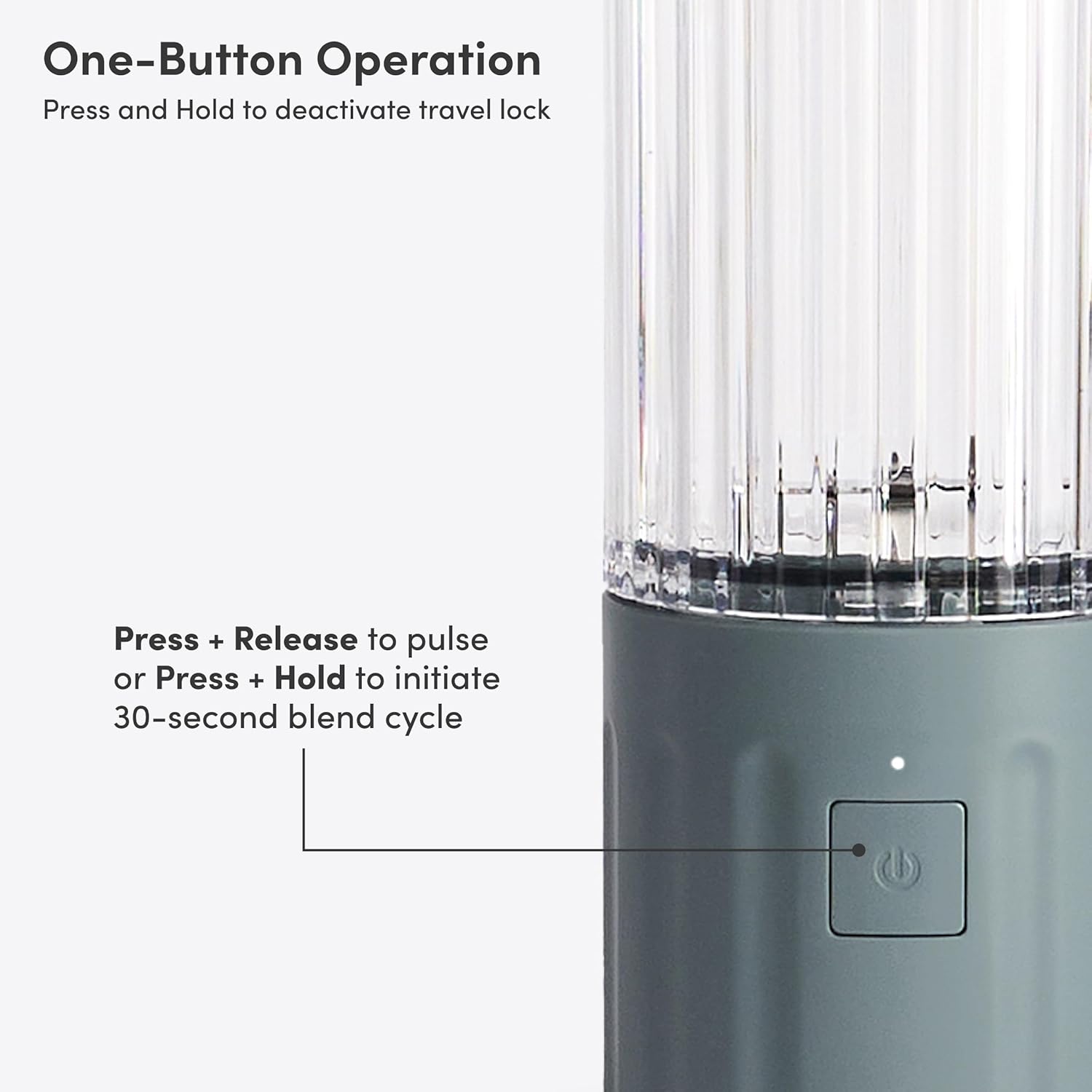
Figure 4: Power button and blending modes.
Official Product Video: The Beast GO Cordless
Video 1: An official product video demonstrating the features and versatility of the Beast GO Cordless Portable Blender in various settings, including blending different types of ingredients and its portability.
Maintenance and Cleaning
Proper cleaning ensures the longevity and hygiene of your Beast GO Cordless Blender.
- All components, except the Motor Base + Blade, are top-rack dishwasher safe.
- To clean the Motor Base + Blade, cover the charging port and rinse it under running water.
- Use the provided Blade Cleaning Brush to thoroughly clean the blade with soap and water.
- Important: Do not submerge the Motor Base in water.
Troubleshooting
If you encounter issues with your Beast GO Cordless Blender, consider the following:
- Blender not starting: Ensure the motor base is fully charged. Verify that the blending vessel is securely attached to the motor base; the indicator light should be white.
- Ingredients not blending smoothly: Check the order of ingredients (liquids first). Ensure ingredients are cut into small pieces. Avoid overfilling the vessel.
- Motor stopping during blending: This may indicate an overload. Reduce the amount of ingredients or add more liquid. The blender has a 30-second auto-shutoff for continuous blending.
For further assistance, please refer to the contact information in the Warranty and Support section.
Specifications
| Feature | Detail |
|---|---|
| Brand | BEAST |
| Model Number | B3CO-BL-US |
| Capacity | 670 Milliliters (22oz) |
| Product Dimensions | 3.4"D x 3.4"W x 9.8"H |
| Item Weight | 2 Pounds |
| Material | Tritan, Stainless Steel |
| Blade Material | Stainless Steel (Grade 301) |
| Power Source | Rechargeable USB-C (3-cell 11.1V battery) |
| Number of Speeds | 2 (Blend, Pulse) |
| Controls Type | Push Button |
Warranty and Support
The Beast GO Cordless Portable Blender comes with a 2 Year Limited Warranty provided by Beast Health. For warranty claims, technical support, or any questions regarding your product, please contact Beast Health directly.
Manufacturer: Beast Health
Contact information can typically be found on the manufacturer's official website or through the retailer where the product was purchased.