
1. Introduction
This instruction manual provides essential information for the proper installation, operation, and maintenance of your new Generic Replacement Lint Screen Filter. This part is designed to be compatible with the Maytag MDE8550BGW dryer model. Please read this manual thoroughly before installation and retain it for future reference.
2. Product Overview
The lint screen filter is a critical component of your dryer's ventilation system, designed to capture lint and debris from clothing during the drying cycle. A clean and properly functioning lint screen helps maintain drying efficiency and prevents potential fire hazards.
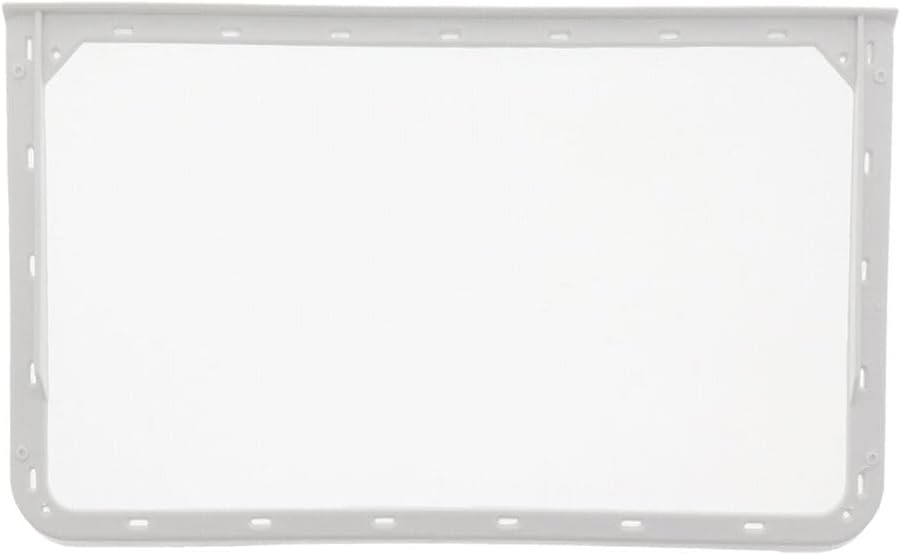
Image 1: Generic Replacement Lint Screen Filter. This image displays the white rectangular frame of the lint screen with its fine mesh, designed to fit into a dryer's lint trap housing.
This replacement part is manufactured to meet the specifications required for the Maytag MDE8550BGW dryer, ensuring a proper fit and effective lint collection.
3. Setup and Installation
Before beginning, ensure your dryer is turned off and unplugged from the power outlet for safety.
- Locate the Lint Trap: The lint trap is typically located inside the dryer door opening or on the top panel of the dryer.
- Remove Old Filter: Grasp the handle or edge of the existing lint screen filter and pull it straight out of its housing.
- Inspect Housing: Briefly inspect the lint trap housing for any remaining lint or debris and remove it.
- Insert New Filter: Carefully slide the new Generic Replacement Lint Screen Filter into the lint trap housing. Ensure it is fully seated and flush with the dryer surface. Do not force the filter into place.
- Verify Fit: Confirm that the filter is securely in place and does not obstruct the dryer door or other components.
Once installed, you may plug in and power on your dryer.
4. Operating Instructions
The lint screen filter operates automatically as part of the dryer's normal cycle. Its primary function is to collect lint. For optimal performance and safety, it is crucial to clean the lint screen before or after every load of laundry.
5. Maintenance
Regular cleaning of the lint screen is essential for efficient dryer operation and to prevent fire hazards.
- After Each Load: Remove the lint screen from its housing. Roll the accumulated lint off the screen with your fingers. Dispose of the lint properly.
- Periodic Deep Cleaning: If you notice a film or residue on the screen that prevents water from passing through (test by holding it under a faucet), the screen may need a deeper cleaning. Gently scrub the screen with a soft brush and warm, soapy water. Rinse thoroughly to remove all soap residue. Allow the screen to air dry completely before reinserting it into the dryer.
Do not operate the dryer without the lint screen in place.
6. Troubleshooting
If you experience issues after replacing the lint screen, consider the following:
- Reduced Drying Efficiency: Ensure the lint screen is clean and free of lint or residue. A clogged screen restricts airflow, leading to longer drying times.
- Improper Fit: If the screen does not fit snugly, remove it and reinsert, ensuring it is correctly aligned and fully seated. An improper fit can allow lint to bypass the screen.
- Unusual Noises: If the screen is not fully seated, it might vibrate or cause unusual noises. Re-seat the screen firmly.
If problems persist, consult your dryer's main instruction manual or contact a qualified appliance technician.
7. Specifications
| Manufacturer | Generic |
| Part Number | lint#p5308392 |
| Item Model Number | lint#p5308392 |
| Compatible Dryer Model | Maytag MDE8550BGW |
| Item Package Quantity | 1 |
| ASIN | B0F3417Y89 |
| Date First Available | March 31, 2025 |
8. Warranty and Support
Specific warranty information for this Generic replacement part is not provided in the product details. For any questions regarding compatibility, installation, or product defects, please contact the seller directly through your purchase platform. Ensure you have your order details available when contacting support.