
1. Introduction
The Ace Instruments Elitech RC-51H is a multi-use temperature and humidity data logger designed for precise environmental monitoring. This device is ideal for applications requiring strict control over temperature and humidity, such as cold chain logistics, pharmaceutical storage, laboratories, and food storage. Its plug-and-play USB interface allows for automatic encrypted PDF report generation without the need for specialized software. The robust IP67 waterproof casing ensures reliable performance in challenging environments.
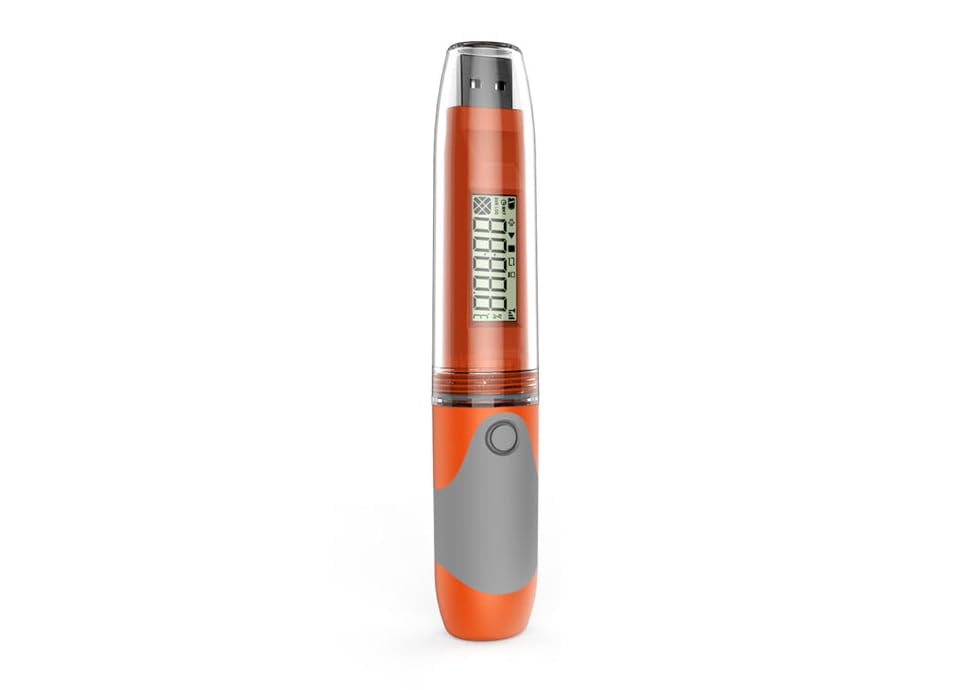
Figure 1: Ace Instruments Elitech RC-51H Data Logger
This image displays the overall design of the Elitech RC-51H data logger, showcasing its compact, pen-drive like form factor with a transparent cap and an integrated display.
2. Safety Information
- Do not expose the device to extreme temperatures outside its specified operating range (-30℃ to 70℃).
- Avoid dropping or subjecting the device to severe impact.
- Ensure the transparent cap is securely fastened to maintain the IP67 waterproof rating.
- Dispose of batteries according to local regulations.
- Do not attempt to disassemble the device beyond battery replacement.
3. Product Overview and Components
The RC-51H data logger is designed for ease of use and durability. Understanding its components is crucial for proper operation.

Figure 2: Product Parameter Diagram
This diagram illustrates the key components of the RC-51H, including the sensor, button/two-color indicator, sealing ring, screen display, and USB interface. It also shows the device's dimensions (131mm length, 24mm width).

Figure 3: Detailed Component Breakdown
This image provides a more detailed view of the data logger's parts: 1. Transparent cap, 2. USB port, 3. LCD screen, 4. Seal ring, 5. Button, 6. Sensor, and 7. Product Label. These components work together to provide accurate data logging and user interaction.
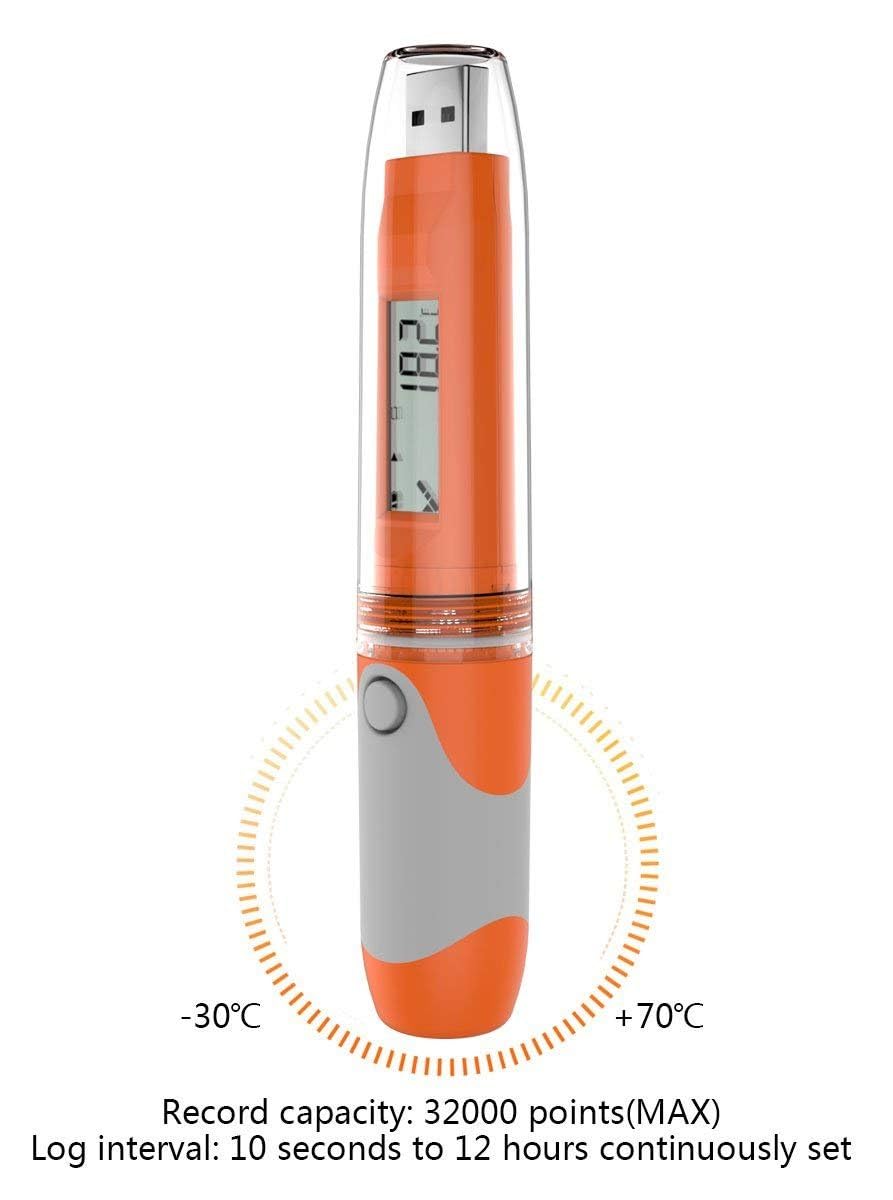
Figure 4: Operating Range and Logging Capacity
This image highlights the operational temperature range of -30°C to +70°C and the device's record capacity of 32,000 points (MAX). It also indicates a log interval that can be continuously set from 10 seconds to 12 hours.

Figure 5: Close-up Views of Key Features
This composite image shows detailed views of the USB interface, the LCD display with a temperature reading, the product label (e.g., EL1509000091), and the control button, emphasizing the device's user-friendly design.
4. Setup
4.1 Battery Installation
The RC-51H comes with a replaceable battery. To replace or install the battery, carefully open the device casing as indicated in the product diagram (Figure 2). Ensure the battery is inserted with the correct polarity. The device uses a standard button cell battery, typically CR2450.
4.2 Initial Configuration
While the device can generate PDF reports without software, initial configuration of logging parameters (e.g., logging interval, alarm thresholds, start delay) may require the Elitech software. This software is typically available for download from the manufacturer's website. Connect the data logger to a computer via the USB port, launch the software, and follow the on-screen instructions to customize settings.
4.3 Connecting to PC
Remove the transparent cap to expose the USB interface. Plug the data logger directly into a standard USB port on your computer. The device will be recognized as a mass storage device, and if configured, will automatically generate a PDF report.
5. Operation
5.1 Starting a Log
To start data logging, press and hold the button (refer to Figure 3, item 5) for approximately 3 seconds until the 'REC' indicator appears on the LCD screen. The device will begin recording data according to the configured logging interval.
5.2 Stopping a Log
There are two primary ways to stop data logging:
- Manual Stop: Press and hold the button for approximately 3 seconds until the 'REC' indicator disappears from the LCD.
- Automatic Stop: Logging will automatically stop when the memory is full (32,000 readings) or when the configured logging duration is reached.
5.3 Viewing Data on Device
During logging, a short press of the button will cycle through various display modes on the LCD, showing current temperature, humidity, maximum/minimum values, and logging status.
5.4 Data Download and Report Generation
Once logging is stopped, remove the transparent cap and plug the data logger into a computer's USB port. The device will automatically generate an encrypted PDF report containing all recorded data, graphs, and summary statistics. No special software is required for this process.
6. Maintenance
6.1 Battery Replacement
The RC-51H features a 2-year replaceable battery. When the battery indicator on the LCD shows low power, replace the battery promptly to ensure continuous operation and data integrity. Refer to section 4.1 for battery installation guidance.
6.2 Cleaning
Clean the device with a soft, dry cloth. Do not use abrasive cleaners or solvents. Ensure the sensor area remains free of dust and debris for accurate readings.
6.3 Waterproof Protection (IP67)
The device is rated IP67, meaning it is dust-tight and protected against immersion in water up to 1 meter for 30 minutes. Always ensure the transparent cap is securely in place to maintain this protection, especially in humid or dusty environments.

Figure 6: IP67 Waterproof Feature
This image visually demonstrates the IP67 waterproof capability of the RC-51H, showing it partially submerged in water with the transparent cap securely in place, highlighting its suitability for harsh environments.
7. Troubleshooting
- Device not starting: Check if the battery is correctly installed and has sufficient power. Replace the battery if necessary.
- No data recorded: Ensure logging was properly initiated (refer to section 5.1). Verify that the device's memory is not full.
- Cannot generate PDF report: Ensure the device is securely plugged into a USB port. Try a different USB port or computer.
- Inaccurate readings: Ensure the sensor area is clean and unobstructed. Avoid placing the device near heat sources or direct sunlight.
8. Specifications
| Specification | Value |
|---|---|
| Item Model Number | RC-51H |
| Brand | Ace Instruments |
| Temperature Range | -30℃ to 70℃ |
| Humidity Range | 10% to 95% RH |
| Temperature Reading Accuracy | ±0.5°C |
| Data Storage Capacity | 32,000 readings |
| Battery Description | Replaceable battery (2-year life) |
| Waterproof Rating | IP67 |
| Report Format | Encrypted PDF |
9. Warranty and Support
The Ace Instruments Elitech RC-51H Data Logger comes with a standard manufacturer's warranty. For specific warranty terms and conditions, please refer to the documentation included with your purchase or contact Ace Instruments customer support. For technical assistance, troubleshooting, or service inquiries, please visit the official Ace Instruments website or contact their customer service department directly.