
Liians Twin Bed Frame
Liians Twin Size Platform Bed Frame Instruction Manual
Model: Twin Bed Frame
1. Safety Information
- Weight Capacity: Do not load more than 700 lbs.
- Assembly: Ensure proper assembly to avoid instability. Follow all instructions carefully.
- Tools: Use only the tools provided or recommended in the assembly instructions.
- Children: Keep small parts away from children during assembly.
- Electrical Safety: Do not overload the charging station. Ensure cables are not pinched or damaged.
2. Package Contents
Verify all components are present before beginning assembly. Refer to the included installation manual for a detailed parts list.
- Bed Frame Components (metal slats, frame sections)
- Upholstered Headboard
- 2-Tier Storage Shelves
- Charging Station (pre-installed in headboard)
- RGB LED Light Strip
- LED Remote Control
- Assembly Hardware (screws, bolts, etc.)
- Installation Manual
3. Assembly Instructions
Follow the step-by-step instructions provided in the included installation manual for quick and easy assembly. All necessary tools are supplied.
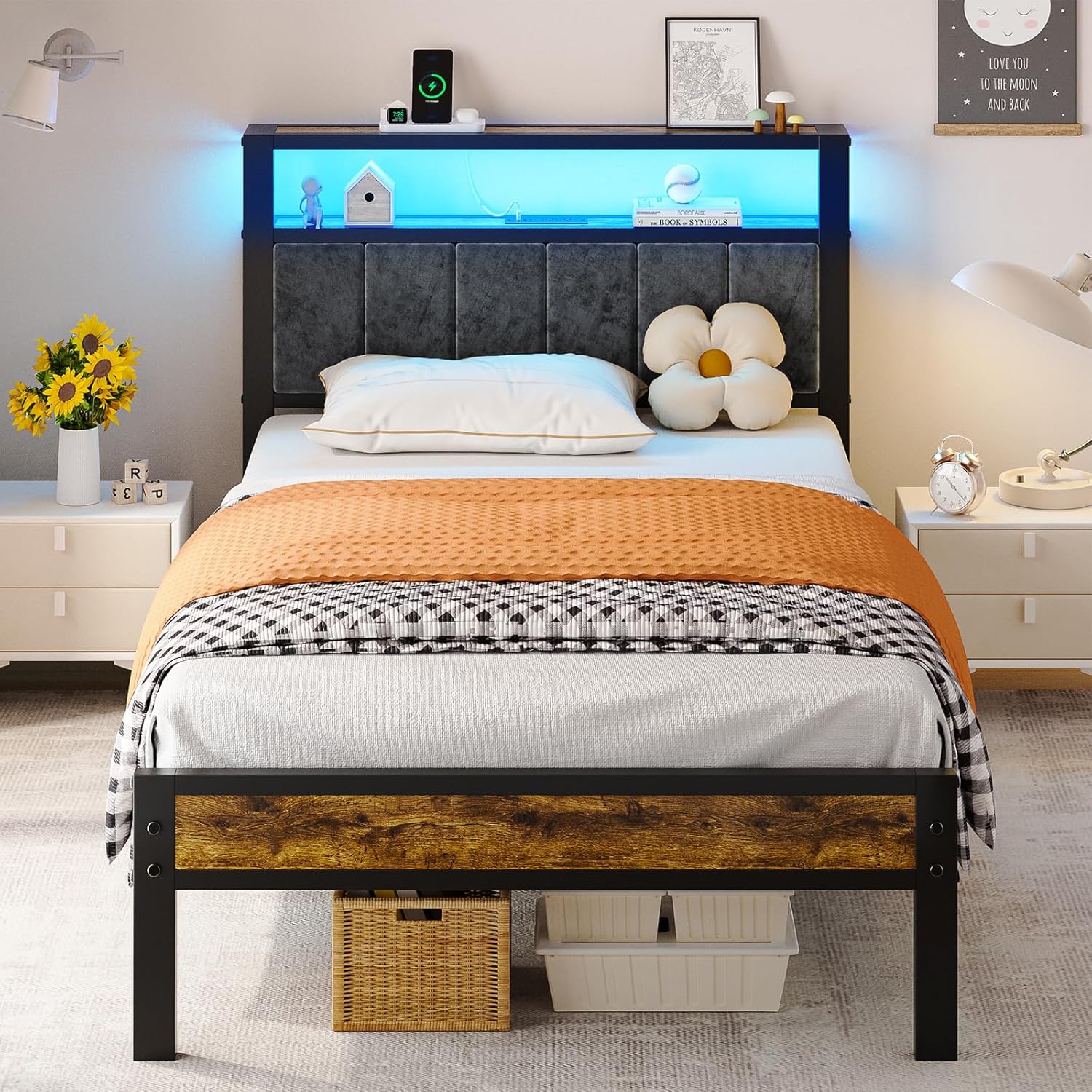
Figure 3.1: Fully assembled Liians Twin Size Platform Bed Frame. This image shows the complete bed frame with the upholstered headboard, 2-tier storage shelves, and LED lighting active.
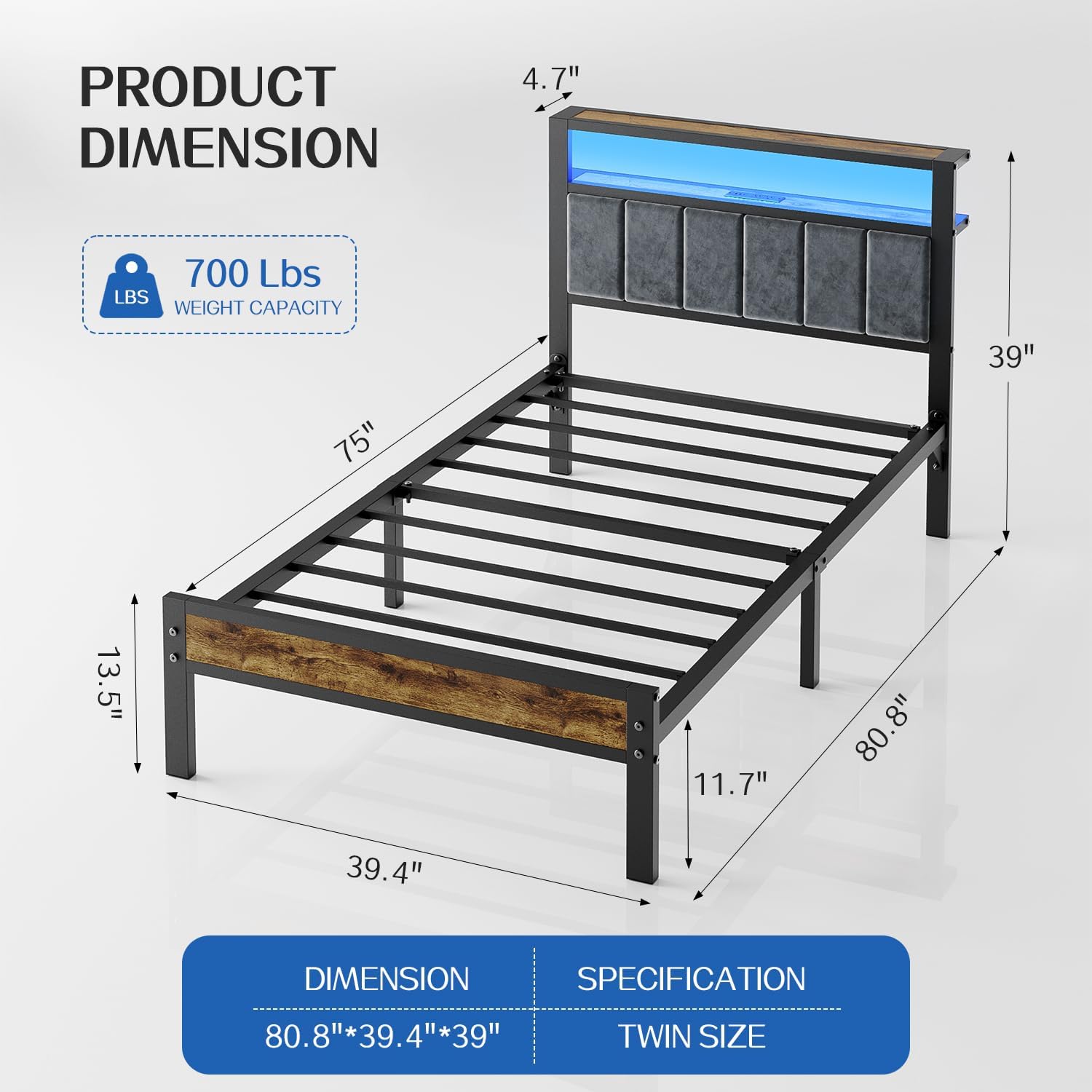
Figure 3.2: Detailed product dimensions for the Twin Size Platform Bed Frame. The diagram illustrates the length, width, and height of the frame, including the headboard and under-bed clearance.

Figure 3.3: Illustration of the under-bed storage space, highlighting the 13.7-inch clearance for bins or other items. This demonstrates the practical use of space beneath the bed frame.
For any issues such as damage, scratches, or missing parts, please contact customer service.
4. Operating Instructions
4.1. LED Lights Operation
The integrated RGB LED lights provide ambient lighting. Use the included remote control or a compatible mobile app to manage the lighting features.
- Power On/Off: Use the power button on the remote to turn the lights on or off.
- Color Selection: Choose from multiple colors to match your preference.
- Brightness Adjustment: Adjust the light intensity using the brightness controls.
- Modes: Select from various modes such as music sync, dynamic mode, or strobe effects.
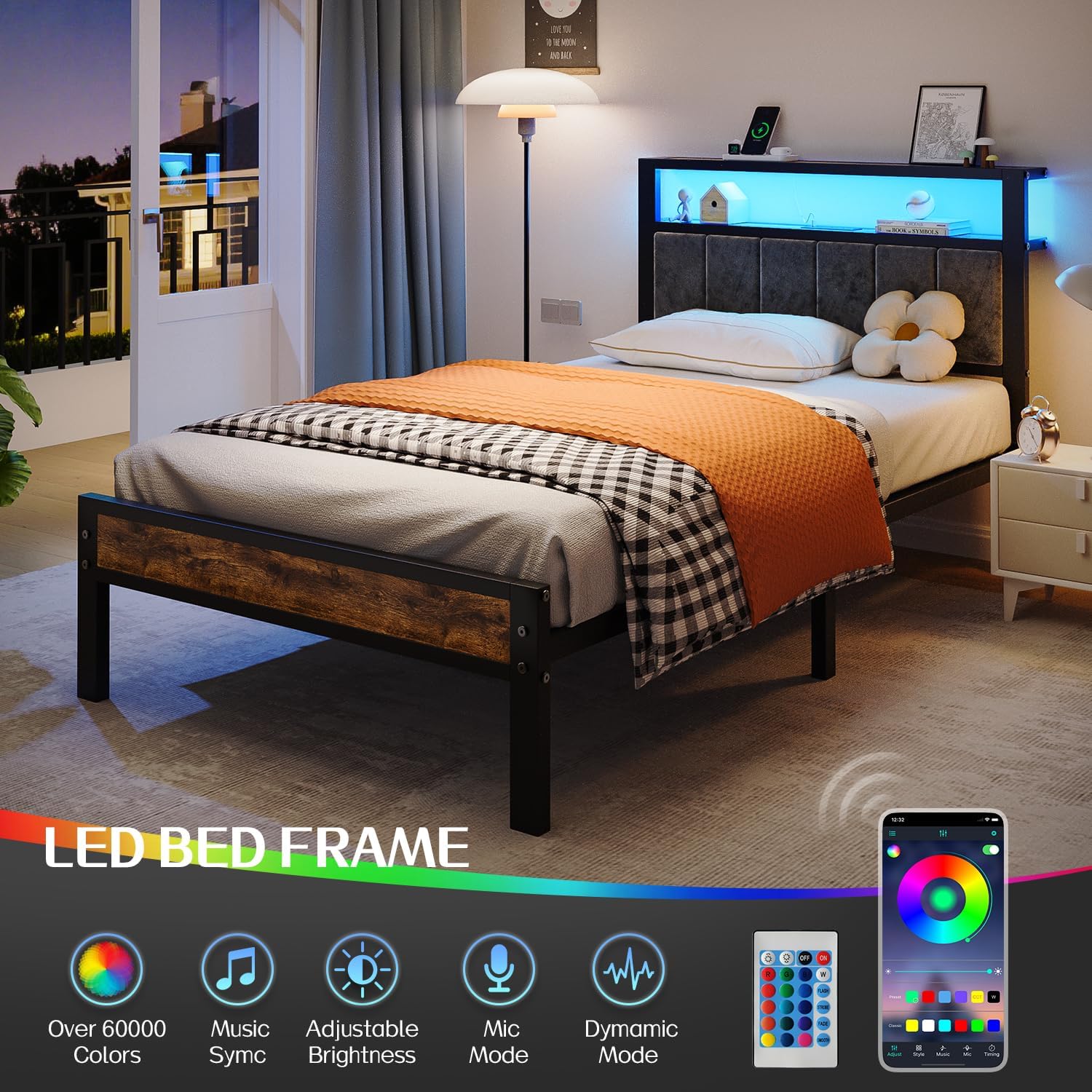
Figure 4.1: Overview of the LED light features, including control via remote and mobile app, showcasing various colors and modes.
4.2. Charging Station Usage
The headboard features a built-in charging station for convenient power access.
- Power Outlets: Two standard power outlets are available for devices requiring AC power.
- USB-A Ports: Two USB-A ports are provided for charging compatible devices.
- USB-C Port: One USB-C port is available for modern devices.
- Power Cord: The charging station is connected via a 4.9ft power cord. Ensure it is plugged into a functional wall outlet.

Figure 4.2: Close-up of the built-in charging station, showing the two AC outlets, two USB-A ports, and one USB-C port.
4.3. Storage Headboard
The 2-tier headboard shelf provides convenient storage for personal items.

Figure 4.3: The 2-tier storage headboard, designed to hold items like phones, books, and decorative pieces, functioning as a nightstand.
5. Maintenance
- Cleaning: Wipe the metal frame and wooden shelves with a damp cloth. For the upholstered headboard, use a fabric cleaner as appropriate.
- Fasteners: Periodically check all bolts and screws to ensure they are tight. Re-tighten if necessary to maintain stability.
- Electrical Components: Ensure the charging station and LED lights are free from dust and debris. Do not attempt to repair electrical components yourself.
6. Troubleshooting
| Problem | Possible Cause | Solution |
|---|---|---|
| Bed frame is wobbly or unstable. | Loose fasteners. | Check and tighten all bolts and screws. Ensure all parts are correctly assembled. |
| LED lights are not working. | Power connection issue, remote battery dead, or light strip damage. | Verify the LED light strip is properly plugged in. Replace remote control batteries. If issues persist, contact customer service. |
| Charging station is not providing power. | Power cord unplugged, wall outlet not working, or device incompatibility. | Ensure the charging station's power cord is securely plugged into a working wall outlet. Test the wall outlet with another device. Confirm your device is compatible with the USB ports. |
| Squeaking noises from the bed frame. | Loose connections or friction between metal parts. | Re-tighten all assembly bolts. Apply a small amount of lubricant (e.g., silicone spray) to contact points if necessary. |
7. Specifications
| Feature | Detail |
|---|---|
| Size | Twin |
| Product Dimensions | 80"L x 40"W x 40"H |
| Weight Capacity | Up to 700 lbs |
| Under-Bed Clearance | 13.7 Inches |
| Headboard Features | Upholstered, 2-Tier Storage Shelves, RGB LED Lights |
| Charging Station | 2 Power Outlets, 2 USB-A Ports, 1 USB-C Port, 4.9ft Power Cord |
| Frame Material | Metal with Wooden Accents |
| Assembly Required | Yes (Installation Manual Included) |
| Box Spring Needed | No |
8. Warranty and Support
For information regarding product warranty, returns, or technical support, please refer to the contact details provided in your purchase documentation or visit the official Liians website. If you encounter any issues such as damage, scratches, or missing parts, please contact our after-sales service directly.
Manufacturer: Liians