Introduction
This user manual provides essential information for the safe and efficient operation of your Maypug P3 Mini Projector. Please read this manual thoroughly before using the product and retain it for future reference.
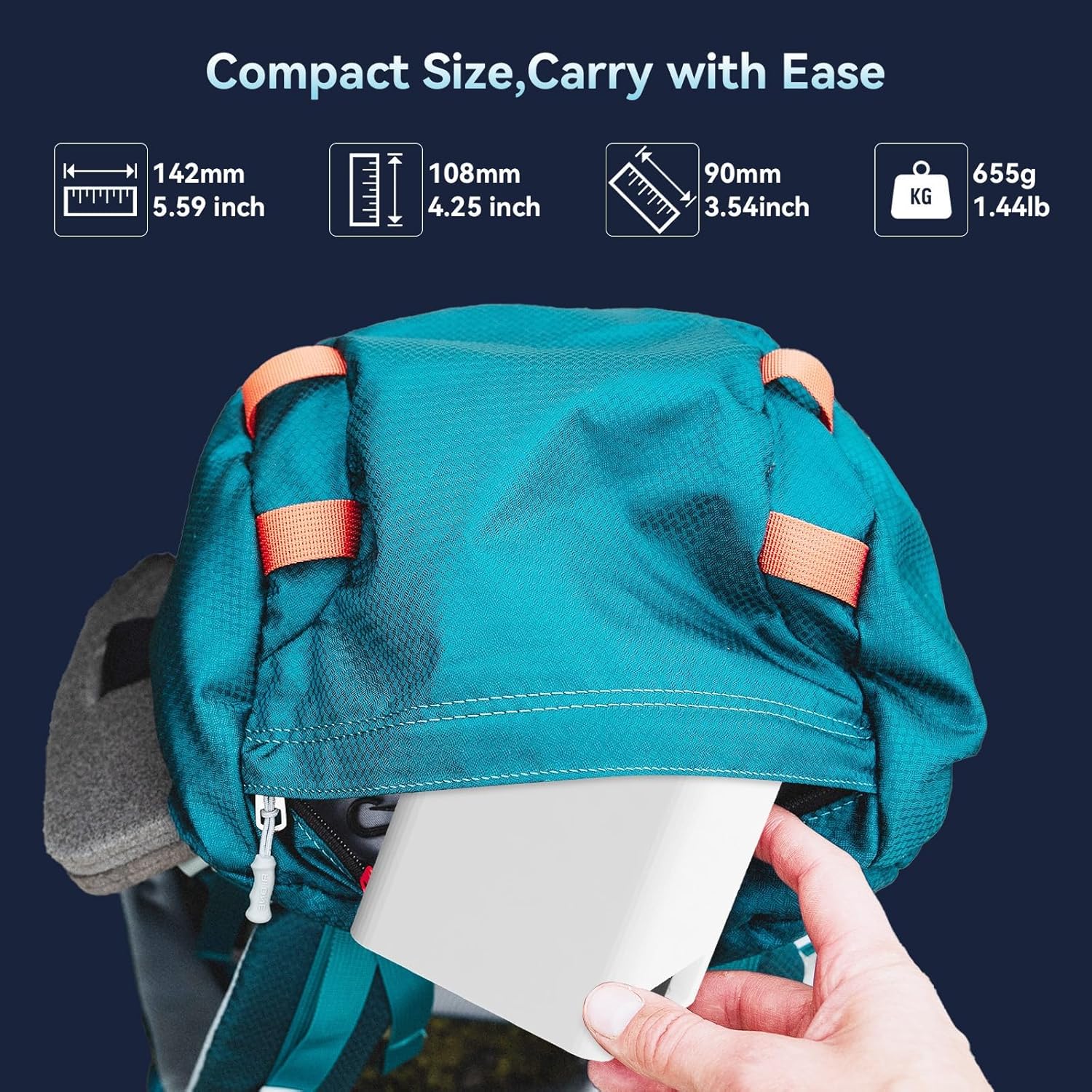
Image: The Maypug P3 Mini Projector's compact dimensions (5.59 x 4.25 x 3.54 inches) and light weight (1.44 lbs) make it highly portable, fitting easily into a backpack for transport.
What's in the Box
Verify that all items are present upon unpacking:
- Projector
- Power Cord
- User Manual
- Remote Control
Product Overview
Front View

Image: Front view of the Maypug P3 Mini Projector, highlighting the optical lens and ventilation design.
Rear and Side Views (Ports)

Image: Rear and side view of the Maypug P3 Mini Projector, showing various connectivity ports including HDMI, USB, and audio jack, compatible with multiple devices.
Adjustable Stand

Image: The Maypug P3 Mini Projector positioned on its integrated adjustable stand, demonstrating its 180-degree swivel capability for flexible projection angles, including ceiling projection.
Setup
1. Placement
Place the projector on a stable, flat surface. The adjustable stand allows for projection onto walls or ceilings. Ensure adequate ventilation around the device.
2. Power Connection
Connect the power cord to the projector and then to a power outlet. The projector will power on or enter standby mode.
3. Initial Boot-up
Upon first use, the projector may guide you through an initial setup process, including language selection and network connection.
Operating Instructions
Basic Operation
- Power On/Off: Press the power button on the projector or remote control.
- Navigation: Use the directional buttons on the remote to navigate menus.
- Source Selection: Select the desired input source (e.g., HDMI, USB, Apps) from the main menu.
Connectivity
Wi-Fi Connection (WiFi6 & 5G+2.4G Dual Band)
The projector supports dual-band WiFi6 for fast and stable wireless connections. Navigate to the network settings, select your Wi-Fi network, and enter the password.

Image: Illustration of the projector's dual-band WiFi6 connectivity, demonstrating faster and more stable data transfer compared to older WiFi standards.
Bluetooth 5.4 Connection
Connect external Bluetooth speakers or headphones for an enhanced audio experience. Go to Bluetooth settings, enable Bluetooth, and pair with your desired device.
HDMI, USB, and Audio Jack Connections
The projector features HDMI, USB, and audio jack ports for wired connections. Connect devices such as laptops, gaming consoles, or USB drives. The USB port also supports reading WPS files.
Image Adjustment
Automatic Keystone Correction
The projector features automatic vertical keystone correction, adjusting the image shape within 2 seconds to ensure a rectangular display, even when projected at an angle. Manual 4-point correction is also available for fine-tuning.

Image: Diagram illustrating the automatic keystone correction feature, showing how a distorted image is automatically squared for optimal viewing, with options for manual adjustment.
Digital Zoom (50%-100%)
Adjust the projection size digitally from 50% to 100% without moving the projector. This function is accessible through the projector's settings menu.
Obstacle Avoidance and Screen Alignment
The projector can detect obstacles and automatically align the image to your screen, preventing spillover onto wall decor or edges.
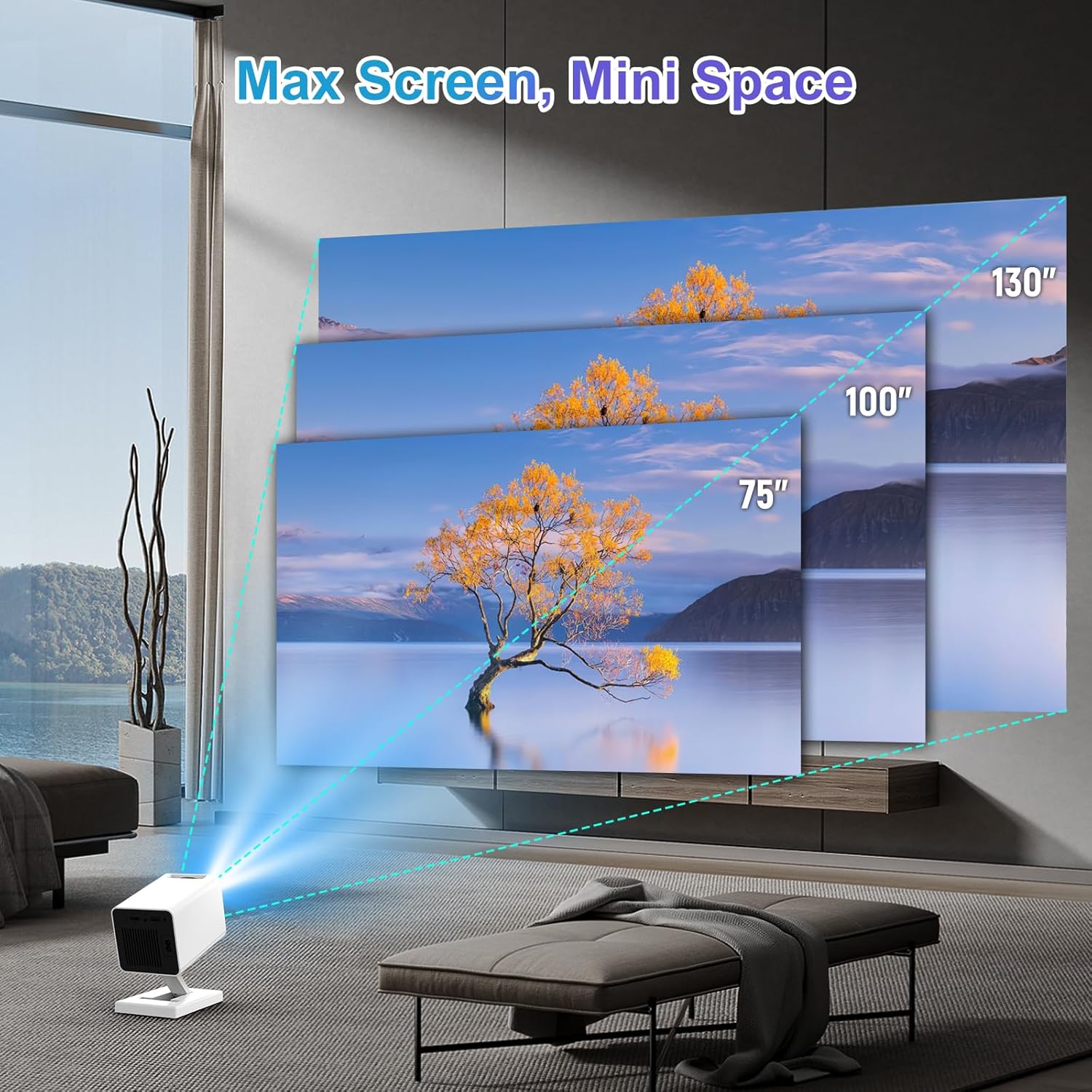
Image: Visual representation of different projection sizes (75", 100", 130") achievable with the Maypug P3 Mini Projector, demonstrating its versatility for various room sizes.
Smart Features (Android 11)
Equipped with Android 11, 2GB RAM, and 16GB ROM, the projector allows direct access to streaming apps like YouTube, Prime Video, and Netflix. Download apps directly from the online store.

Image: Screenshot of the projector's Android 11 interface, displaying various streaming applications like YouTube, Prime Video, and Netflix, available for direct use.
Maintenance
- Cleaning the Lens: Use a soft, lint-free cloth specifically designed for optical lenses. Do not use abrasive cleaners.
- Cleaning the Exterior: Wipe the projector's exterior with a soft, dry cloth.
- Ventilation: Ensure the ventilation openings are clear of dust and obstructions to prevent overheating.
- Storage: When not in use for extended periods, store the projector in a cool, dry place, protected from dust.
Troubleshooting
No Image / Poor Image Quality
- Check Power: Ensure the projector is powered on and connected correctly.
- Input Source: Verify the correct input source (HDMI, USB, etc.) is selected.
- Focus/Keystone: Adjust focus manually if needed. Automatic keystone correction should handle image shape.
- Lighting: For optimal image quality, use the projector in a dark environment.
No Sound / Poor Sound Quality
- Volume: Check the projector's volume settings and the volume of the connected source device.
- Bluetooth: If using Bluetooth speakers, ensure they are properly paired and charged.
- Cables: For wired connections, ensure audio cables are securely connected.
Wi-Fi Connection Issues
- Network Selection: Confirm you have selected the correct Wi-Fi network and entered the password accurately.
- Router Proximity: Ensure the projector is within range of your Wi-Fi router.
- Restart: Try restarting both the projector and your Wi-Fi router.
Specifications
| Feature | Detail |
|---|---|
| Brand | Maypug |
| Model Number | P3 |
| Display Resolution | 1280 x 720 (Supports 4K input) |
| Brightness | 150 ANSI Lumens |
| Contrast Ratio | 1500:1 |
| Connectivity | WiFi6 (5G+2.4G Dual Band), Bluetooth 5.4, HDMI, USB, Audio Jack |
| Operating System | Android 11 |
| Memory | 2GB RAM, 16GB ROM |
| Projection Size | 40 to 130 inches |
| Projection Distance | 1 to 4 meters (0.4-3.4M for aspect ratio) |
| Keystone Correction | Automatic Vertical, Manual 4-Point |
| Zoom Function | 50% to 100% Digital Zoom |
| Dimensions | 5 x 3 x 3.5 inches |
| Weight | 1.01 pounds |
| Special Features | Auto Screen Alignment, Built-In Speaker, Lightweight, Portable, 180° Swivel Design |
Warranty and Support
The Maypug P3 Mini Projector comes with a one-year warranty. For any quality issues or technical assistance, please contact Maypug customer support through your Amazon purchase records. Our support team aims to provide a satisfactory and professional solution within 24 hours.
For further assistance, visit the Maypug Store on Amazon.


