
1. Introduction
This manual provides essential information for the safe installation, operation, and maintenance of your Depuley 42-inch Walnut 3-Blade Flush Mount Ceiling Fan with Dimmable LED Light. Please read these instructions thoroughly before installation and retain them for future reference.

Figure 1.1: Depuley 42-inch Ceiling Fan with Light, showcasing APP & Remote Control features, 6 Fan Speeds, Timer Setting, Reversible function, Dimmable light, and Light Memory Function.
2. Safety Instructions
- Ensure the power supply is disconnected before installation, cleaning, or maintenance.
- Installation must be performed by a qualified electrician in accordance with local electrical codes.
- The mounting structure must be capable of supporting the fan's weight (approximately 3.84 kg).
- Do not insert objects into the fan blades while the fan is operating.
- Maintain a safe distance between the fan blades and any obstructions.
- This fan is suitable for both indoor and outdoor use, but ensure it is protected from direct water exposure when used outdoors.
- The DC motor features a built-in protection mechanism. If the fan blades are not installed (no load), the motor will automatically shut off. This is a normal safety function to prevent overheating or damage. The motor will only operate under proper load.
3. Package Contents
Please verify that all components are present and undamaged before proceeding with installation. Refer to your product packaging for a complete and detailed list of included items.
- Ceiling Fan Motor Housing
- Fan Blades (3x)
- LED Light Kit
- Remote Control
- Mounting Bracket and Hardware
- User Manual
4. Specifications
| Brand | Depuley |
| Model | WSFPZ01 |
| Color | Walnut |
| Product Dimensions | 106 cm (L) x 106 cm (W) x 28 cm (H) |
| Power | 30 Watts |
| Voltage | 220 Volts |
| Special Features | Dimmable LED Light, Timer, Reversible DC Motor, App Control |
| Product Weight | 3.84 kg |
| Control Method | Remote Control, APP Control |
| Number of Light Sources | 1 |
| Indoor/Outdoor Use | Indoor and Outdoor (covered areas) |
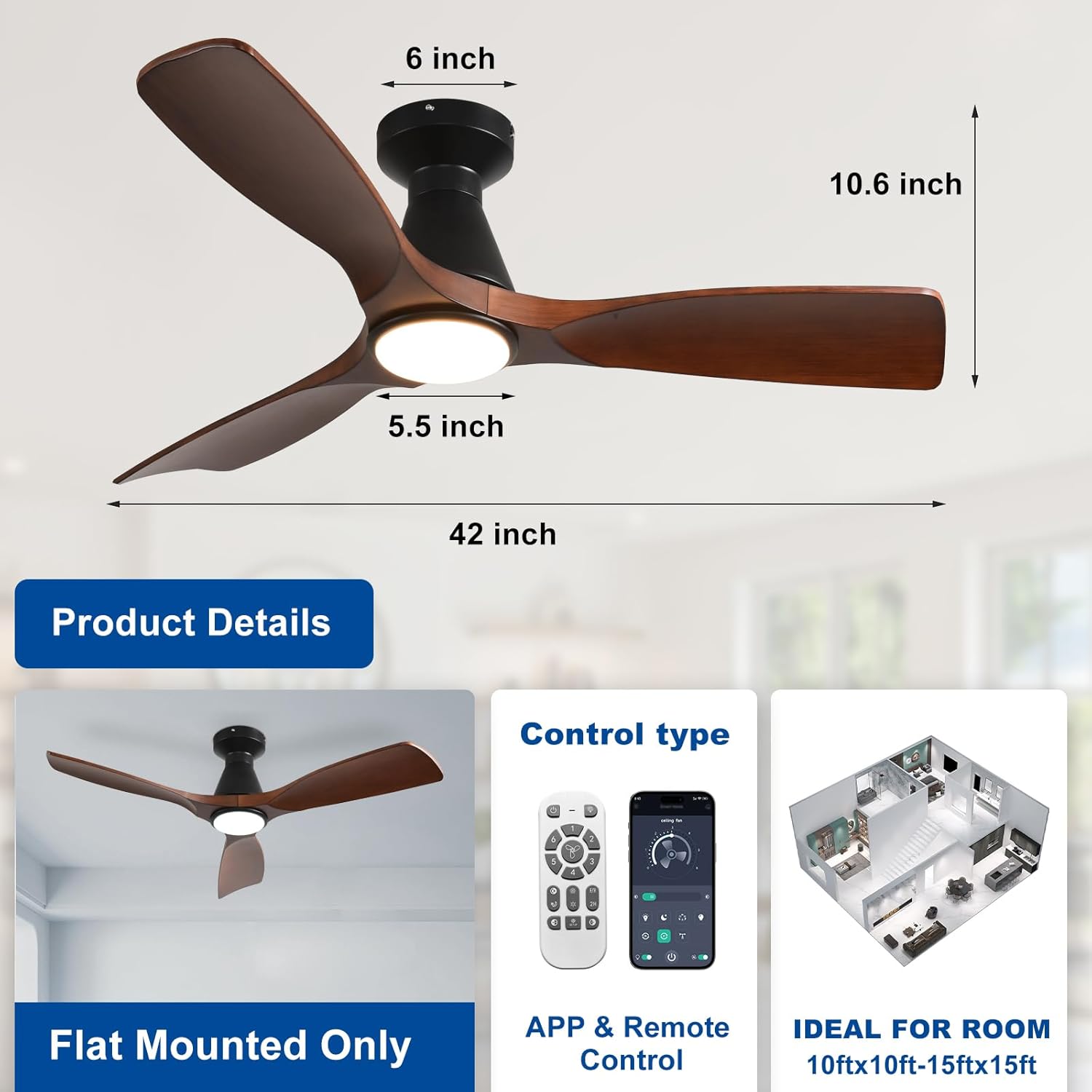
Figure 4.1: Product Dimensions. The fan has a 42-inch blade span, a height of 10.6 inches, and a light diameter of 5.5 inches.

Figure 4.2: Product Information Sheet (EPREL) for Model WSFPZ01. For more details, visit the official EPREL database: https://eprel.ec.europa.eu/qr/2511208

Figure 4.3: EU Energy Label indicating an energy efficiency class of F and consumption of 25 kWh per 1000 hours.
5. Installation
The Depuley ceiling fan is designed for straightforward installation. However, due to its size and the need for secure mounting, it is recommended to have an additional person assist during the installation process.
5.1 Pre-Installation Checks
- Ensure the power is turned off at the circuit breaker.
- Confirm that the mounting location can safely support the fan's weight.
- Unpack all components and check for any damage or missing parts.
5.2 Mounting the Fan
- Attach the mounting bracket securely to the ceiling junction box, ensuring it is firmly anchored.
- Connect the electrical wiring according to the provided wiring diagram in the separate installation guide (not included in this manual). Ensure all connections are secure.
- Carefully lift the fan motor housing and attach it to the mounting bracket.
- Install the three fan blades onto the motor housing, ensuring they are tightly secured.
- Attach the LED light kit to the fan housing.
Important Note: The DC motor will not operate if the fan blades are not properly installed. This is a safety feature. Ensure all blades are securely attached before restoring power and testing the fan.
6. Operation
Your Depuley ceiling fan can be controlled via the included remote control or a dedicated smartphone application.
6.1 Remote Control & App Control
- The remote control allows direct access to all fan and light functions.
- For app control, download the specified application (refer to the packaging or a separate quick start guide for app name and pairing instructions). The app provides comprehensive control over fan speeds, light settings, and timer functions.
6.2 Fan Speed Settings
The fan offers 6 distinct speed settings to suit your comfort needs:
- Speeds 1-2: Low, comfortable wind for gentle air circulation.
- Speeds 3-4: Medium, natural wind for moderate cooling.
- Speeds 5-6: High, powerful cooling air for maximum airflow.

Figure 6.1: Light Control. Adjust the light color temperature from 3000K (warm light) to 6000K (cool light) and brightness from 10% to 100% using the remote or app.

Figure 6.2: Fan Speed Settings. Choose from 6 speeds for optimal comfort, ranging from a low, comfortable breeze to high, cooling air.
6.3 Dimmable LED Light
The integrated LED light is dimmable and allows for adjustment of color temperature:
- Brightness: Adjustable from 10% to 100%.
- Color Temperature: Adjustable from 3000K (warm light) to 6000K (cool light).
- The light features a memory function, retaining your last setting when turned off and on again.
6.4 Reversible DC Motor
The fan is equipped with a reversible DC motor for year-round comfort:
- Summer Mode: Downward airflow creates a cooling breeze.
- Winter Mode: Upward airflow circulates warm air trapped near the ceiling, improving heat distribution.
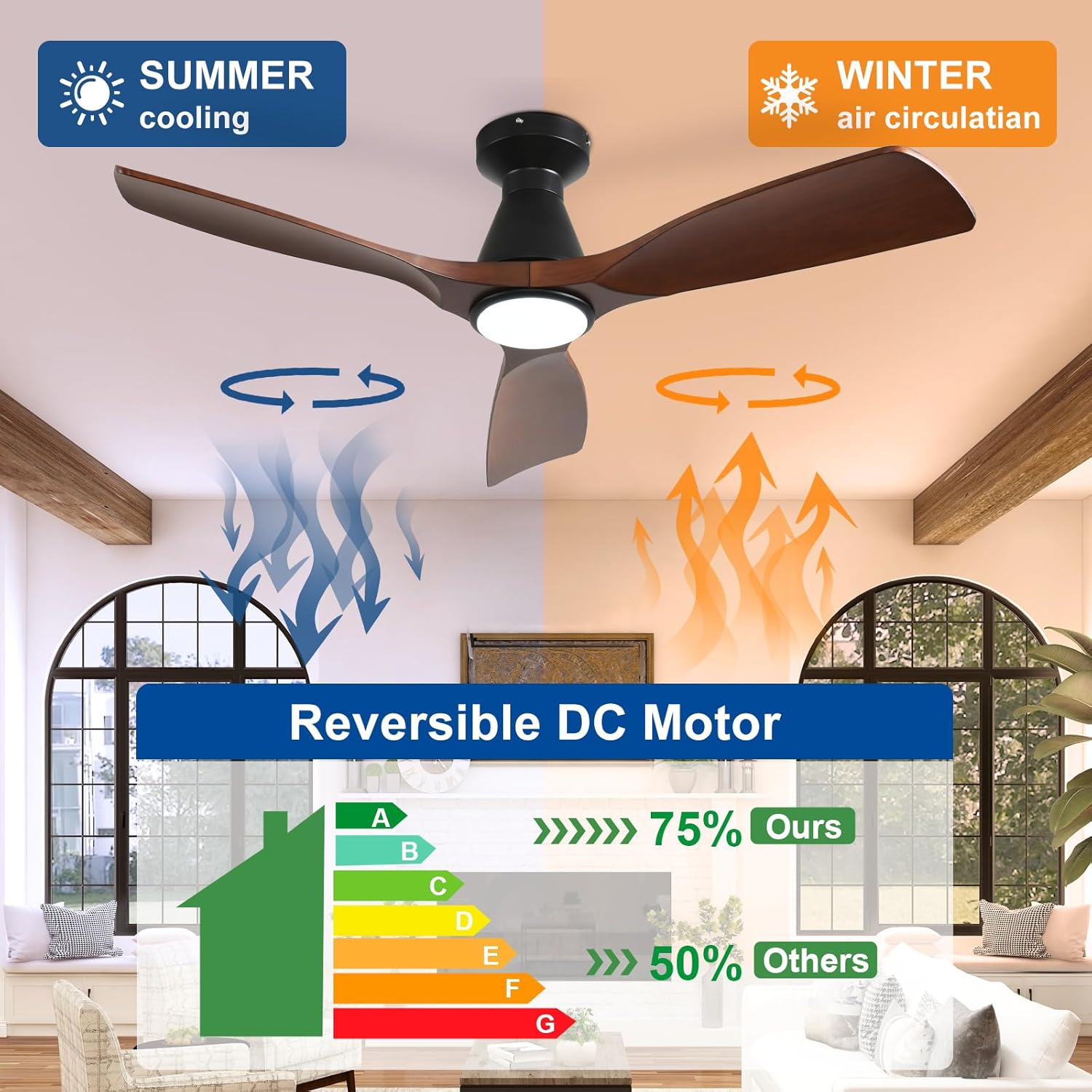
Figure 6.3: Reversible DC Motor. Switch between summer cooling and winter air circulation modes to optimize comfort and energy efficiency throughout the year.
6.5 Timer Function
Set the fan to automatically turn off after a specified period. The timer can be set for 2 hours (2H) via the remote control or app.
6.6 Ultra-Quiet Operation
The advanced DC motor ensures ultra-quiet operation, providing peaceful airflow even at higher speeds, with noise levels typically at or below 30dB.
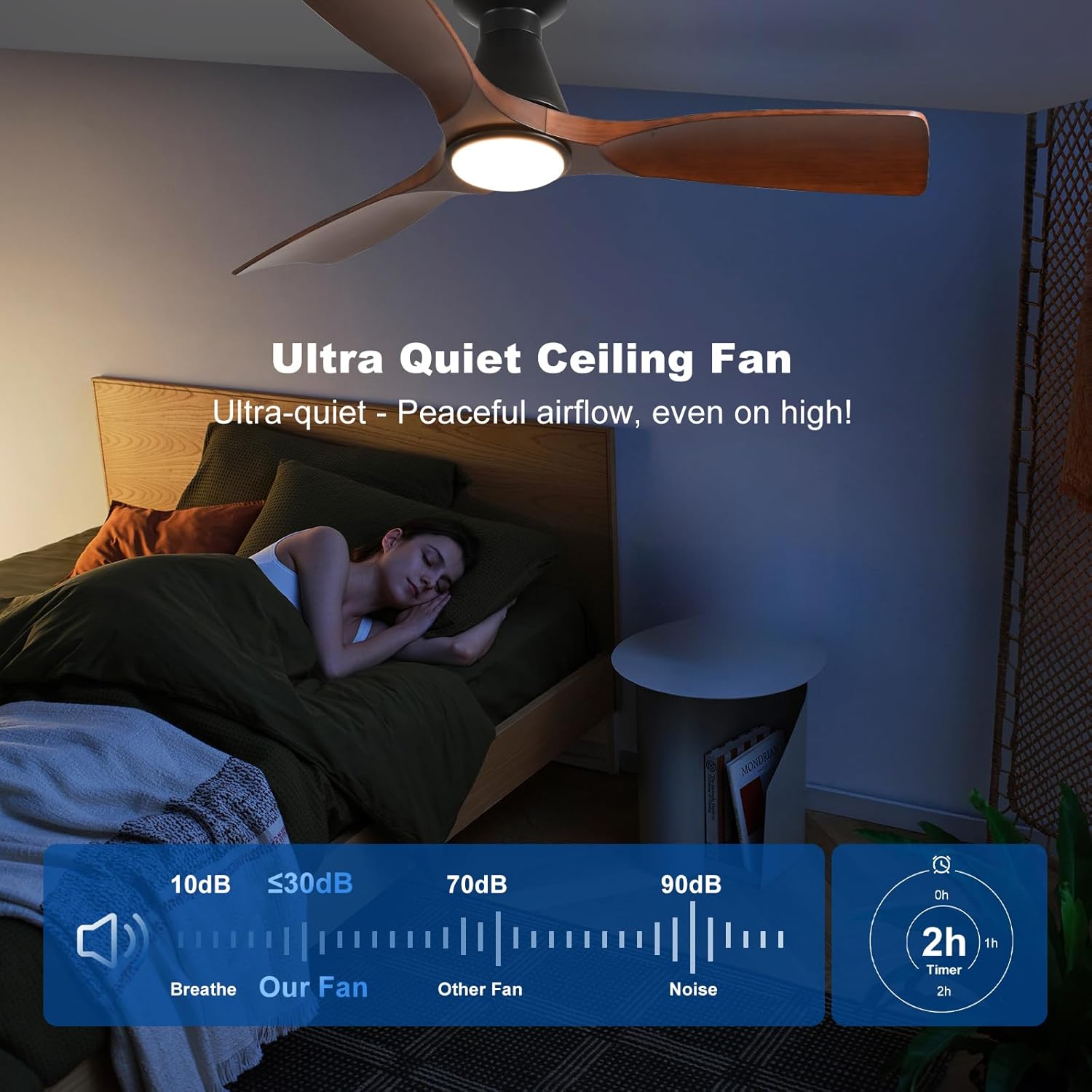
Figure 6.4: Ultra-Quiet Operation and Timer. The fan operates at a low noise level (≤30dB) and includes a timer function for 1 or 2 hours.
7. Maintenance
Regular maintenance ensures optimal performance and longevity of your ceiling fan.
- Cleaning: Before cleaning, ensure the power is turned off. Use a soft, damp cloth to wipe down the fan blades and motor housing. Do not use abrasive cleaners or solvents.
- Blade Inspection: Periodically check that all fan blades are securely attached. Loose blades can cause wobbling and noise.
- Light Source: The integrated LED light source is designed for long life and typically does not require replacement.
8. Troubleshooting
If you encounter issues with your ceiling fan, refer to the following common troubleshooting steps:
| Problem | Possible Cause & Solution |
|---|---|
| Fan does not turn on |
|
| Light does not turn on |
|
| Fan wobbles excessively |
|
| Remote control not working |
|
| App control issues |
|
9. Warranty and Support
Depuley products are manufactured with high-quality materials and undergo strict quality control. For specific warranty details, please refer to the warranty card included with your product or contact Depuley customer service.
For technical support, replacement parts, or any inquiries regarding your Depuley ceiling fan, please contact our customer service team through the retailer where you purchased the product or visit the official Depuley website for contact information.