
1. Introduction
Thank you for choosing the ZEAHOT AI Translation Earbuds. These advanced wireless earbuds are designed to break down language barriers, offering real-time translation in 144 languages. Perfect for travel, business, and language learning, they provide a seamless communication experience with high accuracy and rapid response times. This manual will guide you through the setup, operation, and maintenance of your new translation earbuds.

Figure 1: ZEAHOT AI Translation Earbuds in their charging case.
2. Product Overview
2.1. What's in the Box
- ZEAHOT AI Translation Earbuds (Left and Right)
- Portable Charging Case
- USB-C Charging Cable
- User Manual (this document)
2.2. Key Features
- Global Communication: Supports 144 languages for online real-time translation.
- Multiple Translation Modes: Includes Dual Mode, Speaker Mode, Free Talk Mode, Offline Mode, Photo Translation Mode, and Meeting Mode.
- High Accuracy: Powered by an advanced AI engine with a certified 99.8% accuracy rate.
- Fast Response: Achieves a rapid 0.3-second response time.
- Noise-Canceling: Equipped with quad microphones for clear audio.
- Long Battery Life: Up to 8 hours of continuous use, with an additional 40 hours from the charging case.
- Comfortable Design: Open-ear design for extended wear without discomfort.
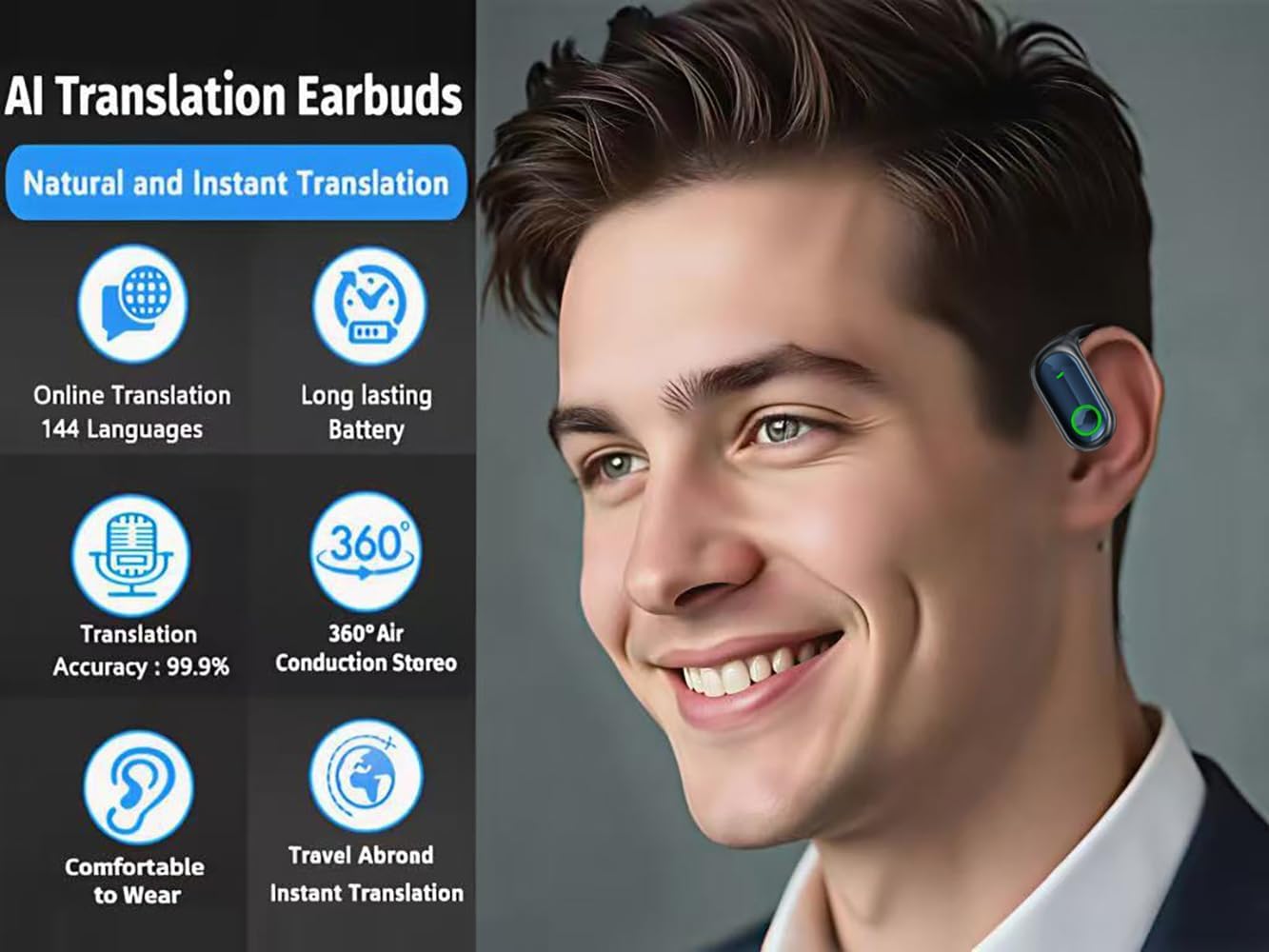
Figure 2: Earbud in use, showcasing key features like 144 languages and long battery life.

Figure 3: Detailed view of the earbud's front and back design.
3. Getting Started
3.1. Initial Charging
Before first use, fully charge your earbuds and charging case. Place the earbuds into the charging case. Connect the provided USB-C cable to the charging port on the case and plug the other end into a compatible USB power source (e.g., wall adapter, computer USB port). The digital display on the case will indicate the charging status. A full charge typically takes 1-2 hours.

Figure 4: The charging case displaying battery percentage.
3.2. App Download and Installation
To utilize the full translation capabilities, you need to download the dedicated ZEAHOT translation app on your smartphone or tablet. The app is compatible with both iOS and Android devices.
- Scan the QR code provided in the quick start guide or on the product packaging.
- Alternatively, search for "ZEAHOT Translator" (or similar, as indicated in product materials) in your device's app store (Apple App Store for iOS, Google Play Store for Android).
- Download and install the app.
- Follow the on-screen instructions within the app to complete the setup and pairing process.

Figure 5: Scan this QR code to download the companion app.
3.3. Pairing with Your Device
- Ensure the earbuds are charged and placed in the charging case.
- Open the charging case lid. The earbuds will automatically enter pairing mode (indicated by flashing lights).
- On your smartphone or tablet, go to Bluetooth settings and enable Bluetooth.
- Search for available devices and select "ZEAHOT YYK-Q17" (or similar product name).
- Once connected, a voice prompt will confirm successful pairing.
4. Operating Instructions
4.1. Wearing the Earbuds
The ZEAHOT AI Translation Earbuds feature an open-ear design with ear hooks for a secure and comfortable fit. Gently place the earbud over your ear, ensuring the speaker portion is positioned correctly near your ear canal for optimal audio and microphone performance.
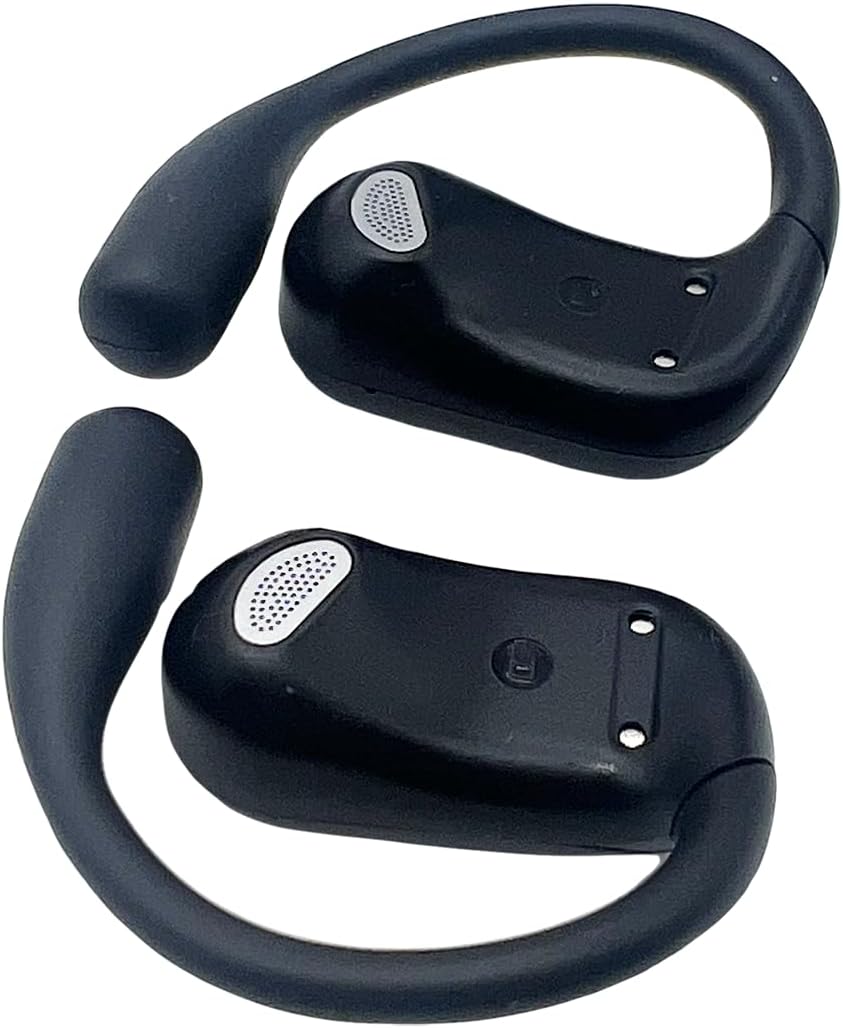
Figure 6: The ergonomic ear hook design for secure wearing.
4.2. Basic Controls
The earbuds feature touch controls for various functions:
- Play/Pause: Single tap on either earbud.
- Next Track: Double tap on the right earbud.
- Previous Track: Double tap on the left earbud.
- Answer/End Call: Single tap on either earbud.
- Reject Call: Press and hold either earbud for 2 seconds.
- Activate Voice Assistant: Triple tap on either earbud.

Figure 7: Earbuds are versatile for various activities including music, sports, and phone calls.
5. Translation Features and Modes
The core functionality of your ZEAHOT AI Translation Earbuds lies in their diverse translation modes, accessible via the companion app. Ensure your earbuds are connected to your device and the app is open.
5.1. Online Voice Translation
For real-time, highly accurate translation, connect to the internet via your smartphone. The earbuds leverage cloud-based AI for processing and translating spoken language.

Figure 8: Seamless communication enabled by real-time translation.
5.2. Translation Modes Explained
Navigate through the app to select the most suitable translation mode for your situation:
- Dual Mode: Each person wears one earbud, allowing for natural, real-time two-way conversation.
- Speaker Mode: One person speaks into the phone (or earbud), and the translation is played aloud through the phone's speaker, while the other person listens through the earbud.
- Free Talk Mode: Ideal for group conversations, where the app continuously translates and displays dialogue from multiple participants.
- Offline Mode: For situations without internet access, pre-download language packs in the app to enable basic translation functionality.
- Photo Translation Mode: Use your phone's camera through the app to translate text from images, signs, or documents.
- Meeting Mode: Designed for business or academic settings, this mode provides live transcription and translation of discussions.

Figure 9: The app interface displaying various translation modes and high accuracy.
5.3. Usage Scenarios
- Business Meetings: Facilitate real-time communication with international colleagues.
- Travel Abroad: Navigate foreign countries with ease, understanding local conversations and signs.
- Health Consultations: Ensure accurate understanding during medical visits in foreign countries.
- Language Learning: Practice and improve language skills with instant feedback.

Figure 10: Earbuds enhancing communication in a business meeting.

Figure 11: Earbuds providing assistance for travelers.
6. Battery and Charging
The earbuds offer extended usage with their efficient battery system.
- Earbud Playtime: Up to 8 hours on a single charge.
- Charging Case Capacity: Provides an additional 40 hours of charge, totaling 48 hours of working time.
- Charging Time: Fast recharging design.
- Charging Method: USB-C cable (included) or wireless charging.
To charge the earbuds, simply place them back into the charging case. The case will automatically begin charging them. To charge the case itself, connect it to a power source using the USB-C cable. The digital display on the case indicates the current battery level.
7. Care and Maintenance
To ensure the longevity and optimal performance of your ZEAHOT AI Translation Earbuds, follow these care guidelines:
- Cleaning: Regularly wipe the earbuds and charging case with a soft, dry, lint-free cloth. Do not use abrasive cleaners or solvents.
- Storage: When not in use, store the earbuds in their charging case to protect them from dust and damage. Store in a cool, dry place away from direct sunlight and extreme temperatures.
- Avoid Water: The earbuds are not waterproof. Avoid exposing them to water, rain, or excessive moisture.
- Handle with Care: Do not drop, disassemble, or attempt to repair the earbuds or charging case yourself. This may void the warranty.
8. Troubleshooting
If you encounter any issues with your earbuds, please refer to the following common solutions:
| Problem | Possible Solution |
|---|---|
| Earbuds not powering on | Ensure earbuds and charging case are fully charged. Place earbuds in case, close lid, then open again. |
| Earbuds not pairing | Make sure Bluetooth is enabled on your device. Forget the device in your Bluetooth settings and try pairing again. Ensure earbuds are in pairing mode. |
| Translation not working/inaccurate | Check your internet connection (for online modes). Ensure correct source and target languages are selected in the app. Speak clearly and at a moderate pace. Update the app to the latest version. |
| Poor audio quality | Ensure earbuds are clean and properly seated in your ears. Check the audio source device. |
| App crashing/freezing | Close and restart the app. Clear the app's cache (Android) or reinstall the app. Ensure your device's operating system is up to date. |
If the issue persists after trying these steps, please contact customer support for further assistance.
9. Specifications
| Feature | Detail |
|---|---|
| Model Number | YYK-Q17 |
| Product Dimensions | 1.97 x 1.97 x 1.57 inches |
| Item Weight | 3.84 ounces |
| Batteries | 1 Lithium Polymer battery (included) |
| Manufacturer | Shenzhen KingAnDa Technology Development Co., Ltd |
| First Available Date | April 16, 2025 |
10. Warranty and Support
Your ZEAHOT AI Translation Earbuds are covered by a manufacturer's warranty against defects in materials and workmanship. For specific warranty terms and conditions, please refer to the documentation included with your purchase or visit the official ZEAHOT website.
For technical support, troubleshooting assistance, or warranty claims, please contact ZEAHOT customer service through the following channels:
- Online Support: Visit the ZEAHOT Store on Amazon for FAQs and contact information.
- Email Support: Refer to your product packaging or the official website for the customer support email address.
Please have your product model number (YYK-Q17) and purchase details ready when contacting support.