1. Introduction
This manual provides comprehensive instructions for the installation, operation, and maintenance of the Generic PCIe 3.0 x8 to Quad M.2 NVMe SSD Adapter Card. This adapter card is designed to expand your system's storage capabilities by allowing the connection of up to four M.2 NVMe SSDs through a single PCIe 3.0 x8 slot. It features a PLX 8747 switch chipset for efficient data management and includes an active cooling fan to maintain optimal operating temperatures.
Please read this manual thoroughly before installation and use to ensure proper setup and to maximize the performance and longevity of your device.
2. Safety Information
- Always power off your computer and disconnect it from the power source before installing or removing any internal components.
- Wear an anti-static wrist strap to prevent electrostatic discharge (ESD) damage to the adapter card and other computer components.
- Handle the adapter card by its edges to avoid touching sensitive components.
- Ensure proper ventilation within your computer case to prevent overheating.
- Do not expose the device to moisture or extreme temperatures.
3. Package Contents
Please verify that all items are present and in good condition upon opening the package. If any items are missing or damaged, contact your vendor for assistance.
- PCIe 3.0 x8 to Quad M.2 NVMe SSD Adapter Card
- Full-height bracket (pre-installed)
- Low-profile bracket (optional, may be included)
- Mounting screws for M.2 SSDs
- User Manual (this document)
4. Product Overview
The Generic PCIe 3.0 x8 to Quad M.2 NVMe SSD Adapter Card is designed for high-performance storage expansion. It features a PLX 8747 switch, enabling independent operation of up to four M.2 NVMe SSDs without relying on motherboard PCIe bifurcation. The card supports M.2 SSDs of 2242, 2260, and 2280mm lengths and includes an active cooling fan for thermal management.
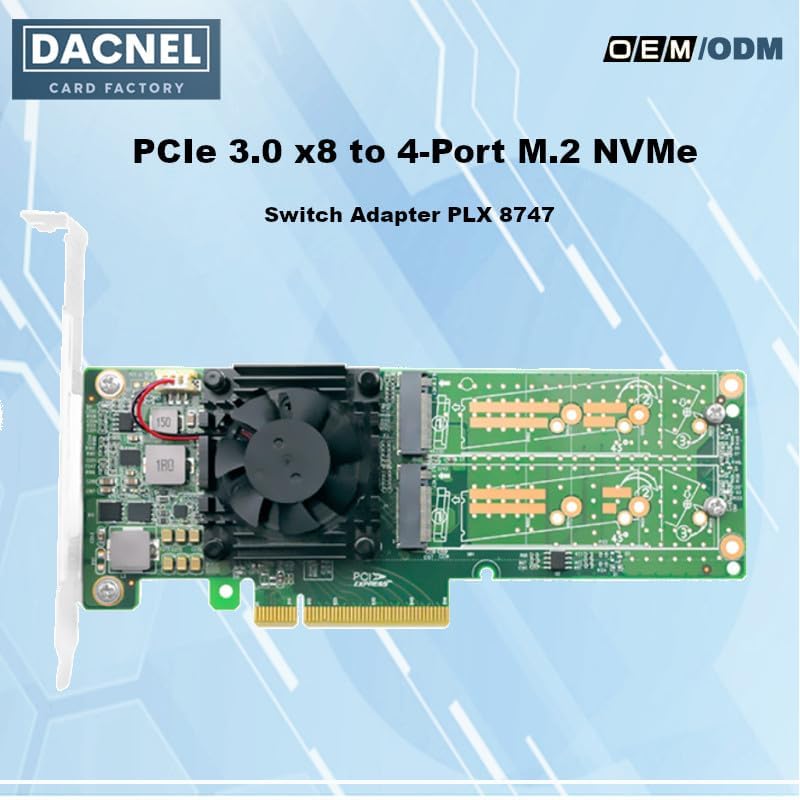
Figure 4.1: Top view of the PCIe 3.0 x8 to Quad M.2 NVMe SSD Adapter Card.
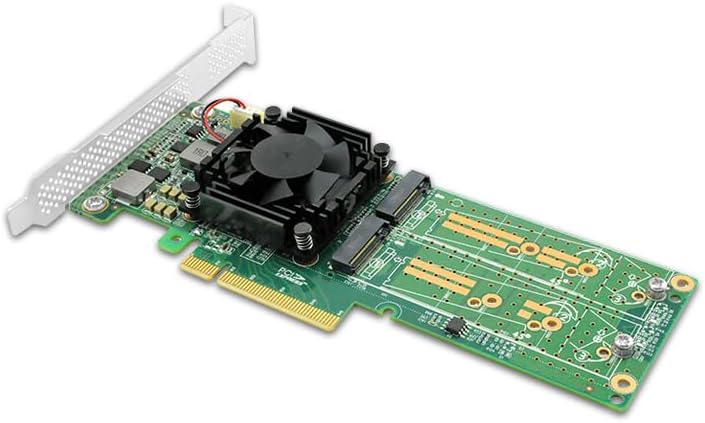
Figure 4.2: Angled view highlighting the cooling fan and M.2 NVMe SSD slots.
Key Features:
- PCIe 3.0 x8 Interface: Provides high-bandwidth data transfer.
- PLX 8747 Switch Chipset: Ensures high-performance, non-blocking switch fabric with full line rate on all ports.
- Quad M.2 NVMe SSD Support: Connects up to four M.2 NVMe SSDs simultaneously.
- Versatile Form Factor Support: Compatible with 2242, 2260, and 2280mm M.2 SSDs.
- Active Cooling Fan: Maintains optimal operating temperatures for sustained performance.
- Independent Operation: Does not rely on PCIe bifurcation from the CPU or PCH.
- Operating System Compatibility: Supports Windows 10 & Later, Windows 2016 Server, & Linux Kernel 3.3 & later.
5. Setup and Installation
5.1 Pre-installation Checklist
- Ensure your computer has an available PCIe 3.0 x8 or larger slot.
- Confirm your operating system is compatible (Windows 10/11, Windows 2016 Server, Linux Kernel 3.3+).
- Gather necessary tools: Phillips head screwdriver, anti-static wrist strap.
5.2 Installing M.2 NVMe SSDs onto the Adapter Card
- Carefully align your M.2 NVMe SSD with an available M.2 slot on the adapter card. The keying (notch) on the SSD must match the slot.
- Gently insert the M.2 SSD into the slot at a slight angle (approximately 30 degrees) until it is fully seated.
- Press the SSD down towards the adapter card and secure it with the provided mounting screw. Repeat for additional SSDs.
5.3 Installing the Adapter Card into Your Computer
- Power off your computer and disconnect the power cable.
- Open your computer case.
- Locate an available PCIe 3.0 x8 or larger slot on your motherboard. Remove the corresponding expansion slot cover from the computer case.
- Carefully align the adapter card's PCIe connector with the motherboard's PCIe slot.
- Apply even pressure to both ends of the adapter card until it is fully seated in the slot. Ensure the metal bracket is flush with the case opening.
- Secure the adapter card's bracket to the computer case with a screw.
- Close your computer case and reconnect the power cable.
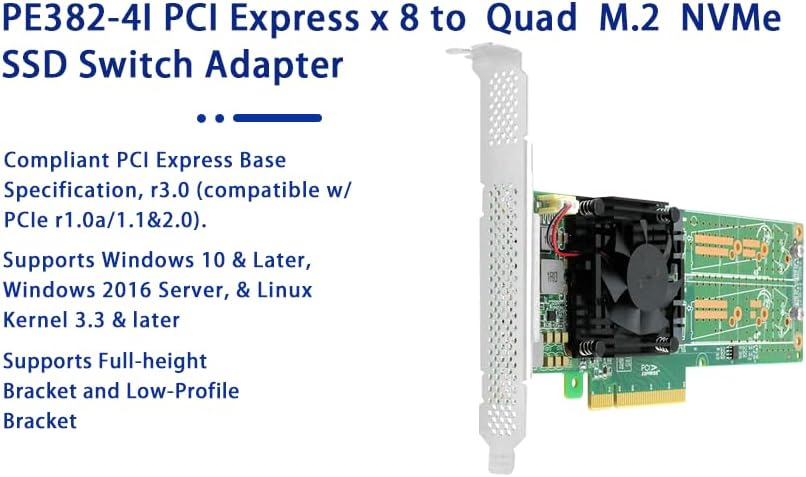
Figure 5.1: Adapter card showing full-height bracket and supported operating systems.
6. Operating Instructions
6.1 Initial Power-On
After physical installation, power on your computer. The operating system should detect the new hardware. For Windows, the M.2 NVMe SSDs will typically appear as uninitialized drives in Disk Management. For Linux, they will appear as new block devices.
6.2 Initializing and Formatting SSDs
Before use, new SSDs must be initialized and formatted. Refer to your operating system's documentation for detailed steps:
- Windows: Open 'Disk Management', right-click on the uninitialized disk, select 'Initialize Disk', choose MBR or GPT partition style, then create and format new volumes.
- Linux: Use utilities like
fdisk,gparted, ormkfsto partition and format the new block devices.
6.3 Driver Installation
Modern operating systems typically include native NVMe drivers. No additional drivers are usually required for the adapter card itself. If an SSD is not recognized, ensure your operating system is up-to-date and check the SSD manufacturer's website for specific drivers.
7. Maintenance
7.1 Cooling Fan
The adapter card includes an active cooling fan. Periodically inspect the fan for dust accumulation. If dust buildup is significant, carefully clean the fan blades with compressed air while the computer is powered off and disconnected from the power source. Do not obstruct the fan's airflow.
7.2 General Care
- Ensure your computer's internal environment is clean and free of excessive dust.
- Avoid physical shock or vibration to the computer, especially when operating.
8. Troubleshooting
8.1 Adapter Card Not Detected
- Check PCIe Slot: Ensure the adapter card is fully seated in a compatible PCIe 3.0 x8 or larger slot. Try a different PCIe slot if available.
- Power: Verify the computer's power supply is adequate for all installed components.
- BIOS/UEFI Settings: Check your motherboard's BIOS/UEFI settings to ensure the PCIe slot is enabled and configured correctly. Some motherboards may have specific settings for NVMe devices.
8.2 M.2 NVMe SSDs Not Recognized
- SSD Seating: Ensure each M.2 NVMe SSD is properly seated and secured in its slot on the adapter card.
- Initialization/Formatting: New SSDs must be initialized and formatted by the operating system before they appear as usable storage. Refer to Section 6.2.
- SSD Compatibility: Verify that your M.2 SSDs are NVMe type. This adapter card does not support SATA M.2 SSDs.
- Operating System: Ensure your operating system is compatible and up-to-date.
8.3 Performance Issues
- PCIe Slot Speed: Ensure the adapter card is installed in a PCIe 3.0 x8 or faster slot to achieve optimal performance. Using a slower slot (e.g., x4) will limit bandwidth.
- Cooling: Verify the cooling fan is operating correctly and is free of obstructions. High temperatures can throttle SSD performance.
- System Resources: Ensure your system's CPU and RAM are not bottlenecks for storage operations.
9. Specifications

Figure 9.1: Product Dimensions.
| Feature | Description |
|---|---|
| Model Number | STC PE382-4IL-47 |
| Hardware Interface | PCIe 3.0 x8 |
| M.2 SSD Support | 4x M.2 NVMe SSDs |
| M.2 Form Factors | 2242, 2260, 2280mm |
| Switch Chipset | PLX 8747 |
| Cooling | Active Cooling Fan |
| Operating System Support | Linux, Windows 10, Windows 11, Windows 2016 Server |
| Product Dimensions (LxWxH) | 7 x 4.5 x 0.75 inches (175 x 114.3 x 19.05 mm) |
| Item Weight | 8 ounces (approx. 227 grams) |
10. Warranty Information
For specific warranty terms and conditions, please refer to the manufacturer's official website or contact your point of purchase. Keep your proof of purchase for warranty claims.
11. Technical Support
If you encounter issues not covered in this manual or require further assistance, please contact the manufacturer or your vendor's technical support department. Provide your product model number (STC PE382-4IL-47) and a detailed description of the problem.


