
Product Overview
The NAVIFORCE NF8049 is a men's chronograph analog wristwatch designed for precision and durability. It features a robust stainless steel strap, a multi-functional dial, and a reliable quartz movement. This timepiece is built to withstand daily use while maintaining a sophisticated appearance.
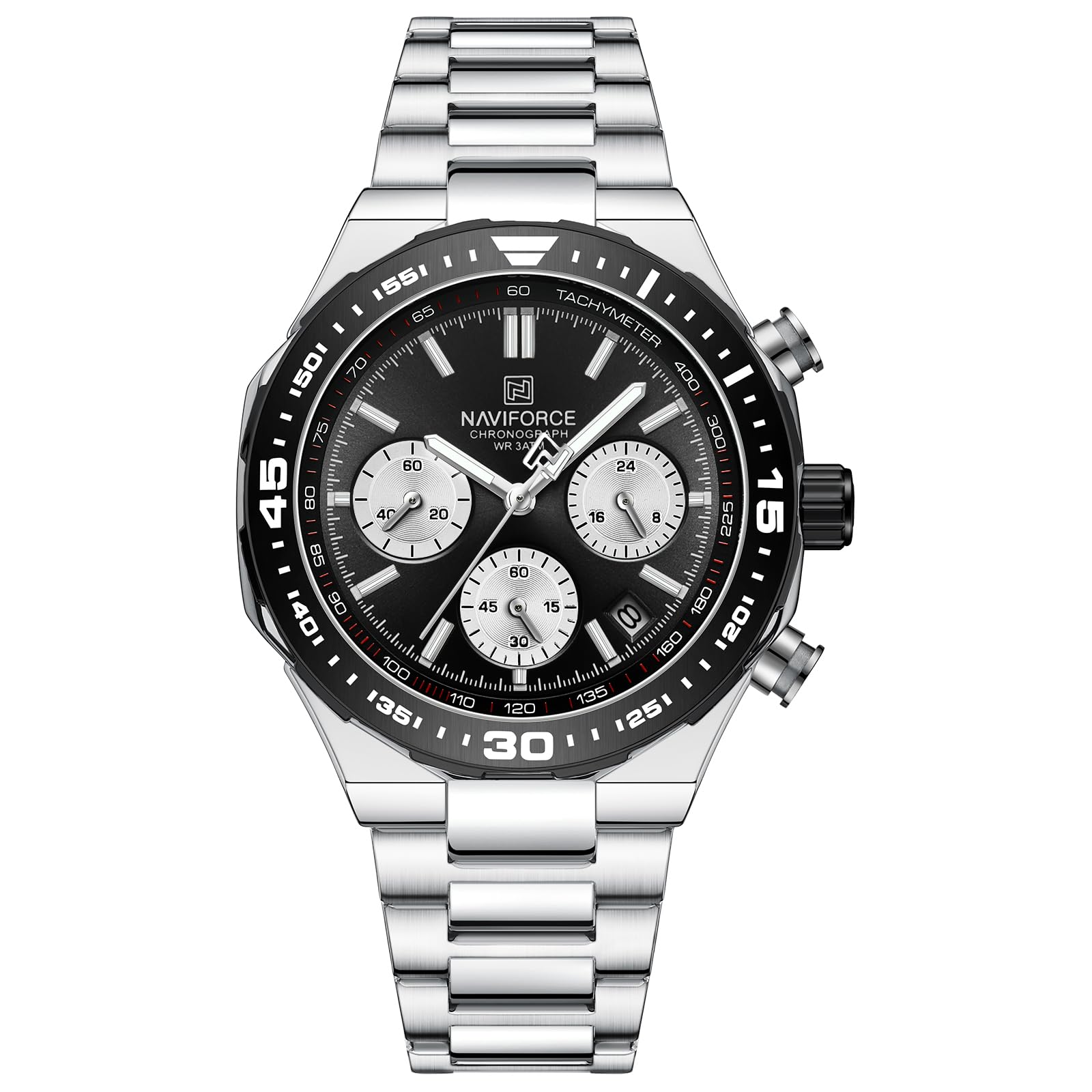
Image: Front view of the NAVIFORCE NF8049 Chronograph Analog Watch with silver stainless steel band and black dial.
Key Features:
- Premium Stainless Steel Strap: Durable and comfortable, featuring a single-button folding clasp for secure wear.
- Reliable Water Resistance: Rated 3ATM, suitable for daily activities like hand washing and rain exposure.
- Quartz Chronograph Movement: Ensures accurate timekeeping and includes practical chronograph functions.
- Multifunctional Dial: Provides additional timekeeping features beyond standard analog display.
Setup
1. Setting the Time
- Pull the crown out to the second click position.
- Rotate the crown to set the hour and minute hands to the desired time.
- Push the crown back into the normal position.
2. Setting the Date
- Pull the crown out to the first click position.
- Rotate the crown clockwise or counter-clockwise (depending on the movement) to set the date.
- Push the crown back into the normal position.
- Note: Avoid setting the date between 9 PM and 3 AM, as this may interfere with the automatic date change mechanism.
3. Adjusting the Strap
The stainless steel strap can be adjusted by removing links to achieve a comfortable fit. This procedure typically requires specialized tools and is best performed by a professional watchmaker or jeweler to prevent damage.
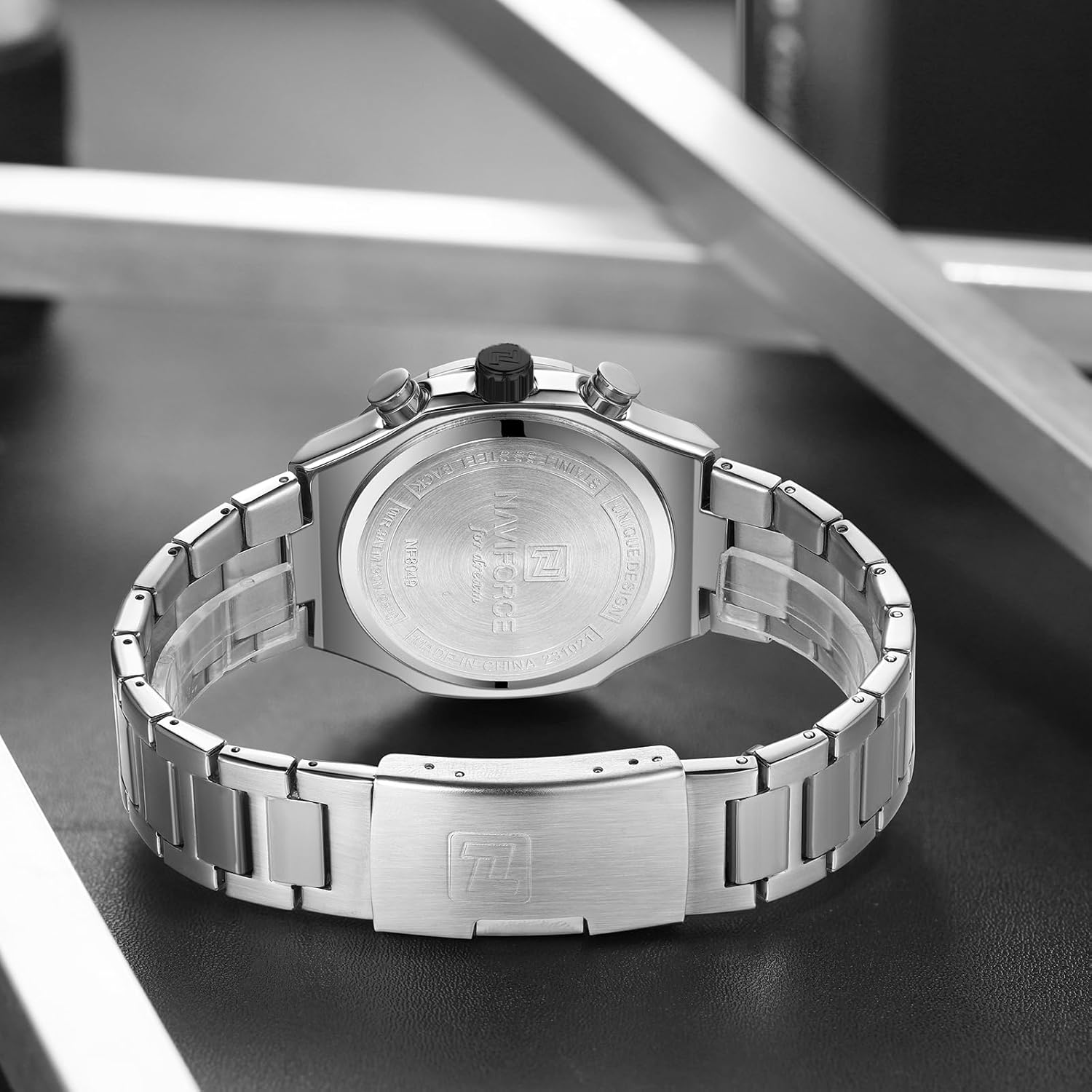
Image: The NAVIFORCE NF8049 watch worn on a wrist, demonstrating its fit and appearance.
Operating the Chronograph
The NF8049 features a chronograph function for measuring elapsed time. The watch typically has two push-buttons on the side, in addition to the crown.
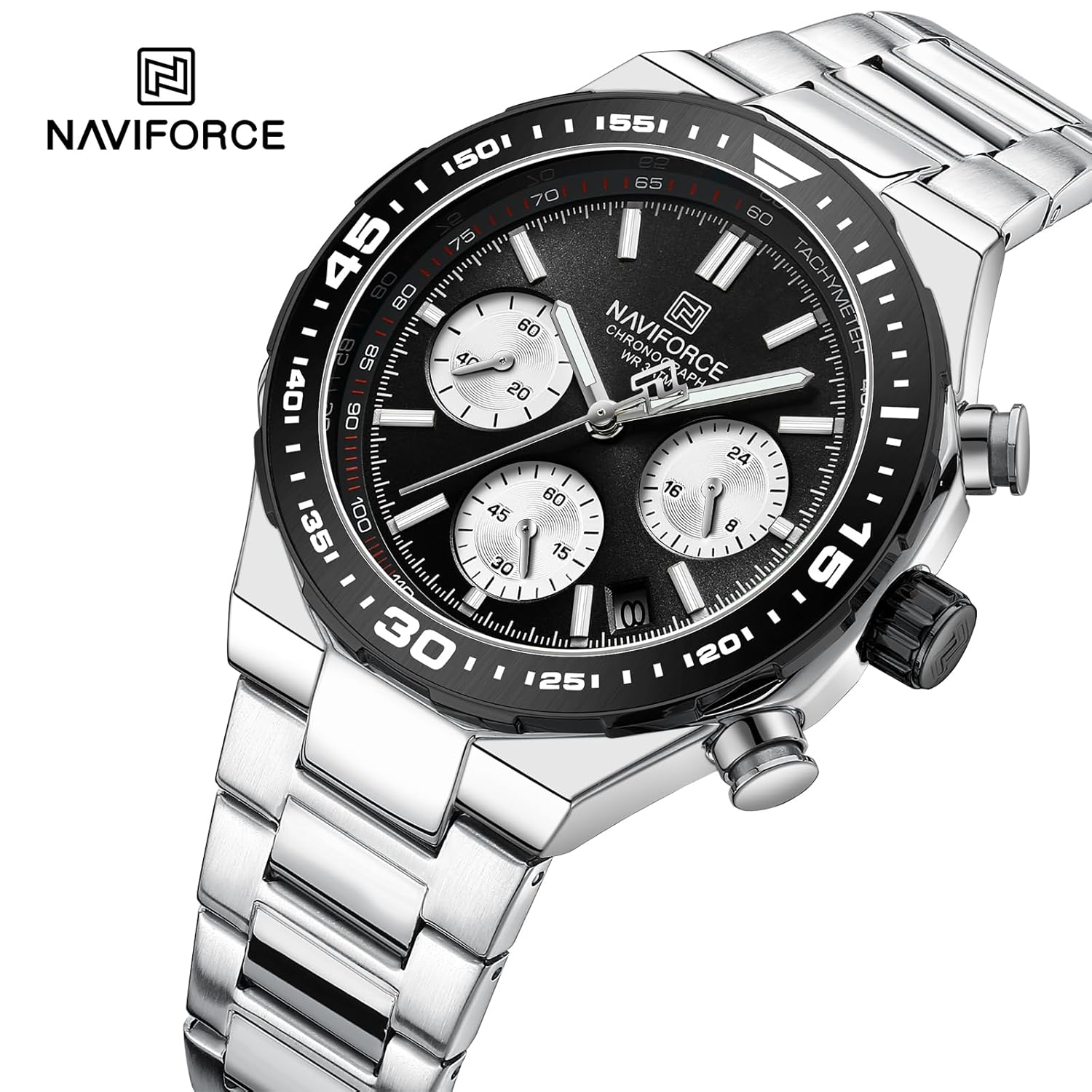
Image: Close-up view of the watch dial, highlighting the chronograph sub-dials and push-buttons.
1. Starting the Chronograph
- Press the upper push-button to start the chronograph. The chronograph second hand will begin to move.
2. Stopping and Resuming
- To stop the chronograph, press the upper push-button again. The elapsed time will be displayed.
- To resume timing from where it stopped, press the upper push-button once more.
3. Resetting the Chronograph
- After stopping the chronograph, press the lower push-button to reset all chronograph hands to their zero positions.
Maintenance
Water Resistance (3ATM)
The NAVIFORCE NF8049 watch is rated for 3 ATM (30 meters) water resistance. This means it is suitable for daily use and can withstand splashes, rain, and brief immersion in water, such as during hand washing. It is not suitable for showering, swimming, diving, or any activities involving prolonged water exposure or high-pressure water jets.
- Ensure the crown is fully pushed in before any contact with water.
- Do not operate the crown or push-buttons when the watch is wet or submerged.
Cleaning Your Watch
- Wipe the watch case and strap regularly with a soft, dry cloth to remove dust and dirt.
- For stainless steel parts, a slightly damp cloth can be used, followed by immediate drying.
- Avoid using chemical cleaners, solvents, or abrasive materials, as these can damage the watch's finish.
Battery Replacement
The watch is powered by a quartz movement, which requires a battery. When the battery runs low, the watch may stop or the second hand may skip. Battery replacement should be performed by a qualified watch technician to ensure proper sealing and maintain water resistance.
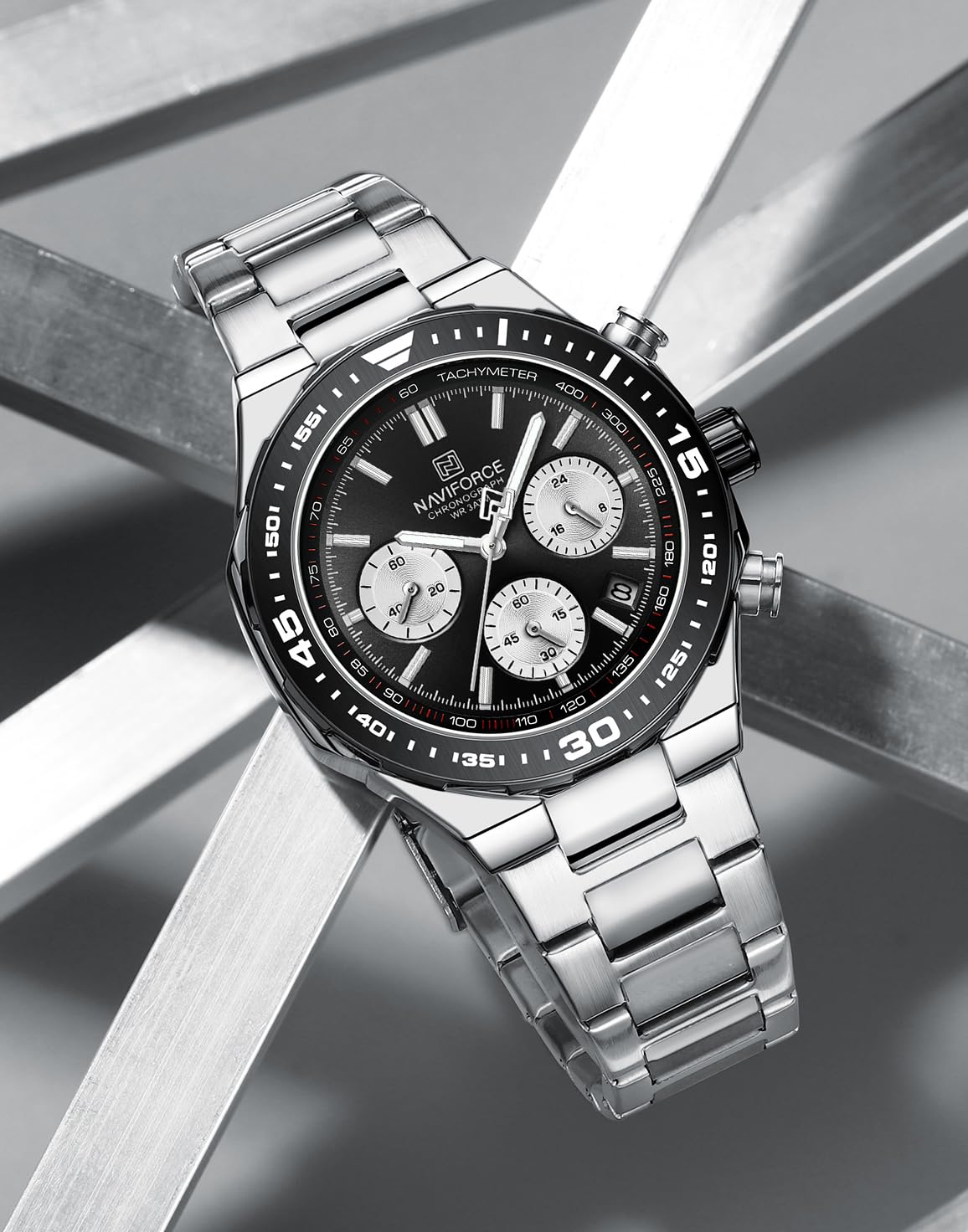
Image: Rear view of the NAVIFORCE NF8049 watch, displaying the stainless steel case back and engraved details.
Troubleshooting
| Problem | Possible Cause | Solution |
|---|---|---|
| Watch has stopped or is running intermittently. | Low or dead battery. | Replace the battery by a professional watch technician. |
| Time is incorrect. | Crown not fully pushed in; time was not set correctly. | Ensure the crown is fully pushed in. Reset the time as per "Setting the Time" instructions. |
| Date is incorrect or not changing. | Date set during restricted hours (9 PM - 3 AM); date was not set correctly. | Reset the date outside of the restricted hours. Ensure the crown is fully pushed in after setting. |
| Chronograph hands do not reset to zero. | Requires calibration or internal issue. | Consult a professional watch technician for adjustment or repair. |
| Moisture inside the watch. | Water resistance compromised; crown/buttons operated underwater. | Immediately take the watch to a professional watch technician to prevent further damage. Avoid further water exposure. |
Specifications
| Model Number | NF8049 |
| Brand | NAVIFORCE |
| Movement Type | Quartz Chronograph |
| Display Type | Analog |
| Case Material | Stainless Steel |
| Case Diameter | 42 Millimeters |
| Case Thickness | 12 Millimeters |
| Band Material | Stainless Steel |
| Band Width | 23 Millimeters |
| Clasp Type | Push Button Foldover Clasp With Safety |
| Crystal Material | Mineral |
| Water Resistance Depth | 30 Meters (3 ATM) |
| Calendar Type | Date |
| Item Weight | 340 g (0.34 Kilograms) |
| Product Dimensions | 13 x 12 x 12 cm |
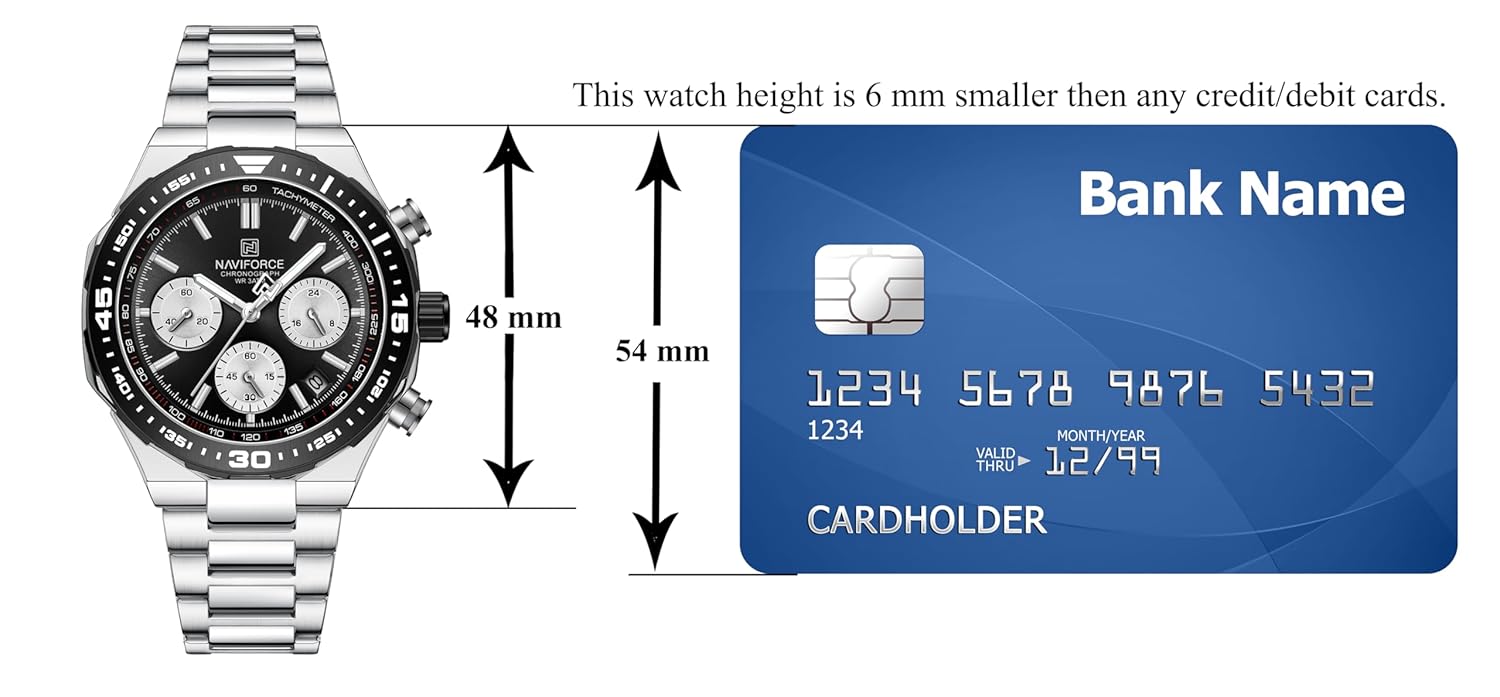
Image: Visual representation of the watch dimensions, showing case height and width in comparison to a standard credit card.
Warranty Information
The NAVIFORCE NF8049 watch comes with a 1 Year Manufacturing Warranty. This warranty covers manufacturing defects from the date of purchase.
For warranty claims or information, please refer to the manufacturer's official website or contact the seller directly. Keep your proof of purchase for any warranty-related services.
Note: This warranty typically does not cover damage resulting from improper use, accidents, unauthorized repairs, normal wear and tear, or battery replacement.
Customer Support
Should you require further assistance, have questions about your watch, or need to report an issue not covered in this manual, please contact NAVIFORCE customer support or the authorized retailer from whom you purchased the product.
For the most up-to-date contact information, please visit the official NAVIFORCE website.