
1. Introduction
This manual provides essential information for the safe and effective use, maintenance, and troubleshooting of your Gmmhhs 20V 4000mAh Lithium-ion replacement battery. Please read this manual thoroughly before using the battery to ensure proper operation and to prevent damage or injury.
2. Safety Information
WARNING: Failure to follow these safety instructions may result in fire, electric shock, or other serious injury.
- Initial Charge: New battery packs must be fully charged before first use to reduce the risk of fire or burns.
- Compatibility: Replace only with the battery pack designated for your specific Worx power tool model (WU172, WU185, WU279, WU294, WU380, WU388) or part number (WA3401, WA3593, WA3595, WA3596).
- Disassembly: Do not attempt to disassemble, open, or service the battery pack. Disassembly voids the warranty and can lead to dangerous situations.
- Physical Damage: Do not crush, puncture, or subject the battery to strong impacts. Avoid short-circuiting the battery terminals.
- Heat and Water: Do not expose the battery to fire or water. Do not store above 60°C (140°F). High temperatures can cause explosion or leakage.
- Overcharge/Overdischarge Protection: The battery is equipped with internal safety protection mechanisms against overcharge, overdischarge, overheat, overcurrent, and short circuit. However, always use a compatible charger and follow charging guidelines.
- Children: Keep batteries out of reach of children.
- Warranty: The warranty is void if the product label is removed.
3. Product Overview
The Gmmhhs 20V 4000mAh Lithium-ion replacement battery is designed to provide reliable power for your compatible Worx power tools. It features a robust design and integrated safety features.

Figure 1: Top view of the Gmmhhs 20V 4000mAh Lithium-ion Replacement Battery. This image shows the overall shape and connection points of the battery.
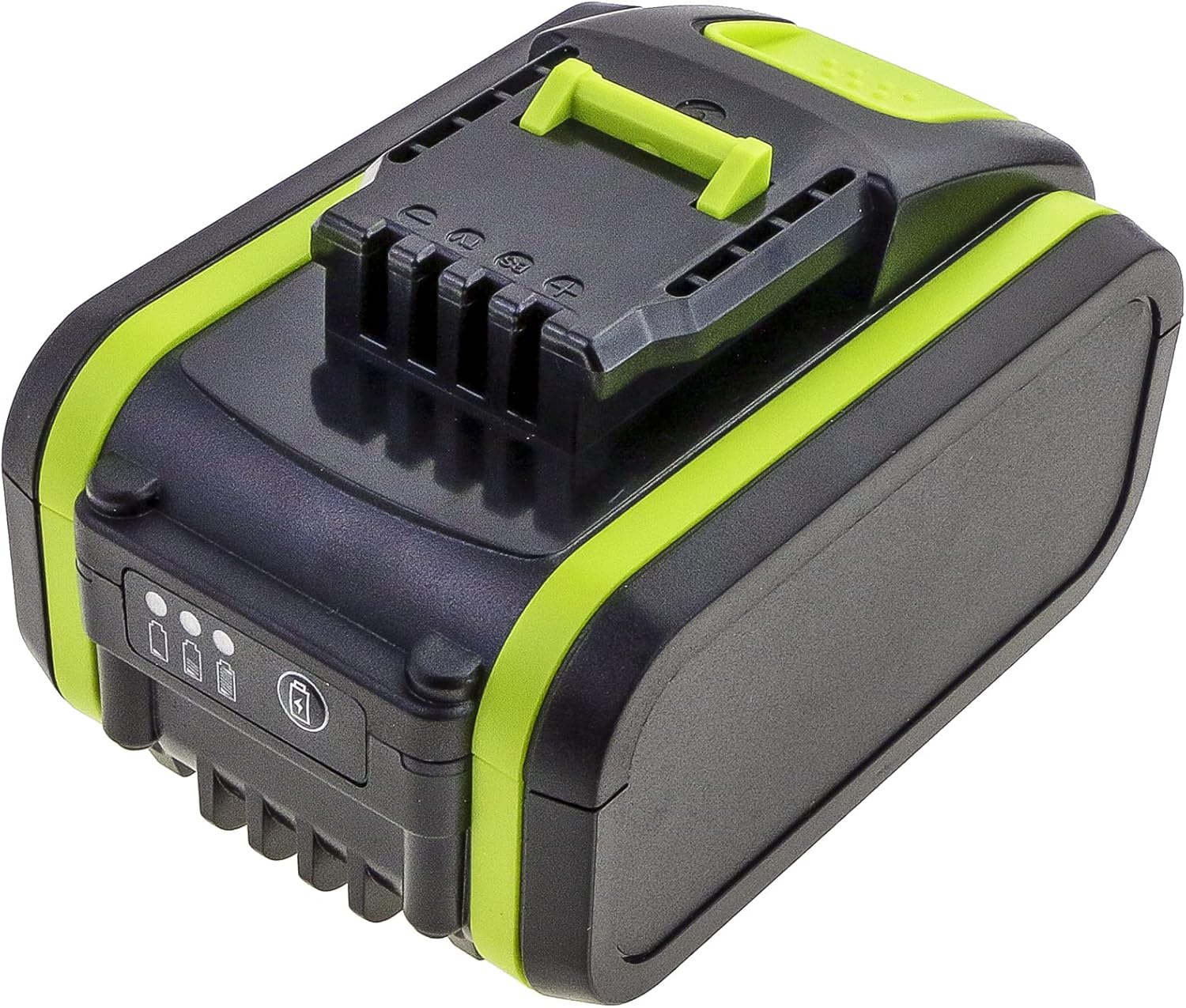
Figure 2: Side view of the battery, highlighting the charge indicator lights. These lights provide a visual representation of the remaining battery power.

Figure 3: The Gmmhhs replacement battery shown alongside several compatible Worx power tools, demonstrating its intended use and fit.

Figure 4: A detailed view of the battery's bottom label, displaying model number, part numbers, voltage, capacity, and important safety warnings and certifications. The manufacturer's website cameronsino.com is also visible.
4. Specifications
| Battery Type: | Lithium-ion |
| Voltage: | 20.0V |
| Capacity: | 4000mAh / 80.00Wh |
| Model Number: | CS-WRU380PW |
| Dimensions: | 112.25 x 74.76 x 64.25 mm |
| Weight: | 786.4 g |
| Compatible Worx Models: | WU172, WU185, WU279, WU294, WU380, WU388 |
| Compatible Worx Part Numbers: | WA3401, WA3593, WA3595, WA3596 |
| Manufacturer: | ShenZhen Henzens Technology Co., Limited (Brand: Gmmhhs) |
5. Setup
- Initial Charge: Before first use, fully charge the battery using a compatible Worx 20V Lithium-ion battery charger. Refer to your charger's instruction manual for specific charging procedures.
- Inserting the Battery: Align the battery with the battery port on your Worx power tool. Slide the battery firmly into place until it clicks, indicating it is securely locked.
- Removing the Battery: Press the battery release button (if present on your tool or battery) and slide the battery out of the tool.
6. Operating the Battery
- Powering Tools: Once securely inserted, the battery will power your compatible Worx tool. Operate the tool according to its specific instruction manual.
- Checking Charge Level: The battery features an indicator with multiple lights (refer to Figure 2). Press the small button next to the lights to display the current charge level.
- Three lights: Full charge
- Two lights: Medium charge
- One light: Low charge, recharge soon
- No lights: Battery depleted, recharge immediately
- Overload Protection: If the tool stops unexpectedly during use, it may be due to overload or overheating. Remove the battery, allow it to cool, and reduce the load on the tool before resuming operation.
7. Maintenance
- Charging: Always use a charger specifically designed for 20V Lithium-ion batteries. Do not use chargers intended for other battery types.
- Storage: Store the battery in a cool, dry place, away from direct sunlight and extreme temperatures. Do not store above 60°C (140°F). For long-term storage, it is recommended to store the battery at approximately 50% charge.
- Cleaning: Keep the battery terminals clean and free from dirt or debris. Use a dry cloth to wipe the battery casing. Do not use liquids or solvents.
- Avoid Deep Discharge: While the battery has overdischarge protection, regularly recharging before it is completely depleted can prolong its overall lifespan.
8. Troubleshooting
| Problem | Possible Cause | Solution |
|---|---|---|
| Battery not charging. |
|
|
| Tool not operating with battery. |
|
|
| Battery indicator lights not working. |
|
|
9. Warranty and Support
This Gmmhhs battery is manufactured with professional production lines and undergoes specialized testing and certification to ensure quality and compatibility.
- Warranty: The warranty for this product is void if the product label is removed. Please retain all original packaging and proof of purchase.
- Customer Support: If you have any questions regarding this product, including pre-sales inquiries or after-sales service, please do not hesitate to contact us. We aim to respond to all inquiries within 24 hours.
- Manufacturer Information: Manufactured by ShenZhen Henzens Technology Co., Limited. For more information, you may visit www.cameronsino.com.
10. Disposal
Lithium-ion batteries contain materials that should not be disposed of with regular household waste. Please dispose of this battery responsibly at a designated recycling facility. Contact your local waste management authority for information on proper battery recycling in your area.