
1. Introduction
This manual provides essential information for the installation, operation, and maintenance of your Hurricane Filters HF7470-04 Advanced Pool Filter Cartridge. Please read these instructions carefully before use to ensure optimal performance and longevity of your filter.
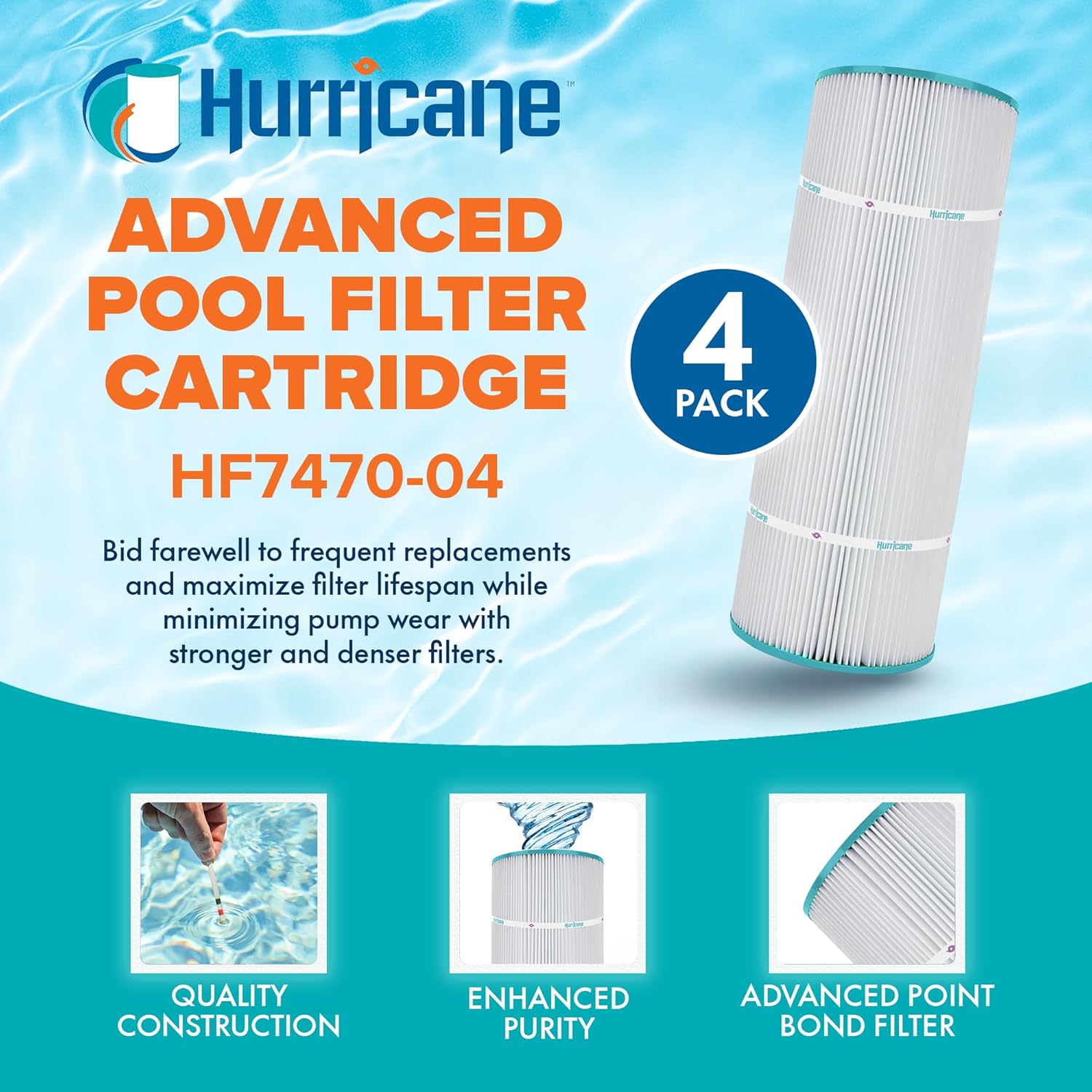
Image 1.1: A 4-pack of Hurricane Filters HF7470-04 Advanced Pool Filter Cartridges, highlighting quality construction, enhanced purity, and advanced point bond filter technology.
2. Product Overview and Compatibility
The Hurricane HF7470-04 Advanced Pool Filter Cartridge is designed for superior filtration in various pool and spa systems. It features advanced point bond filter media for efficient removal of debris.
2.1 Compatible Models
This filter cartridge is a direct replacement for the following models:
- Unicel: C-7470
- PCC80
- Filbur: FC-1976
- Pentair Clean & Clear Plus 320
- Waterway Crystal Water 325
Original manufacturer's names and part numbers are for reference only.
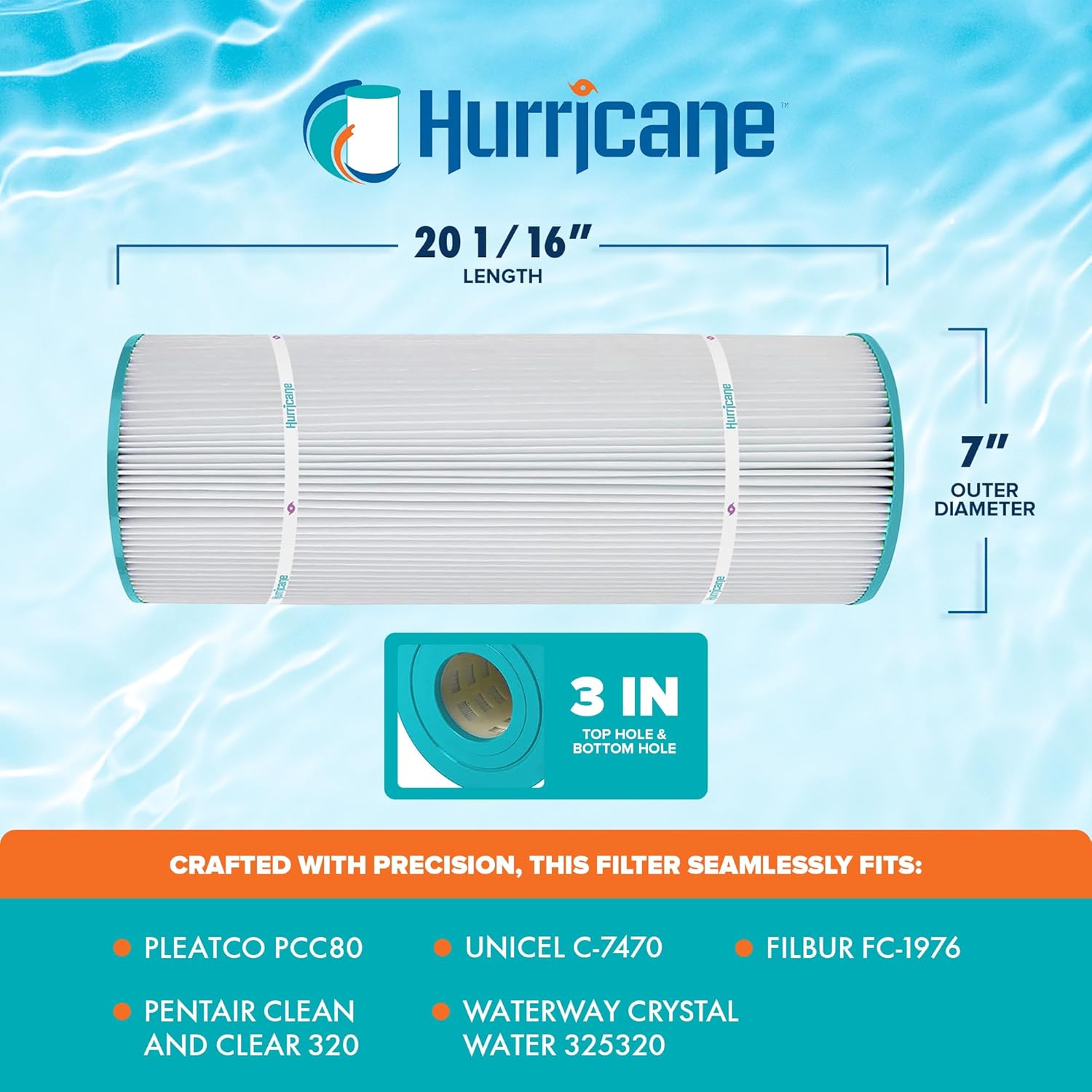
Image 2.1: Visual representation of the Hurricane HF7470-04 filter cartridge with its key dimensions and a list of compatible filter models.
3. Specifications
The Hurricane HF7470-04 filter cartridge is manufactured to precise specifications to ensure a proper fit and optimal filtration performance.
| Specification | Value |
|---|---|
| Model Number | HF7470-04 |
| Length | 20.0625 inches (20 1/16") |
| Outer Diameter | 7 inches |
| Top Hole Diameter | 3 inches |
| Bottom Hole Diameter | 3 inches |
| Manufacturer | Hurricane |
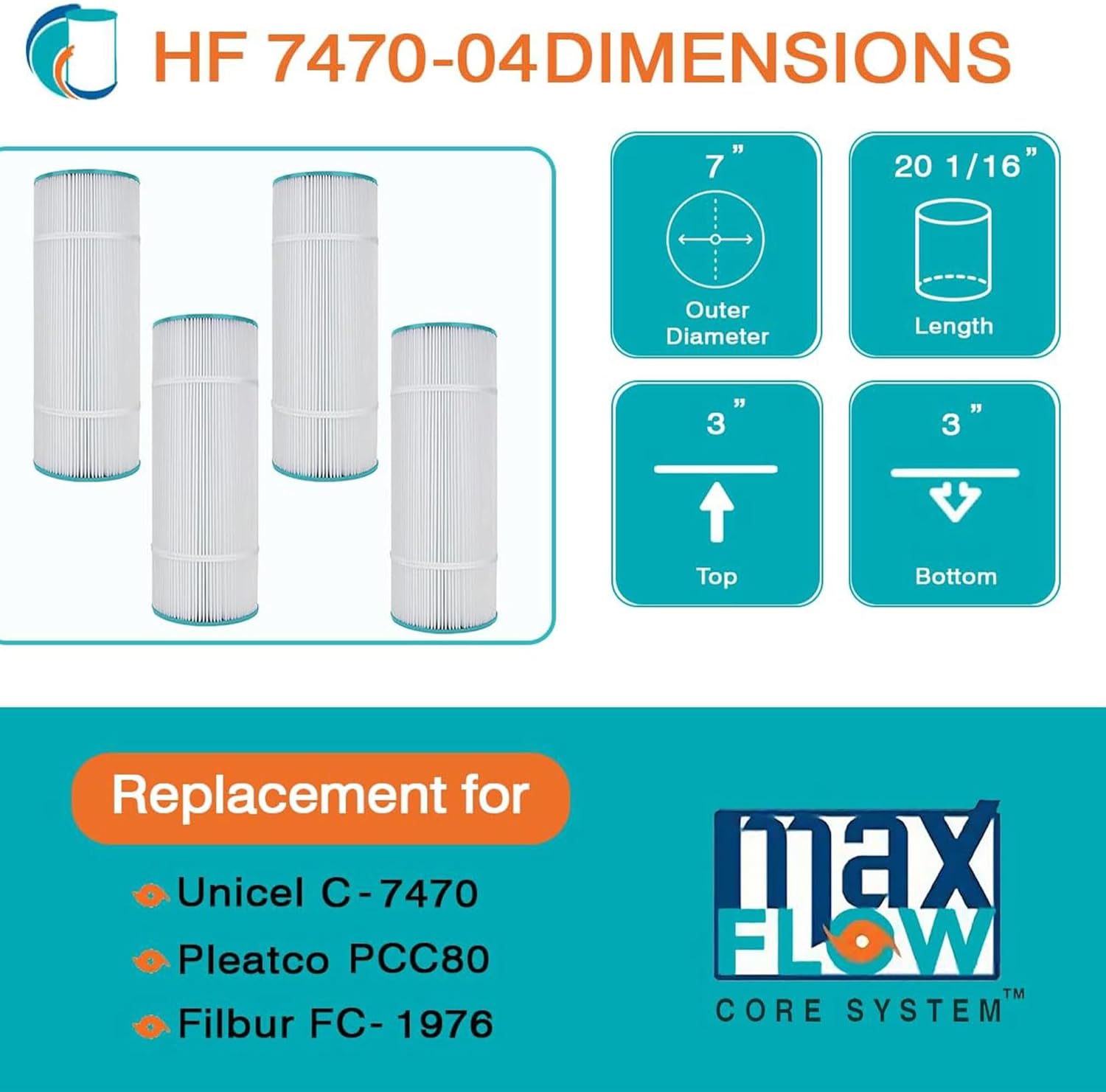
Image 3.1: Detailed diagram illustrating the length, outer diameter, and top/bottom hole diameters of the HF7470-04 filter cartridge.
4. Setup and Installation
Proper installation ensures efficient filtration and prevents damage to your pool system. Always consult your pool filter system's specific manual for detailed instructions on opening and closing the filter housing.
4.1 Preparation
- Turn off the pool pump and any associated electrical power to the filter system.
- Relieve any pressure in the filter system according to your filter housing manufacturer's instructions.
- Drain the filter housing.
4.2 Cartridge Installation
- Open the filter housing.
- Remove old cartridges. Clean the inside of the filter housing if necessary.
- Carefully insert the new Hurricane HF7470-04 filter cartridges into the housing. Ensure they are seated correctly over the manifold pipes.

Image 4.1: Multiple Hurricane HF7470-04 filter cartridges being carefully placed into a pool filter housing.
- Close and secure the filter housing according to the manufacturer's instructions.
- Open the air relief valve on the filter.
- Turn on the pool pump. Once a steady stream of water emerges from the air relief valve, close the valve.
- Check for any leaks.
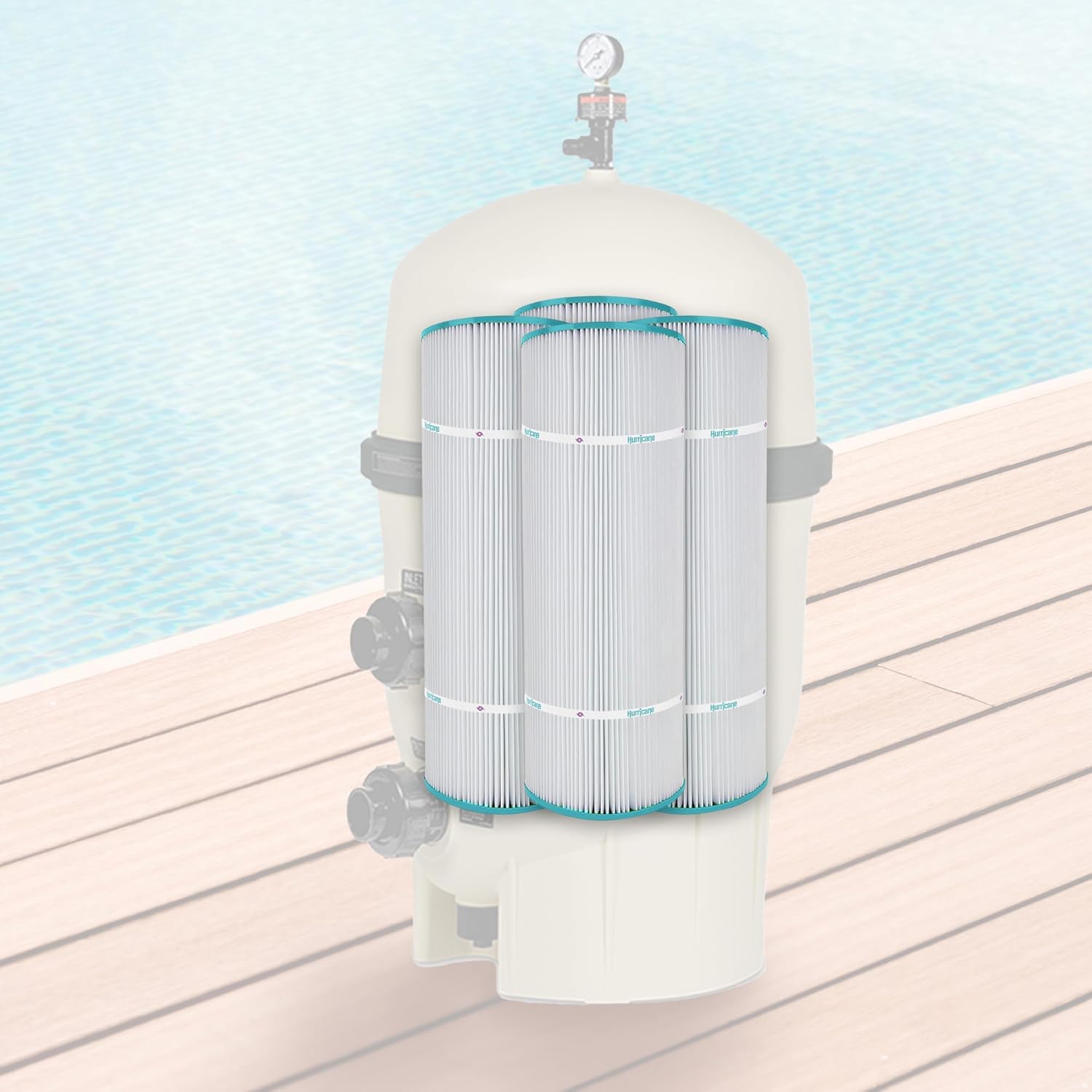
Image 4.2: Hurricane HF7470-04 filter cartridges fully installed within a pool filter housing, ready for operation.
5. Operating Instructions
Once installed, the Hurricane HF7470-04 filter cartridges will begin filtering your pool or spa water. These cartridges utilize advanced point bond filter media, which offers tighter filtration capabilities compared to traditional media materials.
5.1 Filtration Process
The advanced point bond media effectively traps biomass, dirt, debris, hair, leaves, and other particulate matter, contributing to cleaner and safer water. This superior filtration helps maintain water clarity and hygiene.

Image 5.1: A visual comparison illustrating how advanced point bond filter media traps more debris than less effective trilobal material, which has more space between fiber filaments.
6. Maintenance
Regular maintenance of your Hurricane HF7470-04 filter cartridges is crucial for maintaining water quality and extending the lifespan of both the filters and your pool pump.
6.1 Cleaning the Cartridges
The advanced point bond media is designed to be easier to clean, allowing for longer use between replacements. Follow these general steps for cleaning:
- Turn off the pool pump and relieve system pressure as described in Section 4.1.
- Open the filter housing and remove the cartridges.
- Use a garden hose with a spray nozzle to thoroughly rinse debris from between the pleats of each cartridge. Work from top to bottom.
- For stubborn dirt or oil, a specialized filter cleaning solution may be used. Follow the cleaner's instructions for soaking and rinsing.
- Inspect cartridges for damage (tears, broken bands, damaged end caps). Replace if damaged.
- Reinstall clean cartridges as described in Section 4.2.
6.2 Replacement Schedule
The lifespan of a filter cartridge depends on usage, water chemistry, and cleaning frequency. While Hurricane filters are designed for extended use and easy cleaning, regular inspection is recommended. Replace cartridges when they show signs of wear, damage, or when cleaning no longer restores adequate water flow and filtration efficiency.

Image 6.1: Four Hurricane HF7470-04 filter cartridges, showcasing their design and readiness for installation or post-cleaning.
7. Troubleshooting
If you encounter issues with your pool filtration system, consider the following common troubleshooting steps:
- Reduced Water Flow: This often indicates a dirty filter. Perform a thorough cleaning of the cartridges. Ensure the pump basket and skimmer baskets are clear of debris. Check for proper seating of the cartridges in the housing.
- Cloudy Water: If water remains cloudy after cleaning, the filters may be saturated or damaged and require replacement. Ensure proper chemical balance in your pool.
- Leaks from Filter Housing: Ensure the filter housing is properly sealed and clamped. Check the O-ring for cracks or dryness; lubricate or replace if necessary.
- Short Cycling (Frequent Pressure Increases): This typically means the filter is getting dirty quickly. This can be due to heavy bather load, algae, or other contaminants. Clean the filters more frequently or consider a shock treatment for your pool.
For persistent issues, consult a qualified pool technician.
8. Warranty and Support
For information regarding product warranty, please refer to the documentation provided at the time of purchase or contact Hurricane Filters directly through their official website or customer service channels. Specific warranty terms and conditions may apply.
For technical support or further assistance, please reach out to Hurricane Filters customer service. Contact details are typically available on the product packaging or the manufacturer's website.
