
Desiontal US-Q31
Desiontal US-Q31 Selfie Stick Gimbal Stabilizer User Manual
Model: US-Q31 | Brand: Desiontal
Product Overview
The Desiontal US-Q31 is a versatile 4-in-1 device combining a single-axis gimbal stabilizer, extendable selfie stick, tripod, and fill light. Designed for mobile content creation, it offers enhanced stability, portability, and lighting for various shooting scenarios, including vlogging, live broadcasts, and general photography.
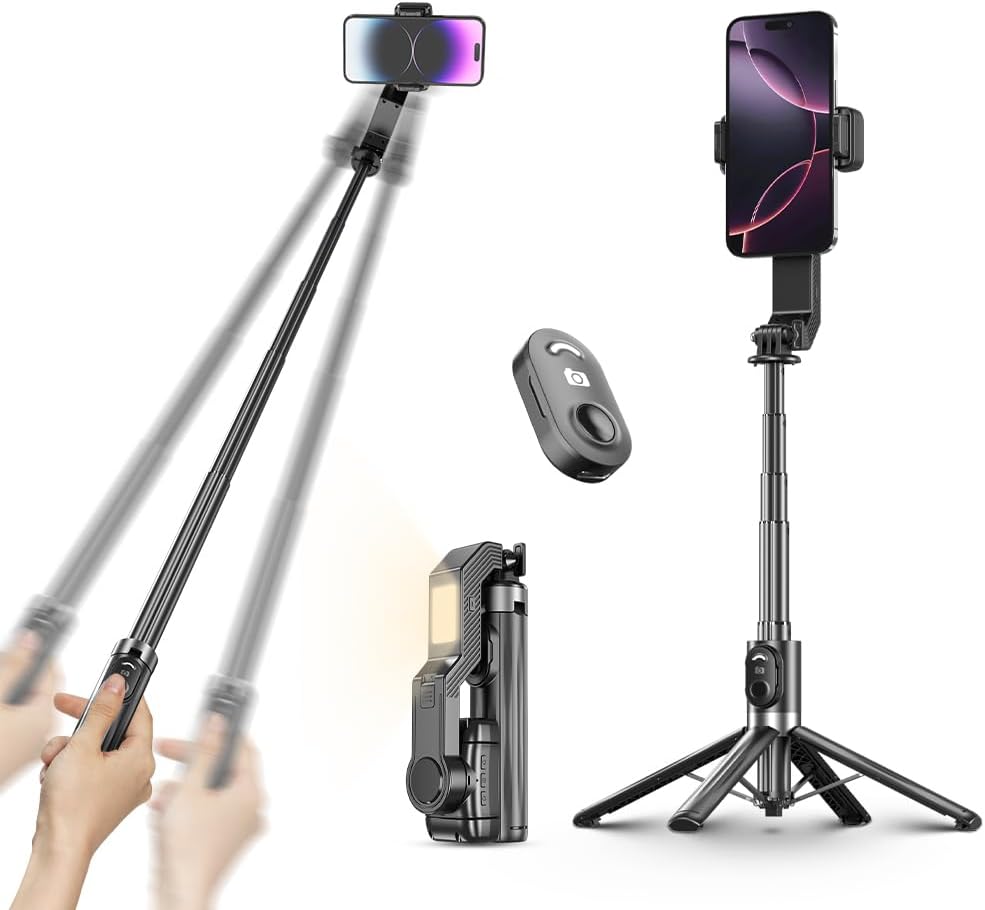
Figure 1: Overview of the US-Q31 in selfie stick, compact, and tripod configurations, alongside its remote control.
Package Contents
Verify that all items are present in the package:
- Desiontal US-Q31 Selfie Stick Gimbal Stabilizer
- Wireless Remote Control
- Charging Cable (Type-C)
- User Manual (this document)
Setup Guide
1. Charging the Device
Before first use, fully charge both the gimbal and the fill light batteries. The device features high-capacity dual batteries for extended use.
- Locate the Type-C charging ports on the device.
- Connect the provided Type-C charging cable to the respective ports and a suitable USB power adapter (not included).
- The fill light has a 200mAh battery, and the gimbal has a 450mAh battery.
- Charging indicators will show the charging status (refer to LED indicators section for details).

Figure 2: Battery capacities for the gimbal (450mAh) and fill light (200mAh).
2. Attaching Your Smartphone
The US-Q31 is designed for quick and secure phone attachment.
- Gently extend the phone clamp to fit your smartphone. The clamp supports phone widths between 60-100mm (2.36-3.97 inches).
- Ensure your phone is securely seated in the clamp.
- The device is ready to work right out of the box with one-touch start and AI auto-correction for instant adaptation.
Video 1: Demonstrates the quick setup and AI auto-correction features of the US-Q31, showing how to attach a phone and the device's immediate stabilization capabilities.
Operating Instructions
1. Powering On/Off and Gimbal Activation
- To power on the device, press and hold the power button (usually marked with a circle and vertical line) for 3 seconds until the indicator light illuminates.
- The single-axis stabilizer will automatically correct and balance your phone.
- To power off, press and hold the power button again for 3 seconds.
2. Stabilization Modes and AI Auto-Correction
The US-Q31 features AI adaptive horizontal/vertical balancing for stable footage.
- The device automatically corrects for shakes, even during movement.
- Switch between horizontal and vertical stabilization modes with a single button press for optimal framing.
- A 12-wire brushless motor ensures accurate, stable, and silent operation.
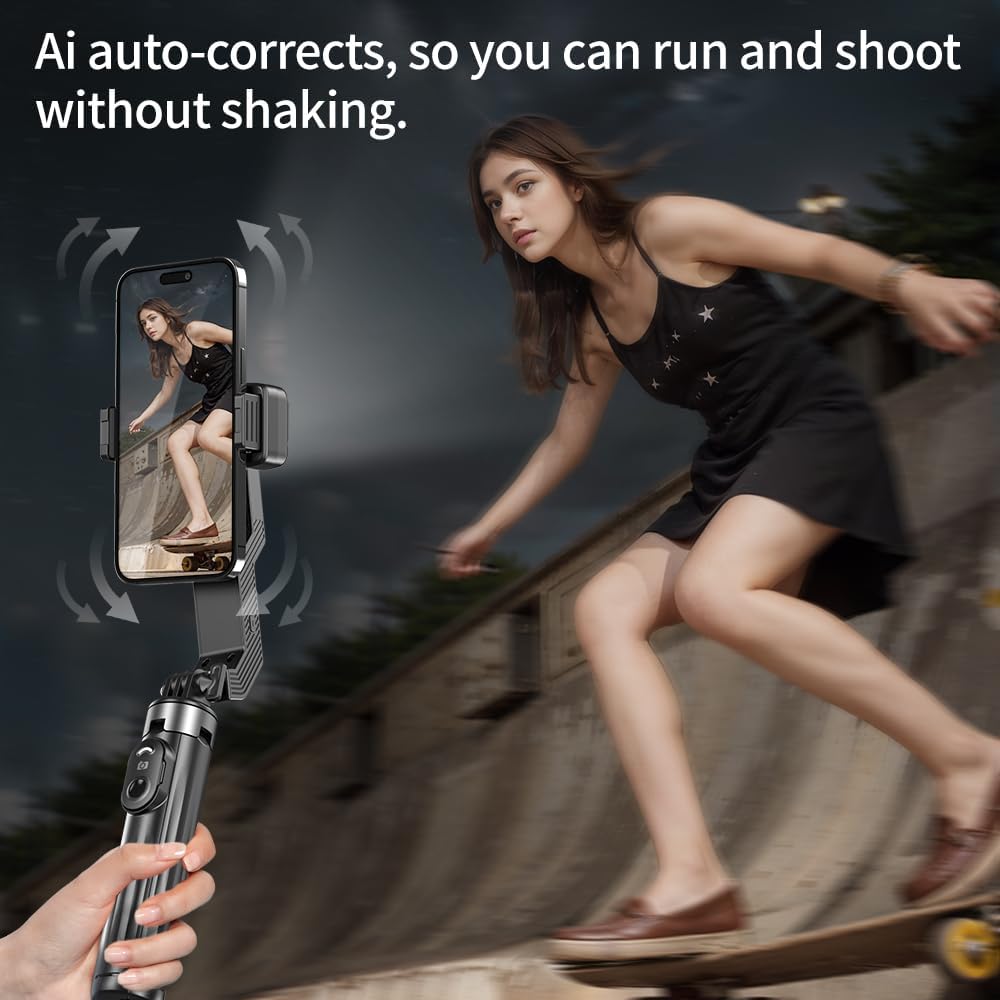
Figure 3: AI auto-correction ensures stable footage even when running.

Figure 4: Seamless switching between horizontal and vertical stabilization.

Figure 5: The 12-wire brushless motor provides precise and quiet stabilization.
3. Using the Fill Light
The integrated fill light offers three brightness levels for various lighting conditions.
- Press the light button (usually marked with a light icon) to cycle through the three brightness levels: Cold Light, Natural Light, and Warm Light.
- The professional soft light panel is designed for eye-safe illumination.
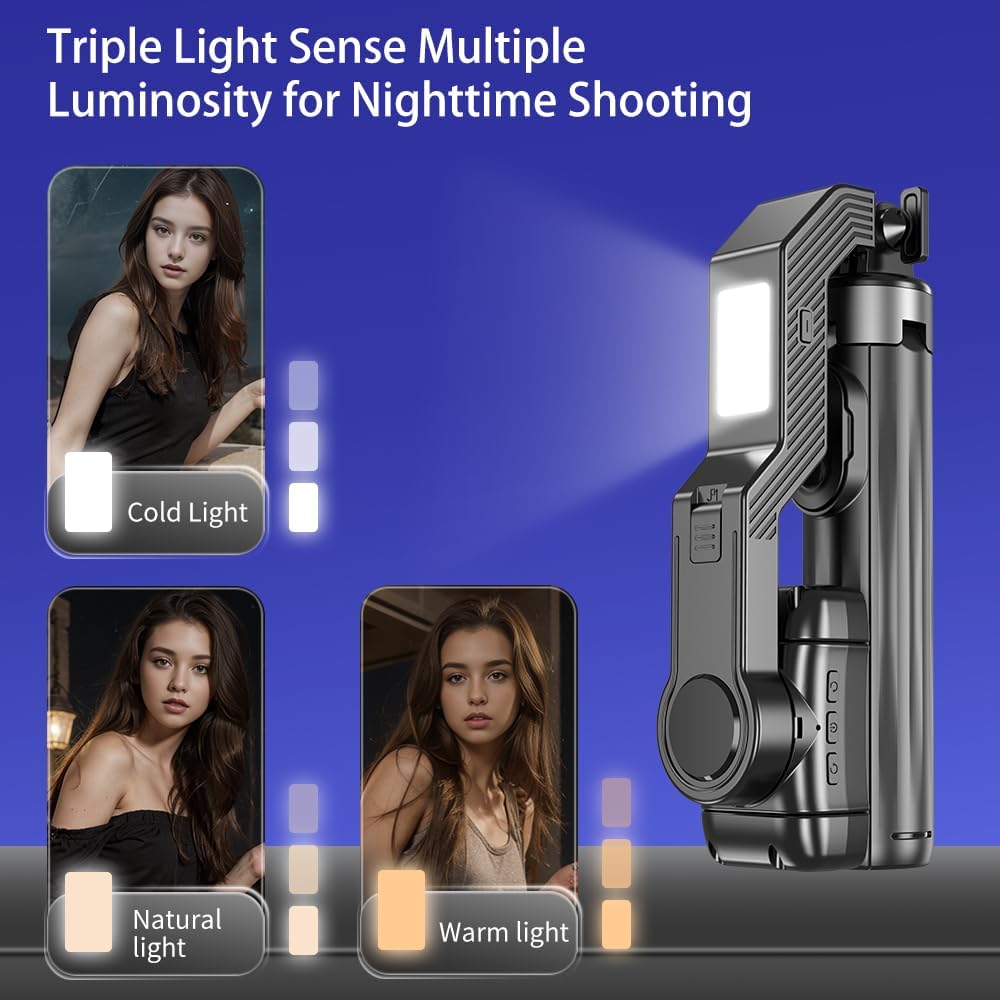
Figure 6: Adjusting the fill light to Cold, Natural, or Warm settings.
4. Remote Control Operation
The wireless remote control allows for convenient photo and video capture from a distance.
- The remote control is typically stored within the handle of the selfie stick. Gently slide it out.
- Pair the remote control with your smartphone via Bluetooth (refer to your phone's Bluetooth pairing instructions).
- Once paired, press the button on the remote to trigger photo capture or start/stop video recording.
- The remote has an effective range of up to 10 meters.
5. Transforming into a Tripod and Selfie Stick
The US-Q31 easily converts between selfie stick and tripod modes.
- Tripod Mode: Push the button at the bottom of the handle to release the integrated tripod legs. Extend the telescopic pole to your desired height. The zinc alloy keel provides strong stability.
- Selfie Stick Mode: Collapse the tripod legs back into the handle. Extend the telescopic pole for a longer reach. The one-click telescopic design extends up to 39 inches (approximately 100 cm).
- The device features a self-contained gyro lock switch to secure the gimbal's position when not in active stabilization mode.

Figure 7: One-touch opening for tripod legs.
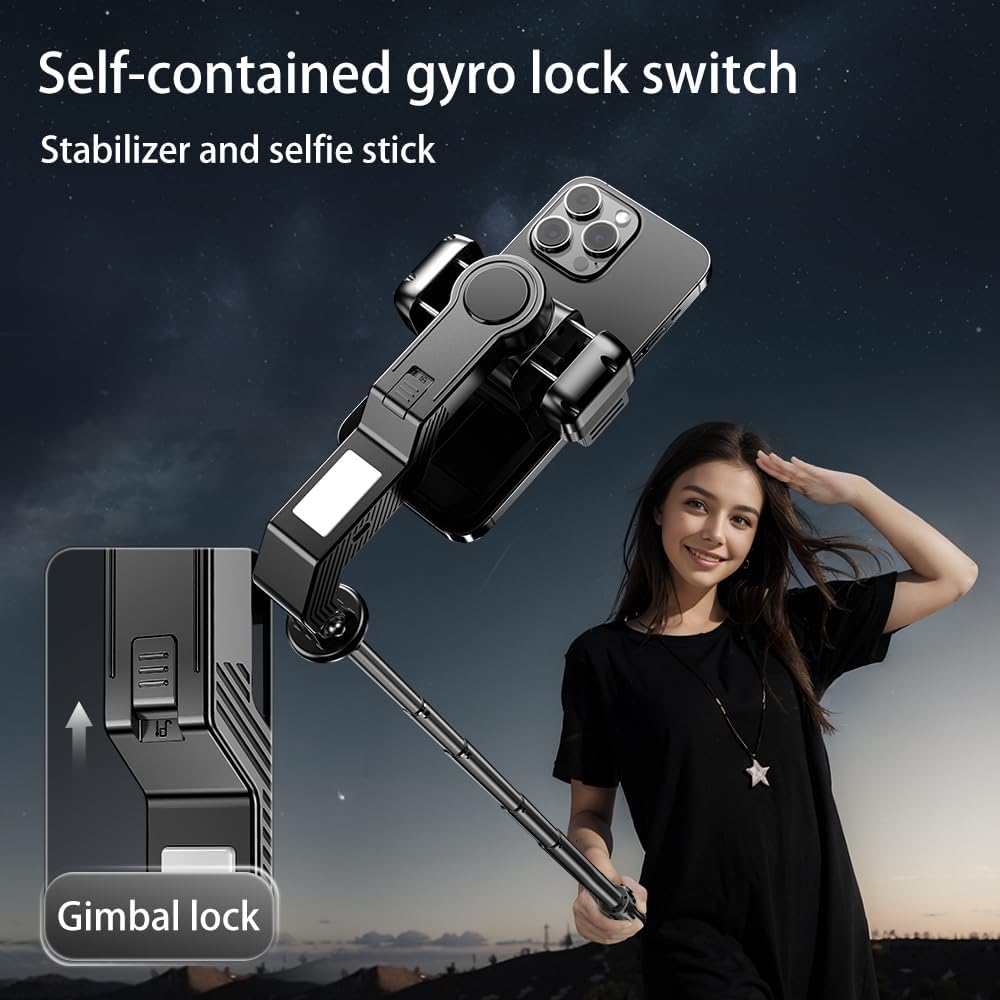
Figure 8: Gimbal lock switch for stable positioning.
Maintenance
- Keep the device clean by wiping it with a soft, dry cloth.
- Avoid exposing the device to extreme temperatures, moisture, or direct sunlight.
- Do not disassemble the device, as this will void the warranty and may cause damage.
- Store the device in a cool, dry place when not in use.
Troubleshooting
| Problem | Possible Cause | Solution |
|---|---|---|
| Device does not power on. | Low battery. | Charge the device fully using the provided Type-C cable. |
| Gimbal not stabilizing. | Gimbal lock engaged or phone not properly seated. | Ensure the gimbal lock is disengaged and the phone is securely placed in the clamp. Restart the device. |
| Remote control not connecting. | Not paired or out of range. | Ensure Bluetooth is enabled on your phone and re-pair the remote. Keep the remote within 10 meters of the device. Check remote battery. |
| Fill light not working. | Low battery. | Charge the device. The fill light has a separate battery. |
Specifications
- Model: US-Q31
- Brand: Desiontal
- Type: Single Axis Gimbal Stabilizer, Selfie Stick, Tripod, Fill Light
- Telescopic Length: 6.9 - 39.7 inches (approx. 17.6 cm - 101 cm)
- Gimbal Battery: 450mAh
- Fill Light Battery: 200mAh
- Motor Type: 12-wire brushless motor
- Remote Control Range: Up to 10 meters
- Supported Phone Width: 60-100mm (2.36-3.97 inches)
- Item Weight: 14.6 ounces
- Package Dimensions: 7.44 x 3.39 x 1.97 inches
- Color: Black
- Compatibility: iPhone/Android smartphones (e.g., Huawei p30 pro/p30/p20 pro/p10/p10 plus, Samsung Galaxy S21/S21 Ultra S23 Ultra, iPhone 16 15 14 13 12 11 4 Pro Max)
Ask a question about this manual
Ask about setup, troubleshooting, compatibility, parts, safety, or missing instructions. Manuals+ will review the question and use this page’s manual context to help answer it.