
1. Introduction
Thank you for choosing the SURFOU Wireless Doorbell Kit N128. This kit provides a reliable and convenient solution for your home or office, ensuring you never miss a visitor. With an impressive 400-meter range, 55 selectable melodies, and 5 adjustable volume levels, this doorbell is designed for flexibility and ease of use. Its durable, weatherproof construction ensures performance in various conditions.
2. Package Contents
Please verify that all components are present in your package:
- 1 x Plug-in Receiver
- 1 x Battery-powered Transmitter
- 1 x Doorbell Plate
- 1 x 12V 23A Battery (for transmitter)
- 1 x Screwdriver
- 2 Sets of Screws
- 2 x Double-sided Adhesive Tapes
- 1 x User Manual
3. Setup and Installation
3.1 Transmitter Installation (Outdoor Unit)
The transmitter is designed for outdoor use and is weatherproof. Ensure the installation location is free from direct metal obstructions for optimal signal range.
- Prepare the Transmitter: Open the transmitter casing to insert the provided 12V 23A battery. Ensure correct polarity.
- Choose a Location: Select a flat, vertical surface near your door. Avoid placing it directly on metal surfaces, which can reduce signal range.
- Mounting Options:
- Using Adhesive Tape: Clean the mounting surface thoroughly. Peel off one side of the double-sided adhesive tape and apply it to the back of the transmitter. Peel off the other side and firmly press the transmitter onto the desired location for at least 30 seconds.
- Using Screws: Mark the screw holes on the wall using the transmitter as a template. Drill pilot holes if necessary. Secure the transmitter to the wall using the provided screws and screwdriver.
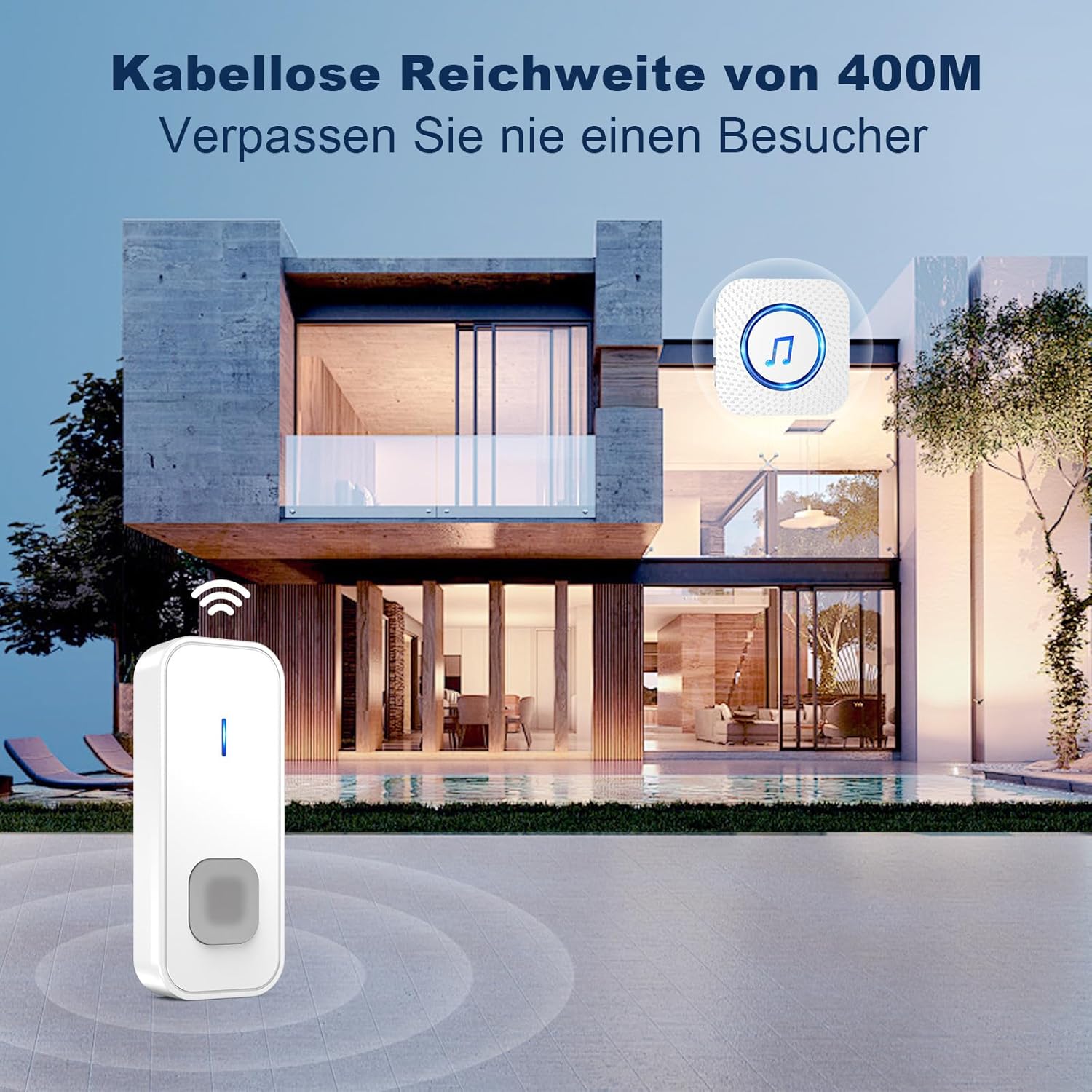
Image: The doorbell transmitter installed outside a house, illustrating its long-range capability.
3.2 Receiver Installation (Indoor Unit)
The receiver is a plug-in unit.
- Plug In: Insert the receiver into any standard European electrical outlet (5 volts).
- Placement: Place the receiver in a central location within your home or office to ensure the chime is audible throughout the desired area.

Image: Detailed diagram of the receiver and transmitter, showing dimensions and button functions.
4. Operating Instructions
4.1 Changing Melodies
The doorbell offers 55 different melodies.
- Press the 'Melody Selection' button on the side of the receiver to cycle through the available tunes.
- Once you hear a melody you like, stop pressing the button. The receiver will automatically save your selection.
4.2 Adjusting Volume
There are 5 volume levels, up to 110 dB.
- Press the 'Volume Control' button on the side of the receiver to adjust the volume. Each press will cycle through the levels.
- The highest volume setting is ideal for individuals with hearing impairments or for noisy environments.
4.3 Mode Selection (LED Only / LED + Sound)
The receiver supports two operating modes:
- LED Only Mode: In this mode, the receiver will only flash its LED indicator when the doorbell is pressed, without producing any sound. This is useful for quiet environments or when you do not wish to disturb others.
- LED + Sound Mode: The receiver will both flash its LED indicator and play the selected melody.
- To switch between modes, refer to the specific instructions in the full manual or experiment with the mode button on the receiver.

Image: Receiver and transmitter showcasing melody, volume, and mode options.

Image: Receiver in LED-only mode, indicating its suitability for quiet environments.
4.4 Memory Function
The doorbell receiver retains your last selected melody and volume settings even after a power outage or being unplugged.
5. Maintenance
5.1 Battery Replacement (Transmitter)
The transmitter is powered by a 12V 23A battery, designed for long life (1-3 years depending on usage).
- When the transmitter's signal weakens or stops working, it's time to replace the battery.
- Carefully open the transmitter casing using the provided screwdriver or a small flat-head screwdriver.
- Remove the old 12V 23A battery and insert a new one, ensuring the correct positive (+) and negative (-) orientation.
- Close the casing securely.
5.2 Cleaning
Wipe the doorbell units with a soft, dry cloth. Do not use abrasive cleaners or solvents, as these can damage the surface or internal components.
5.3 Weather Resistance
The outdoor transmitter is dustproof and waterproof, designed to withstand temperatures from -30 °C to 70 °C (-22 °F to 158 °F).

Image: Transmitter demonstrating its robust, all-weather performance.
6. Troubleshooting
| Problem | Possible Cause | Solution |
|---|---|---|
| Doorbell does not ring | Transmitter battery is dead or low. Receiver is unplugged or not powered. Units are out of range. | Replace transmitter battery. Ensure receiver is plugged into a working outlet. Move receiver closer to transmitter. |
| Short signal range | Obstructions (thick walls, metal structures). Interference from other wireless devices. | Relocate transmitter or receiver to minimize obstructions. Avoid placing near large metal objects. Ensure no other strong wireless signals are interfering. |
| Receiver LED flashes but no sound | Receiver is in 'LED Only' mode. Volume is set to minimum (0 dB). | Switch to 'LED + Sound' mode. Increase the volume using the volume control button. |
| Melody or volume settings reset | This should not happen due to the memory function. If it does, re-pair the units. | Re-select your preferred melody and volume. If the issue persists, contact customer support. |
7. Specifications
| Feature | Detail |
|---|---|
| Model Number | N128 |
| Brand | SURFOU |
| Wireless Range | Up to 400 meters (open area) |
| Melodies | 55 selectable tunes |
| Volume Levels | 5 levels (up to 110 dB) |
| Operating Modes | LED Only, LED + Sound |
| Transmitter Power | 1 x 12V 23A Alkaline Battery |
| Receiver Power | AC 5V (Plug-in, European standard) |
| Operating Temperature | -30 °C to 70 °C (-22 °F to 158 °F) |
| Waterproof Rating | Dustproof and Waterproof (Transmitter) |
| Product Dimensions | 7 x 7 x 6.5 cm (approximate, for kit) |
| Product Weight | 92.2 grams (approximate, for kit) |
8. Warranty and Support
SURFOU is committed to providing reliable products and exceptional customer service. While specific warranty details are not provided in this manual, please refer to your purchase documentation or contact SURFOU customer support for warranty information.
For any questions, technical assistance, or support needs, please contact our customer service team. We are available 24/7 to assist you.
Contact Information: Refer to the contact details provided with your product packaging or on the official SURFOU website.