
1. Introduction
This manual provides detailed instructions for the safe and efficient operation, maintenance, and troubleshooting of your CAFELFFE MK-609S 4-in-1 Capsule Coffee Machine. Please read this manual thoroughly before first use and keep it for future reference.
The CAFELFFE MK-609S is a versatile coffee machine designed to brew various coffee types using Nes Original, Dolce Gusto (DG), ESE 44mm pods, and ground coffee. It features 19 bars of pressure for optimal extraction, customizable temperature and volume settings, and both hot and cold brewing capabilities.

Image: Front view of the CAFELFFE MK-609S 4-in-1 Capsule Coffee Machine, showcasing its sleek design and user interface.
2. Safety Instructions
- Always ensure the machine is placed on a stable, flat surface.
- Do not immerse the machine, power cord, or plug in water or other liquids.
- Keep out of reach of children.
- Unplug the machine from the power outlet when not in use and before cleaning.
- Do not operate the machine with a damaged cord or plug.
- Use only cold, fresh water in the water tank.
- Do not open the brewing chamber during operation.
- Avoid contact with hot surfaces.
3. Package Contents
Verify that all items are present in the package:
- Coffee Machine (1)
- Capsule Adapters (3): Nes Original, Dolce Gusto (DG), Ground Coffee
- ESE Pod Filter (1)
- Cleaning Pin (1)
- Pump Pipe (1)
- Double-use Coffee Scoop & Tamper (1)
- User Manual (1)

Image: All components included in the CAFELFFE MK-609S package, laid out clearly with labels.
4. Setup and First Use
4.1 Unpacking and Placement
- Remove all packaging materials and stickers from the machine.
- Place the machine on a clean, dry, and stable surface.
- Ensure there is adequate space around the machine for ventilation.
4.2 Filling the Water Tank
- Remove the water tank from the back of the machine.
- Fill the tank with fresh, cold drinking water up to the MAX line (0.6L capacity).
- Replace the water tank securely on the machine.
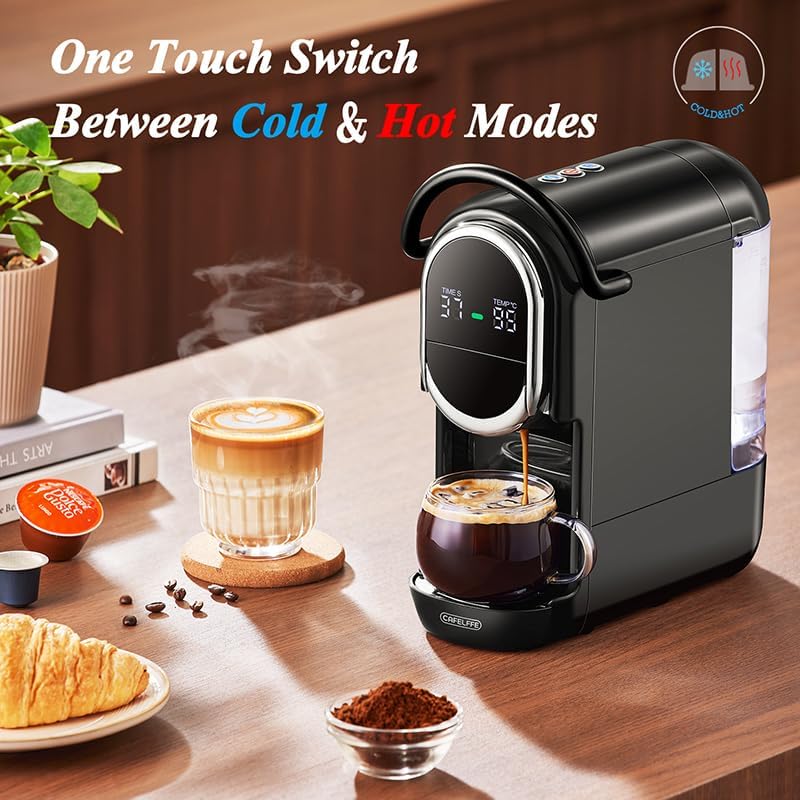
Image: Rear view of the CAFELFFE MK-609S coffee machine, highlighting the removable water tank.
4.3 Initial Cleaning (Priming)
- Ensure the water tank is filled.
- Place a large cup or container under the coffee outlet.
- Power on the machine.
- Without any capsule or ground coffee, press the brew button to run a full cycle of hot water through the machine. This cleans the internal system and primes the pump.
- Repeat this process 2-3 times.
5. Operating Instructions
5.1 Choosing Your Coffee Type
The CAFELFFE MK-609S is compatible with four coffee types:
- Nes Original Capsules: Use the dedicated Nes Original adapter.
- Dolce Gusto (DG) Capsules: Use the dedicated DG adapter.
- ESE 44mm Pods: Use the ESE pod filter.
- Ground Coffee: Use the ground coffee adapter and the included scoop/tamper.

Image: Diagram illustrating the 4-in-1 compatibility of the CAFELFFE MK-609S, showing adapters for Nes Original, Dolce Gusto, ground coffee, and ESE pods.
5.2 Brewing Coffee (Hot)
- Ensure the water tank is filled.
- Insert the appropriate adapter with your chosen coffee (capsule, pod, or ground coffee) into the brewing chamber.
- Close the brewing chamber handle securely.
- Place your cup on the drip tray.
- Adjust Temperature: The machine offers 25 temperature settings from 85°C to 99°C. Use the temperature control buttons on the display to select your desired brewing temperature. The default hot extraction temperature is 95°C.
- Adjust Volume: Select one of the 7 preset water volumes (50ml to 300ml) using the volume control buttons.
- Press the brew button to start brewing. The machine will automatically stop when the selected volume is dispensed.

Image: Close-up of the CAFELFFE MK-609S display, showing the customizable temperature settings ranging from 85°C to 99°C for hot extraction.

Image: Close-up of the CAFELFFE MK-609S display, illustrating the customizable coffee volume settings from 50ml to 300ml.
5.3 Brewing Coffee (Cold Brew)
The machine can also prepare cold brew coffee.
- Follow steps 1-4 from "5.2 Brewing Coffee (Hot)".
- Press the dedicated "Cold Brew" button or switch to the cold mode on the control panel. The display will indicate cold extraction (typically around 25°C).
- Select your desired water volume.
- Press the brew button to start cold brewing.

Image: The CAFELFFE MK-609S coffee machine brewing, with an indicator showing the one-touch switch functionality between cold and hot modes.
5.4 Auto Shut-off
For energy saving and safety, the machine will automatically shut off after 15 minutes of inactivity.
6. Maintenance and Cleaning
6.1 Daily Cleaning
- Empty and rinse the drip tray and capsule container after each use.
- Wipe the exterior of the machine with a soft, damp cloth.
- Rinse the water tank regularly.
6.2 Descaling Function
The machine features a 120-second self-cleaning descaling cycle to prevent mineral buildup.
- Ensure the water tank is filled with descaling solution (or water for a rinse cycle).
- Place a large container under the coffee outlet.
- Initiate the descaling cycle (refer to the machine's display or specific button for this function).
- The machine will run a 120-second cleaning process.
- After the cycle, rinse the water tank and run 2-3 cycles with fresh water to remove any descaling solution residue.

Image: The CAFELFFE MK-609S coffee machine undergoing its descaling process, with water flowing into a cup and a timer indicating the 120-second cycle.
7. Troubleshooting
If you encounter issues with your coffee machine, please refer to the following common problems and solutions:
| Problem | Possible Cause | Solution |
|---|---|---|
| Machine does not turn on. | Not plugged in; power outlet issue; machine fault. | Check power cord connection; try a different outlet; contact support if problem persists. |
| No water flow. | Empty water tank; air in pump; clogged nozzle. | Refill water tank; run a priming cycle; clean the nozzle with the cleaning pin. |
| Coffee is too weak or watery. | Incorrect coffee grind/capsule; insufficient coffee quantity; wrong volume setting. | Ensure correct capsule/ground coffee type; use proper coffee quantity; select a smaller water volume. |
| Leaking from machine. | Water tank not seated correctly; drip tray full; seal issue. | Re-seat water tank; empty drip tray; contact support if leaking continues. |
For issues not listed here, please refer to the comprehensive troubleshooting section in the physical user manual or contact CAFELFFE customer support.
8. Specifications
- Brand: CAFELFFE
- Model Number: MK-609S
- Color: Black
- Dimensions (L x W x H): 26.5 x 14 x 28 cm (10.43 x 5.51 x 11.14 inches)
- Capacity: 0.6 Liters (600 Milliliters)
- Power: 1450 Watts
- Voltage: 230 Volts
- Material: Polypropylene
- Automatic Shut-off: Yes (after 15 minutes)
- Special Features: Adjustable brew intensity, 4-in-1 capsule compatibility, hot & cold brew, 19 bar pressure, 25 temperature settings, 7 volume presets.
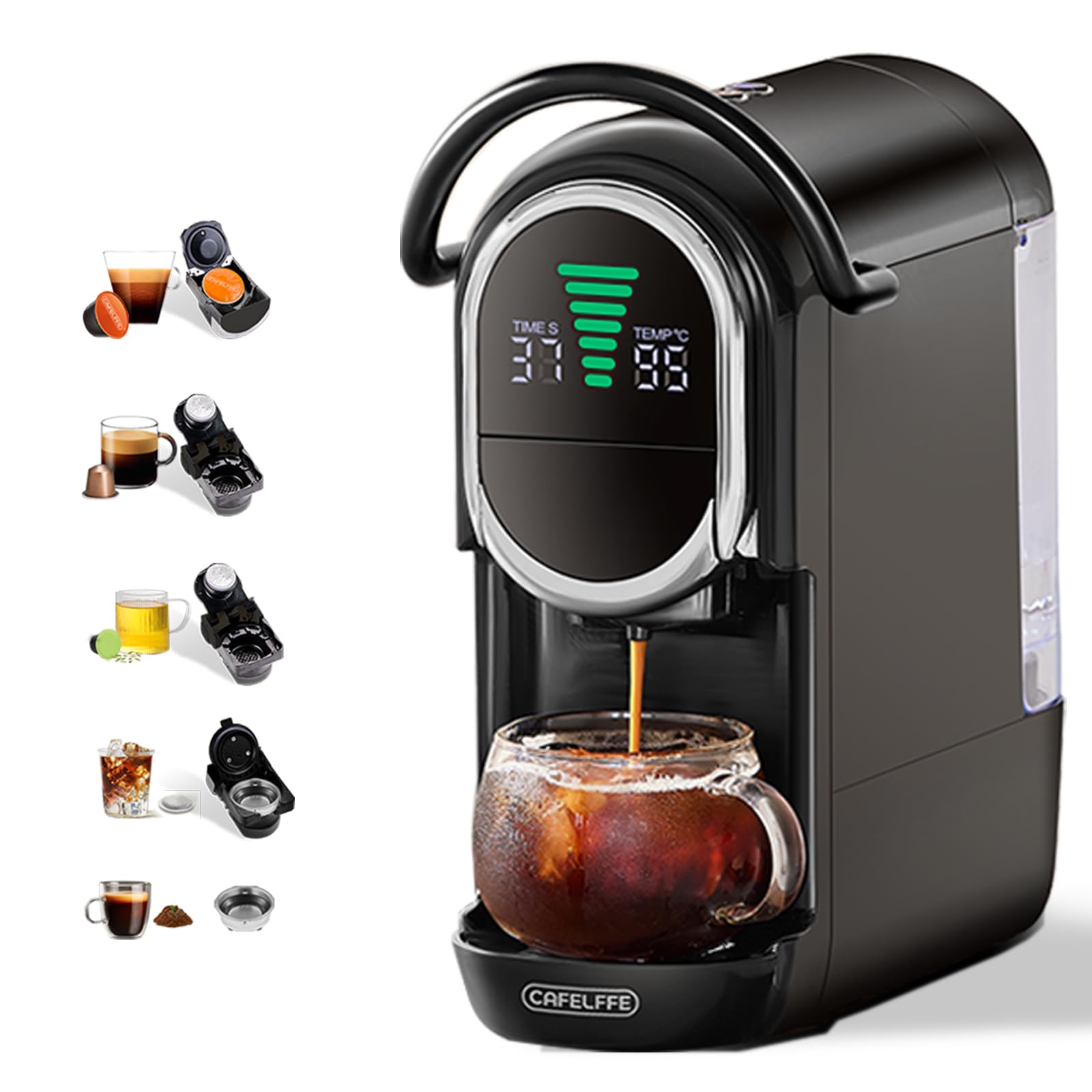
Image: Technical diagram showing the dimensions of the CAFELFFE MK-609S coffee machine.
9. Warranty and Support
Warranty information for the CAFELFFE MK-609S coffee machine is typically provided with the product packaging or can be found on the official CAFELFFE website. Please retain your proof of purchase for warranty claims.
For technical support, spare parts, or further assistance, please refer to the contact information provided in your product's physical user manual or visit the CAFELFFE official website.