
1. Introduction
This manual provides essential information for the safe and effective use of your NextLED NT-6615K Auto Detailing Light. This versatile tool is designed for precision lighting tasks, including auto detailing, paint correction, swirl detection, and color matching, as well as general illumination and UV light applications. Please read these instructions thoroughly before operation and retain them for future reference.
2. Product Overview
Key Features
- CRI 95+ Precision Lighting: Emits 6000K color-accurate light for detailed inspection and matching.
- Three Light Modes: Features a 280 lumen spot light, a 430 lumen (high) and 100 lumen (low) flood light, and a 365nm UV light for various applications.
- Hands-Free Operation: Equipped with two integrated magnets and a sturdy pocket clip for convenient mounting and portability.
- Durable Construction: Crafted with tough aluminum housing and IK07 impact resistance for reliability.
- Efficient Power: Rechargeable lithium-ion battery provides up to 8 hours of runtime and charges in approximately 2 hours via USB-C.
- Compact Design: Measures 6.85 inches long and 0.78 inches in diameter, making it highly portable.
- Integrated Ruler: Includes both Imperial and metric scales on the body for quick measurements.
What's in the Box
- NextLED NT-6615K Detailing Light
- USB-C Charging Cable

Image 2.1: The NextLED NT-6615K Detailing Light and its retail packaging.
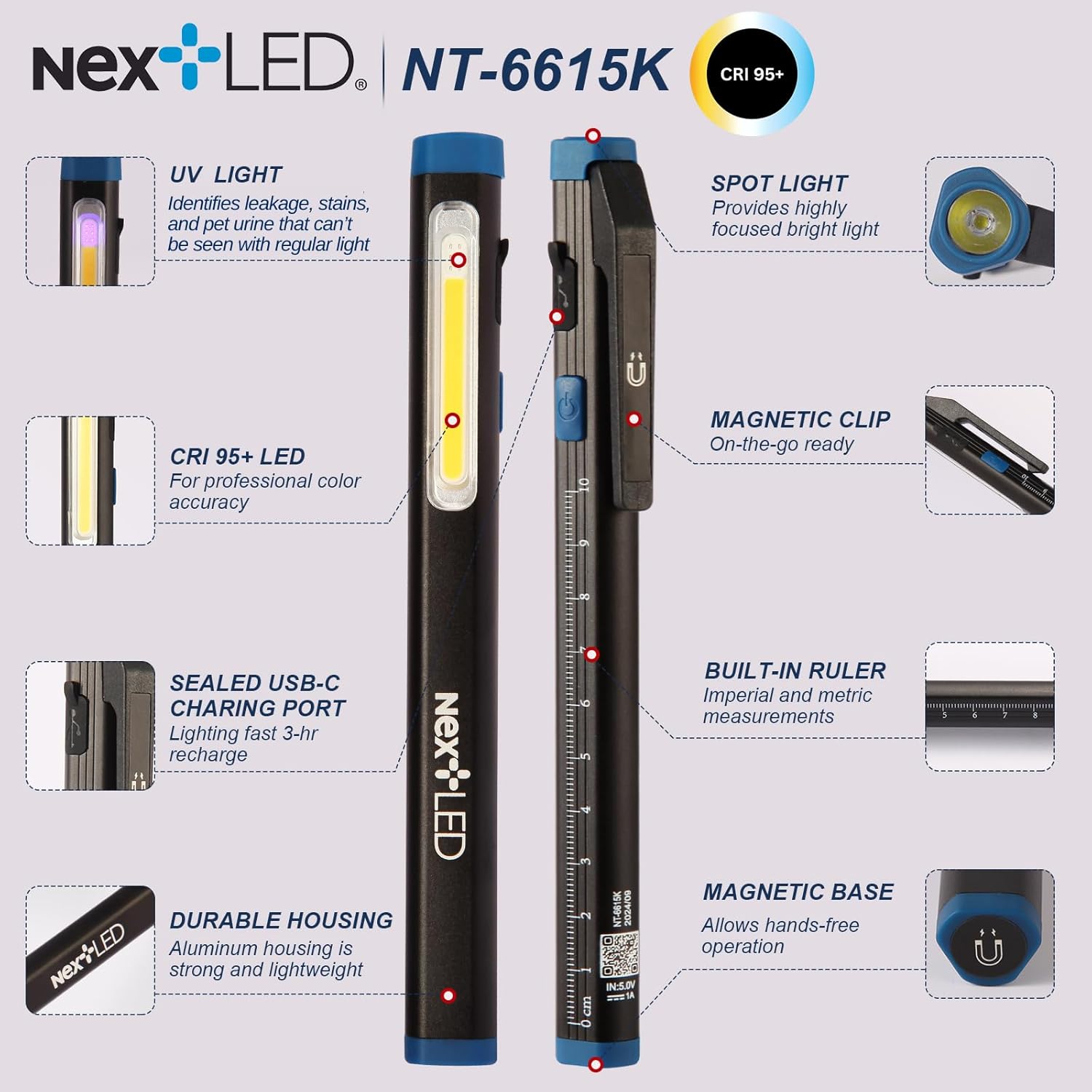
Image 2.2: Detailed diagram highlighting the key features of the NT-6615K light, including its various light modes, magnetic capabilities, and built-in ruler.
3. Safety Information
Please observe the following safety precautions to prevent injury or damage to the device:
- Eye Safety: Do not look directly into the light beam. The intense light can cause temporary vision impairment or eye damage.
- Children: Keep the device out of reach of children.
- Disassembly: Do not attempt to disassemble, modify, or repair the device. This will void the warranty and may cause damage or injury.
- Battery Safety: Use only the provided USB-C cable for charging. Do not expose the battery to extreme temperatures, direct sunlight, or fire. Do not puncture or damage the battery.
- Water Resistance: This device is not water resistant. Avoid exposure to water or high humidity to prevent damage.
- Heat: The light may become warm during prolonged use. This is normal.
4. Setup
Initial Charging
Before first use, fully charge the NextLED NT-6615K light.
- Locate the USB-C charging port on the device.
- Connect the provided USB-C cable to the light and plug the other end into a compatible USB power source (e.g., wall adapter, computer USB port).
- The charging indicator light will show the charging status. Once fully charged (approximately 2 hours), the indicator will change (refer to device for specific indicator behavior).
5. Operating Instructions
Powering On/Off and Switching Modes
The NextLED NT-6615K features a single button for controlling power and cycling through light modes.
- Power On: Press the power button once to turn on the light.
- Cycle Modes: With the light on, press the power button repeatedly to cycle through the following modes: Spot Light → Flood Light (High) → Flood Light (Low) → UV Light.
- Power Off: To turn off the light from any mode, press and hold the power button for approximately 1-2 seconds, or cycle through all modes until the light turns off.

Image 5.1: Visual representation of the Spot, Flood, and UV light modes, detailing their brightness and estimated runtimes.
Using the Magnetic Base and Clip
The light is equipped with magnets and a clip for versatile hands-free use.
- Magnetic Mounting: The light has two integrated magnets: one on the base and one on the clip. Attach the light to any ferrous metal surface for hands-free illumination.
- Pocket Clip: Use the sturdy pocket clip to secure the light to clothing, belts, or other thin edges for convenient carrying or temporary mounting.

Image 5.2: The magnetic base allows for hands-free lighting, ideal for working in areas like an engine bay.
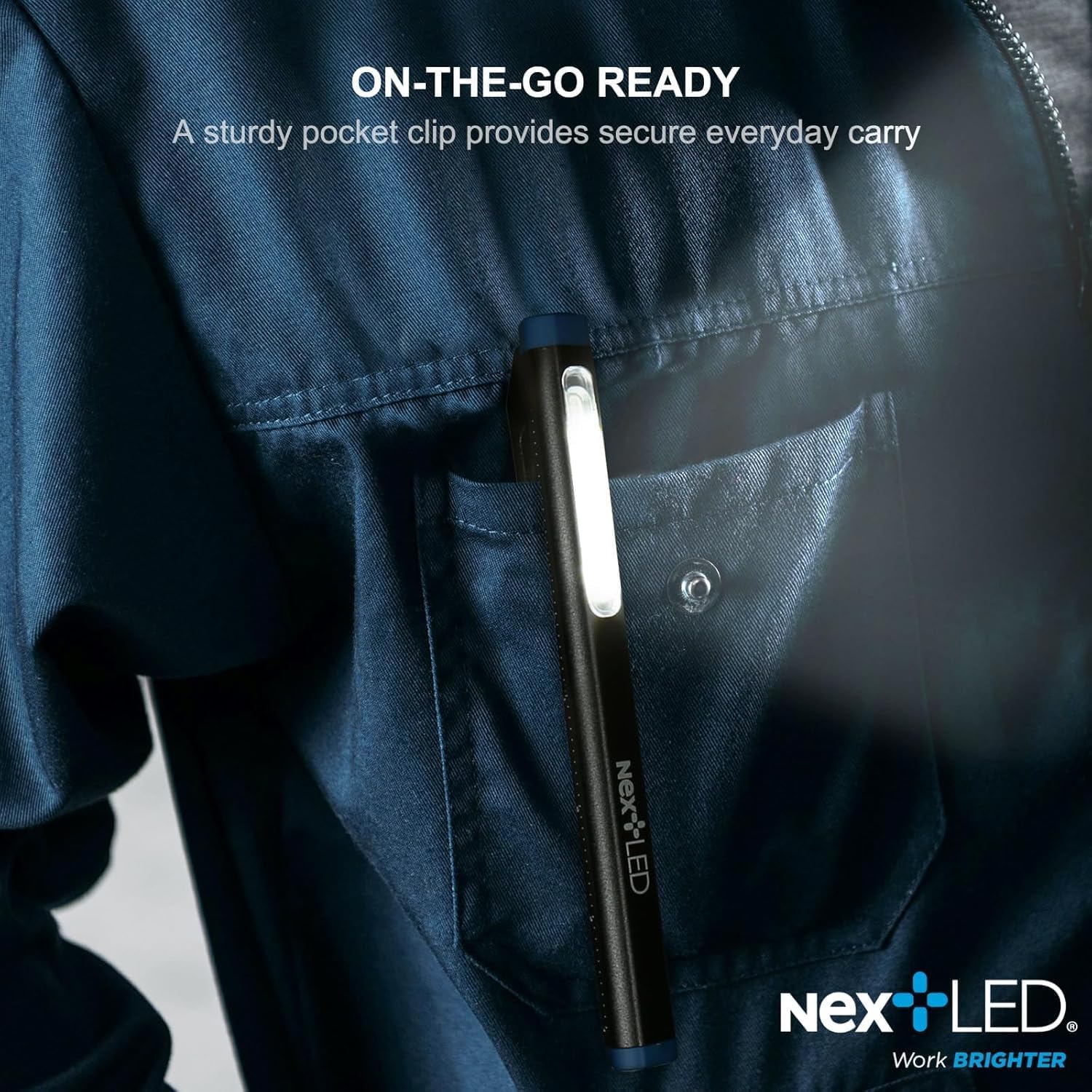
Image 5.3: The sturdy pocket clip provides secure everyday carry, keeping the light accessible.
Using the Built-in Ruler
The body of the light features both Imperial and metric scales for quick measurements.
- Simply place the side of the light with the desired scale against the object you wish to measure.
- The flattened hexagonal shape of the light prevents it from rolling, allowing for stable measurements on flat surfaces.

Image 5.4: The built-in Imperial and metric scales offer convenient measurement capabilities.

Image 5.5: The integrated ruler can be used for quick measurements in various work environments.
6. Maintenance
Cleaning
To maintain the performance and appearance of your light:
- Wipe the exterior of the light with a soft, dry cloth.
- Do not use abrasive cleaners, solvents, or harsh chemicals, as these may damage the finish or internal components.
Storage
- Store the light in a cool, dry place away from direct sunlight and extreme temperatures.
- If storing for an extended period, recharge the battery every 3-6 months to maintain battery health.
7. Troubleshooting
| Problem | Possible Cause | Solution |
|---|---|---|
| Light does not turn on. | Battery is depleted. | Charge the light using the provided USB-C cable. |
| Light flickers or dims unexpectedly. | Low battery level. | Recharge the light. |
| Light does not charge. | Faulty USB-C cable or power source. | Try a different USB-C cable or power adapter. Ensure the cable is fully inserted. |
| UV light appears weak. | UV light is designed for specific detection tasks and may appear less intense than white light modes. | This is normal operation. Ensure you are in a dark environment for optimal UV detection. |
8. Specifications
| Feature | Detail |
|---|---|
| Model Number | NT-6615K |
| Light Source Type | LED |
| White Brightness (Flood) | 430 Lumens (High), 100 Lumens (Low) |
| White Brightness (Spot) | 280 Lumens |
| Color Temperature | 6000K |
| Color Rendering Index (CRI) | 95+ |
| UV Wavelength | 365nm |
| Power Source | Rechargeable Lithium-Ion Battery |
| Charging Time | Approximately 2 hours |
| Runtime (Flood High) | Up to 1.5 hours |
| Runtime (Flood Low) | Up to 8 hours |
| Runtime (Spot) | Up to 2.5 hours |
| Runtime (UV) | Up to 24 hours |
| Product Dimensions | 6.85 x 0.78 x 0.83 inches |
| Item Weight | 2.4 ounces |
| Housing Material | Aluminum |
| Impact Resistance | IK07 |
| Water Resistance Level | Not Water Resistant |
| Mounting Options | Clip-on, Magnetic |
9. Warranty and Support
For warranty information or technical support, please refer to the product packaging or contact NextLED customer service directly. Keep your purchase receipt as proof of purchase.