
1. Introduction
This manual provides essential information for the safe and effective installation, operation, and maintenance of your RYRMCVPVCT JK BMS BD6A24S8P Smart Battery Management System. The JK BMS is designed for LiFePo4, Li-ion, and LTO battery packs, offering advanced features such as active balancing, Bluetooth (BT) communication, RS485, CAN, and heating capabilities. It ensures comprehensive protection for your battery system.
2. Safety Information
Proper installation and application of the protection board are critical for the longevity and safe operation of your batteries. Failure to follow these instructions may result in damage to the BMS, battery pack, or personal injury. Always ensure correct wiring and adhere to all electrical safety standards.
The BMS provides multiple layers of protection:
- Overcharge Protection: Prevents over-charging, which can affect battery life.
- Short Circuit Protection: Automatic protection engages when a short circuit is detected.
- Over-discharge Protection: Prevents the battery from running out completely.
- Overcurrent Protection: Prevents the current from exceeding the battery's safe range.
- ALL-IN Protection: Guards against cable drop or poor contact.
- Overtemp Protection: Prevents the battery from overheating.
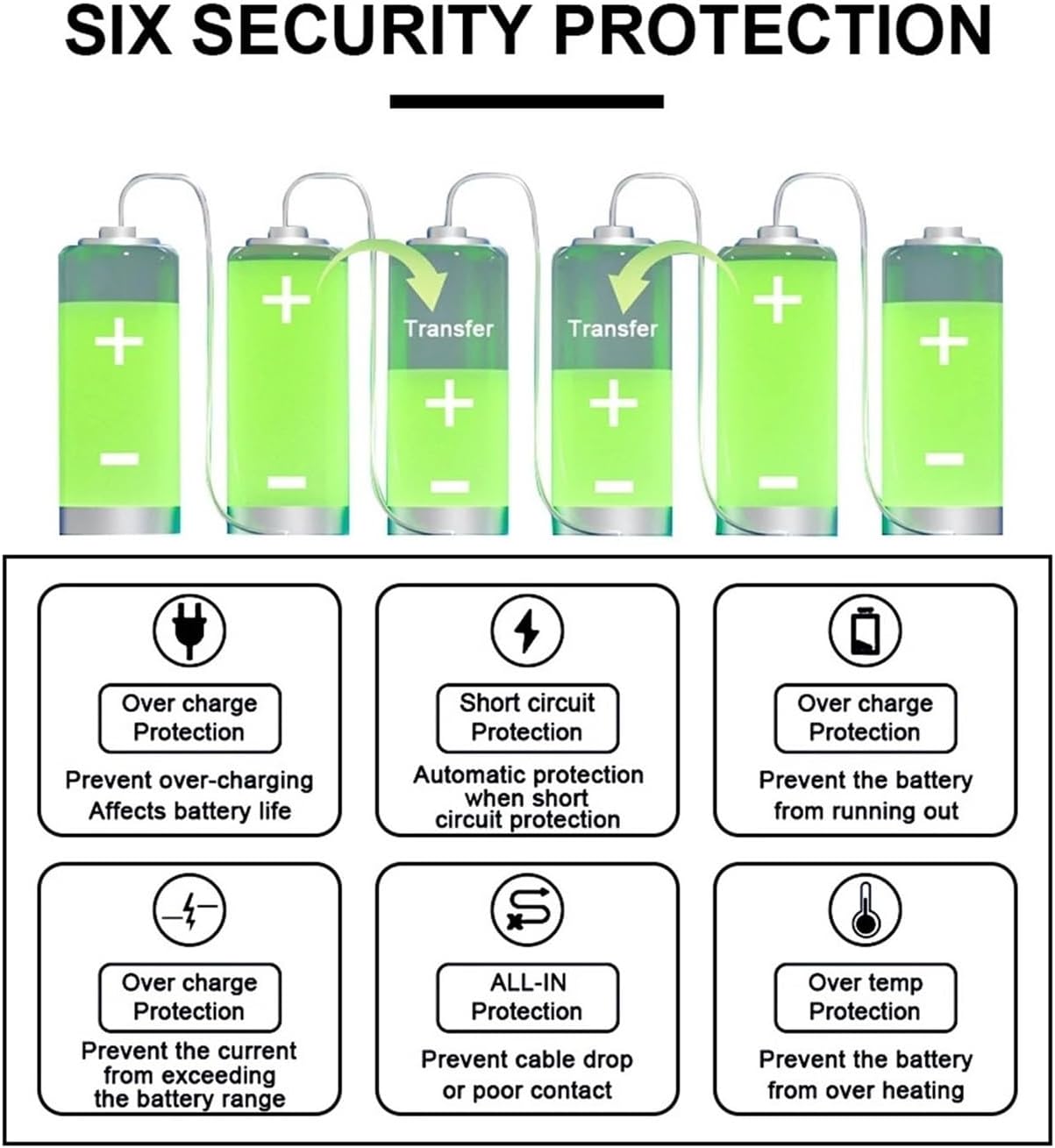
Figure 2.1: Six Security Protection Features
3. Product Overview and Packing List
The JK BMS BD6A24S8P is a smart active balance BMS designed for 4S-24S battery configurations with a balancing current of 0.4A-2A and charge/discharge currents from 40A to 300A. It supports Li-ion, LiFePo4, and LTO battery types.

Figure 3.1: JK-BD6A24S8P BMS Unit with Specifications
3.1 Packing List
Upon opening the package, verify that all components are present:
- Operating Manual
- BMS Unit
- Screws (x4)
- NTC Temperature Sensor (40cm)
- Heating Cable (16cm)
- CAN Cable (25cm)
- Switch (50cm)
- Balance Wires (70cm)

Figure 3.2: Packing List Components
4. Setup and Installation
4.1 Wiring Diagram
Follow the wiring diagram carefully to connect the BMS to your battery pack, load, and charger. Ensure all connections are secure and correctly polarized.

Figure 4.1: BMS Wiring Diagram
4.2 Peripheral Connections
Connect the NTC temperature sensor, CAN/RS485 communication cables, GPS module (if applicable), heating cable, and external switch as shown. The BMS supports external LCD displays (4.3" or 2.5") for real-time monitoring.

Figure 4.2: Peripheral Connection Points
4.3 App Installation
Scan the QR code below to download the official JK BMS application for your smartphone. The app is compatible with both Android and iOS systems.
QR Code Link: http://qr17.cn/BApbC0
5. Operating Instructions
5.1 Smart BT APP Control
The JK BMS features a dedicated smartphone application for comprehensive control and monitoring via Bluetooth. With the app, you can:
- Monitor battery data in real-time (voltage, current, temperature, cell balance).
- Modify related BMS parameters.
- Control the BMS balance switch.
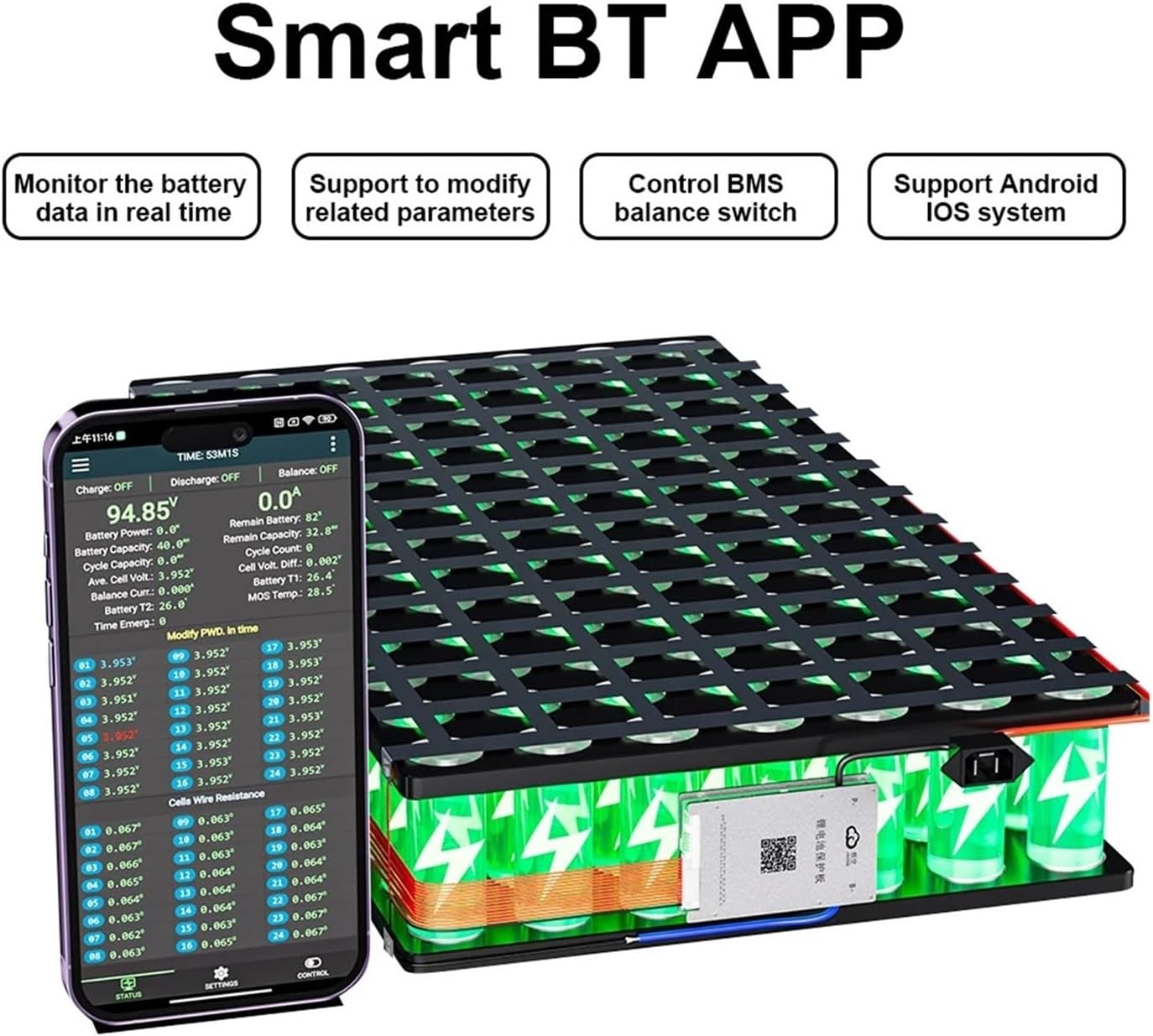
Figure 5.1: Smart BT APP Interface
5.2 Active Balance Function
The JK Smart BMS actively balances the voltage differences between individual battery cells. This process significantly raises the battery usage efficiency to 99%, contributing to a longer overall battery life by preventing cell imbalances that can lead to premature degradation.
6. Maintenance
To ensure optimal performance and longevity of your BMS and battery system:
- Regularly check all wiring connections for tightness and corrosion.
- Monitor battery cell voltages and temperatures via the app to identify any anomalies.
- Keep the BMS unit clean and free from dust and moisture.
- Ensure adequate ventilation around the BMS and battery pack to prevent overheating.
- Periodically update the BMS firmware if new versions are released (check via the app or manufacturer's website).
7. Troubleshooting
If you encounter issues with your BMS, refer to the following common problems and solutions:
- BMS Not Powering On: Check main battery connections (B-, P-), ensure the switch is in the ON position, and verify the battery pack voltage is within the BMS operating range.
- No Bluetooth Connection: Ensure Bluetooth is enabled on your smartphone, the BMS is powered, and you are within range. Restart the app and try reconnecting.
- Cell Imbalance Warnings: The active balance function should address minor imbalances. If severe or persistent, check individual cell connections and health.
- Over-Protection Triggered: Identify which protection (overcharge, over-discharge, overcurrent, overtemp) was triggered via the app. Address the root cause (e.g., reduce load, check charger settings, improve ventilation).
- Incorrect Readings: Verify that all balance wires are correctly connected to their respective cell terminals.
For issues not resolved by these steps, please contact technical support.
8. Specifications
| Feature | Specification |
|---|---|
| Brand | RYRMCVPVCT |
| Model | BD6A24S8P |
| Battery Strings | 3S-24S |
| Battery Type Compatibility | Li-ion, LiFePo4, LTO |
| Charge/Discharge Current Range | 40A-300A |
| Active Balance Current | 0.4A-2A |
| Communication Interfaces | Bluetooth (BT), RS485, CAN |
| Additional Functions | GPS, Heating, Temperature Sensor |
| Protection Features | Overcharge, Over-discharge, Overcurrent, Short Circuit, Low Temperature Charging Cut-off |
| Item Weight | 1000 Grams |
9. Warranty
Please refer to the seller or your purchase documentation for specific warranty details and terms. Keep your proof of purchase for any warranty claims.
10. Support
For technical assistance, troubleshooting beyond this manual, or inquiries regarding your RYRMCVPVCT JK BMS BD6A24S8P, please contact the seller or manufacturer's customer support channels.


