
Ausbilew M55
Ausbilew M55 Open-Ear Headphones User Manual
Model: M55 | Brand: Ausbilew
Introduction
Thank you for choosing the Ausbilew M55 Open-Ear Headphones. These wireless earbuds are designed for comfort, durability, and high-quality audio, allowing you to enjoy your music while remaining aware of your surroundings. Featuring IPX6 waterproofing, touch controls, and an impressive 42-hour playback time with the charging case, the M55 is ideal for fitness, sports, home, and office use. This manual provides detailed instructions on how to set up, operate, and maintain your headphones to ensure optimal performance.
Product Overview

The Ausbilew M55 Open-Ear Headphones in violet, showcasing their unique clip-on design and sleek finish.
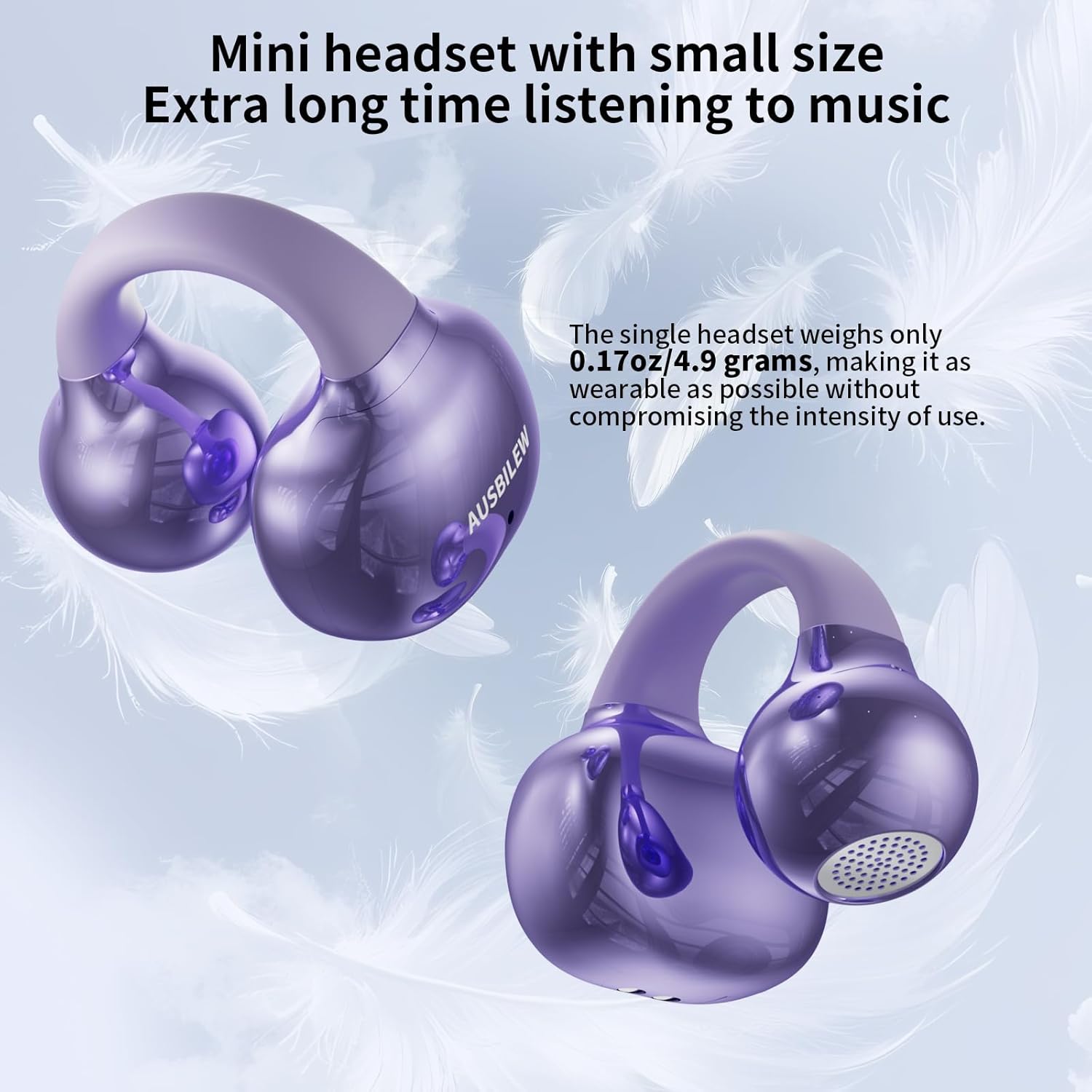
The M55 headphones are designed to be mini and lightweight, with each single headset weighing only 0.17 ounces (4.9 grams), ensuring comfortable extended wear.

Equipped with upgraded 11mm titanium alloy composite membrane speakers, the M55 delivers enhanced bass and clearer vocals, restoring a rich and powerful sound experience.
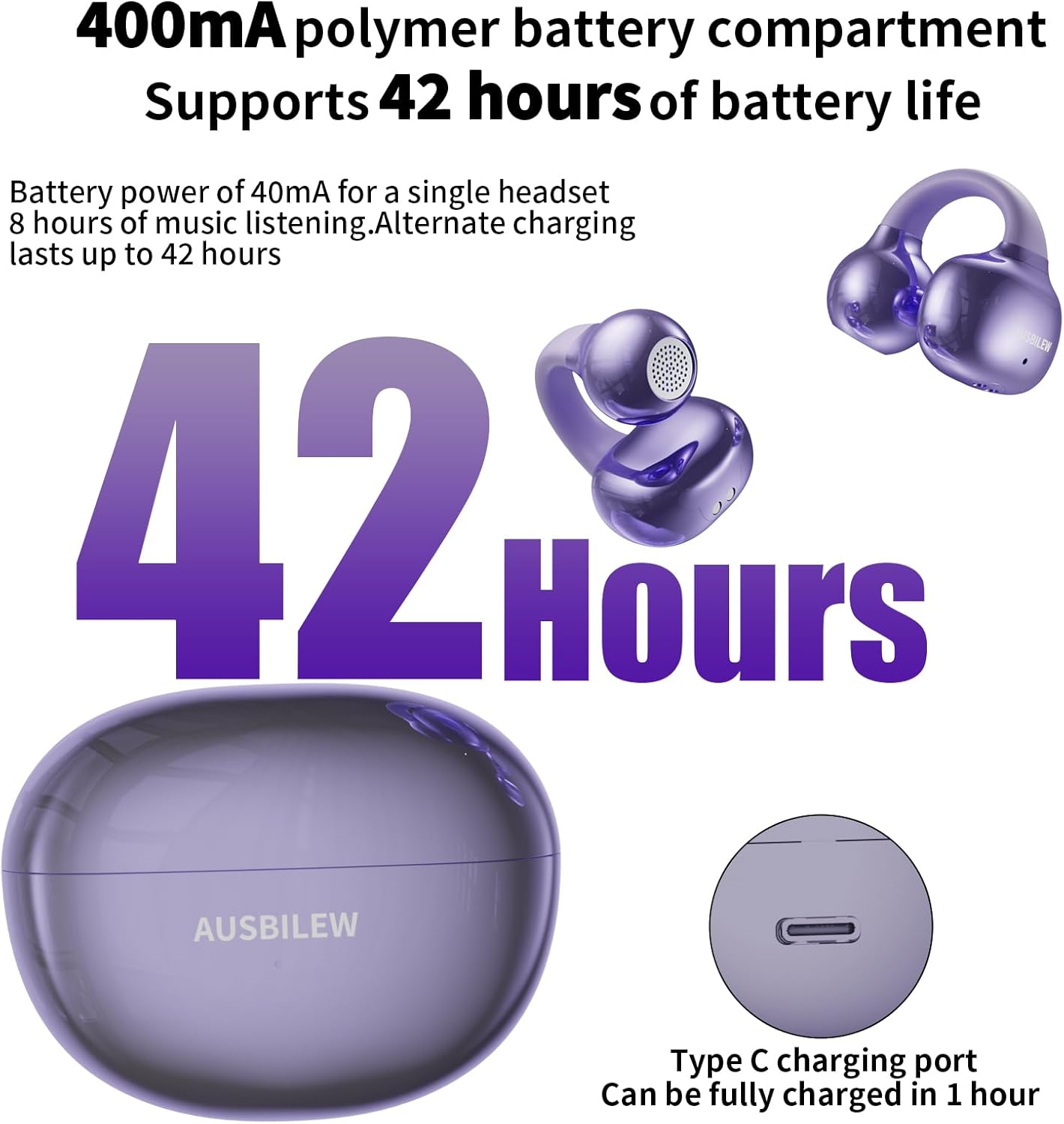
The M55 offers an ultra-long battery life with up to 8 hours of music playback on a single charge, and an additional 34 hours from the 400mAh charging case, totaling 42 hours. The Type-C charging port allows for a full charge in less than an hour.

Customized Wireless 5.4 technology enhances sound quality by 50% and provides a stereo bass effect close to that of a speaker, ensuring stable and efficient connectivity.

The M55 features AI Adaptive Bass-Enhancement, dynamically monitoring sound 48,000 times per second for intelligent bass compensation and rich, detailed bass.

Directional audio technology minimizes sound leakage and delivers clear stereo sound directly to your ears, providing a private and immersive listening experience while maintaining environmental awareness.
Setup and Wearing
Initial Pairing
- Open the charging case compartment. The earbuds will automatically enter pairing mode.
- On your device (smartphone, tablet, etc.), enable Bluetooth and search for "M55" in the list of available devices.
- Select "M55" to connect. Once connected, the earbuds will automatically pair with your device when taken out of the case in the future.
Wearing Tips

The open-loop design ensures comfort. Clip the earbuds onto the thinnest part of your ear. Adjust the ear tips to aim towards your ear canal for optimal audio performance.

The earbuds feature self-adaptive left-right audio channels, allowing you to wear either earbud on either ear interchangeably. They automatically recognize each other for seamless connection.
Operating Instructions (Touch Control)
The Ausbilew M55 headphones feature intuitive touch controls on each earbud. Refer to the image below for a visual guide to the touch operations.

Visual guide to the touch control functions on the Ausbilew M55 headphones.
- Play/Pause: Double-tap the left or right headset touch area.
- Cut up/down (Previous/Next Song):
- Previous Song: Press and hold the left side for 2 seconds.
- Next Song: Press and hold the right side for 2 seconds.
- Volume Control:
- Lower Volume: Touch the left side 3 times.
- Raise Volume: Touch the right side 3 times.
- Answer/Hang Up Calls: Double-click the left or right ear touch area when calling.
- Reject Incoming Call: Press and hold for 2 seconds for incoming calls on either the left or right earbud.
- Game Mode: Continuous quick 4-tap on the left ear to switch between game mode and music mode.
- Wake up Siri (Voice Assistant): Continuous rapid 4-tap on the right ear touch area to wake up the voice assistant.
- Power On: Open the charging case compartment. The headset will power on automatically.
- Power Off: Close the charging case compartment. The headset will power off automatically.
Maintenance
Cleaning and Care
The Ausbilew M55 earbuds feature an IPX6 waterproof coating and a nano-plating process, making them resistant to sweat and easy to clean.

The IPX6 waterproof rating effectively prevents sweat erosion. The headphone shell adopts a nano plating process, making it fashionable, durable, and easy to clean. Simply wipe gently if stained with sweat to restore its shine.
- Regularly wipe the earbuds and charging case with a soft, dry, lint-free cloth.
- For stubborn dirt, slightly dampen the cloth with water. Avoid using harsh chemicals or abrasive materials.
- Ensure the charging port is clean and free of debris to maintain proper charging.
- Store the headphones in their charging case when not in use to protect them from dust and damage.
Battery Care
- Charge the headphones fully before first use.
- Avoid completely draining the battery frequently, as this can reduce its lifespan.
- If storing for an extended period, charge the battery to about 50% every few months to prevent deep discharge.
Troubleshooting
| Problem | Possible Cause | Solution |
|---|---|---|
| Headphones not pairing/connecting. | Bluetooth is off on device; earbuds not in pairing mode; previously paired with another device. | Ensure Bluetooth is on. Place earbuds in case, close, then open to re-enter pairing mode. Forget "M55" from device's Bluetooth list and re-pair. |
| No sound or low volume. | Device volume too low; earbuds not properly seated; earbuds battery low. | Increase device volume. Adjust earbuds for proper fit. Charge earbuds fully. |
| Earbuds not charging. | Charging cable/adapter faulty; charging port dirty; earbuds not correctly placed in case. | Try a different Type-C cable and adapter. Clean the charging contacts on earbuds and case. Ensure earbuds are seated correctly in the case. |
| Intermittent connection/sound. | Too far from device; interference; low battery. | Stay within 10 meters (33 feet) of your device. Avoid areas with strong Wi-Fi or other Bluetooth signals. Charge earbuds. |
Specifications

Detailed dimensions of the Ausbilew M55 headphones and their charging case, highlighting their compact and lightweight design.
| Feature | Detail |
|---|---|
| Model Name | M55 |
| Brand | Ausbilew |
| Connectivity Technology | Bluetooth 5.4 |
| Wireless Communication Technology | Bluetooth |
| Ear Placement | Open Ear (Clip-on) |
| Control Type | Touch Control |
| Water Resistance Level | IPX6 Water Resistant |
| Audio Driver Size | 11 Millimeters |
| Frequency Range | 20 Hz to 20,000 Hz |
| Sensitivity | 92 dB |
| Impedance | 16 Ohm |
| Single Earbud Weight | 0.17 ounces (4.9 grams) |
| Charging Case Battery Capacity | 400 Milliamp Hours |
| Earbud Playback Time (Single Charge) | Up to 8 hours |
| Total Playback Time (with Case) | Up to 42 hours |
| Charging Time | Approx. 1 hour (for full charge) |
| Bluetooth Range | 10 Meters |
| Product Dimensions | 2.6 x 2 x 1.2 inches (Charging Case) |
| Material | Plastic |
| Color | Violet |
| UPC | 798918842811 |
| ASIN | B0F2TFKYDW |
Warranty and Support
Ausbilew products are manufactured to high-quality standards. For information regarding warranty coverage, technical support, or customer service, please refer to the contact information provided with your product packaging or visit the official Ausbilew website. Please retain your proof of purchase for any warranty claims.
For further assistance, you may also contact the seller directly through the platform where you purchased the product.
Ask a question about this manual
Ask about setup, troubleshooting, compatibility, parts, safety, or missing instructions. Manuals+ will review the question and use this page’s manual context to help answer it.