
1. Introduction
This manual provides detailed instructions for the QONBINK TG38 Smart Watch. It covers device setup, operation of various features, maintenance, and troubleshooting. Please read this manual thoroughly to ensure proper use and optimal performance of your smart watch.
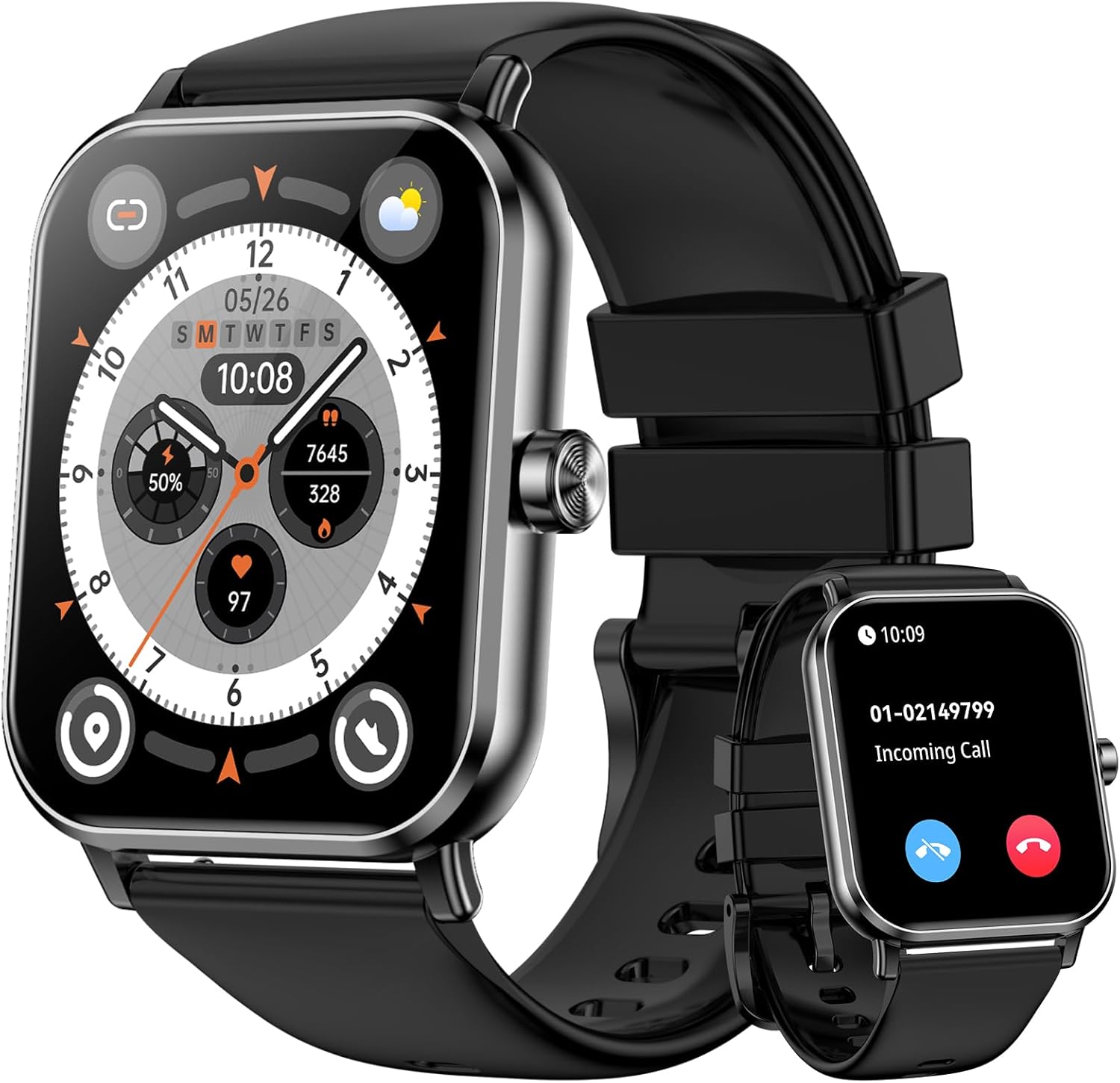
Image 1: QONBINK TG38 Smart Watch with its display showing time and various fitness metrics.
2. Package Contents
Ensure all items are present in the package:
- QONBINK TG38 Smart Watch
- Charging Cable (Magnetic)
- User Manual

Image 2: The QONBINK TG38 Smart Watch, its magnetic charging cable, and the user manual as included in the package.
3. Setup Guide
3.1 Charging the Device
Before first use, fully charge your QONBINK TG38 Smart Watch. Connect the magnetic charging cable to the charging points on the back of the watch and to a USB power source. A full charge typically takes approximately 2 hours.

Image 3: The QONBINK TG38 Smart Watch connected to its magnetic charger, indicating a 400 mAh battery.
3.2 App Installation and Pairing
To unlock the full functionality of your smart watch, download and install the "DA FIT" app on your smartphone. The app is compatible with iOS 9.0+ and Android 5.0+ devices.
- Download the "DA FIT" App: Search for "DA FIT" in the App Store (iOS) or Google Play Store (Android) and install it.
- Enable Bluetooth: Turn on Bluetooth on your smartphone.
- Open the App and Add Device: Launch the "DA FIT" app, navigate to the device section, and select "Add Device".
- Search and Connect: The app will search for available devices. Select "TG38" from the list.
- Confirm Pairing: A pairing request will appear on your phone. Confirm by tapping "Pair".

Image 4: Visual guide demonstrating the five steps to connect the smart watch to a smartphone using the DA FIT application.
4. Operating Instructions
4.1 Touch Screen Navigation
The QONBINK TG38 Smart Watch features a 1.85" HD touch screen for intuitive navigation. Swipe left, right, up, or down to access different functions and menus. Tap to select options.

Image 5: The smart watch screen showing a digital watch face, emphasizing the 1.85-inch TFT touch screen.
4.2 Bluetooth Calling
The smart watch supports Bluetooth calls, allowing you to answer or make calls directly from your wrist. It features a built-in speaker and microphone.
- Answering Calls: When an incoming call is received, tap the green answer icon on the watch screen.
- Making Calls: Access the phone function on the watch to dial numbers or select contacts.

Image 6: The smart watch on a wrist, showing an incoming call and the call interface, illustrating the Bluetooth call feature.
4.3 Smart Notifications
Receive timely messages and social media notifications directly on your watch. The watch will vibrate to alert you.

Image 7: The smart watch showing a message notification, surrounded by icons representing various social media and messaging applications.
4.4 Custom Watch Faces
Personalize your watch with over 300 available watch faces through the "DA FIT" app. You can also customize watch faces using your own photos.

Image 8: The smart watch showcasing different watch face options, including the ability to use personal images for customization.
5. Health Monitoring
The QONBINK TG38 Smart Watch provides 24-hour health tracking features to help you monitor your well-being.
5.1 Heart Rate Monitoring
Track your heart rate in real-time. The watch can alert you if your heart rate exceeds a set threshold.
5.2 Blood Oxygen (SpO2) Monitoring
Monitor your blood oxygen levels in real-time to gain insights into your respiratory health.
5.3 Sleep Monitoring
The watch monitors your sleep quality at night, providing data on deep sleep, light sleep, awake time, and REM sleep.
5.4 Female Menstrual Cycle Tracking
Accurately record and receive timely reminders for women's menstrual cycles. This feature requires setup within the companion app.

Image 9: The smart watch screen showing real-time heart rate, blood oxygen (SpO2), and sleep data, illustrating its comprehensive 24-hour health tracking capabilities.
6. Sports Modes and Activity Tracking
The QONBINK TG38 Smart Watch offers over 120 built-in sports modes to track your physical activities. It monitors distance, calories burned, and steps taken.

Image 10: A person skiing, demonstrating the smart watch's ability to track activity with icons representing various sports modes.
6.1 Starting a Workout
Navigate to the "Workout" section on your watch, select your desired activity (e.g., Walking, Running, Hiking, Treadmill), and tap to start. The watch will begin tracking your metrics.
7. Additional Smart Features
Beyond health and fitness, the QONBINK TG38 Smart Watch offers several practical features for daily convenience:
- Weather Forecast: Get real-time weather updates.
- Alarm Clock: Set alarms directly from your wrist.
- Music Control: Control music playback on your connected smartphone.
- Camera Control: Use your watch as a remote shutter for your phone's camera.
- Find Phone: Locate your misplaced smartphone by triggering an alert.
- Sedentary Reminder: Receive alerts to encourage movement after periods of inactivity.
- Water Reminder: Get reminders to stay hydrated throughout the day.
- Flashlight: Utilize the screen as a basic flashlight.
- Stopwatch & Timer: Essential tools for timing activities.
- Calculator: Perform basic calculations on your wrist.
- AI Voice Assistant: Interact with your device using voice commands.

Image 11: The smart watch screen showing a grid of icons representing its various multifunctional features.
8. Water Resistance (IP68)
The QONBINK TG38 Smart Watch is IP68 rated for water resistance, meaning it can withstand dust, splashes, rain, and brief immersion in water. It is suitable for daily use, including hand washing and light rain exposure. However, it is not recommended for swimming, diving, or hot water activities.

Image 12: A person washing their hands while wearing the smart watch, demonstrating its IP68 water resistance for everyday activities.
9. Maintenance
- Cleaning: Regularly clean the watch screen and strap with a soft, dry cloth. If necessary, use a slightly damp cloth and dry thoroughly.
- Charging Port: Ensure the charging contacts on the back of the watch and the magnetic charger are clean and free of debris to ensure proper charging.
- Storage: Store the watch in a cool, dry place when not in use. Avoid extreme temperatures.
- Avoid Chemicals: Do not expose the watch to strong chemicals, detergents, or solvents, as these can damage the materials.
10. Troubleshooting
- Watch not turning on: Ensure the watch is fully charged. Connect it to the charger for at least 30 minutes.
- Cannot pair with phone:
- Ensure Bluetooth is enabled on your phone.
- Make sure the watch is within Bluetooth range (typically 10 meters).
- Restart both your phone and the watch.
- Clear the Bluetooth cache on your phone (if applicable) and try again.
- Inaccurate health data:
- Ensure the watch is worn snugly on your wrist, not too loose or too tight.
- Clean the sensors on the back of the watch.
- Avoid excessive movement during measurements.
- Notifications not appearing:
- Check app permissions on your phone to ensure the "DA FIT" app has access to notifications.
- Verify that notifications are enabled within the "DA FIT" app settings for specific applications.
- Ensure the watch is connected via Bluetooth.
- Short battery life:
- Reduce screen brightness.
- Disable continuous heart rate monitoring if not needed.
- Limit the number of apps sending notifications to the watch.
- Ensure the watch is fully charged each time.
11. Specifications
| Feature | Detail |
|---|---|
| Model Number | TG38 |
| Screen Size | 1.85 Inches |
| Connectivity Technology | Bluetooth |
| Battery Capacity | 400 mAh |
| Battery Life (Typical Use) | 5-7 Days |
| Standby Time | 30 Days |
| Charging Time | 2 Hours |
| Water Resistance | IP68 |
| Compatible Devices | iOS 9.0+ and Android 5.0+ Smartphones |
| Band Material Type | Silicone |
| Item Weight | 2.89 ounces (0.08 Kilograms) |
12. Warranty and Support
QONBINK is committed to providing high-quality service and support for its products.
- Warranty: The product includes a 1-year free replacement warranty.
- Customer Support: For any inquiries or assistance, please contact QONBINK customer service. We aim to provide a 24-hour quick reply.

Image 13: QONBINK's commitment to high-quality service, including 24-hour quick replies and a 1-year free replacement policy.