
DOVOX MS-30RV
DOVOX MS-30RV Bluetooth Marine Stereo Receiver
User Instruction Manual
1. Introduction
Thank you for choosing the DOVOX MS-30RV Bluetooth Marine Stereo Receiver. This heavy-duty, weatherproof audio system is designed for outdoor environments, making it ideal for golf carts, UTVs, ATVs, boats, and other powersports vehicles. This manual provides essential information for proper installation, operation, and maintenance of your new stereo receiver.
2. Package Contents
Please verify that all items are present in the package:
- DOVOX MS-30RV Bluetooth Marine Stereo Receiver
- Wiring Harness & Mounting Kits
- User Manual
3. Key Features
- Weatherproof Design: IPX5 water-resistant and UV coating materials ensure durability in harsh outdoor conditions.
- Bluetooth Audio Streaming: Seamlessly connect A2DP Bluetooth-enabled devices for wireless music playback.
- Versatile Media Playback: Supports USB (up to 64GB) and 3.5mm Aux input for various audio sources, including MP3 players and SD cards.
- AM/FM Tuner: Built-in AM/FM radio with 30 station presets for real-time music, news, and traffic.
- Powerful Audio Output: 200W Max Power (4x50W) with RCA outputs for external amplifiers, speakers, and subwoofers.
- Customizable Sound: Features bass, treble, balance, fader controls, and custom preset EQ options.
- Compact Size: Designed for easy integration with dimensions of 1.5"D x 5.3"L x 3.2"W.
4. Installation
4.1 Mounting Considerations
The DOVOX MS-30RV is designed with a compact form factor for flexible installation in marine and off-road vehicles. Ensure the mounting location provides adequate space for the unit and its wiring connections. The unit's dimensions are approximately 2 inches deep, 6 inches wide, and 4 inches high.
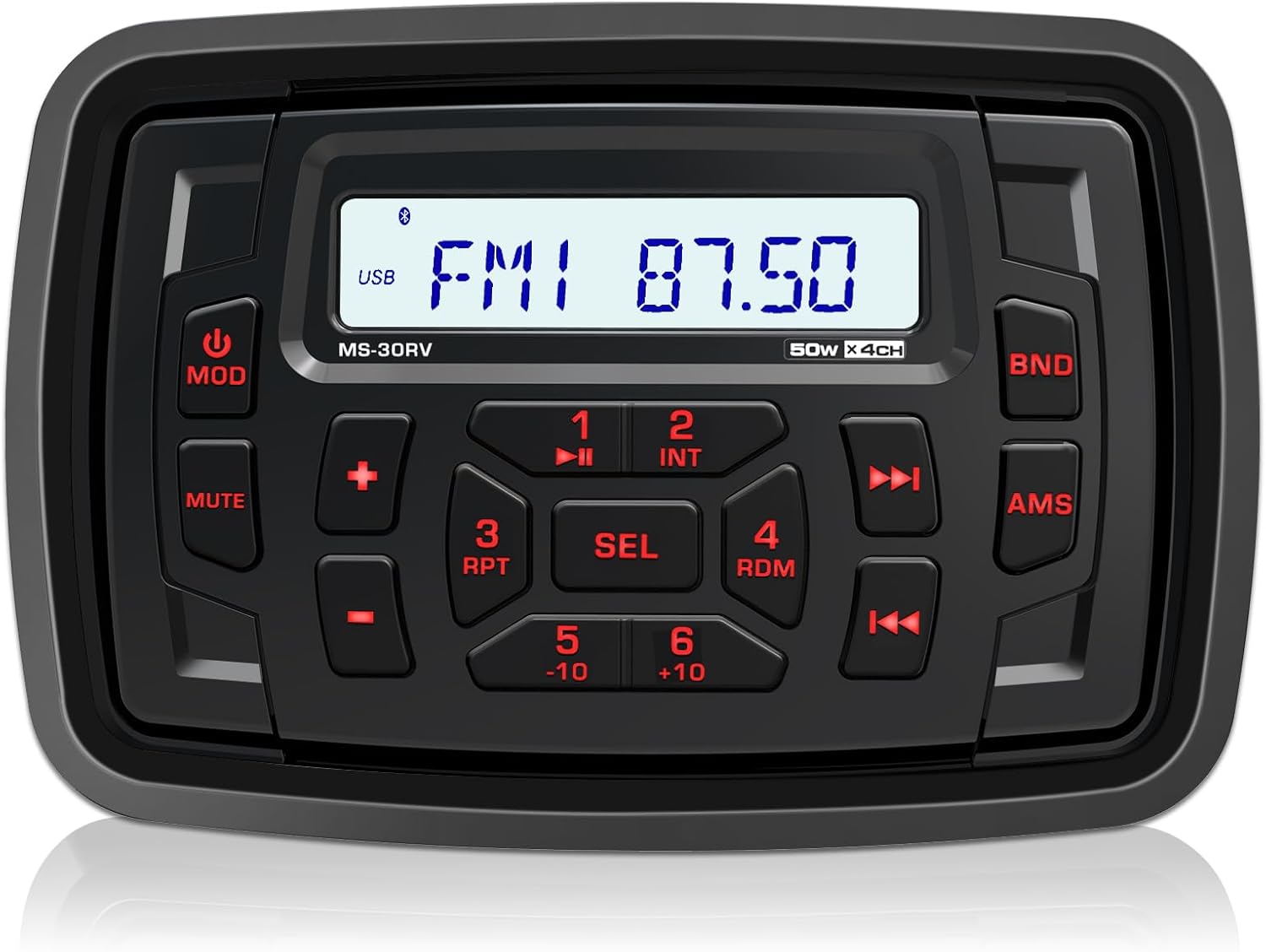
Figure 4.1: Front view of the DOVOX MS-30RV Marine Stereo Receiver. This image displays the unit's control panel, including the display screen, buttons for mode, mute, volume, track control, and band selection.

Figure 4.2: The DOVOX MS-30RV stereo unit shown installed in a vehicle dashboard, with water droplets on its surface, demonstrating its IPX5 water-resistant capability.
4.2 Wiring Diagram
The included wiring harness features clearly labeled wires for straightforward connection. Refer to the diagram below for proper electrical connections. All wiring is designed to be standard for marine and off-road vehicle applications.

Figure 4.3: Rear view of the DOVOX MS-30RV unit displaying its dimensions and the waterproof ISO connector with labeled wiring for USB, Subwoofer, AUX-IN (L/R), Rear Out (L/R), Front Out (L/R), and Antenna (ANT).
Important: Ensure all connections are secure and properly insulated to prevent short circuits and water damage. Consult a professional if you are unsure about any wiring procedures.
5. Operation
5.1 Power On/Off
- Press the MOD button to turn the unit ON.
- Press and hold the MOD button to turn the unit OFF.
5.2 Source Selection
Press the MOD button repeatedly to cycle through available sources: FM, AM, Bluetooth, USB, AUX.
5.3 Bluetooth Pairing
To pair your device:
- Select Bluetooth mode on the stereo. The display will show "BT AUDIO" or similar.
- Enable Bluetooth on your mobile device and search for available devices.
- Select "DOVOX MS-30RV" (or similar name) from the list.
- Once paired, the unit will confirm the connection.
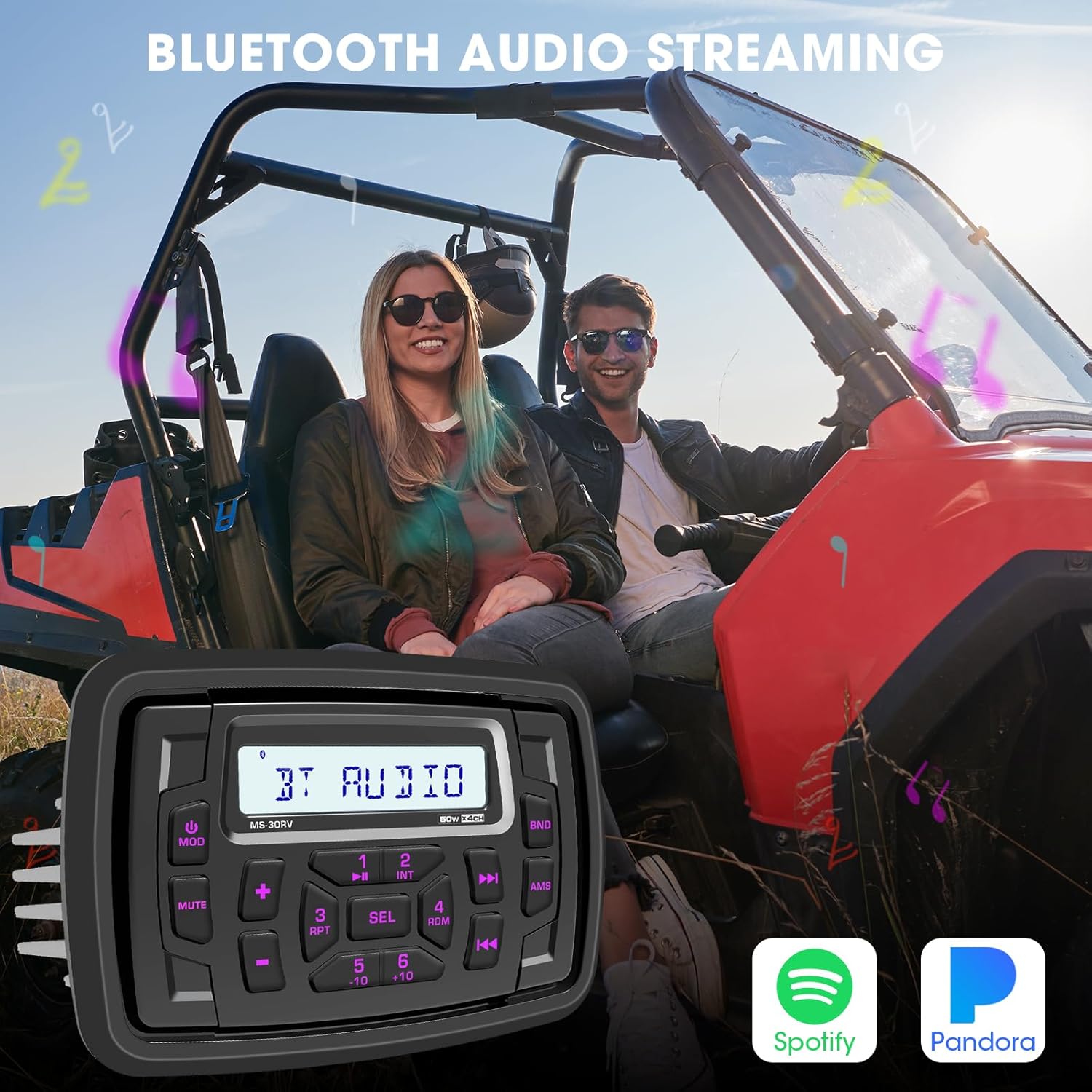
Figure 5.1: The DOVOX MS-30RV unit displayed over an image of two individuals in a UTV, symbolizing the seamless Bluetooth audio streaming capability for enjoying music from services like Spotify and Pandora.
5.4 USB and AUX Playback
- USB: Insert a USB drive (up to 64GB) into the USB port. The unit will automatically switch to USB mode and begin playback.
- AUX: Connect an external audio device (e.g., MP3 player) to the 3.5mm AUX-IN port using an audio cable. Select AUX mode on the stereo.

Figure 5.2: The DOVOX MS-30RV unit shown with icons for USB Input, Aux-in, and AM FM, superimposed on an image of a UTV navigating rocky terrain, illustrating the versatile input options for outdoor adventures.
5.5 AM/FM Tuner
- Press the MOD button to select FM or AM mode.
- Use the Forward or Backward buttons to manually tune or seek for stations.
- Press and hold the AMS button to automatically scan and store strong stations.
5.6 Audio Controls
Press the SEL button repeatedly to cycle through audio settings: BASS, TREBLE, BALANCE, FADER, EQ. Use the + or - buttons to adjust the selected setting.

Figure 5.3: The DOVOX MS-30RV unit with icons representing Preset Amp, Subwoofer Out, Bass Control, and Built-in EQ, set against a backdrop of a UTV kicking up dust, highlighting its 200W Max Power Audio Output and sound customization features.
6. Maintenance
To ensure the longevity and optimal performance of your DOVOX MS-30RV stereo, follow these maintenance guidelines:
- Cleaning: Use a soft, damp cloth to clean the unit's surface. Avoid abrasive cleaners or solvents that could damage the finish or seals.
- Water Exposure: While the unit is IPX5 water-resistant, avoid prolonged submersion or high-pressure water jets directly on the unit.
- Connections: Periodically check all wiring connections for corrosion or looseness, especially in marine environments.
- Storage: If storing the vehicle for an extended period, ensure the unit is powered off and, if possible, disconnected from the power source to prevent battery drain.
7. Troubleshooting
If you encounter issues with your DOVOX MS-30RV, refer to the following common problems and solutions:
| Problem | Possible Cause | Solution |
|---|---|---|
| No Power | Loose power connection; Blown fuse; Vehicle battery low. | Check power wiring; Replace fuse; Charge vehicle battery. |
| No Sound | Volume too low; Mute function active; Loose speaker wires; Incorrect source selected. | Increase volume; Deactivate mute; Check speaker connections; Select correct source. |
| Bluetooth Not Connecting | Unit not in pairing mode; Device already paired to another unit; Bluetooth off on device. | Ensure unit is in Bluetooth mode; Disconnect from other devices; Enable Bluetooth on your device. |
| USB Playback Error | Unsupported file format; USB drive corrupted; USB drive too large. | Ensure files are supported (MP3, WMA); Reformat USB drive; Use a USB drive within the 64GB limit. |
| Poor Radio Reception | Antenna not connected; Weak signal area; Antenna damaged. | Check antenna connection; Move to an area with better signal; Inspect antenna for damage. |
If the problem persists after attempting these solutions, please contact DOVOX customer support.
8. Specifications
| Feature | Detail |
|---|---|
| Model | MS-30RV |
| Product Dimensions (W x H x D) | 6 inches x 4 inches x 2 inches (approx. 15.24 cm x 10.16 cm x 5.08 cm) |
| Item Weight | 1.67 pounds (approx. 0.76 kg) |
| Connectivity Technology | Auxiliary, Bluetooth, USB |
| Special Features | Digital Display Screen Multi Color Illumination, RCA Preamp Subwoofer Output, USB AUX-in FM AM Tuner Equalizer, Waterproof Marine Stereo |
| Compatible Devices | Amplifier, Smartphone, Speaker, Subwoofer |
| Connector Type | RCA |
| Audio Output Mode | Stereo |
| Surround Sound Channel Configuration | 4-channel |
| Color | Black |
| Manufacturer | DOVOX |
9. Warranty and Support
For warranty information and customer support, please refer to the warranty card included with your product or visit the official DOVOX website. You may also contact the seller directly for assistance.
Ask a question about this manual
Ask about setup, troubleshooting, compatibility, parts, safety, or missing instructions. Manuals+ will review the question and use this page’s manual context to help answer it.