1. Introduction
This manual provides essential instructions for the installation, operation, and maintenance of your Generic K50-P1125 Freezer Temperature Control Switch Thermostat. This thermostat is designed as a replacement part for various freezer models, including A10-1052 and A10-1053. Please read this manual thoroughly before installation and use to ensure proper function and safety.
2. Safety Information
WARNING: Electrical shock hazard. Always disconnect power to the appliance before installing, servicing, or removing this thermostat. Failure to do so can result in serious injury or death.
- Ensure all electrical connections are secure and comply with local electrical codes.
- This product should only be installed by a qualified technician or individual with experience in appliance repair.
- Do not operate the freezer if the thermostat or any electrical component is damaged.
- Keep children away from the appliance during installation and repair.
3. Product Overview
The K50-P1125 thermostat is a critical component for regulating the temperature within your freezer. It features a capillary tube that senses temperature changes and a switch mechanism to control the compressor's operation, maintaining desired cold levels.
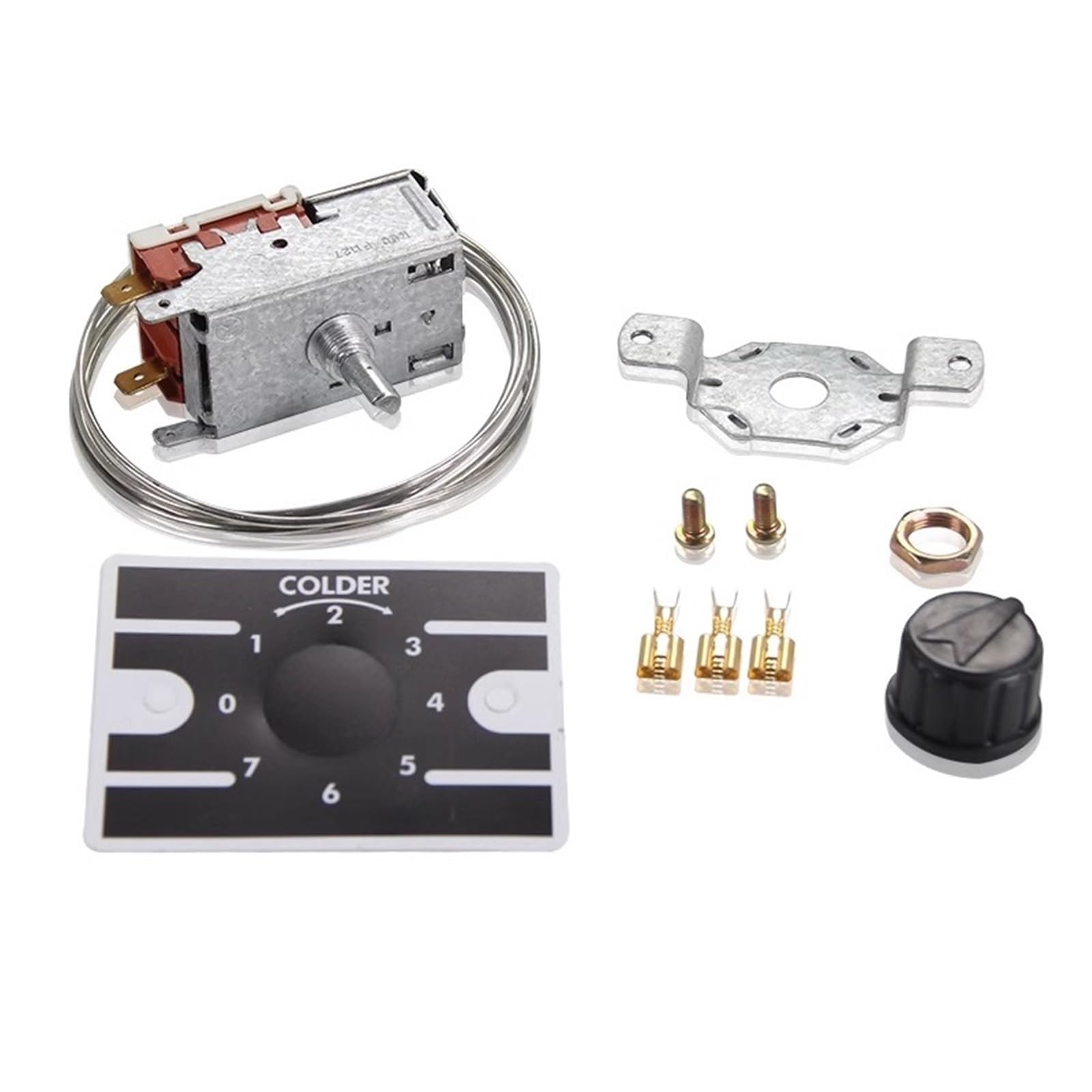
Figure 3.1: General view of the K50-P1125 thermostat with its coiled capillary tube. This image shows the overall design and the temperature-sensing element.
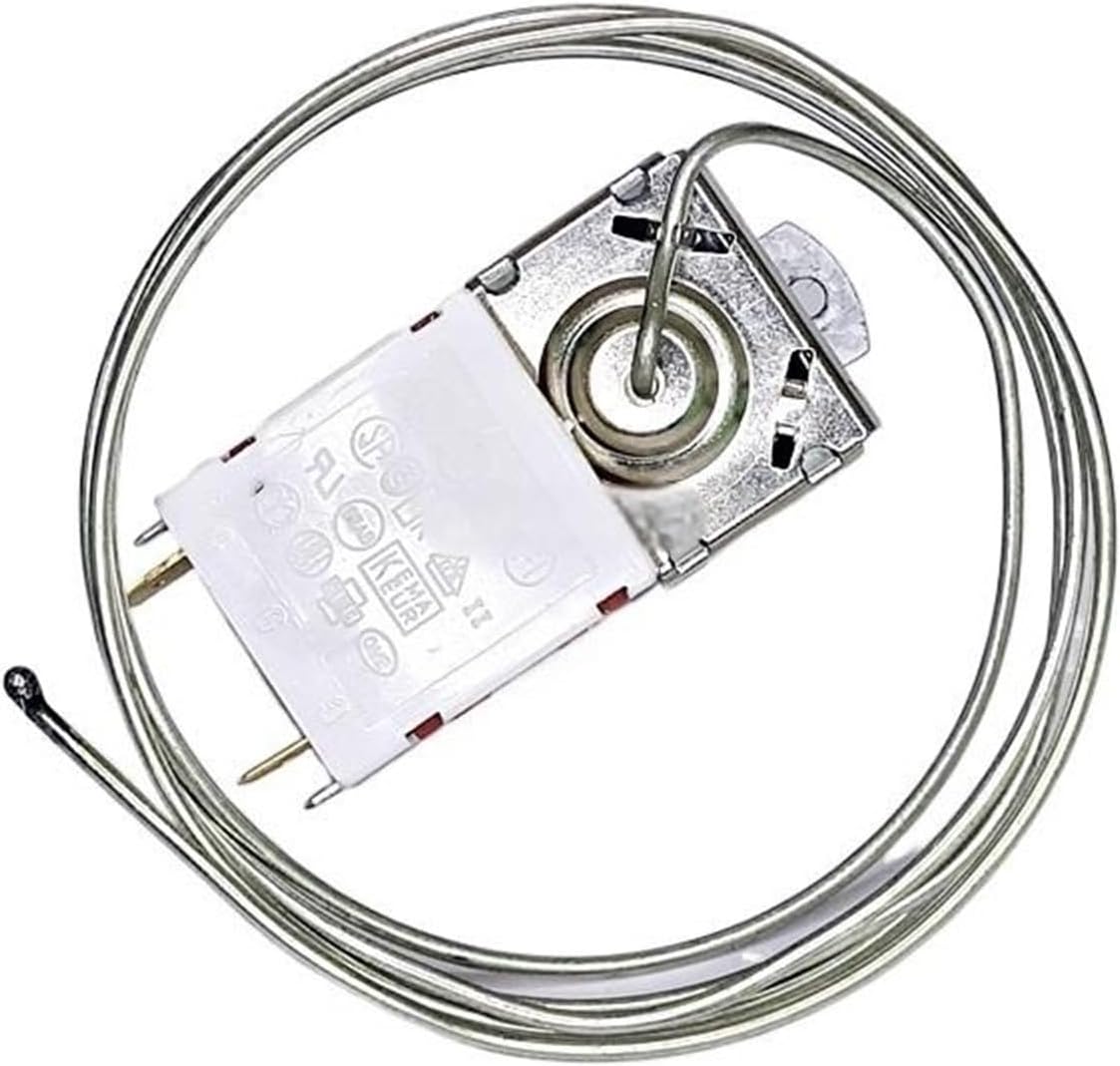
Figure 3.2: A detailed view of the thermostat's electrical connection pins and the main housing. This highlights the two-pin configuration for electrical wiring.
4. Specifications
| Part Number | K50-P1125 (Replacement for OCUWUBUZB) |
| Compatible Models | A10-1052, A10-1053 |
| Cold Out Temperature | -18°C (approximately -0.4°F) |
| Cold In Temperature | -9.5°C (approximately 14.9°F) |
| Warm In Temperature | +8.5°C (approximately 47.3°F) |
| Capillary Tube Length | 1200mm (approximately 47.2 inches) |
| Pin Configuration | 2 Pin |
| Material | Plastic, Metal |
| Item Weight | 1.76 pounds |
| Package Dimensions | 7.87 x 3.94 x 3.94 inches |
5. Setup & Installation
This thermostat is a direct replacement part. Before proceeding with installation, ensure the new thermostat's specifications and physical appearance match the damaged product you are replacing. Incorrect installation can lead to appliance malfunction or safety hazards.
5.1 Pre-Installation Checks
- Disconnect Power: Unplug the freezer from the electrical outlet.
- Access Thermostat: Locate and access the existing thermostat within your freezer. This typically involves removing control panels or access covers.
- Verify Compatibility: Compare the new K50-P1125 thermostat with the old unit. Pay close attention to the capillary tube length, pin configuration, and mounting points.

Figure 5.1: The K50-P1125 thermostat shown with a control knob and integrated mounting brackets, illustrating how it might be secured within the appliance.
5.2 Installation Steps
- Remove Old Thermostat: Carefully disconnect the wiring from the old thermostat and unmount it. Note the position and routing of the capillary tube.
- Install New Thermostat: Mount the new K50-P1125 thermostat in the same location as the old one. Ensure it is securely fastened.
- Route Capillary Tube: Route the capillary tube of the new thermostat exactly as the old one was routed. The placement of the capillary tube is crucial for accurate temperature sensing. Avoid kinking or damaging the tube.
- Connect Wiring: Connect the electrical wires to the 2-pin terminals of the new thermostat. Ensure connections are tight and correct according to the freezer's wiring diagram (refer to your freezer's service manual if unsure).
- Reassemble: Replace any removed control panels or access covers.
- Restore Power: Plug the freezer back into the electrical outlet.

Figure 5.2: A side profile of the K50-P1125 thermostat, highlighting the control shaft where a temperature knob would attach, and the capillary tube extending from the unit.
6. Operation
Once installed, the K50-P1125 thermostat automatically regulates the freezer's temperature. The temperature settings are typically adjusted via a control knob connected to the thermostat's shaft (if your freezer model includes one).
- Temperature Range: The thermostat is designed to cycle the compressor to maintain temperatures within its specified range.
- Adjusting Temperature: If your freezer has an external temperature control knob, rotate it to the desired setting. Turning the knob towards 'colder' settings will lower the freezer's temperature, while turning it towards 'warmer' settings will raise it.
- Initial Startup: After installation, allow the freezer several hours to reach the set temperature before storing perishable items.
7. Maintenance
The K50-P1125 thermostat is a sealed unit and requires no internal maintenance. However, proper care of your freezer can extend the life of all its components, including the thermostat.
- Regular Cleaning: Keep the freezer interior clean and free of excessive ice buildup, which can affect temperature sensing.
- Inspect Wiring: Periodically check the thermostat's wiring connections for any signs of wear or looseness. Ensure power is disconnected before inspection.
- Capillary Tube Protection: Ensure the capillary tube is not bent, kinked, or damaged, as this can impair its ability to sense temperature accurately.
8. Troubleshooting
If your freezer is not maintaining the correct temperature after replacing the thermostat, consider the following common issues:
| Problem | Possible Cause | Solution |
|---|---|---|
| Freezer too warm | Incorrect thermostat setting Damaged capillary tube Loose wiring connection | Adjust temperature knob Inspect and replace if damaged Check and secure wiring (with power off) |
| Freezer too cold / Runs constantly | Incorrect thermostat setting Capillary tube improperly positioned | Adjust temperature knob Verify capillary tube placement matches original installation |
| Freezer not running | No power to freezer Faulty thermostat (unlikely if new) Other freezer component failure | Check power supply and circuit breaker Consult a qualified technician for further diagnosis |
If troubleshooting steps do not resolve the issue, it is recommended to contact a qualified appliance repair technician.
9. Warranty & Support
This K50-P1125 thermostat is provided as a replacement part. For specific warranty information, please refer to the terms and conditions provided by your original seller or retailer at the time of purchase. Generic products typically carry a limited warranty against manufacturing defects.
For technical support or further assistance, please contact the seller from whom you purchased this product. Ensure you have your purchase details and the product model number (K50-P1125) available when seeking support.


