
1. Introduction
This manual provides essential information for the safe and efficient operation, installation, and maintenance of your Samsung 1 Ton 3 Star Digital Inverter Split Air Conditioner, model AR50F12D0XHNNA. Please read this manual thoroughly before using your air conditioner and retain it for future reference.
Product Overview
The Samsung AR50F12D0XHNNA is a 1-ton split air conditioner featuring a digital inverter compressor for variable speed operation, adjusting power based on the heat load. It includes Convertible 5-in-1 modes, allowing adjustment of cooling capacity as per user requirements. The unit is designed for medium-sized rooms (80 to 110 sq ft) and operates with a 3 Star BEE Rating, indicating an ISEER rating of 4.32 W/W and an annual electricity consumption of 626.62 Units Per Year.
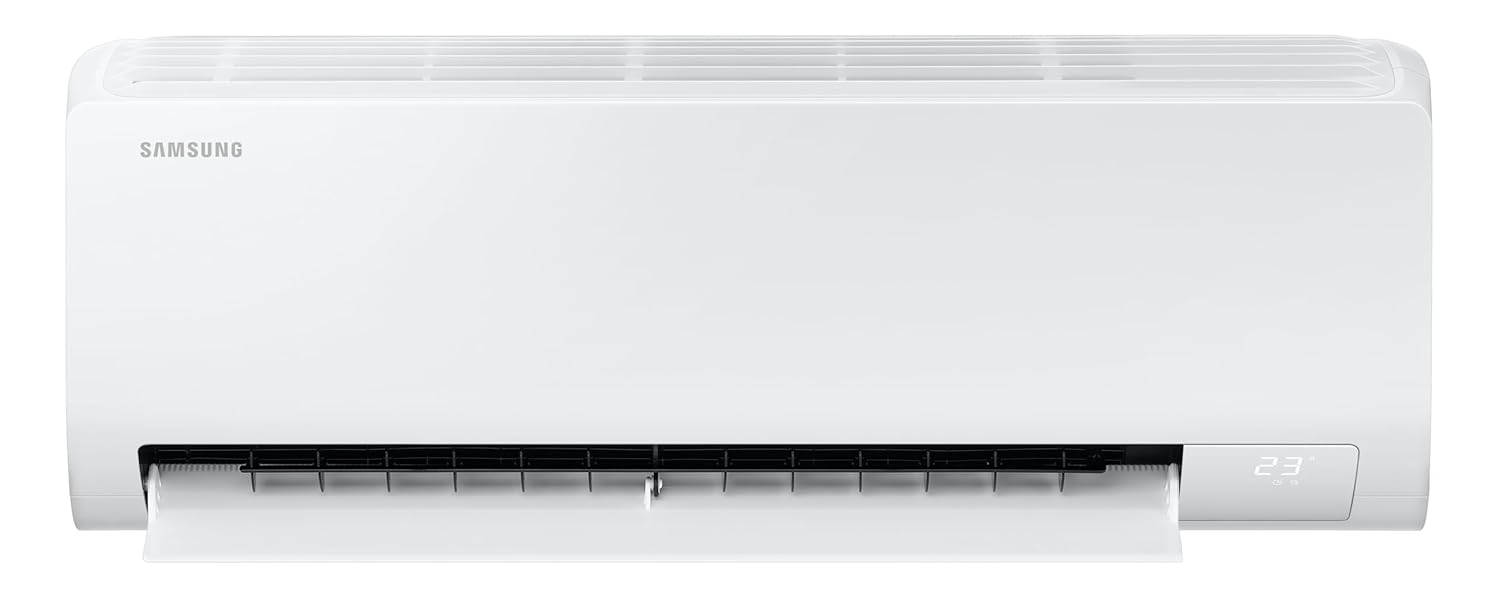
Figure 1: Front view of the indoor unit, displaying its sleek design and digital display.
Key Features
- Digital Inverter Compressor: Variable speed compressor for efficient cooling and energy saving.
- Convertible 5-in-1 Modes: Allows adjustment of cooling capacity to suit different needs.
- 3 Star BEE Rating: Energy efficient operation with an ISEER of 4.32 W/W.
- 100% Copper Condenser Coil: Ensures better cooling performance and requires low maintenance.
- Fast Cooling: Provides rapid cooling, even at ambient temperatures up to 58 degrees Celsius.
- 3 Step Auto Clean: Automatically dries the heat exchanger to prevent bacterial growth.
- Durafin Ultra & Coated Copper Tubes: Enhanced corrosion resistance for extended lifespan.
- Copper Anti-Bacterial Filter: Helps to maintain cleaner air quality.
- 2 Way Swing: Distributes air effectively across the room.
- R32 Refrigerant: Environmentally friendly refrigerant with low global warming potential.
2. Safety Information
To prevent injury to the user or others and property damage, the following instructions must be followed. Incorrect operation due to ignoring instructions may cause harm or damage. The severity of the harm or damage is classified as follows:
- WARNING: This indicates that death or serious injury may result.
- CAUTION: This indicates that injury or property damage may result.
General Safety Precautions
- Do not attempt to install, repair, or modify the unit yourself. Contact qualified service personnel for all such tasks.
- Ensure the power supply matches the specifications listed on the unit's nameplate.
- Do not operate the air conditioner with wet hands or in a wet environment.
- Keep children away from the unit and remote control.
- Do not insert fingers or foreign objects into the air inlet or outlet.
Electrical Safety
- Always use a dedicated power circuit for the air conditioner.
- Ensure proper grounding to prevent electric shock.
- Do not use extension cords or multi-outlet adapters.
- If the power cord is damaged, it must be replaced by the manufacturer, its service agent, or similarly qualified persons to avoid a hazard.
3. Setup and Installation
Unpacking and Package Contents
Carefully unpack all components and check for any damage. If any items are missing or damaged, contact your retailer immediately.
The package typically includes:
- 1 Indoor unit
- 1 Outdoor unit
- 1 Remote control
- 1 Connecting wire (3.5m)
- Copper pipe/copper tube (3m)
- Power cord/power supply (2m)
- 1 Warranty card
- 1 User manual (this document)
- 2 Batteries for remote control
Installation Guidelines
Installation of this split air conditioner requires specialized tools and knowledge. It is strongly recommended that installation be performed by a qualified and certified technician to ensure proper functioning, safety, and warranty validity.
Indoor Unit Placement
- Choose a location where the airflow is not obstructed and can reach all parts of the room.
- Avoid direct sunlight or heat sources.
- Ensure there is sufficient space around the unit for maintenance and proper air circulation.
- The indoor unit dimensions are approximately 82 cm (W) x 29.9 cm (H) x 21.5 cm (D).

Figure 2: Indoor unit dimensions for installation planning.
Outdoor Unit Placement
- Select a location that is well-ventilated and not exposed to direct sunlight or rain.
- Ensure the outdoor unit is placed on a stable, level surface to minimize vibration and noise.
- Maintain adequate clearance around the unit for proper heat dissipation.
- The outdoor unit dimensions are approximately 71 cm (W) x 54 cm (H) x 22 cm (D).
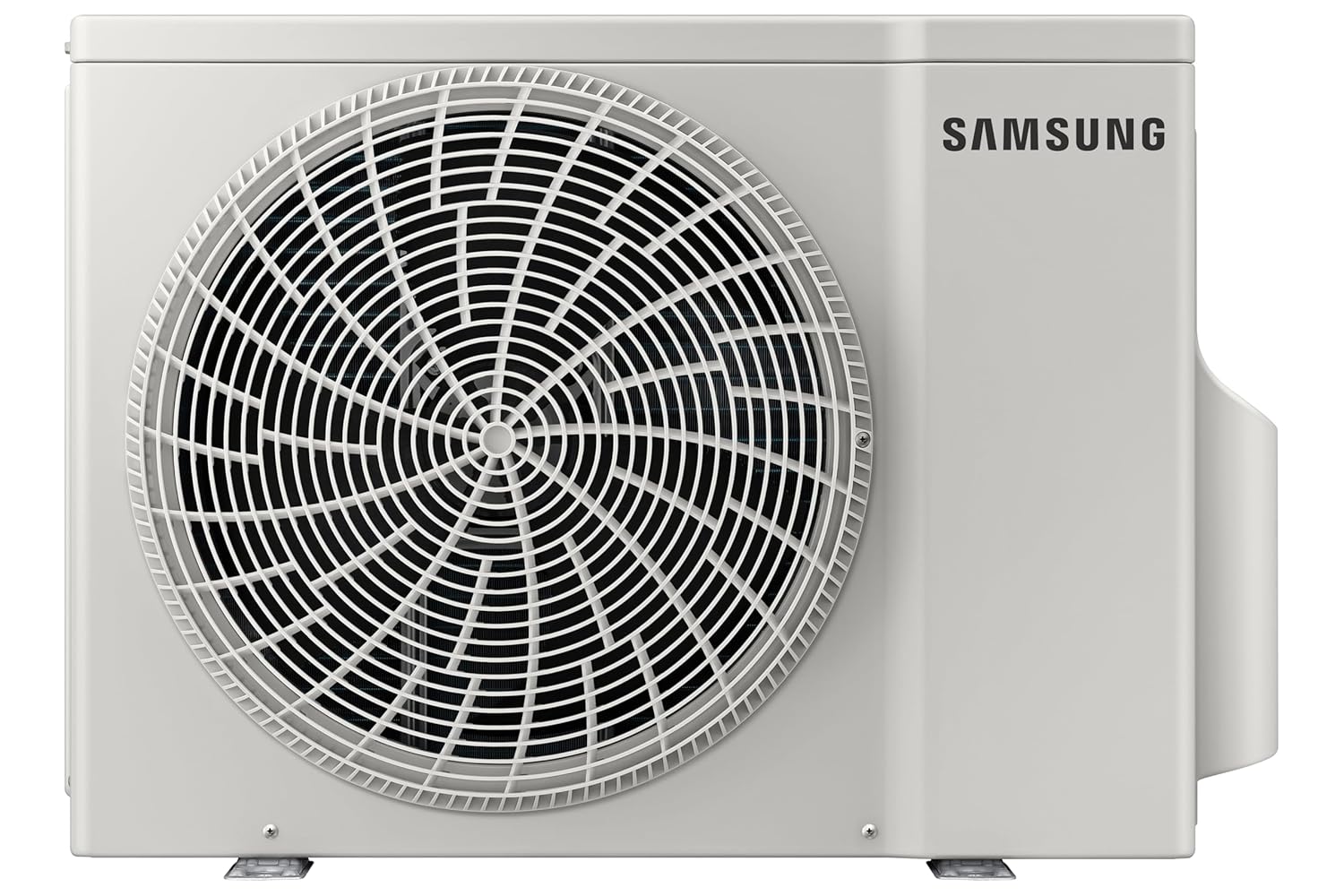
Figure 3: Front view of the outdoor unit.
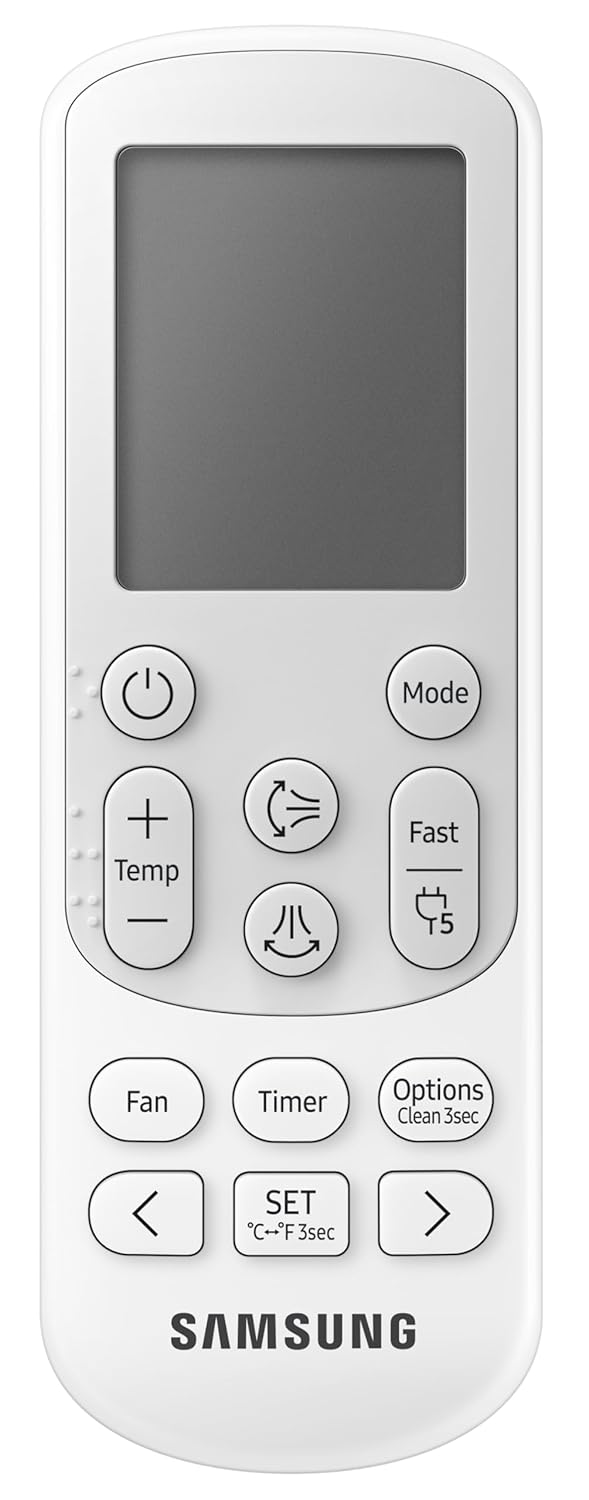
Figure 4: Side view of the outdoor unit, highlighting the condenser coils.
4. Operating Instructions
Your Samsung air conditioner is designed for user-friendly operation. Most functions are controlled via the wireless remote control.
Remote Control Functions
The remote control allows you to adjust settings such as temperature, operating mode, fan speed, and special features.
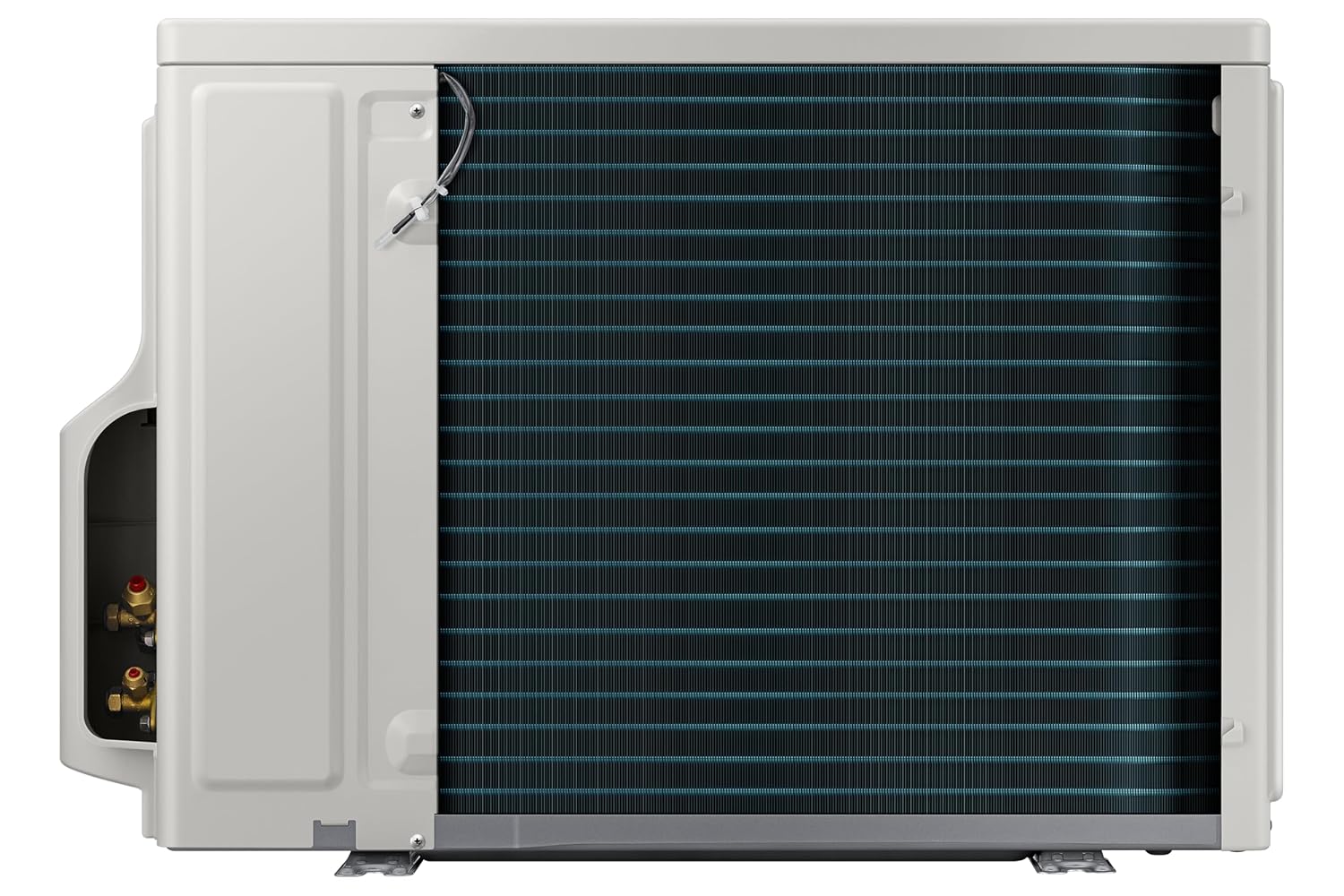
Figure 5: Wireless remote control for the Samsung Split AC.
- Power Button (U): Turns the unit On or Off.
- Mode Button: Cycles through operating modes (Cool, Fan, Dry, Auto).
- Temp +/- Buttons: Adjusts the desired temperature.
- Fan Button: Changes fan speed.
- Fast Button: Activates Fast Cooling mode for rapid temperature reduction.
- 5 Step Convertible Button: Cycles through the 5 convertible cooling capacity levels.
- Timer Button: Sets the On/Off timer.
- Options / Clean 3sec Button: Accesses additional options or activates the 3 Step Auto Clean function by pressing for 3 seconds.
- Swing Buttons: Controls the horizontal and vertical airflow direction (2 Way Swing).
Operating Modes
- Cool Mode: Provides cooling to reach the set temperature.
- Fan Mode: Circulates air without cooling.
- Dry Mode: Reduces humidity in the room.
- Auto Mode: Automatically selects the appropriate mode based on room temperature.
Convertible 5-in-1 Modes
This feature allows you to adjust the cooling capacity of the air conditioner to 5 different levels, optimizing energy consumption based on the number of people in the room or the desired cooling intensity. Refer to the remote control section for button usage.
5. Maintenance
Regular maintenance ensures optimal performance and extends the lifespan of your air conditioner. Always disconnect power before performing any maintenance.
Filter Cleaning
The Copper Anti-Bacterial Filter should be cleaned regularly (e.g., every two weeks or as needed) to maintain air quality and cooling efficiency.
- Open the front panel of the indoor unit.
- Remove the air filters.
- Clean the filters with a vacuum cleaner or wash them with lukewarm water and a mild detergent.
- Rinse thoroughly and allow them to dry completely in a shaded area before re-installing.
- Close the front panel securely.
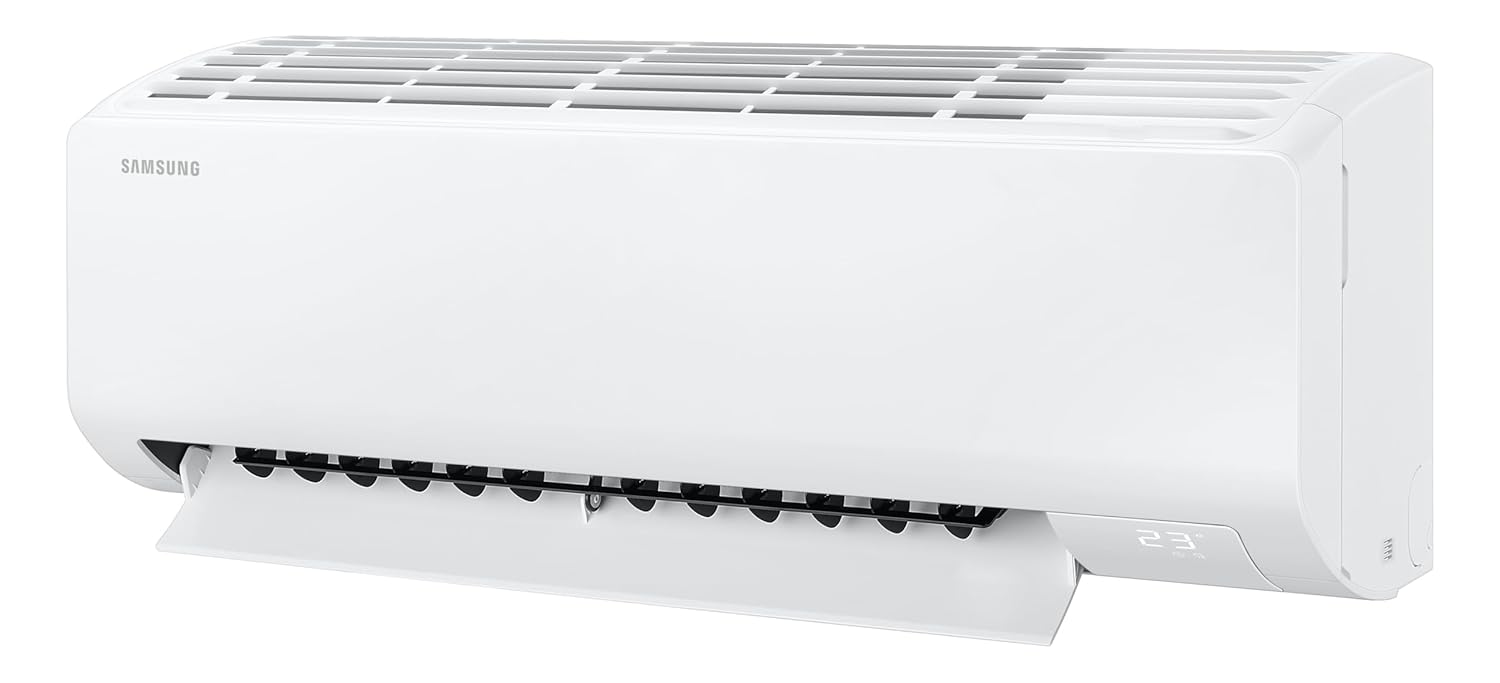
Figure 6: Indoor unit with front panel open for filter access.
3 Step Auto Clean Function
This function automatically dries the heat exchanger to prevent the buildup of bacteria and mold, reducing odors and maintaining hygiene. To activate, press and hold the 'Options' button on the remote control for 3 seconds.
Exterior Cleaning
Wipe the exterior of the indoor and outdoor units with a soft, damp cloth. Do not use harsh detergents, abrasive cleaners, or solvents.
Professional Servicing
It is recommended to have your air conditioner professionally serviced at least once a year by a qualified technician. This includes checking refrigerant levels, cleaning coils, and inspecting electrical connections.
6. Troubleshooting
Before contacting service, please check the following common issues and solutions:
| Problem | Possible Cause | Solution |
|---|---|---|
| Unit does not turn on. | No power supply; Remote control batteries are dead. | Check power connection and circuit breaker; Replace remote control batteries. |
| Insufficient cooling. | Dirty air filter; Doors/windows open; Temperature setting too high; Outdoor unit obstructed. | Clean air filter; Close doors/windows; Lower temperature setting; Clear obstructions around outdoor unit. |
| Unusual noise from unit. | Loose parts; Unit not level; Foreign object inside. | Ensure unit is installed on a level surface; Contact service if noise persists. |
| Water leakage from indoor unit. | Clogged drain pipe; Improper installation. | Contact a qualified technician for inspection and repair. |
If the problem persists after attempting these solutions, please contact Samsung customer support or a qualified service technician.
7. Specifications
The following table outlines the key technical specifications for the Samsung 1 Ton 3 Star Digital Inverter Split AC (Model: AR50F12D0XHNNA).
| Feature | Specification |
|---|---|
| Brand | Samsung |
| Model Number | AR50F12D0XHNNA |
| Capacity | 1 Ton |
| Cooling Power | 3.5 Kilowatts |
| Energy Rating | 3 Star BEE Rating |
| ISEER | 4.32 W/W |
| Annual Energy Consumption | 626.62 Kilowatt Hours Per Year |
| Refrigerant | R32 |
| Compressor Type | Digital Inverter (Rotary Screw) |
| Condenser Coil Material | Copper |
| Indoor Unit Dimensions (WxHxD) | 82 x 29.9 x 21.5 Centimeters |
| Outdoor Unit Dimensions (WxHxD) | 71 x 54 x 22 Centimeters |
| Indoor Unit Weight | 9 Kilograms |
| Outdoor Unit Weight | 21 Kilograms |
| Noise Level | 40 Decibels |
| Voltage | 230 Volts |
| Wattage | 1080 Watts |
| Filter Type | Antimicrobial Air Filter |
| Control Method | Remote Control |
| Recommended Room Size | 80 to 110 sq ft |
8. Warranty and Support
Warranty Information
Your Samsung air conditioner comes with a comprehensive manufacturer warranty:
- 5 years comprehensive warranty on the entire unit.
- 10 years warranty on the Digital Inverter Compressor.
Terms and conditions apply. Please refer to the warranty card included in your package for full details.
Customer Support
For any product-related complaints, assistance, or to schedule a service appointment, please contact Samsung customer support:
- Telephone (Toll Free): 1800 40 7267864 (1800 40 SAMSUNG)
- WhatsApp: 1800-57-267864
- Email: support.india@samsung.com
When contacting support, please provide your product's model name (AR50F12D0XHNNA) and details from your purchase invoice. Samsung's service center will assist in allotting a convenient slot for service.
Manufacturer Contact Information:
Samsung India Electronics Pvt. Ltd.
6th Floor, DLF Centre, Sansad Marg, New Delhi-110001
Importer Contact Information:
Manager, Customer Care Samsung India Electronics Pvt. Ltd.
6th Floor, DLF Centre, Sansad Marg, New Delhi - 110001