
Introduction
Thank you for choosing the Generic P2961 Wireless Bluetooth 5.3 Over-Ear Headphones. This manual provides essential information for the proper setup, operation, and maintenance of your new headphones. Please read this manual thoroughly before using the product to ensure optimal performance and longevity.
Product Overview
The Generic P2961 headphones are designed for a superior wireless audio experience, featuring Bluetooth 5.3 connectivity, 40mm HiFi speakers, and a comfortable over-ear design. They support multiple audio sources including Bluetooth, AUX, TF card, and FM radio.
Package Contents
- Generic P2961 Wireless Bluetooth Over-Ear Headphones
- Type-C Charging Cable
- User Manual
Headphone Components
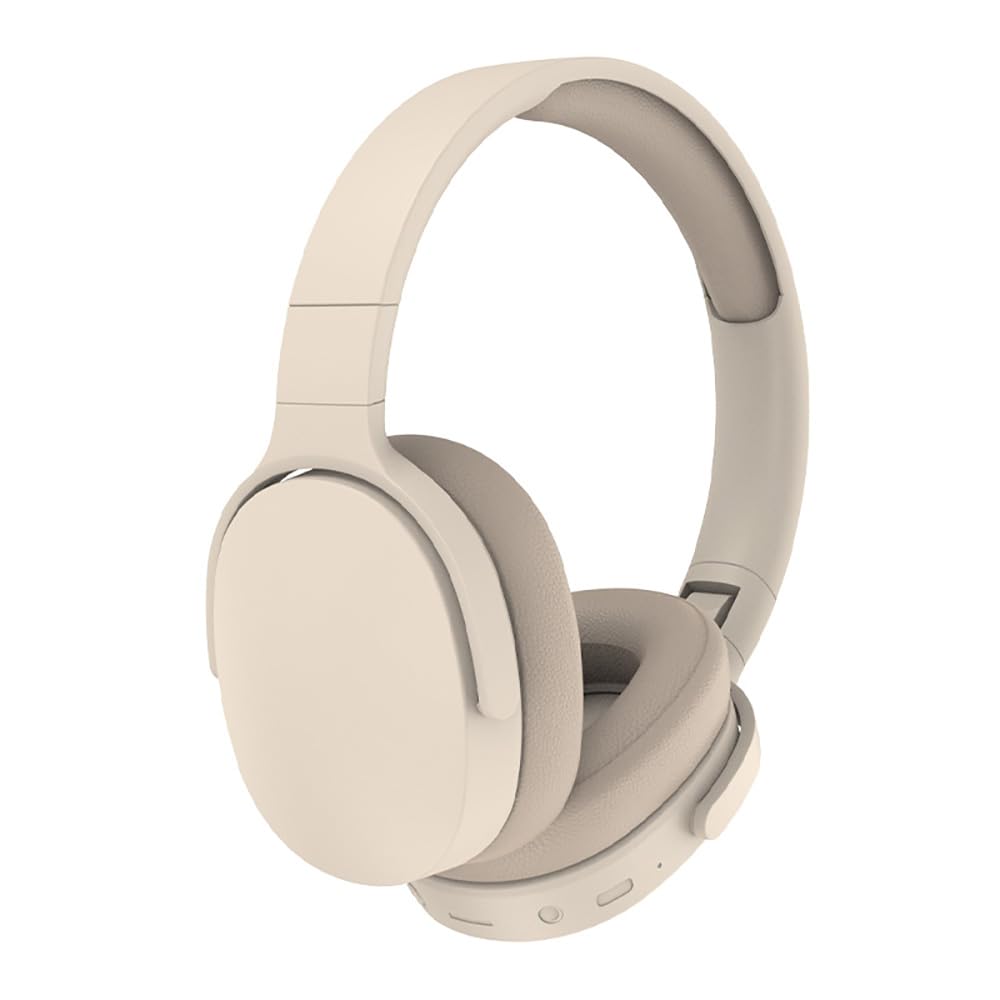
Image: Generic P2961 Wireless Bluetooth Over-Ear Headphones. This image displays the khaki-colored over-ear headphones from a side angle, highlighting the adjustable headband, cushioned earcups, and the general design. Visible on the bottom edge of the right earcup are several control buttons and ports.
Refer to the image above for a visual representation of the headphones. Key components include:
- Adjustable Headband: For a comfortable fit.
- Cushioned Earcups: Over-ear design for comfort and passive noise cancellation.
- Control Buttons: (Located on the right earcup, typically for power, volume, track control, mode switching, and call management).
- Type-C Charging Port: For battery charging.
- 3.5mm AUX Input: For wired audio connection.
- TF Card Slot: For playing music directly from a memory card.
- Microphone: For hands-free calls.
Setup
1. Charging the Headphones
- Connect the supplied Type-C charging cable to the charging port on the headphones.
- Connect the other end of the cable to a USB power source (e.g., computer USB port, USB wall adapter).
- The LED indicator will illuminate during charging and change color or turn off when fully charged.
- A full charge provides over 8 hours of playtime.
2. Powering On/Off
- To Power On: Press and hold the Power button (usually the multi-function button) for approximately 3-5 seconds until the LED indicator lights up and you hear an audible prompt.
- To Power Off: Press and hold the Power button for approximately 3-5 seconds until the LED indicator turns off and you hear an audible prompt.
3. Bluetooth Pairing
- Ensure the headphones are powered off.
- Press and hold the Power button for approximately 5-7 seconds until the LED indicator flashes red and blue alternately, indicating pairing mode.
- On your Bluetooth-enabled device (smartphone, tablet, computer), go to the Bluetooth settings.
- Search for available devices and select "P2961" from the list.
- Once connected, the LED indicator will typically flash blue slowly or remain solid blue, and you will hear a confirmation tone.
- The headphones have a Bluetooth range of approximately 33 feet (10 meters).
Operating Instructions
Bluetooth Mode
- After successful pairing, the headphones will automatically connect to the last paired device when powered on (if Bluetooth is enabled on the device).
- Play/Pause: Press the Multi-function button once.
- Next Track: Press and hold the Volume Up button.
- Previous Track: Press and hold the Volume Down button.
- Volume Up: Short press the Volume Up button.
- Volume Down: Short press the Volume Down button.
AUX Mode (Wired Connection)
- Insert a 3.5mm audio cable (not included) into the AUX input port on the headphones.
- Connect the other end of the cable to your audio source's 3.5mm output jack.
- The headphones will automatically switch to AUX mode. Note that button controls on the headphones may be limited in AUX mode; control playback from your audio source.
TF Card Mode
- Insert a TF (MicroSD) card with MP3 audio files into the TF card slot.
- The headphones will automatically switch to TF card mode and begin playing music.
- Use the control buttons for play/pause, next/previous track, and volume adjustments as in Bluetooth mode.
FM Radio Mode
- Press the Mode button (if available, or the multi-function button) to switch to FM radio mode.
- Press the Play/Pause button once to auto-scan and save available FM stations.
- Use the Next/Previous Track buttons to navigate between saved stations.
- Adjust volume using the Volume Up/Down buttons.
Call Functions
- Answer Call: Press the Multi-function button once when a call comes in.
- End Call: Press the Multi-function button once during a call.
- Reject Call: Press and hold the Multi-function button for approximately 2 seconds.
- Redial Last Number: Double-press the Multi-function button.
Maintenance
- Clean the headphones regularly with a soft, dry cloth. Do not use abrasive cleaners or solvents.
- Avoid exposing the headphones to extreme temperatures, humidity, or direct sunlight.
- Store the headphones in a cool, dry place when not in use.
- Do not attempt to disassemble or modify the headphones, as this will void the warranty and may cause damage.
- While the product is listed as "Water Resistant", avoid submerging it in water or exposing it to heavy rain.
Troubleshooting
| Problem | Possible Cause | Solution |
|---|---|---|
| Headphones do not power on. | Low battery. | Charge the headphones fully using the Type-C cable. |
| Cannot pair with Bluetooth device. | Headphones not in pairing mode; Bluetooth disabled on device; device too far. | Ensure headphones are in pairing mode (flashing red/blue LED). Enable Bluetooth on your device. Move device closer to headphones (within 33 feet). |
| No sound. | Volume too low; incorrect mode selected; device not connected. | Increase volume on headphones and connected device. Ensure correct mode (Bluetooth, AUX, TF, FM) is selected. Verify successful Bluetooth connection or proper AUX cable insertion. |
| FM radio reception is poor. | Weak signal. | Move to an area with better signal reception. Re-scan for stations. |
Specifications
| Model Name | P2961 |
| Connectivity Technology | Wireless (Bluetooth) |
| Bluetooth Version | 5.3 |
| Bluetooth Range | Approximately 33 feet (10 meters) |
| Audio Driver Size | 40 mm |
| Impedance | 32 Ohms |
| Battery Capacity | 200 mAh (estimated from 8+ hour playtime) |
| Playtime | 8+ hours |
| Charging Port | Type-C |
| Supported Modes | Bluetooth, AUX, TF Card, FM Radio |
| Material | Acrylonitrile Butadiene Styrene (ABS), PU |
| Item Weight | 9.7 ounces (275 grams) |
| Product Dimensions | 8.27 x 7.24 x 2.36 inches |
| Water Resistance Level | Water Resistant |
Warranty and Support
This product is covered by a standard manufacturer's warranty. For specific warranty details, please refer to the documentation included with your purchase or contact the retailer. For technical support or inquiries, please reach out to the customer service department of the brand or retailer where the product was purchased.
Please retain your proof of purchase for any warranty claims.


