
Tamagotchi 43423
Tamagotchi Paradise Purple Sky Electronic Pet Instruction Manual
Brand: Tamagotchi | Model: 43423
Introduction
Welcome to Tamagotchi Paradise! This electronic pet device offers an enhanced nurturing experience, allowing you to care for your digital character from its earliest stages to its full evolution. Explore various environments, engage in mini-games, and connect with other Tamagotchi Paradise devices for expanded play.
This manual provides essential information for setting up, operating, and maintaining your Tamagotchi Paradise device.
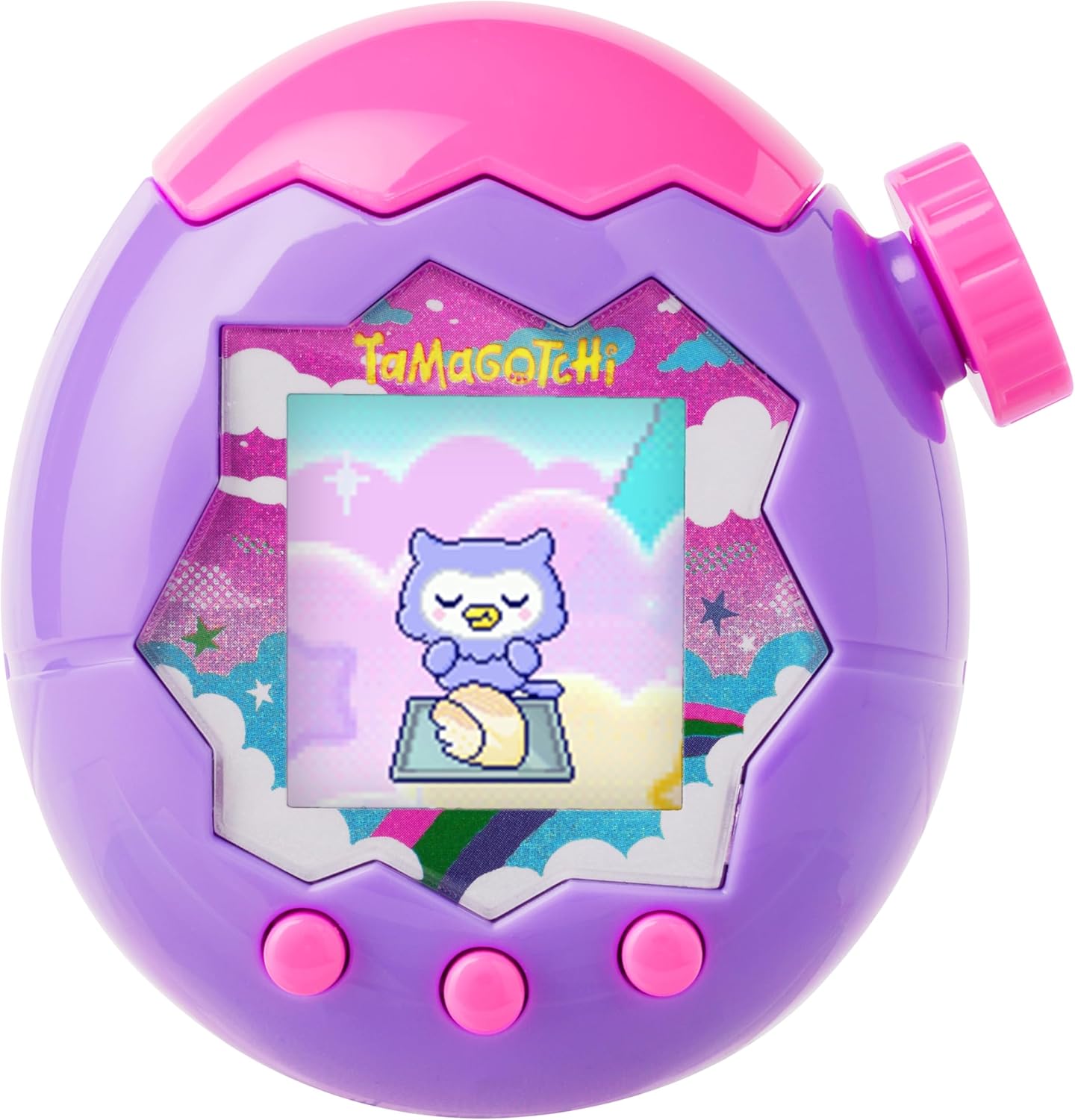
Image: The Tamagotchi Paradise Purple Sky device, featuring a purple and pink shell with a digital character displayed on its screen.
Important Safety Information
WARNING: CHOKING HAZARD - Small parts. Not for children under 3 years.
Please ensure adult supervision for young children during play. Keep batteries out of reach of small children.
Package Contents
Your Tamagotchi Paradise - Purple Sky package should contain the following:
- 1x Tamagotchi Paradise - Purple Sky Electronic Pet Device
- 1x Instruction Manual (this document)

Image: The retail packaging for the Tamagotchi Paradise Purple Sky device.
Setup
1. Battery Installation
The Tamagotchi Paradise device requires 2 AAA batteries (not included). To install:
- Locate the battery compartment on the back of the device.
- Using a small Phillips head screwdriver, unscrew the battery compartment cover.
- Insert 2 fresh AAA batteries, ensuring correct polarity (+/-).
- Replace the cover and secure it with the screw.
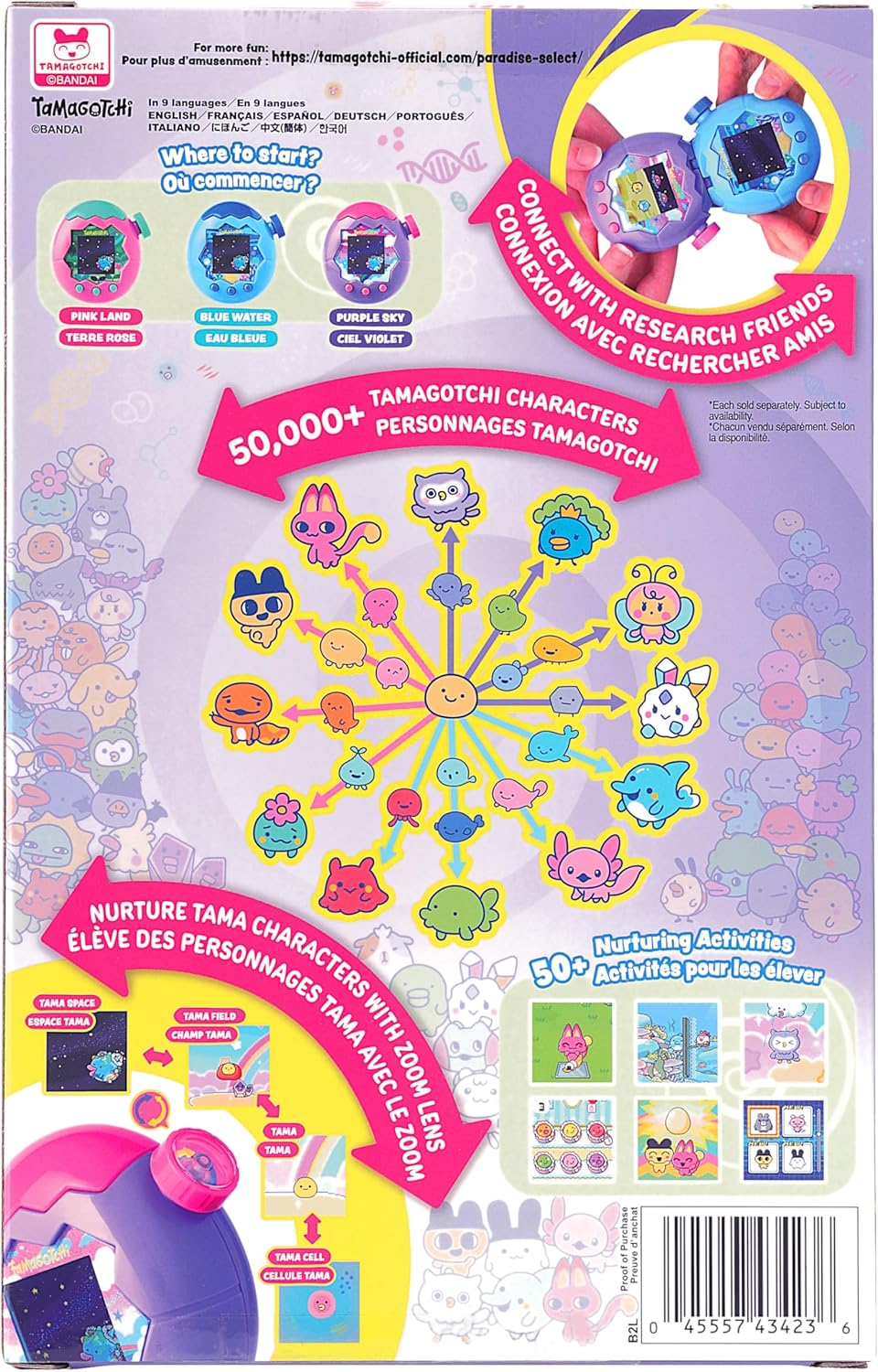
Image: The rear view of the Tamagotchi Paradise device, highlighting the battery compartment.
2. Initial Device Setup
Upon first power-up or after battery replacement, you will need to set up your device:
- Language Selection: Use the control buttons to select your preferred language (English, French, Spanish, German, Portuguese, Italian, Chinese, Korean, or Japanese). Press the center button to confirm.
- Date and Time: Set the current date and time using the control buttons. Confirm each setting.
- Name Your Planet: You will be prompted to name your Tamagotchi Planet. Use the control buttons to enter a name.
- Egg Hatching: Your Tamagotchi egg will hatch, and your new Tamagotchi character will appear.
Basic Operation: Nurturing Your Tamagotchi
The core of Tamagotchi Paradise involves caring for your digital pet. Use the three control buttons on the front of the device to navigate menus and interact.
1. Feeding Your Tamagotchi
Access the 'Feed' option from the main menu to provide food or snacks. Different food options may become available as your Tamagotchi grows or as you progress in the game.
2. Cleaning Your Tamagotchi
Select 'Clean Tama' to maintain your pet's hygiene. This includes cleaning up after it and other grooming activities.
3. Playing with Your Tamagotchi
Engage your Tamagotchi with various mini-games and activities found under the 'Play' menu. Playing helps increase your Tamagotchi's happiness and can earn you currency.

Image: The Tamagotchi Paradise device displaying a character engaged in a mini-game activity.
4. Checking Tamagotchi Status
Regularly check your Tamagotchi's hunger, happiness, and age to ensure its well-being. This information is crucial for proper nurturing.
Advanced Features
1. Zoom Dial Functionality
The unique 'Zoom' dial on the side of your device allows you to navigate through different views of your Tamagotchi's world:
- Cell View: A close-up view of your Tamagotchi character.
- Tama View: A broader view of your Tamagotchi in its immediate environment.
- Field View: An overview of the current field your Tamagotchi inhabits.
- Space View: The widest view, showing your Tamagotchi Planet.
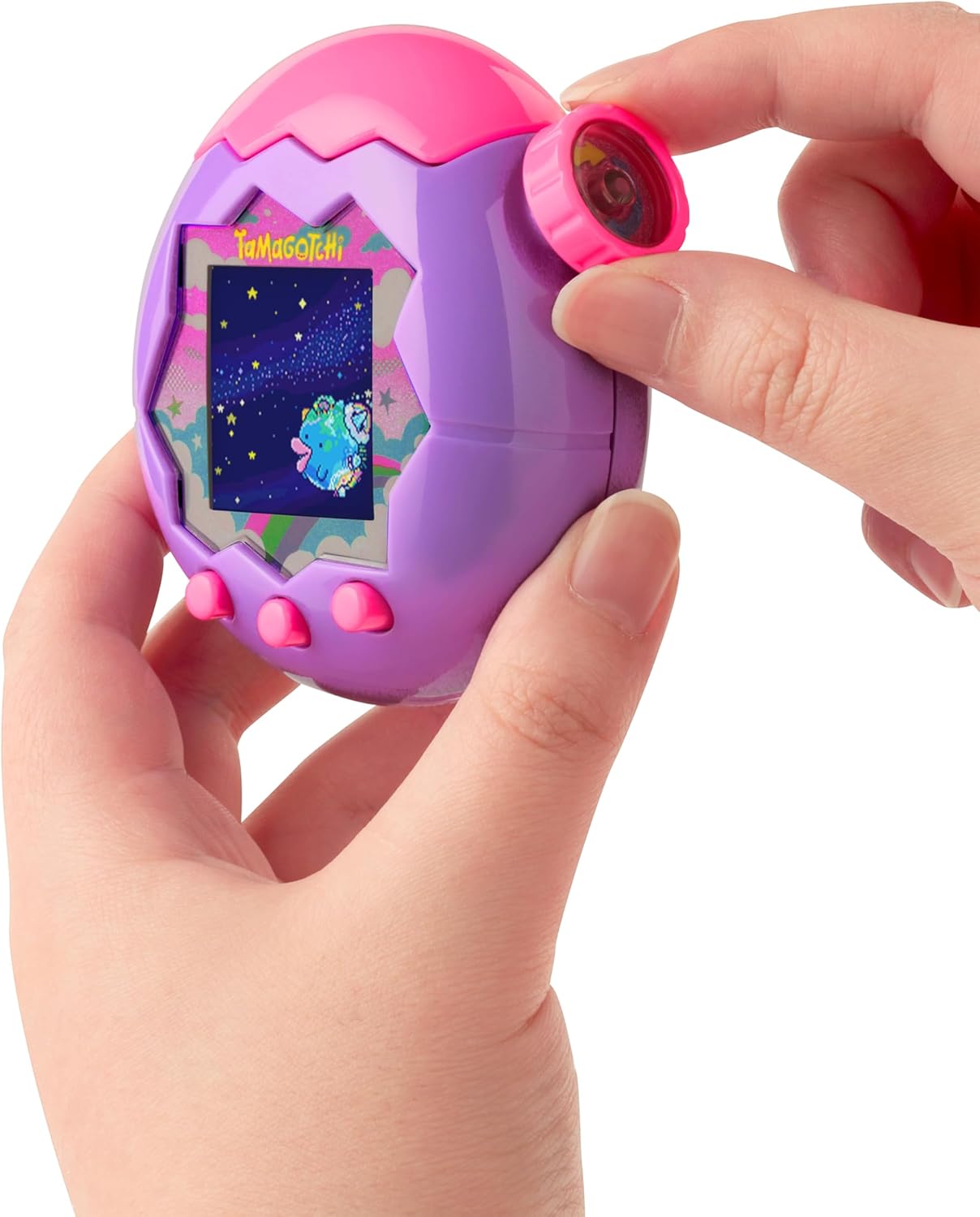
Image: A user's hands demonstrating the use of the zoom dial on the side of the Tamagotchi Paradise device.
2. Lab Mode
The new 'Lab Mode' offers additional activities and features:
- Mini-Games: Access new mini-games to earn currency and keep your Tamagotchi entertained.
- Shop: Purchase various items, food, and decorations for your Tamagotchi and its environment.
- Nurturing Activities: Discover new ways to interact and care for your pet.
- Breeding: Engage in 'BREED' play to create new Tamagotchi characters, passing on traits to the next generation. Over 50,000 unique characters across 12 species are possible.
3. Connecting with Friends
You can connect your Tamagotchi Paradise device with a friend's device to enable character interaction. Open the top cover of both devices and bring them together to connect. This allows your characters to interact, potentially leading to new developments or outcomes.

Image: Two Tamagotchi Paradise devices, one purple and one pink, connected via their top sections.
4. Unlocking New Fields
Your Purple Sky device starts in the Sky field. As you progress and meet certain conditions, you can unlock two additional fields: Land and Water. Each field introduces different environments, characters, and play opportunities.
Official Product Video
Video: An official demonstration of the Tamagotchi Paradise device, showcasing its features and gameplay.
Maintenance
To ensure the longevity of your Tamagotchi Paradise device:
- Keep the device clean by wiping it with a soft, dry cloth.
- Avoid exposing the device to extreme temperatures, direct sunlight, or moisture.
- Consider using a screen protector or protective case to prevent scratches, as the screen surface can be delicate.
- Remove batteries if the device will not be used for an extended period to prevent leakage.
Troubleshooting
If you encounter issues with your Tamagotchi Paradise device, try the following:
- Device Not Turning On: Check if the batteries are correctly installed and fully charged. Replace with new batteries if necessary.
- Screen Issues: If the screen is unresponsive or displays incorrectly, try removing and reinserting the batteries to reset the device.
- Character Unhappiness/Illness: Refer to the 'Checking Tamagotchi Status' section to identify specific needs (hunger, happiness) and address them through feeding, playing, or cleaning.
- Connection Problems: Ensure both devices are properly aligned and the top covers are fully open when attempting to connect.
For persistent issues, please refer to the official Tamagotchi support resources.
Specifications
| Feature | Detail |
|---|---|
| Product Dimensions | 1.5"L x 3"W x 3"H |
| Item Weight | 0.17 Kilograms (6 ounces) |
| Screen Size | 3.81 Centimeters |
| Display Type | LCD |
| Controller Type | Button Control, Zoom Dial |
| Power Source | Battery Powered |
| Batteries Required | 2 AAA batteries (not included) |
| Age Range | 6 years and up |
| Material | Acrylonitrile Butadiene Styrene (60%), Polycarbonate (10%), Metal (23%), Crystal (7%) |
| Model Number | 43423 |
| UPC | 045557434236 |
| Manufacturer | Bandai Namco Toys & Collectibles America |
Warranty and Support
For warranty information, product support, or to inquire about replacement parts, please contact Bandai Namco Toys & Collectibles America customer service. Refer to the product packaging or the official Tamagotchi website for the most current contact details.
Keep your purchase receipt as proof of purchase for any warranty claims.
Related documents43423


Ask a question about this manual
Ask about setup, troubleshooting, compatibility, parts, safety, or missing instructions. Manuals+ will review the question and use this page’s manual context to help answer it.