Introduction
Welcome to the world of DRAGON QUEST I & II HD-2D Remake for Nintendo Switch. This manual provides essential information to help you embark on your journey through the legendary adventures of The Erdrick Trilogy. Experience the classic tales of heroism, exploration, and combat with stunning modernized visuals and enhanced gameplay features.
This package brings together the first two installments of the DRAGON QUEST series, reimagined with HD-2D graphics that blend pixel art with 3D environments. Prepare to defeat the Dragonlord in DRAGON QUEST I and then continue the saga in DRAGON QUEST II, where a new generation of heroes rises against evil.
Game Setup
1. Inserting the Game Card
Ensure your Nintendo Switch console is powered off or in sleep mode before inserting the game card. Locate the game card slot on your Nintendo Switch console. Gently push the DRAGON QUEST I & II HD-2D Remake game card into the slot until it clicks into place. The game icon will appear on the HOME Menu.
2. Initial Game Launch
Select the game icon from the HOME Menu to start the game. The game may require an initial software update. Ensure your Nintendo Switch is connected to the internet to download any necessary updates for optimal performance.

Image: Front cover of the DRAGON QUEST I & II HD-2D Remake game for Nintendo Switch, featuring the main characters.
Operating Instructions
1. Basic Controls
The game utilizes standard Nintendo Switch controls. Use the left analog stick for character movement and the right analog stick to control the camera (where applicable). Action buttons (A, B, X, Y) are used for interactions, attacks, and menu selections. The + and - buttons typically open the main menu and map, respectively.
2. Gameplay Mechanics
- Exploration: Traverse vast overworlds, intricate dungeons, and bustling towns. Speak with NPCs to gather information, accept quests, and uncover secrets.
- Combat: Engage in traditional turn-based battles. Select commands such as Attack, Spell, Item, or Defend for each character. The game features new animations and quality-of-life improvements like adjustable battle speed and an auto-battle setting.
- Menus: Access your inventory, character stats, equipment, spells, and system settings through the main menu.

Image: An in-game scene depicting the overworld map with characters near a ship and a castle in the distance, showcasing the HD-2D visual style.
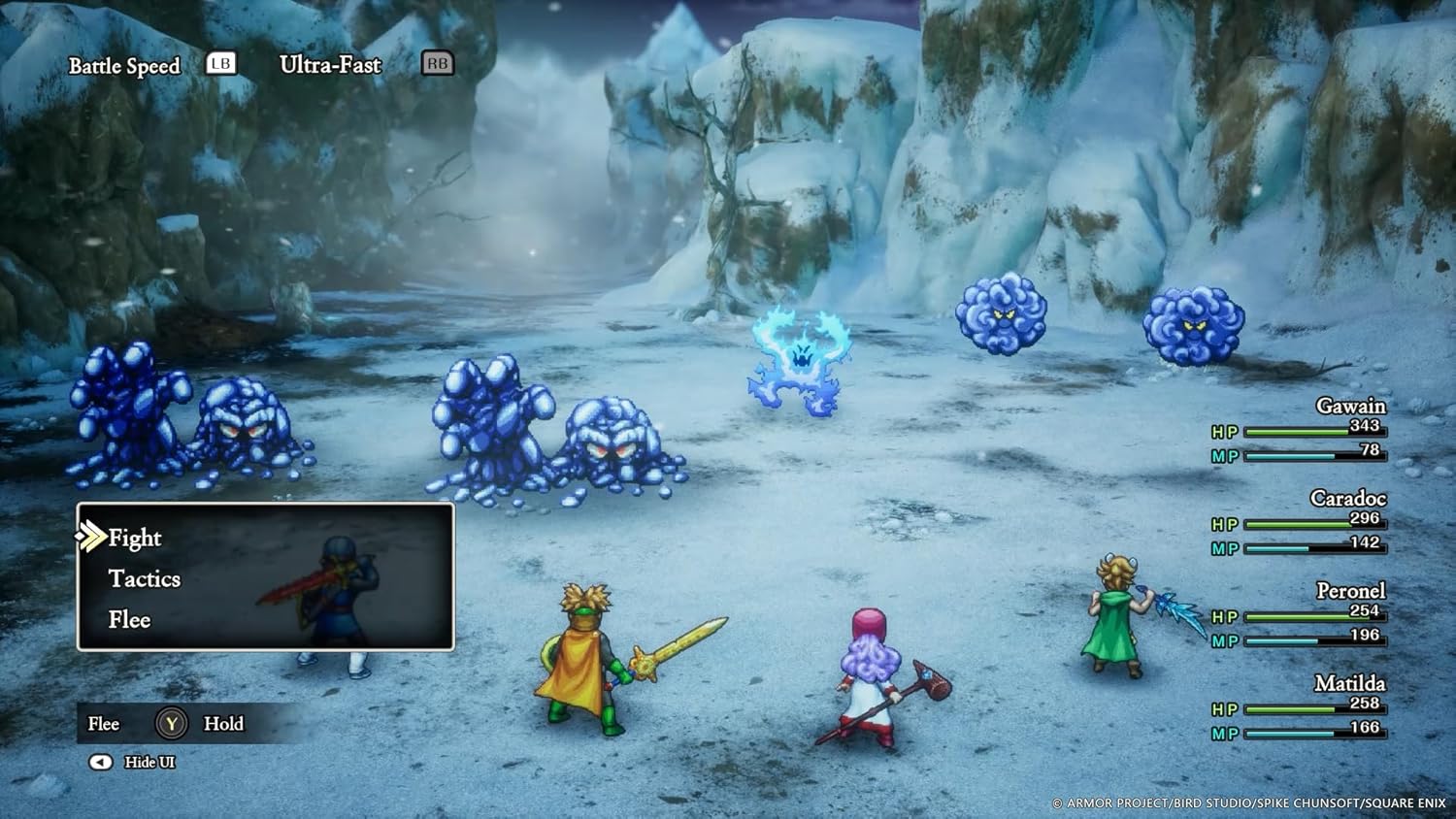
Image: A battle sequence in a snowy landscape, displaying the turn-based combat system with character and enemy sprites.
3. Game Progression
DRAGON QUEST I focuses on a single hero's quest to defeat the Dragonlord. DRAGON QUEST II expands the adventure with a party of heroes, descendants of Erdrick, working together to overcome a new threat. Both games offer distinct experiences within the same legendary lineage.
Video: Official trailer for DRAGON QUEST I & II HD-2D Remake, showcasing gameplay, story elements, and the updated visuals.
Maintenance
1. Saving Your Game
Regularly save your game progress. In DRAGON QUEST I, you typically save by speaking to the King. In DRAGON QUEST II, saving can often be done at churches or by speaking to specific characters. Consult the in-game tutorial or dialogue for precise saving locations.
2. Game Card Care
Keep the game card clean and free from dust or debris. Store it in its original case when not in use to prevent damage. Avoid touching the metal connectors on the back of the card.
3. Software Updates
Periodically check for software updates for the game and your Nintendo Switch console. Updates often include bug fixes, performance improvements, and sometimes new content. To check for updates, highlight the game icon on the HOME Menu, press the + button, and select "Software Update."
Troubleshooting
- Game Not Loading: Ensure the game card is fully inserted into the slot. Try removing and re-inserting it. Clean the game card's connectors with a soft, dry cloth if necessary.
- Game Freezing/Crashing: Close the game and restart it. If the issue persists, try restarting your Nintendo Switch console. Ensure your game software is up to date.
- Display Issues: Check your TV or monitor's input settings. Ensure the Nintendo Switch is properly docked (if playing on TV) and that all cables are securely connected.
- Controller Not Responding: Ensure your Joy-Cons or Pro Controller are charged and properly paired with the console. Try re-syncing them.
If you encounter persistent issues not covered here, please refer to the official Square Enix support website or the Nintendo Switch support resources.
Specifications
| Attribute | Detail |
|---|---|
| Product Title | DRAGON QUEST I & II HD-2D Remake (NSW) Nintendo Switch |
| Brand | Square Enix |
| Model Number | 92818 |
| ASIN | B0F2NZ8LKV |
| Release Date | October 30, 2025 |
| Platform | Nintendo Switch |
| Rated | Everyone 10+ |
| Language | English |
| Item Weight | 1.92 ounces |
| Product Dimensions | 7.2 x 4.7 x 0.5 inches |
Warranty and Support
For warranty information, technical support, or further assistance, please visit the official Square Enix support website. Details regarding product returns and replacements can be found on the retailer's website where the game was purchased.
Note: Specific warranty terms may vary by region and retailer. Please retain your proof of purchase.


